



Welcome to the final post in this series on how to improve an organization’s security posture by reducing the risks associated with using long-lived credentials. Part one reviewed the security risks of using long-lived credentials and part two explained how to implement Workload Identity Federation to issue short-lived credentials to workloads, eliminating the need for service account keys.
In today’s post, I’m going to demonstrate how to use Google Security Operations (SecOps) to understand the use of service account keys in your environment and how to detect their creation. If your organization uses service account keys, the migration to replace them with more secure authentication methods might take some time. In the meantime, as defensive practitioners there are some proactive steps we can take to baseline our environment and develop detections that identify unusual behavior.
It’s also worth noting that if your organization has restricted service account usage (e.g. disabling the creation of service account keys), a rule that detects when a service account key is created should be considered a suspicious or notable event that requires investigation.
Ingesting Google Cloud Logs into Google SecOps
Service account key creation, upload, and authentication events are logged in Google Cloud logs. We need to enable the ingestion of Google Cloud logs into Google SecOps before we can run searches and create rules based on these events. This is accomplished in the Google Cloud console on the “Google Security Operations administration settings” page. Select the Google Cloud organization that contains the project that’s bound to your Google SecOps tenant and enable the options highlighted in the image below.
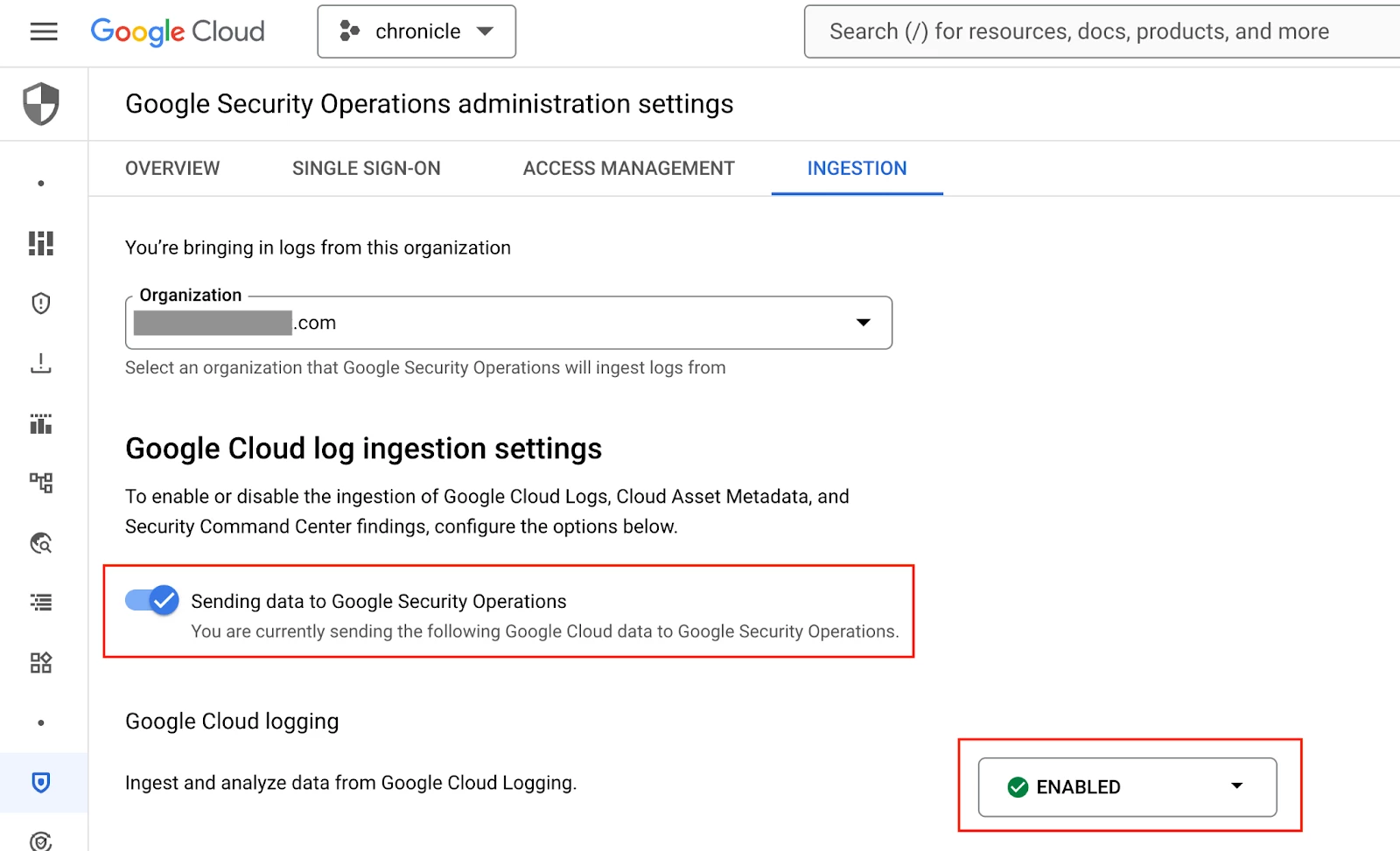 Enabling the ingestion of Google Cloud Audit logs into Google SecOps
Understanding Service Account Key Usage
Now that Google SecOps is ingesting Google Cloud logs, the following search can be used to understand the service account key usage in my Google Cloud organization. This is a statistical search that counts the number of events in my Google Cloud logs where a service account key was used to carry out an action. The results are grouped by the service account key ID (SA_KEY_ID) and service account email address (SA_EMAIL_ADDRESS).
metadata.log_type = "GCP_CLOUDAUDIT"
security_result.detection_fields["key_id"] != ""
security_result.action = "ALLOW"
$sa_email_address = principal.user.email_addresses
$sa_key_id = security_result.detection_fields["key_id"]

match:
    $sa_email_address, $sa_key_id

outcome:
    $event_count = count_distinct(metadata.id)

order:
  $event_count desc
This search can be used to understand how prevalent service account key use is in a Google Cloud environment and by which service accounts.
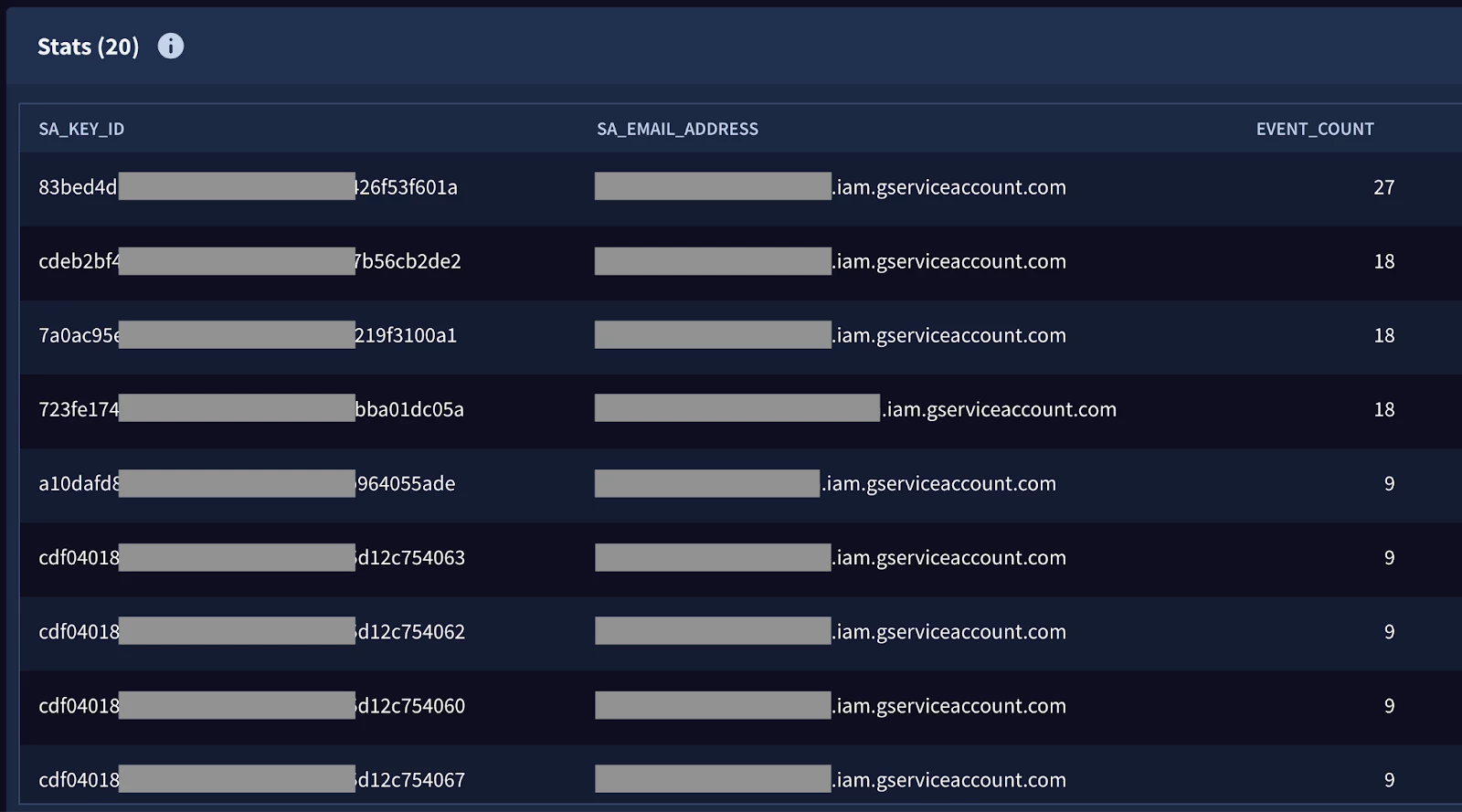 Reviewing the results of a statistical search in Google SecOps
Detecting Service Account Key Creation and Uploads
As I mentioned earlier, if your organization has taken steps to prevent people from creating or uploading service accounts in your Google Cloud environment, your security team will likely want to detect that behavior if it happens and investigate the root cause.
The rule below detects when a service account key is successfully created or uploaded in your Google Cloud organization. If there are specific user accounts that are allowed to create service account keys in your environment, this rule can be customized to filter results based on the “principal.user.userid” field for example.
In the outcome section of this rule, the expiration date for the service account key is being parsed into a human readable date and is stored in the $sa_key_expiry_date variable. If you want a deeper dive on timestamp manipulation in Google SecOps, I recommend checking out the post, New to Google SecOps: Time, Time, Time, See What’s Become of Me.
rule google_cloud_service_account_key_created_or_uploaded {

  meta:
    author = "Google Cloud Security"
    description = "Detects when a service account key is created in or uploaded to a monitored Google Cloud project."
    assumption = "Google SecOps is ingesting Google Cloud logs. Reference: https://cloud.google.com/chronicle/docs/ingestion/cloud/ingest-gcp-logs"
    type = "alert"
    severity = "Medium"
    priority = "Medium"
    platform = "Google Cloud"
    data_source = "GCP Cloud Audit"
    mitre_attack_tactic = "Persistence"
    mitre_attack_technique = "Account Manipulation: Additional Cloud Credentials"
    mitre_attack_url = "https://attack.mitre.org/techniques/T1098/001/"
    mitre_attack_version = "v15"
    reference = "https://cloud.google.com/iam/docs/best-practices-for-managing-service-account-keys"

  events:
    $gc.metadata.log_type = "GCP_CLOUDAUDIT"
    $gc.metadata.product_name = "Google Cloud IAM"
    (
        $gc.metadata.product_event_type = "google.iam.admin.v1.CreateServiceAccountKey" or
        $gc.metadata.product_event_type = "google.iam.admin.v1.UploadServiceAccountKey"
    )
    $gc.security_result.action = "ALLOW"
    $gc.security_result.detection_fields["key_id"] = $sa_key_id

  match:
    $sa_key_id over 30m

  outcome:
    $risk_score = max(65)
    $mitre_attack_tactic = "Persistence"
    $mitre_attack_technique = "Account Manipulation: Additional Cloud Credentials"
    $mitre_attack_technique_id = "T1098.001"
    $event_count = count_distinct($gc.metadata.id)
    $principal_ip = array_distinct($gc.principal.ip)
    $principal_user_userid = array_distinct($gc.principal.user.userid)
    $principal_ip_country = array_distinct($gc.principal.ip_geo_artifact.location.country_or_region)
    $principal_ip_state = array_distinct($gc.principal.ip_geo_artifact.location.state)
    $principal_ip_city = array_distinct($gc.principal.location.city)
    $security_result_summary = array_distinct($gc.security_result.summary)
    $sa_key_expiry_date = array_distinct(timestamp.get_date(cast.as_int($gc.about.labels["res_valid_before_time"])))

  condition:
    $gc
}
The image below shows a detection from the new rule. We can see that a new service account key was created with a key ID starting with “5cff” and an expiration date of 2025-01-08.
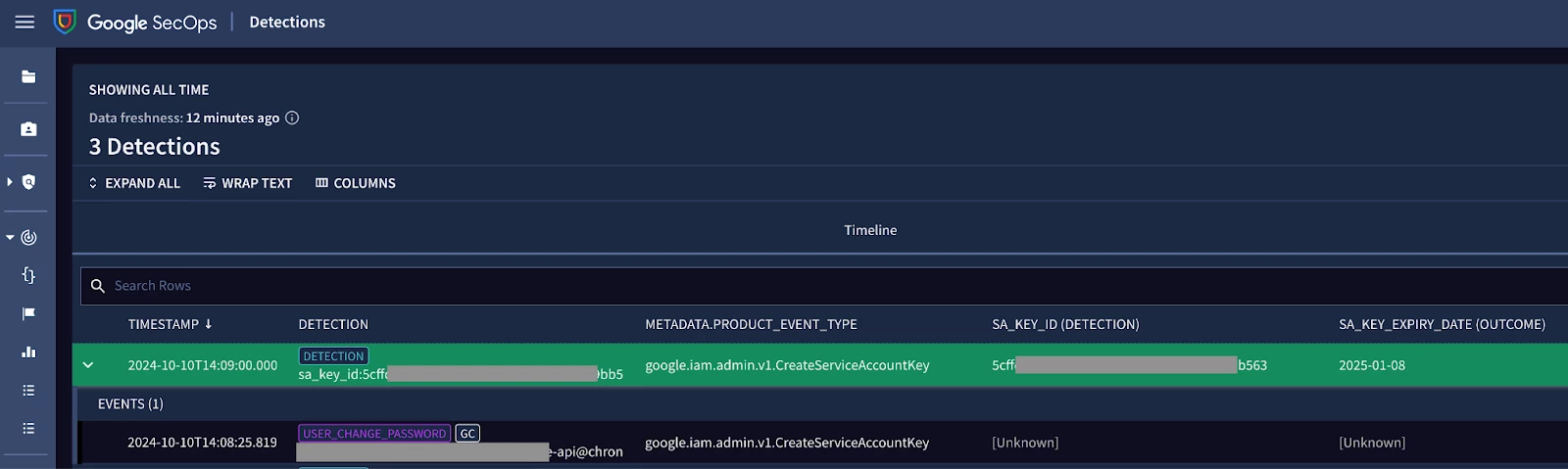 Detecting service account key creation in Google SecOps
Wrap Up
That’s a wrap for this blog series where I covered the following:
- Understanding the security risks of using long-lived secrets
- How to implement Workload Identity Federation to reduce security risk for an organization and issue short-lived credentials to workloads
- Using Google SecOps to understand the use of service account keys in a Google Cloud environment and detect service account key creation
Thanks for reading. Feel free to reach out on the Google Cloud Security Community with any questions.



