




I’m excited to write this blog as we start a new journey to leverage SQL to build searches in Google Security Operations (SecOps). Over the past four years, search in Google SecOps has evolved from boolean logic to adding YARA-L constructs that enabled statistical searches. Along the way, we discussed functions that can be used to further enable these searches. Now, we are not going to stop discussing using YARA-L search, it’s not going anywhere, but we are going to add another tool to the toolbox that can be used in search, and soon in other parts of SecOps, which is SQL.
Google SecOps now supports searching in SQL, which means that you now have the option to use YARA-L or SQL as your search syntax. This can be easily toggled in the search screen.
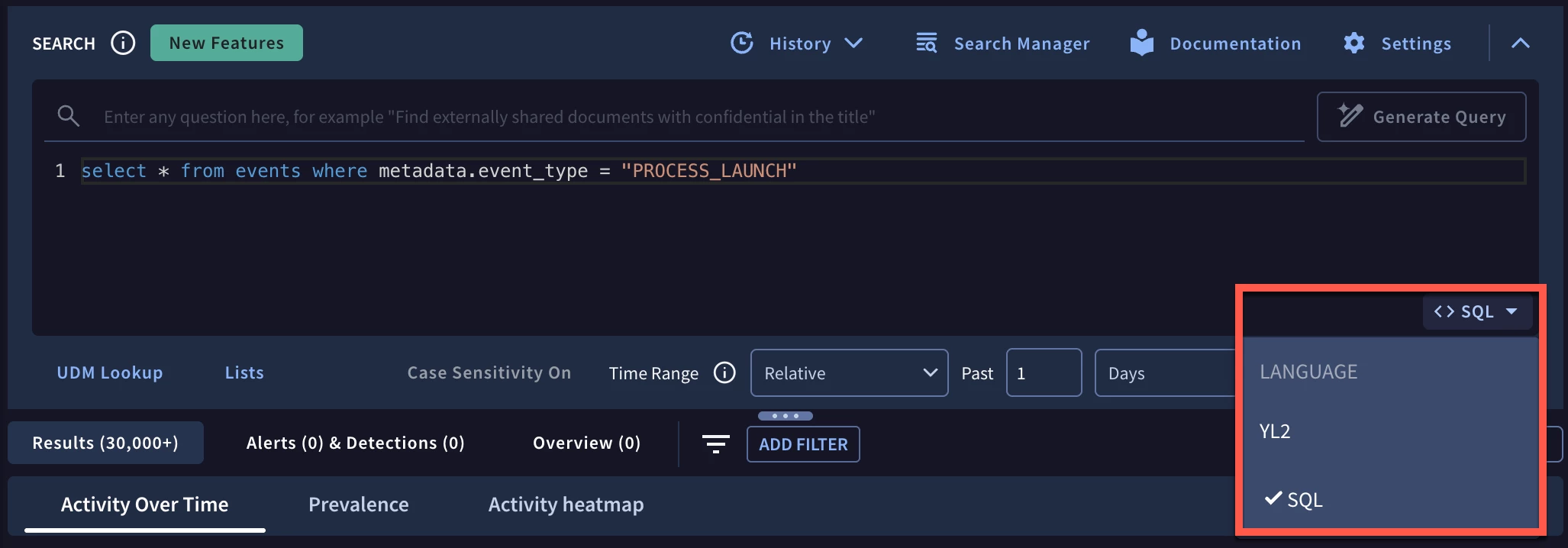
Now you may be thinking, “this is another language that I have to learn and everything I’ve heard about SQL is that there is a very rigid structure.”
Traditional SQL does have a specific structure that looks something like this at its most basic level.
select * from events where metadata.event_type = "PROCESS_LAUNCH"
However, another exciting development around the SecOps use of SQL is that Google’s SQL implementation not only supports traditional SQL, it also supports the pipe syntax extension! This pipe syntax has been supported and running in Google BigQuery and Cloud Logging since the end of 2024.
Pipe syntax provides users who might be more familiar with other top down languages (SPL and KQL, for instance) with a more streamlined path to adopt a new platform while providing a wealth of capabilities that Google SQL provides.
Taking our admittedly very simple search above, we can transform this into a SQL pipe search like this:
from events
|> where metadata.event_type = "PROCESS_LAUNCH"
When using SQL pipes, there are a series of supported pipe operators. The first one you are seeing in the above query is the pipe operator of WHERE. The documentation states it perfectly; each pipe operator in pipe syntax consists of the pipe symbol, |>, an operator name, and any arguments:
|> operator_name argument_list
Why isn’t the pipe operator prepended with just a pipe?
In Google SQL, the pipe is used as a bitwise OR operator, so to remove confusion, |> is used.
For those familiar with SQL, pipe operators are a collection of statements and operators that will look familiar to you in most cases. For those who have used other tools like SPL or KQL, these pipe operators would be analogous to commands, though there are fewer pipe operators with more capabilities built into each one.
Finally, for those who are familiar with YARA-L, the structures that make up a YARA-L search like the limit or order sections have comparable pipe operators, but others like the match and outcome sections do not align exactly but are components of other pipe operators, like AGGREGATE. We will get to all of this, I promise.
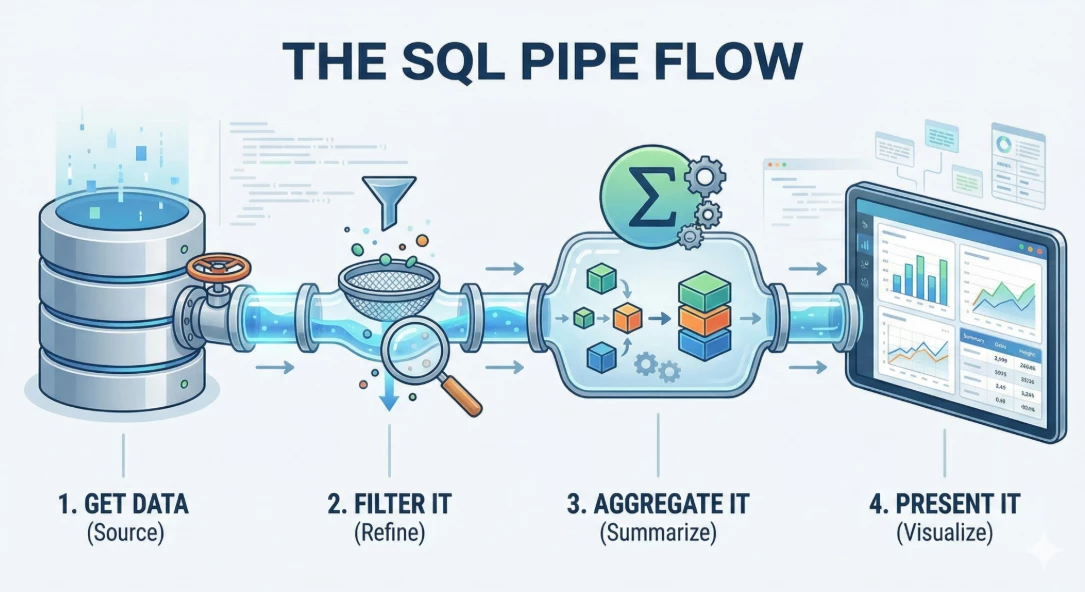
With SQL pipe syntax, we have a logical flow that starts with a broad dataset and by applying pipe operators, we filter, aggregate and present it. This image is an over simplification because there are more than the four operations I just described but that linear flow is unlocked for users.
Let’s take a look at an example. This search will:
- Filter events where the principal IP is internal and connects to a target IP that isn’t in the internal netblock
- Generate an event count grouped by the IP address pairs and the day they occurred
- Using that count, determine which pairs have exceeded defined event count thresholds and tag the IP pairs as red, yellow or green
- Exclude the “green” IP address pairs as they are considered normal
- Concatenate the IP pairs into a single value and generate a count of the number of IP pairs grouped by day and color tag
- Add an additional column that contains the date formatted in a specific manner, i.e. Day of the Week, Month Day, Year
- Remove the day column as it isn’t needed in the presentation of the query and output the remaining fields in the following order; Date, Color Tag, Count, IP Address Pairs.
To implement this, we can build a SQL pipe query like the one below. This query serves as a good example to highlight different pipe operators being used in concert. Just a quick tip, double dash (--) is the method to comment in SQL, so I have annotated each pipe operator below to briefly highlight what each one is doing.
-- Identify the data source and work with repeated fields that will be used in the query
FROM events, unnest(principal.ip) as principal_ip, unnest(target.ip) as target_ip
-- Filter the data set to just specific event types and IPs
|> WHERE metadata.event_type = "NETWORK_CONNECTION" and principal_ip like "10.128.%" and target_ip not like "10.128.%" and not target_ip = "::1"
-- Decide which columns we want to display and rename them if desired
|> SELECT principal_ip, target_ip, metadata.event_timestamp.seconds as event_time
-- Generate a statistical aggregation based on common values in the filtered events
|> AGGREGATE count(*) as count group by principal_ip, target_ip, TIMESTAMP_TRUNC(TIMESTAMP_SECONDS(event_time), day, "UTC") as day
-- Based on that count evaluate the value and return a string to a new column
|> EXTEND case when count < 500 then "Green"
      when  count > 750 then "Red"
     else "Yellow" end as traffic_light
-- Filter the data set to exclude rows that contain a specific string
|> WHERE traffic_light <> "Green"
-- Generate a statistical aggregation that includes a count and series of IP pairs based on common values and sort
|> AGGREGATE count(*) as count, string_agg(concat(principal_ip, "/", target_ip)) as ip_pairs group and order by day, traffic_light
-- Create a new column with a specific date format
|> EXTEND format_timestamp('%A, %B %d, %Y', day, "UTC") as date_order
-- Remove the day column from the result set
|> DROP day
-- Display the following columns
|> SELECT date_order, traffic_light, count, ip_pairs
This results in listing of the IP pairs that are of interest to investigate based on the thresholds defined in the query.
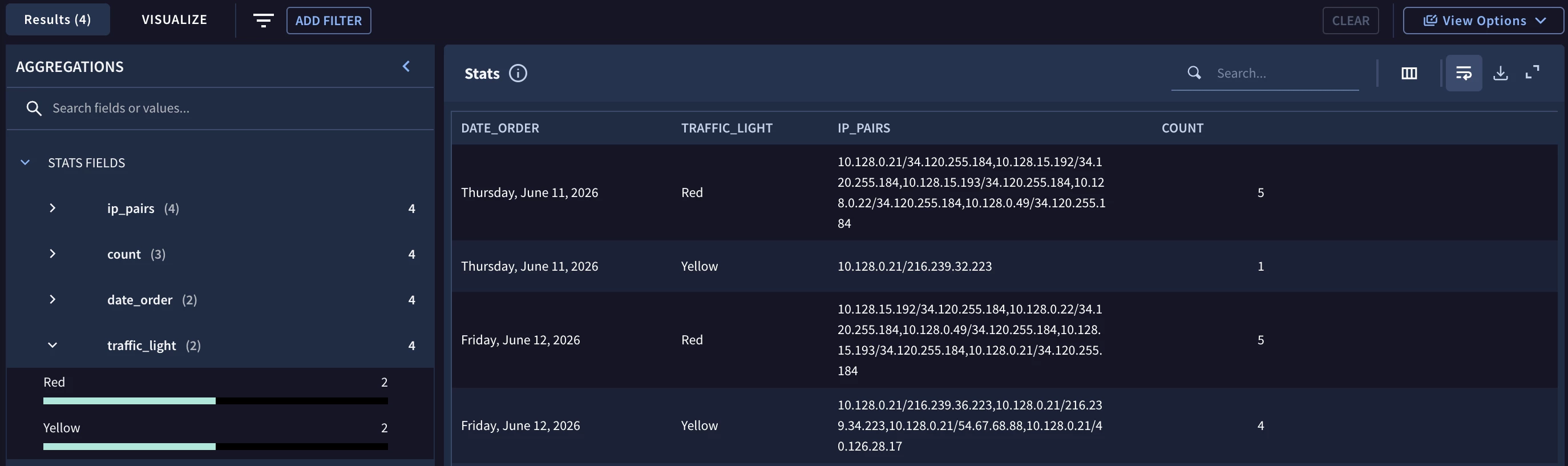
I won’t pretend that this is the best and only way to arrive at this output, but it does provide a method that effectively transforms the data at each pipe operator so I’m sticking with it.
SQL pipe syntax provides an analyst with a method to build an initial query and then incrementally add pipe operators to the previously run query. This allows users to determine if the previous pipe operator helped advance the direction of the query and if it didn’t, it provides a very simple way to roll-back the query by removing the last pipe operator added.
This capability gets even more interesting when we start to build more complex queries that can leverage additional functionality that SQL provides. Would you like to calculate a moving average or a cumulative sum? SQL can do this and SQL pipes can do this with an easy to read syntax.
As you start exploring SQL in Google SecOps, here are a few things to keep in mind:
- Both standard SQL syntax and the SQL pipes extension are supported Google SecOps
- SQL pipes provides a top to bottom approach to query development
- Pipe operators are used to transform the data set and can be used to filter, aggregate, sort, join and much more
In subsequent blogs, I’ll dive into different pipe operators and functions that you can apply to your investigations and hunts. As much as I would like to provide you with a big search in SQL and say ta-da!, that won’t help scale your abilities so we will build from the ground up. OK, I kind of did that in the example above, but that was for inspiration!
Pipe operators contain a good deal of different capabilities so while I won’t be able to cover every permutation, I will call out some very cool techniques that you can apply in your daily work. I’m excited about this and hope you will come along with me on this journey!

