



Author: Aubrey Licata, Group Product Manager, Google SecOps
Reduce Ingestion Toil with Agentic Parser Extensions
Modern enterprise environments ingest massive, ever-evolving telemetry streams from hundreds of distinct log sources—frequently containing bespoke custom attributes and non-standard fields. Data volume and diversity creates a persistent bottleneck for detection engineers and SOC analysts: log parser maintenance.
Historically, extracting unmapped fields or extending an existing parser required security engineers to manually write complex regular expressions or GoStash parser code. This manual development process created steep learning curves, prolonged onboarding delays, and created operational friction for detection engineers and threat responders who needed immediate access to newly surfaced data.
To help eliminate this ingestion toil, we are announcing the Private Preview of AI Parser Extensions in Google Security Operations. Powered by Gemini, AI Parser Extensions transform log normalization from a specialized coding exercise into an intuitive, conversational workflow. Security analysts and detection engineers can describe their parsing and mapping intent in plain English, allowing Gemini to generate, test, and validate production-ready parser extensions in seconds.
End-to-End Parser Extension Creation in 3 Steps
We designed the AI Parser Extension workflow around an interactive "human-in-the-loop" verification gate. Analysts navigate from raw log discovery to validated UDM mapping in three steps:
Step 1: Launching the AI Parser Extension Wizard & Providing Context
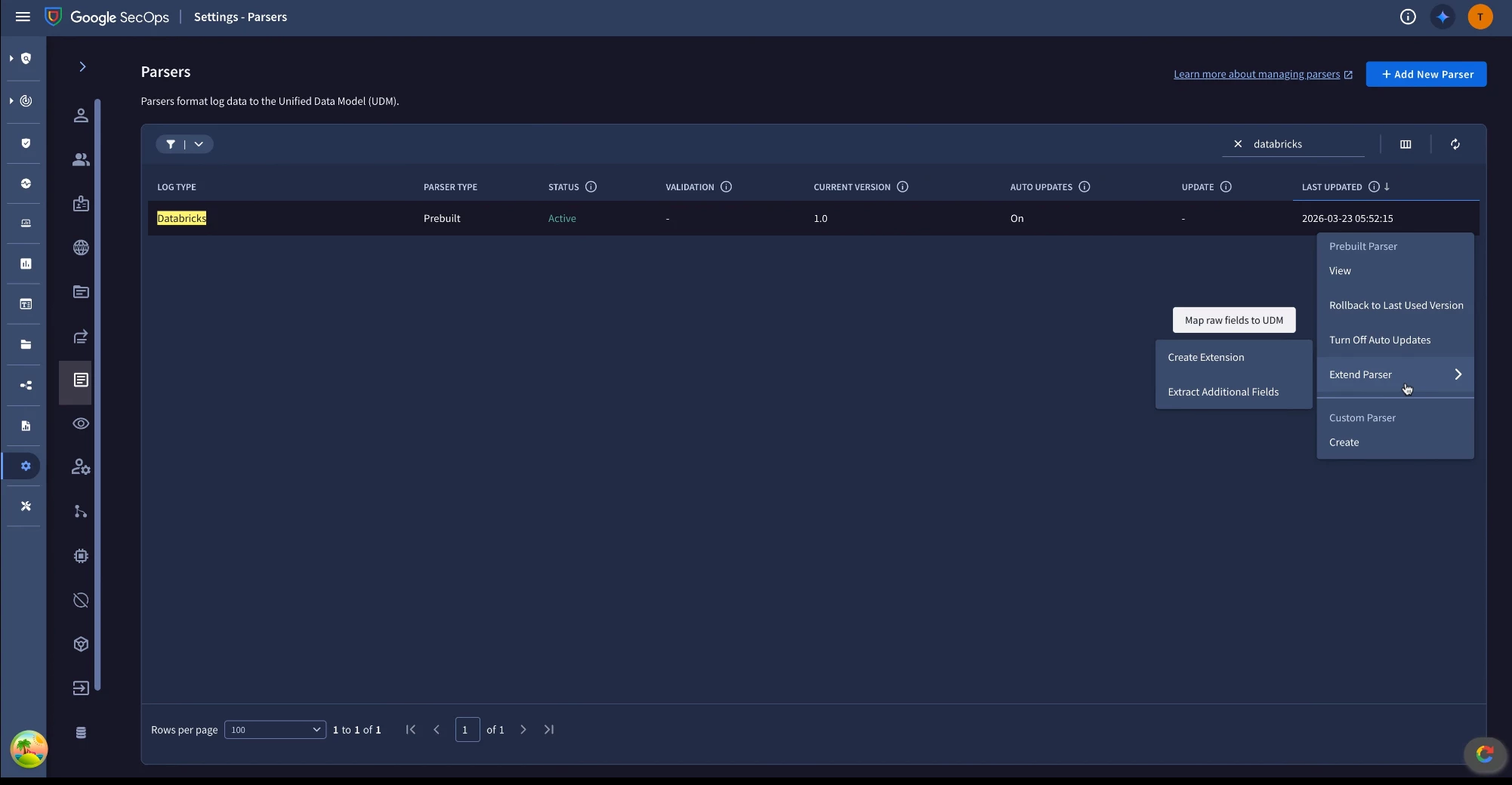
Navigate to Settings > Parser Management, locate the target log type (e.g., Databricks), and select Extend Parser > Create an Extension. The interface loads the raw log sample alongside the Write with AI tab.
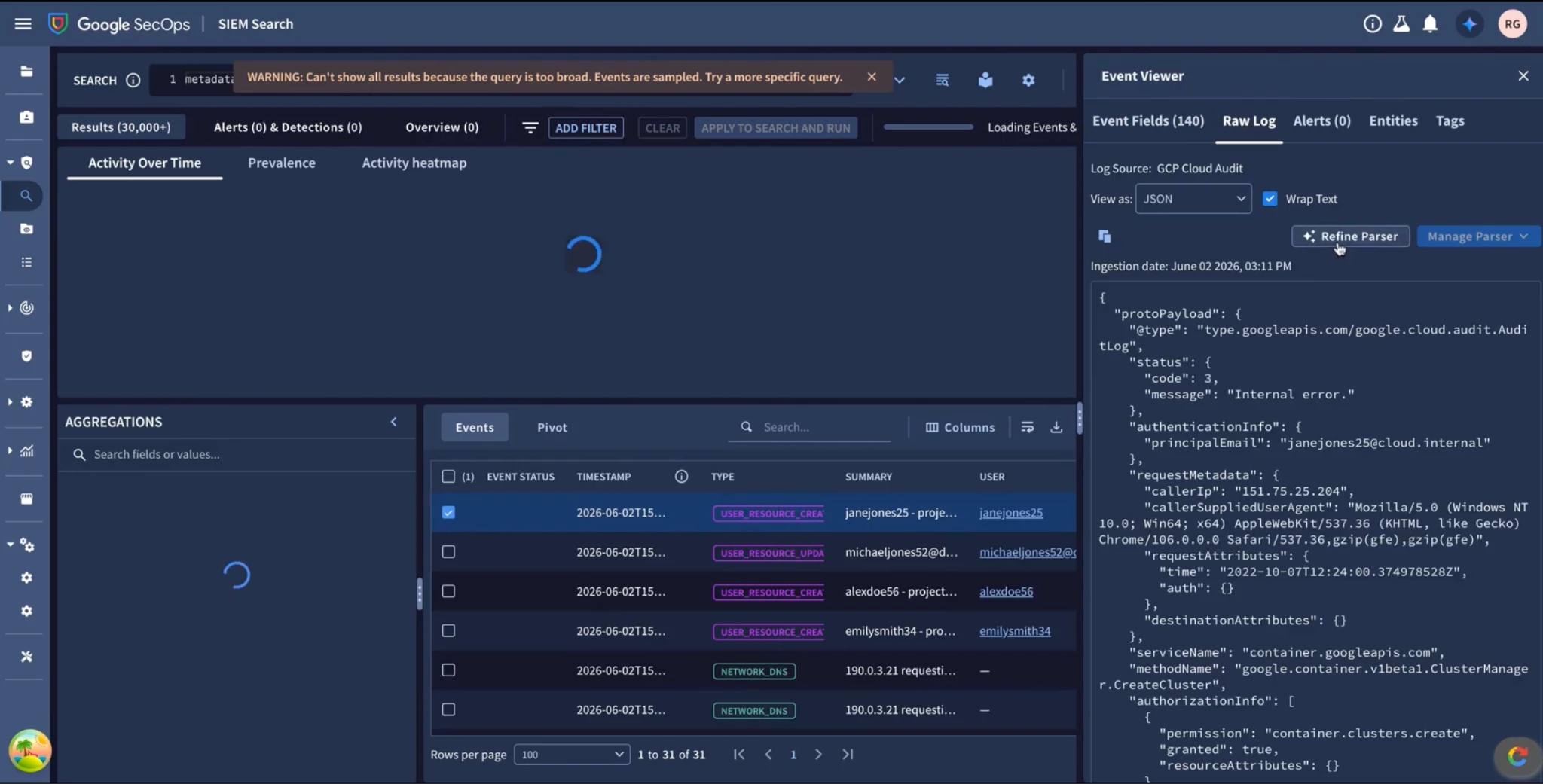
Alternatively, when investigating active alerts or search queries, analysts often identify unmapped raw log fields. Rather than navigating away, users can click Refine Parser with AI directly from the Raw Log viewer in Search. The current log sample and unmapped fields are pre-populated into the extension builder for immediate remediation.
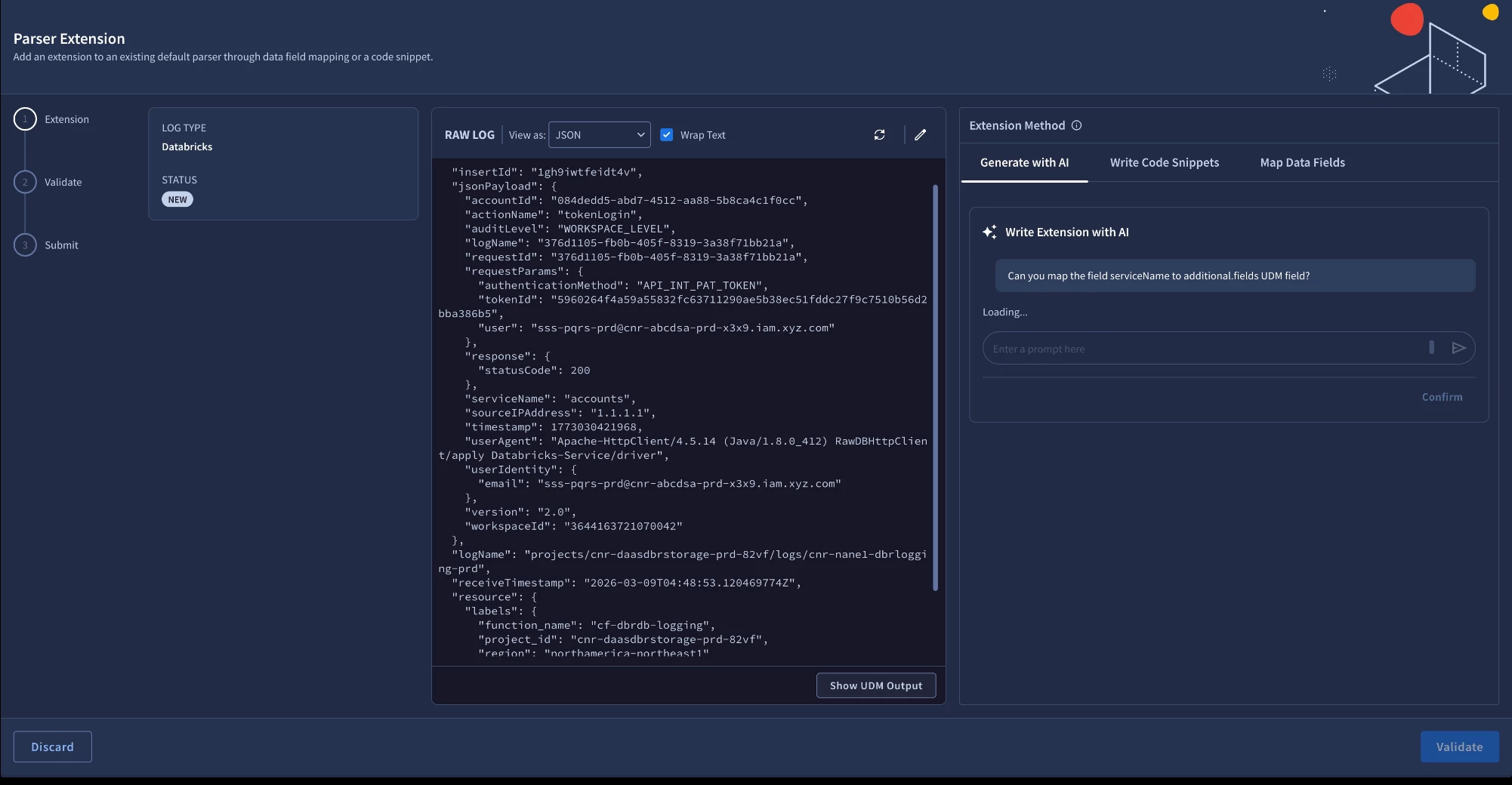
Step 2: Conversational Prompting & JavaScript Code Generation
Upon entering a prompt such as "Map serviceName to additional.fields['serviceName'] and sourceIPAddress to principal.ip", Gemini generates the corresponding JavaScript parser extension. Analysts can continue refining the extension interactively in subsequent conversation turns—such as adding conditional action normalization or target user extraction—without overwriting earlier logic.
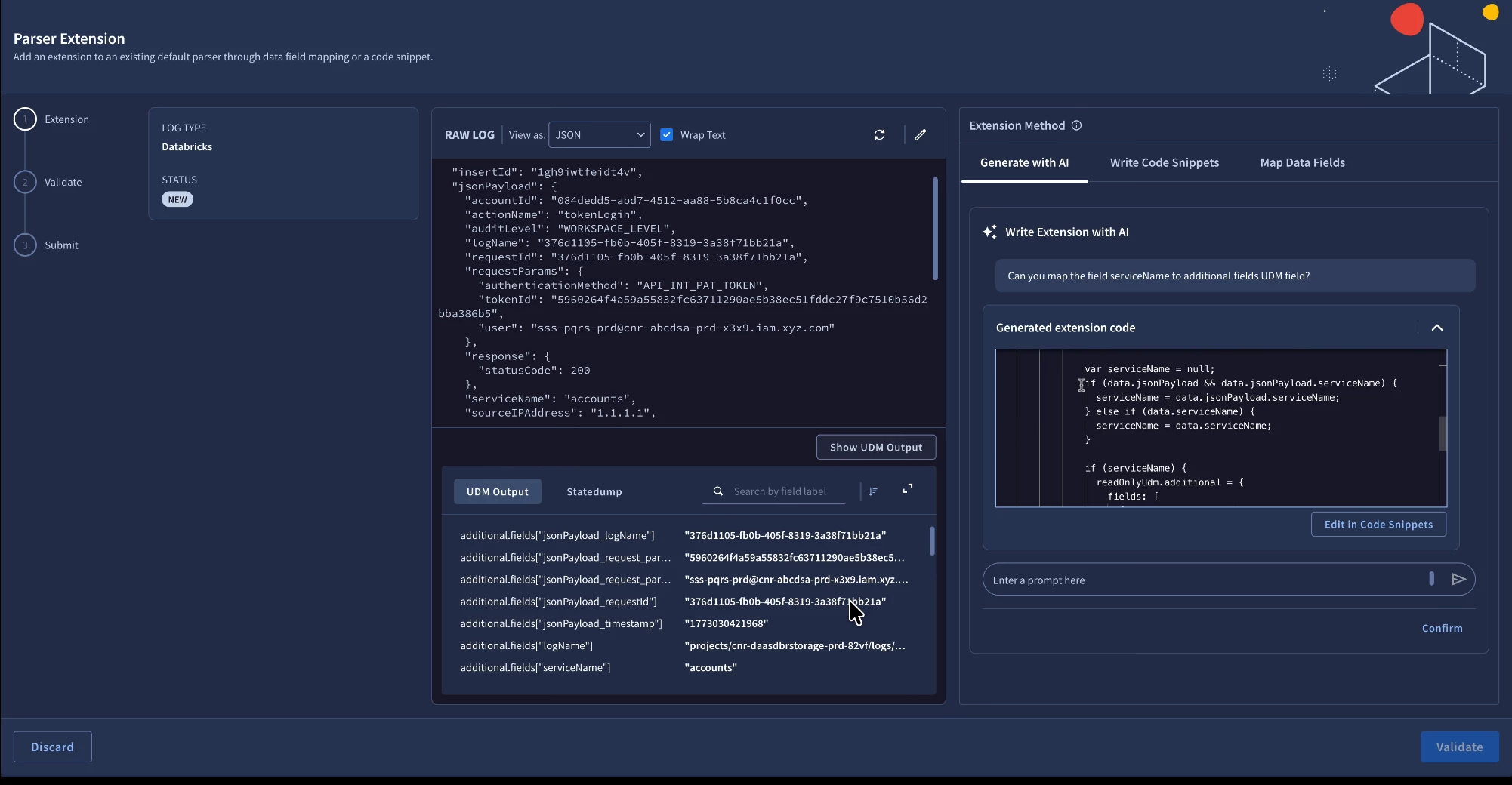
Step 3: Live UDM Diff Preview & Normalization Validation
Before deploying the extension to live ingestion pipelines, analysts can click Validate & Preview to review the live UDM Diff Output. The side-by-side view displays the raw input log on the left and the normalized UDM event on the right, highlighting newly extracted fields with green indicators to confirm normalization accuracy.
Best Practices for Prompting the AI Parser Extension Agent
To achieve optimal mapping results, consider these recommended practices:
-
Be Explicit About Source Keys and Target UDM Fields: Clearly specify the raw field path and the desired UDM field (e.g., "Map protoPayload.authenticationInfo.principalEmail to principal.user.email_addresses").
-
Use Quotes for Exact Literals in Unstructured Logs: When parsing Syslog, CSV, or formatted logs, quote sample literals or delimiters (e.g., "Extract source IP '198.51.100.24' to principal.ip").
-
Utilize additional.fields for Custom & Vendor Telemetry: For vendor-specific metadata without a standard UDM attribute, instruct the agent to map the value into additional.fields["<custom_key>"].
-
Define Conditional Enumerations Clearly: For security actions, severities, or statuses, outline the desired conditional branches (e.g., "If status is '0', set security_result.severity to INFORMATIONAL; otherwise set to ERROR").
-
Leverage Multi-Turn Refinement: Rather than drafting a complex single prompt, start with primary identity and network fields, then incrementally add custom tags and transformations in follow-up turns.
Getting Started and Availability
By simplifying log normalization into an intuitive conversational workflow, AI Parser Extensions help security engineering teams eliminate onboarding bottlenecks and ensure downstream YARA-L 2.0 detections and threat hunts leverage rich, normalized telemetry. AI Parser Extensions are available in Private Preview for Google Security Operations Enterprise and Enterprise Plus customers. To enroll, contact your Google Cloud account representative. For technical details, prerequisites, and syntax guidelines, visit the official documentation on creating parser extensions with Gemini.
