Community Guidelines
Before posting in the Community, please take a moment to read the Community Guidelines found at the bottom of each page. As a participant of these forums, you agree that you will uphold the Community Guidelines and are responsible for all activities and content you post or upload. This is your Community. Help us to keep it safe, friendly, fun and helpful.
Making a Post
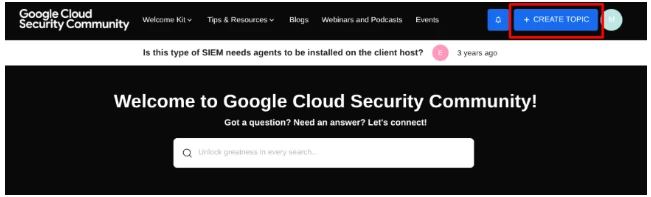
To make a post in the community, click on the Create Topic button found in the header to the left of your avatar.
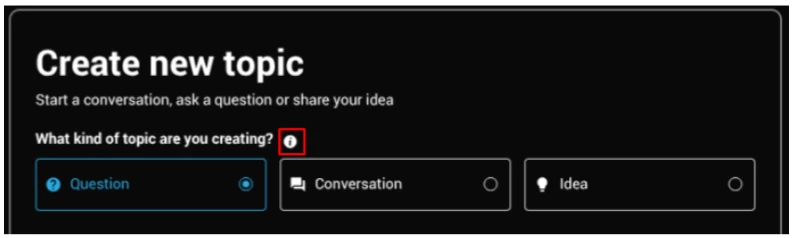
On the Create new topic screen, select the type of topic to create, a question, conversation, or idea. Description of each topic type can be found below or by hovering over the information icon.
- Question: When you need a solution for your question or problem.
- Conversation: When you want to share something and involve the community into a discussion.
Once you’ve selected the type of topic to create, enter in a title. After you’ve entered a title, related topics will appear. To view the related topics, click on the icon on the right of the title.
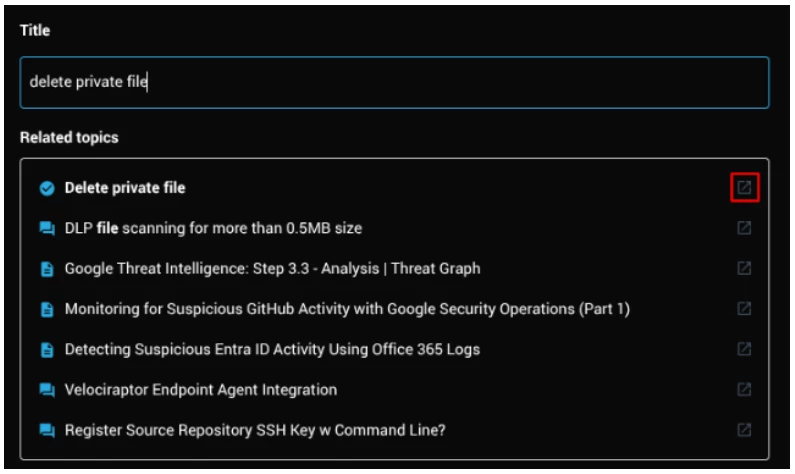
Topics with a checked icon have an accepted solution, while topics with a chat bubble are active posts, and topics with a paper are knowledge base articles.
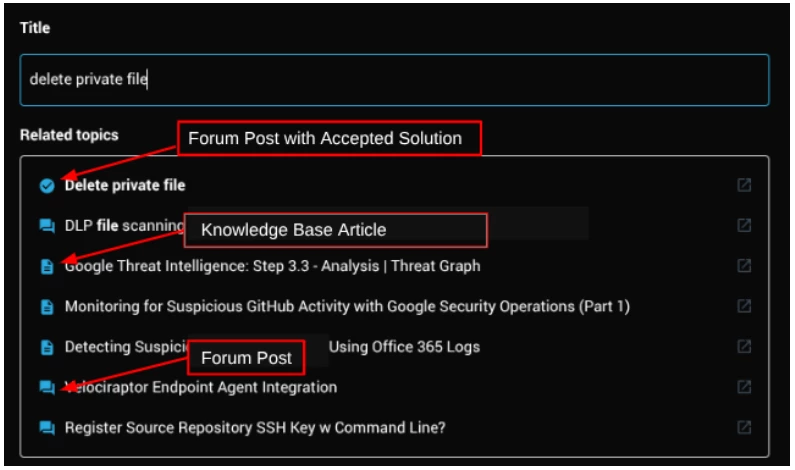
Tip: Make your subject clear and concise, as it's the only part of the message that shows up on the message-listing page.
In the Body field, type your message. Be sure to include all necessary details, especially for technical topics.
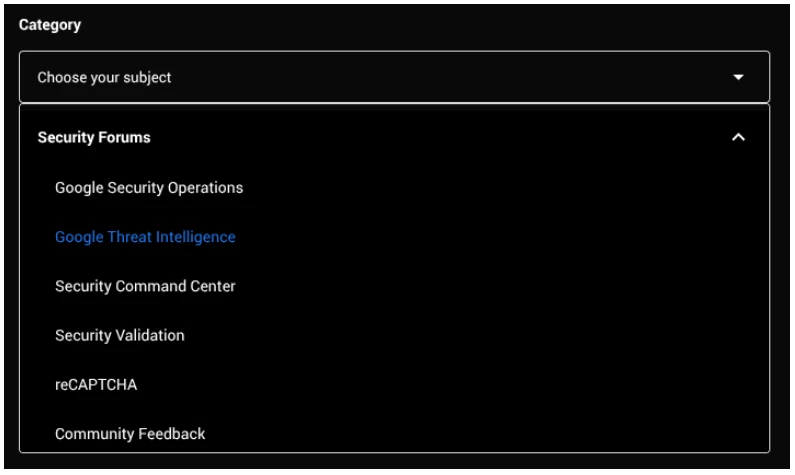
Next, select the category your topic applies to. By clicking on Choose your subject, you are presented with all available areas of the community.
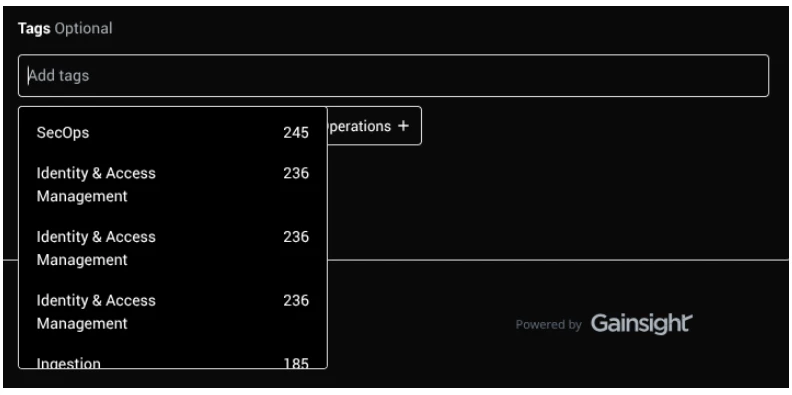
You have the option to select a Tag to apply to your post. Adding a tag is recommended as this will help surface your post to other users. By clicking on the Add tags drop down, a list of previously used tags will display, organized by most used.
Once you’re ready to post your topic, select Create.
NOTE: It is always a good idea to keep a backup of your posts, e.g. in a Google Doc, in case of connectivity issues or a login timeout. Your posts are not auto-saved therefore if you navigate away from the page, your post will be unable to be recovered.
Replying to a Post
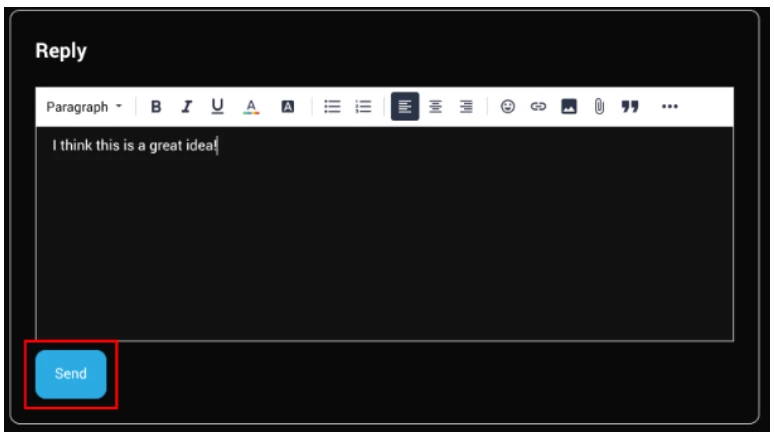
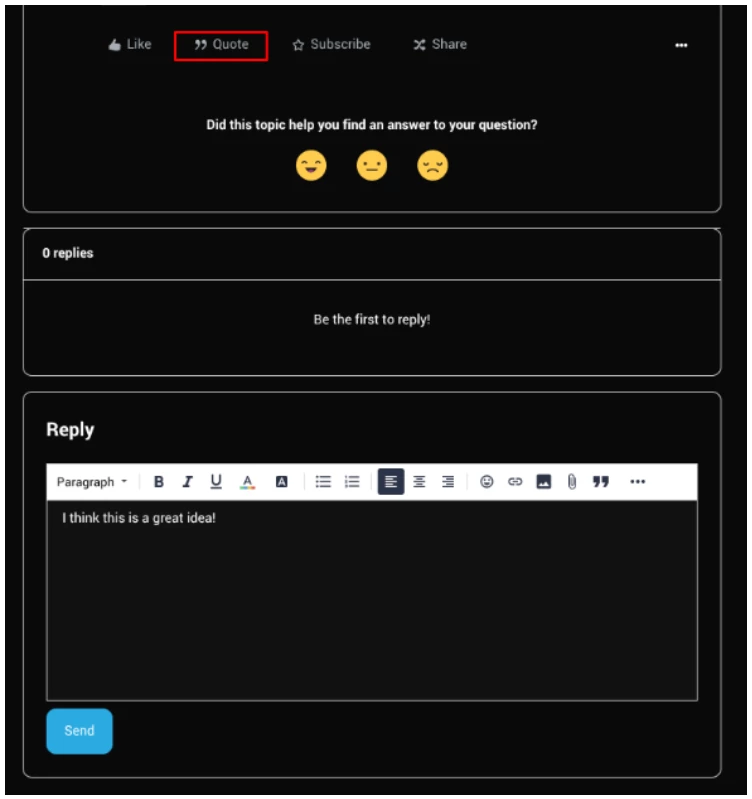
To reply to a post in the community, scroll down on the thread to the end where you will see a Reply box. The reply box will appear the same as when you create a new post. Once your message is complete, click Send.
You can also quote a previous reply by clicking Quote at the bottom of a comment. This will put the content within another comment into your reply.
Editing a Post
You have the ability to edit your own post for an hour after it has been created. Please use this option sparingly to avoid confusion and allow readers of the thread to follow the conversation.
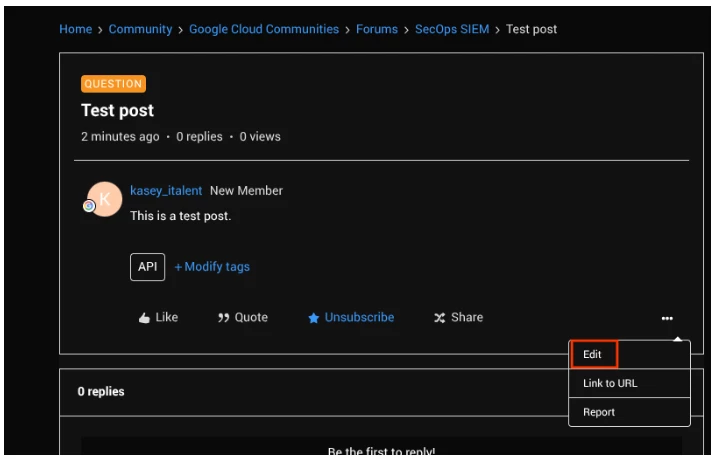
- To edit your post or reply, click on the three dots at the bottom right, and you should see an option menu.
- Select Edit.
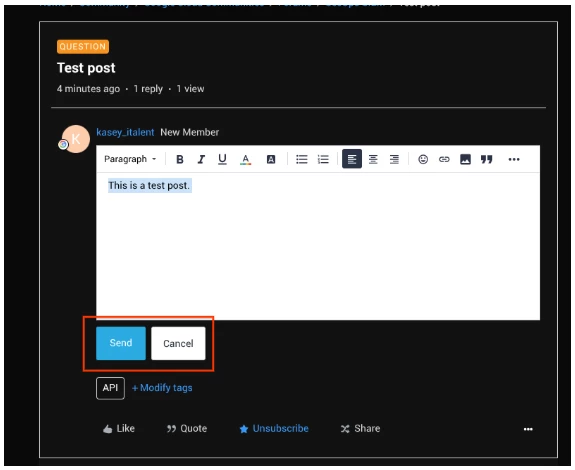
- A window with your post will open that looks the same as when you created your original post. Click Send on the bottom left to save changes and Cancel to cancel changes.
Best Answer
A Best Answer is a way for you to choose the reply that best answers a question that you've posted. To mark a message as a solution, click the Best Answer button on the bottom left of the reply. When you accept a best answer, both the question and the solution get special icons, and links that take you directly from the question to the answer. You can mark a best answer only for questions that you started. Community staff can also mark best answers. Accepting a reply as a best answer makes a few visual changes to that message and the thread itself. A “Best Answer” icon will appear below the thread name in boards and search results, making it more obvious (and easier for you to spot).
Protect Your Privacy
Always double-check to make sure that your post does not include personal or otherwise sensitive information. This can include (but is not limited to):
- Real names
- Your date of birth
- Physical addresses
- E-mail addresses
- Phone numbers
- Credit card information
- Login information, especially passwords
- URLs
- Product codes
Sensitive information can also include sales figures and other information considered confidential by your company. Use your best judgement when sharing any data related to the company that you work for.
To protect your privacy, you should either fully exclude sensitive information or black it out in screenshots.
If you do expose PII information, that content may be removed from your post by Community administrators.
Posts Marked as Spam
The platform scans for spam automatically and we monitor all flagged posts to determine whether or not the content should be unmarked. There are multiple variables the platform scans for and I have no way of knowing exactly what triggered your post to be flagged. Some common trigger items are copy and pasting content into the post and multiple post edits.
Don't worry if your post was ever marked as spam. We monitor post reports during regular business and make sure to unflag anything that is not spam. In addition, you can also contact us directly from the option at the top of the reported post by choosing to submit an abuse report.
If you come across spam or other questionable content in posts, you can report it by selecting Report from the Options drop-down menu represented by the three dots at the bottom right of a post.
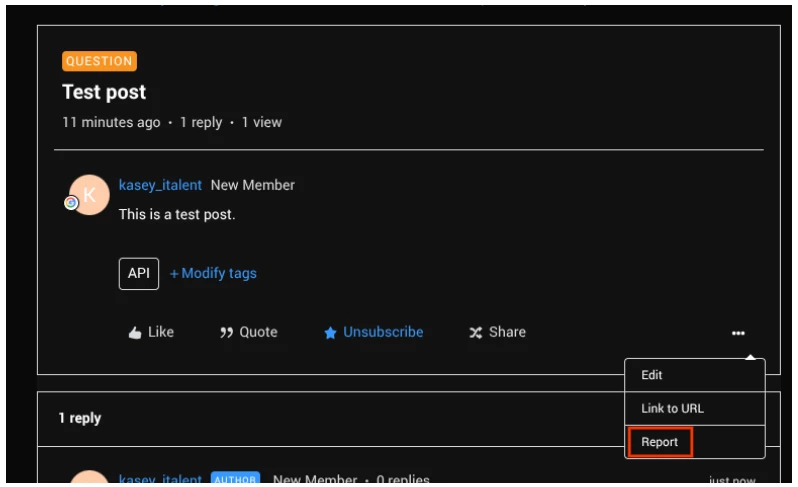
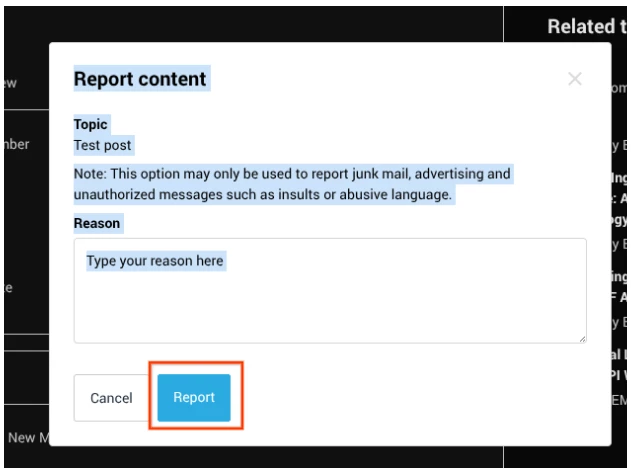
You will now see a page that lets you notify staff of why you think this content is inappropriate. Afterwards, click on the Report button.