




Today’s blog will continue using events and IOCs from the entity graph by creating joins between them in search. Previously, we identified events that had a matching SHA256 hash in the entity graph and returned these events and labeled them if they were a STIX indicator or a Mandiant Fusion IOC.
This time we are going to use outer joins, and learn how we can leverage them in our searches during investigations and threat hunts.
Outer Joins
To adequately explain outer joins, it’s probably wise to do a quick review on inner joins first. Inner joins, which we’ve previously used, require the fields or variables that are being joined to have the same values in both data sets for the join to occur. If the data doesn’t exist on BOTH sides of the join, no data is returned. Depending upon the case, this might be great, we get a reduced set of data to work with. However, there may be times when we need all of the events on one side of the join and where there is a corresponding value on the other side, we want those entities or events for additional context. This is where outer joins can help.
Outer joins come in a few different flavors but today we will focus on left (and right) joins. These joins will return all the data on the side of the join, left or right, and the values that match on the other side. So, left joins will return all the data from the data set defined on the left side of the join and only matches on the right side. Conversely, a right join will return all events on the right side of the join and only the matches on the left.
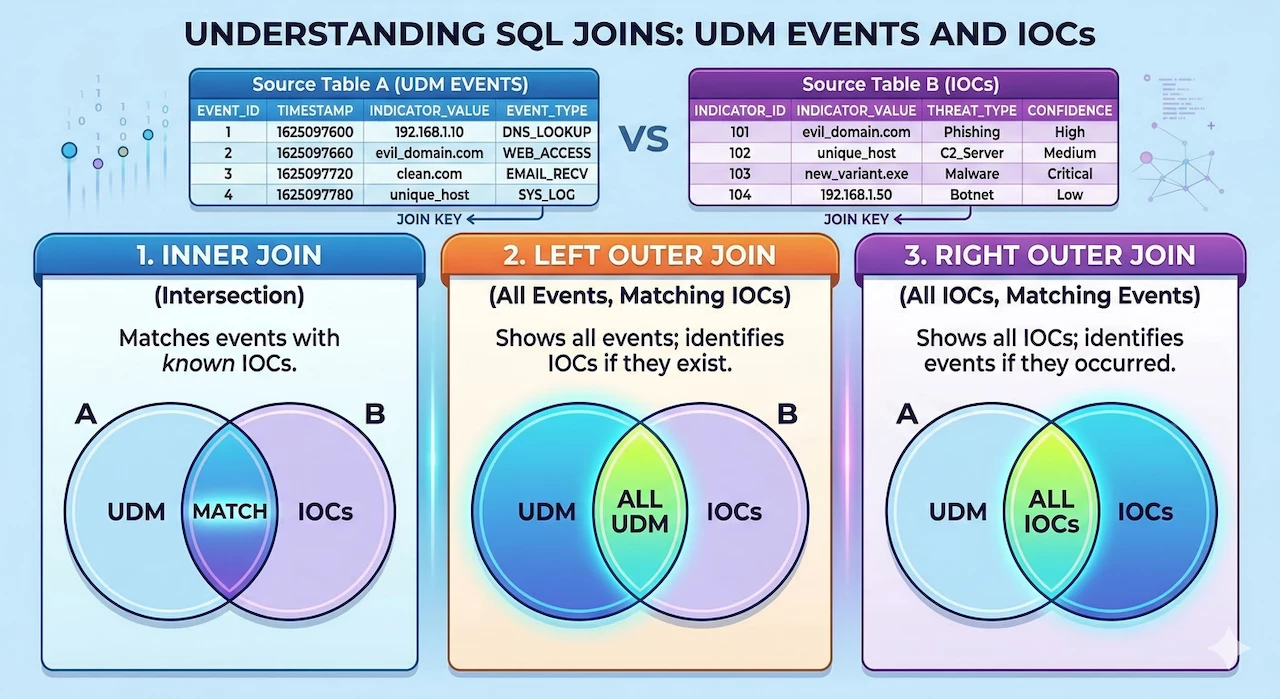
While the image above shows different join types between UDM events and IOCs in the entity graph, the right join needs to be a UDM event data set rather than entity graph or a data table. For instance, if you attempt to join all the IP address IOCs in the entity graph to the UDM events, you will get the following error: compilation error generating query request: context ioc must be associated with at least 1 non-nullable udm event or detection: invalid argument.
Getting Starting With an Inner Join
Our examples today will focus on using a left outer join to join UDM events to IOCs in the entity graph. The syntax for constructing a left (or right) join is just like what we have been doing for inner joins but instead of using the term inner, we substitute left or right:
left join $net.target.ip = $ioc.graph.entity.ipTo highlight the differences in these joins, we are going to start with an inner join and then swap the inner join for a left join. Let’s start by building a search for network connection events that have a target IP address that Google has identified as a TOR Exit Node.
$net.metadata.event_type = "NETWORK_CONNECTION"
$net.principal.ip = $principal_ip
$net.target.ip = $target_ip
$time = timestamp.get_timestamp($net.metadata.event_timestamp.seconds)

inner join $net.target.ip = $ioc.graph.entity.ip

$ioc.graph.metadata.entity_type = "IP_ADDRESS"
$ioc.graph.metadata.threat.threat_feed_name = "TOR Exit Nodes"
$ioc.graph.metadata.vendor_name = "Google Cloud Threat Intelligence"
$ioc.graph.metadata.product_name = "GCTI Feed"

match:
 $time, $principal_ip, $target_ip
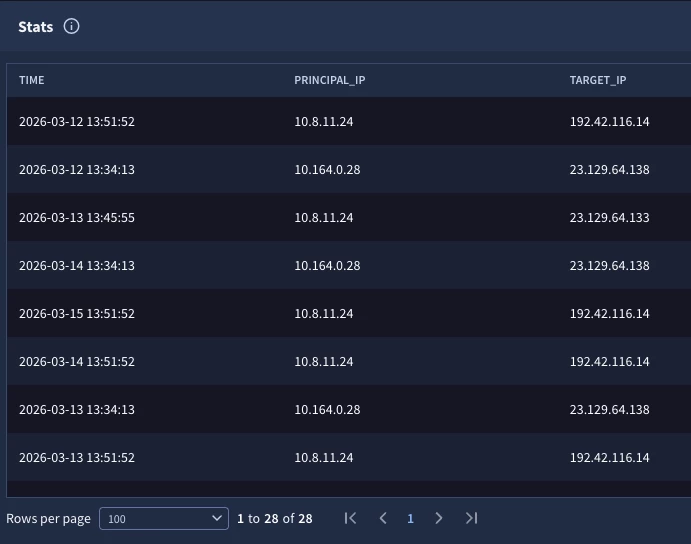
Joining the events with a target IP that matches the IPs in the entity graph results in a listing of 28 events that communicated to TOR exit nodes. So far so good.
Converting The Initial Search to a Left Join
If we execute the same search over the same time frame, but change the inner join to a left join, we get a very different result set.
left join $net.target.ip = $ioc.graph.entity.ip
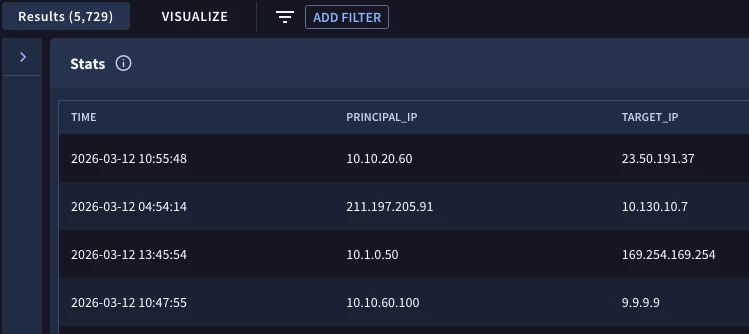
Notice the results at the top of the image. We are returning all of the network connection events whether or not they are communicating with a TOR exit node or not. However, because I didn’t specify any additional values to output beyond the three variables in the match section; time, principal and target IP address, I don’t have any context around which of these rows are in the TOR list and which aren’t. This is a common pitfall when working with outer joins. Make sure you add context to these outer joins to really help you get value from them!
Adding Context to the Search
One method we could use to provide context to the events that have matches in the TOR list is to add a piece of logic to the outcome section that returns the IP address in the entity graph if it exists.
outcome:
 $ioc_ip = array_distinct($ioc.graph.entity.ip)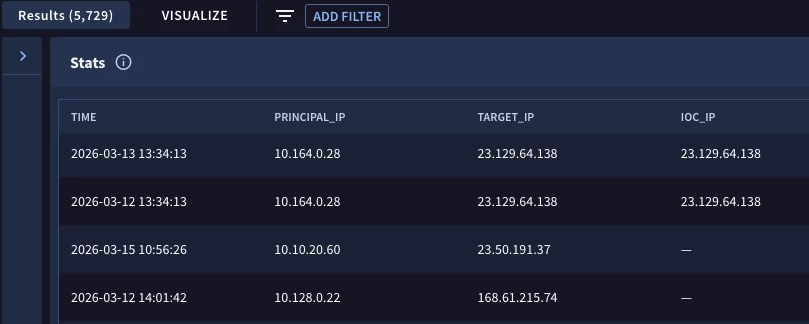
Notice that the event count is the same as in the previous search but now I can see which events are joined by the common IP address and which events have the IP in the event but not on the TOR list.
Another way that we could flag the events connecting to a TOR exit node is to add conditional logic to the outcome section. This logic compares the IP address from both the event and the entity (like what we did in the join), but set the output to an integer and if they match, return the value 1 and if not return the value 0.
outcome:
 $tor = max(if($net.target.ip = $ioc.graph.entity.ip, 1, 0))
 $ioc_ip = array_distinct($ioc.graph.entity.ip)
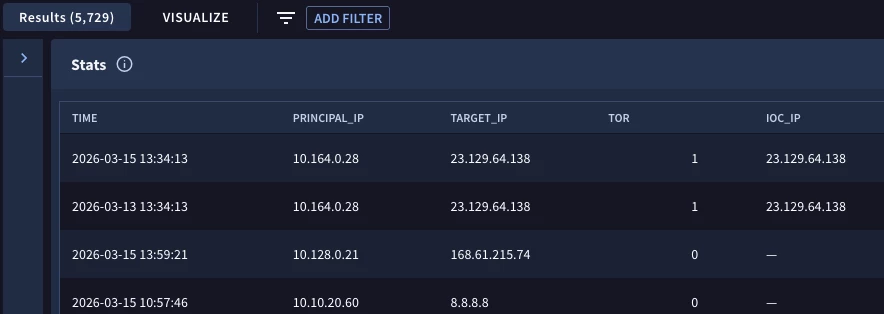
The results are similar to the previous example. This is just another method to represent values that exist on the left side of the outer join but not on the right side versus results where values exist on both sides.
Alright, you might be thinking, do I really want outer joins? After all, don’t I just want the events that match on both sides? It really depends on your investigation. Sometimes we absolutely just want the rows where the values are the same on either side of the join. However, there may be times when we need a more holistic picture. In those cases, we need the events where no joins exist as well as the joined event.
Let’s take a look at one more example. This time, we are going to continue with the same time range and network connection events, but we are going to change the logic as it relates to the entity graph.
$net.metadata.event_type = "NETWORK_CONNECTION"
$net.principal.ip = $principal_ip
$net.target.ip = $target_ip
$time = timestamp.get_timestamp($net.metadata.event_timestamp.seconds)

left join $net.target.ip = $ioc.graph.entity.ip

$ioc.graph.metadata.entity_type = "IP_ADDRESS"
$ioc.graph.metadata.source_type != "DERIVED_CONTEXT"

match:
  $time, $principal_ip, $target_ip

outcome:
  $tor = max(if($ioc.graph.metadata.product_name = "GCTI Feed", 1, 0))
  $stix = max(if($ioc.graph.metadata.product_name = "MISP", 1, 0))
  $misp = max(if($ioc.graph.metadata.product_name = "STIX", 1, 0))
  $mandiant_fusion = max(if($ioc.graph.metadata.product_name = "MANDIANT_FUSION_IOC", 1, 0))
  $iocs = $tor + $stix + $misp + $mandiant_fusion
  $log = array_distinct($net.metadata.log_type)

order:
  $time asc
The entity graph IP addresses will exclude the DERIVED_CONTEXT values and just return those from the ENTITY_CONTEXT and the GLOBAL_CONTEXT. These are the metadata.source_type values that contain my threat intelligence and Google’s threat intelligence.
In the outcome section, we are using conditional logic similar to the method we used previously except this time, we are not testing the join and instead using the value of the metadata.product_name in the entity graph to populate four outcome variables with values if they exist. Finally, we are summing these indicators values into their own field and outputting the log source of these events.
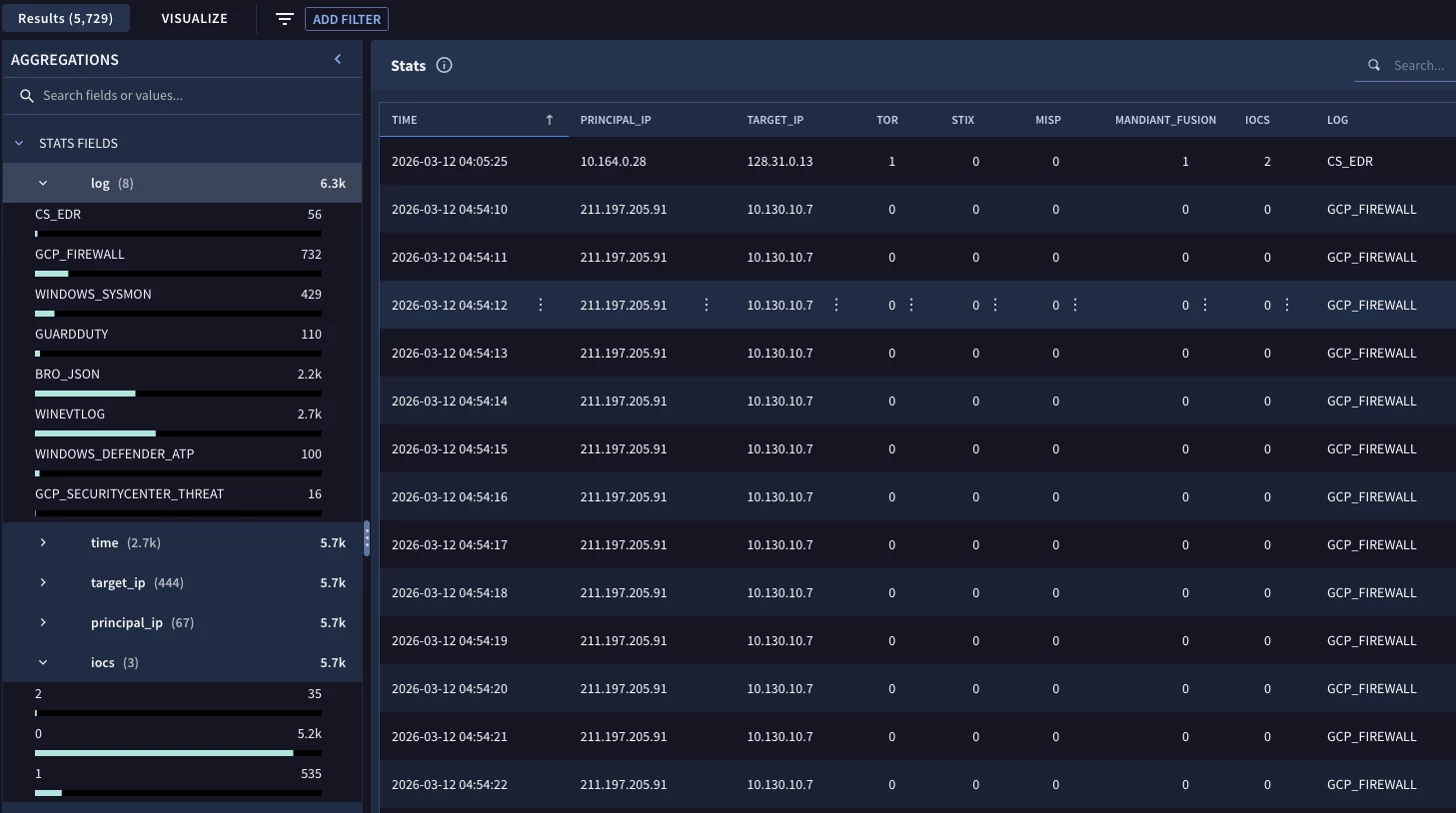
When we execute the search, the same number of results are there, it is the same outer join after all, but now we can see the network connection events and which events matched the different IOC lists in the entity graph as well as the log type for each event.
On the left, we have the aggregation pane and we could filter on different values as we drill further in the results. This type of search provides us that broader view that an inner join won’t provide us while maintaining the flexibility to drill into the results using the aggregations as needed.
Here are a few things to keep in mind when using outer joins in search:
- Inner joins will just display events where the value exists on both sides of the join where outer joins will return all of the data that exists on one side and the intersecting data from the other side
- The syntax is identical to an inner join except we swap the word left (or right) for inner
- It’s always good to add additional context to searches that use outer joins so it is clear which events have values on both sides of the join and which ones don’t
Outer joins provide additional flexibility to your searches and while we just used events and the entity graph today, we can use these joins between two different types of events or between events and data tables!



