



Authors:
Nathan Brubaker, Intel Strategy Lead, Google Threat Intelligence Group
Daniel Kapellmann Zafra, Lead, Technology Prioritization, Google Threat Intelligence Group
Security teams today are inundated with more data than they can effectively analyze, making it difficult to act on intelligence in a timely manner. Manual research is slow, and the resulting fragmented context creates a major hurdle for effective defense.
Agentic Threat Intelligence removes these hurdles by automating the research process and turning manual tasks into dynamic workflows. It allows defenders to interact with high-fidelity threat data in real-time, marking a shift in how organizations solve complex security problems and stay ahead of attackers.
What is Agentic Threat Intelligence?
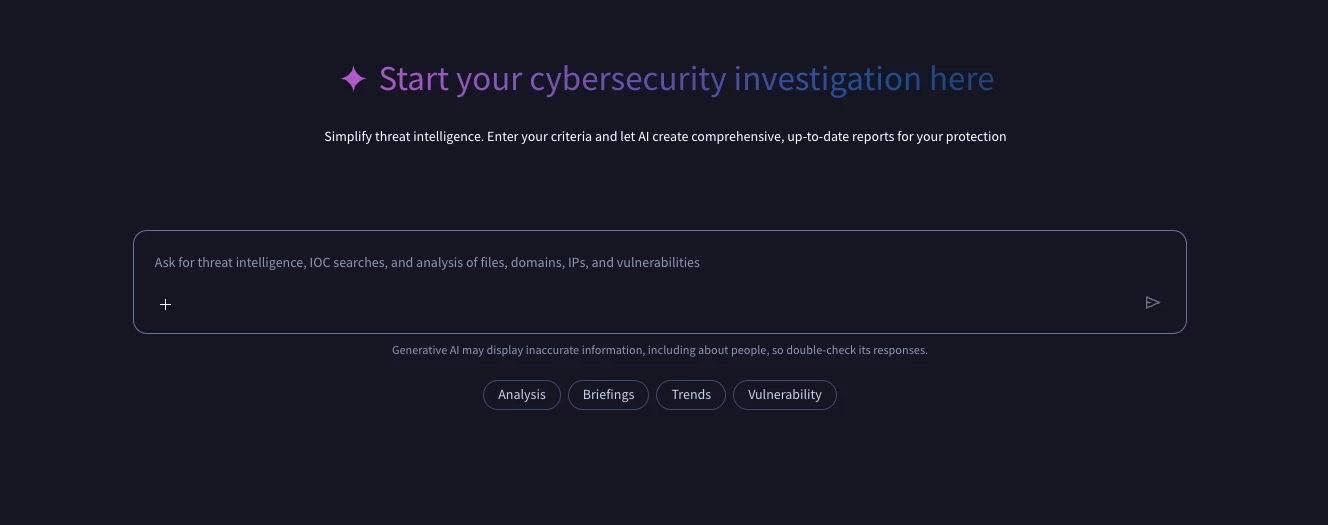
The Agentic Threat Intelligence Landing Page
Agentic Threat Intelligence integrates Large Language Models (LLMs) with a suite of specialized, task-oriented AI agents. Unlike a standard conversational layer, this system is grounded in Google’s security data repository. This multi-signal approach aggregates intelligence from Mandiant's frontline expertise (derived from over 450,000 hours of annual incident investigations), massive-scale malware and indicator data from VirusTotal, unique intelligence from the Google Threat Intelligence Group (GTIG), and broad visibility into attacks across Google’s own infrastructure.
The system is designed to go beyond generic summarization. By connecting the AI directly to structured threat data and specialized tools, it allows defenders to ask complex questions and receive synthesized, actionable answers grounded in expert analysis and real-world observation.
A Broad Spectrum of Applications
Beyond its technical architecture, the feature’s value lies in its versatility. It adapts to the specific needs of security roles across the organization, transforming manual research into decisive action.
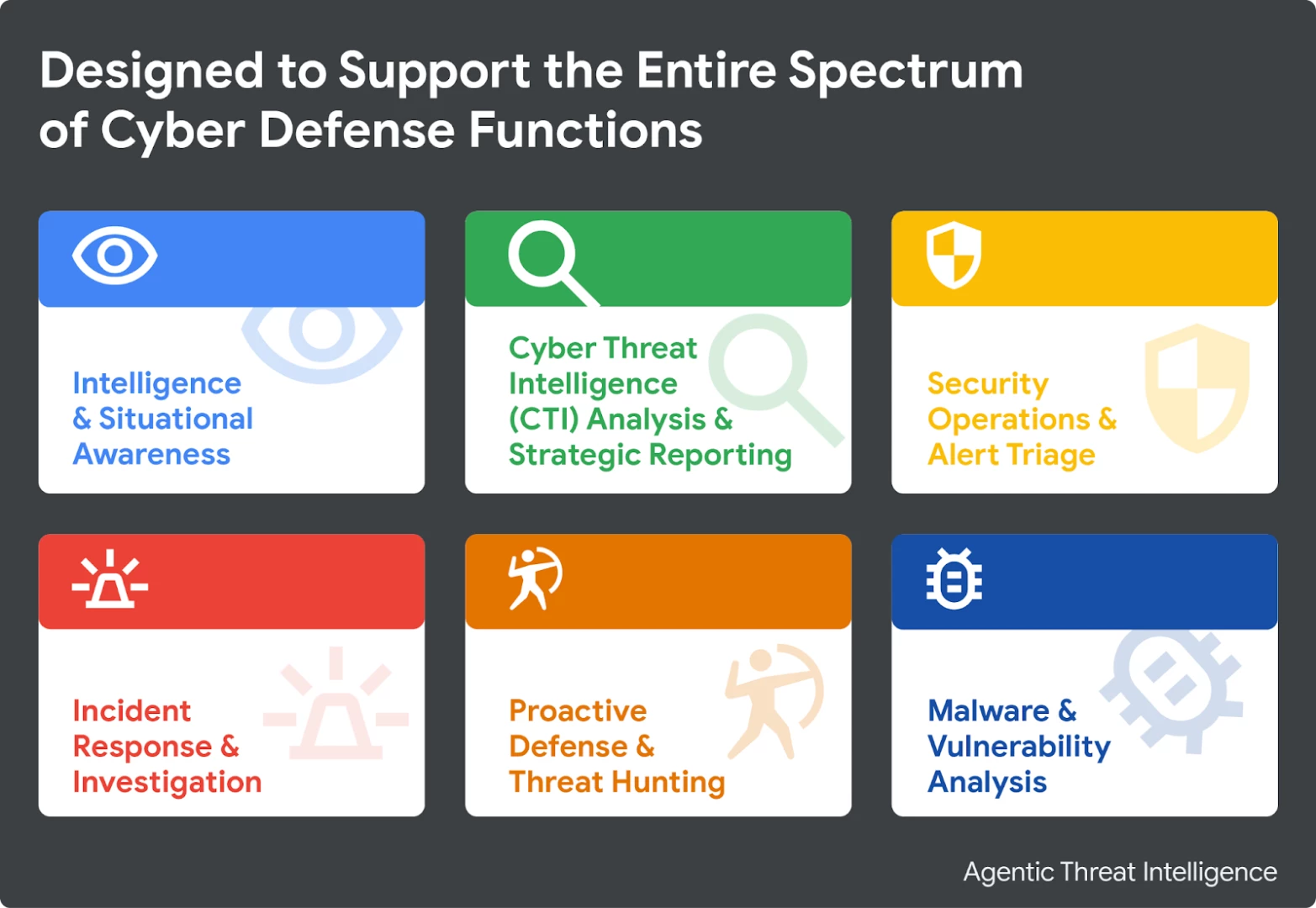
1. Intelligence & Situational Awareness: From security analysts to the C-suite, helping all stakeholders maintain high-fidelity awareness of the evolving threat landscape.
- Tailored Threat Briefings: Generate personalized summaries of relevant activity and emerging narratives for any given timeframe.
- News & OSINT Analysis: Instantly analyze and summarize cybersecurity articles or reports within Google Threat Intelligence, extracting key entities and context.
- Contextual Relevance: Produce concise summaries explaining exactly how a piece of intelligence impacts your specific organization, industry, or region.
- Entity Retrieval: Quickly obtain foundational information for any threat entity, such as malware families, actors, or campaigns.
2. CTI Analysis & Strategic Reporting: Automate deep research to understand adversary motivations and capabilities.
- Threat Actor Profiling: Create in-depth profiles detailing operational playbooks, motivations, origins, and MITRE ATT&CK mappings.
- Risk Profiling: Identify relevant actors and campaigns targeting specific industries or geographical locations.
- Emerging Tech Analysis: Analyze the threat landscape surrounding specific topics like AI, OT, or cloud platforms.
- Dark Web: Profile underground forum activity, verify breach claims, and assess the cyber impact of international events.
3. Security Operations & Alert Triage: Accelerate the "front line" by quickly validating alerts and assessing impact.
- Indicator Triage: Pivot from a hash, IP, or domain to a verdict with reasoning to support prioritization.
- Suspicious Infrastructure: Conduct comprehensive investigations of domains and URLs using WHOIS, passive DNS, and SSL data.
- Phishing Analysis: Parse email headers, bodies, and attachments to identify phishing types and extract IOCs.
- Impact Assessment: Determine how a specific vulnerability or campaign affects your organization based on industry and location.
4. Incident Response & Investigation: Act as an investigative assistant to correlate data and scope incidents.
- End-to-End Investigation: Initiate full investigations from initial indicators to find related entities and context.
- Incident Briefings: Generate structured "Bottom Line Up Front" summaries of security incidents.
- Indicator Expansion: Retrieve comprehensive sets of related indicators (domains, IPs, hashes) from a single starting point.
- Query Generation: Translate plain-language questions about log activity into potential SIEM query syntax.
5. Proactive Defense & Threat Hunting: Move from a reactive to a proactive posture.
- Hypothesis Development: Use reports or MITRE techniques to develop testable hunt hypotheses.
- Infrastructure Clustering: Pivot from known indicators to uncover related adversary infrastructure via JARM hashes or SSL certificates.
- Data Leak Search: Search intelligence sources for leaked credentials or data related to your domain.
- Detection Engineering: Create bespoke detection rules (YARA, SIGMA) based on natural language descriptions of threats.
6. Malware & Vulnerability Analysis: Gain deep technical insights to inform remediation.
- Malware Triage: Determine if a file is malicious, generate behavioral reports, and explain functionality in plain English.
- Code Deobfuscation: Analyze and deobfuscate snippets (e.g., PowerShell) to reveal intent and extract IOCs.
- Exploitation Status: Assess CVEs for active exploitation in the wild and retrieve EPSS scores.
- Remediation Guidance: Get specific patch information and step-by-step instructions for human-led remediation.
Agentic Threat Intelligence in Action
The best way to understand Agentic Threat Intelligence is to see it in action. These examples demonstrate how to move from simple conversations to specialized workflows.
1. Have a Conversation
You don't need to be a prompt engineer to get a lot out of the capability. Agentic Threat Intelligence is designed for natural, multi-turn conversations. Start with a simple question, then follow up with additional context to guide the conversation. If you need the output in a different format or language, just ask Agentic Threat Intelligence.
Scenario: Rapid Incident Briefing & Pivot An analyst needs to quickly disseminate intelligence on a major threat to a diverse group of stakeholders.
- The Workflow: The analyst asks for a briefing on Volt Typhoon, requesting a summary of key findings formatted for a C-level audience. After reviewing the output, the analyst asks the agent to translate those findings into Spanish for a regional team. Finally, they request a slide deck focused on mitigation strategies based on the original report, instantly creating a presentation-ready asset.
Scenario: Create VirusTotal Intelligence (VTI) Queries
An analyst needs to hunt for high-volume files associated with a specific threat actor but wants to avoid manually constructing complex search modifiers.
- The Workflow: The analyst asks the agent to generate a VTI query for files linked to FIN11 that have at least 5 detections and over 1,000 submissions. The agent constructs the precise syntax. The analyst then instructs the agent to run the query and list the most common file types, returning a statistical breakdown of the actor's file infrastructure.
2. Create Structured Prompts and Use the GTI Prompt Library
While simple questions are effective for quick answers, recurring tasks benefit from precision. Instead of a generic request, you can define exactly what you need by specifying a Persona, Task, and Format.
Building a Structured Prompt
Start with a core prompt to define the output. If you need to override the agent's default research path, you can append a specific Workflow.
The Core Prompt
Persona: You are a CTI Analyst.
Task: Generate a threat brief on APT28 for a technical audience based on activity from the last 30 days.
Format: Structure the output with an Executive Summary, TTPs, and Malware sections.
The Optional Workflow
Add this section only if you want to dictate a specific research path for the LLM.
Workflow:
1. Find the actor's canonical profile to extract its unique identifier and core attribution details (origin, motivation, and targeting).
2. Identify the top 5 malware families most associated with the actor globally in the last 30 days. For each family, retrieve its detailed profile to understand its primary function.
3. Retrieve the actor's common MITRE ATT&CK techniques, ensuring you extract the specific narrative of how the actor implements each technique.
4. Search for recent campaigns and chronological events attributed to the actor within the timeframe to identify the most significant developments.
For a complete breakdown of techniques, read our Agentic TI Prompting Guide.
Leveraging the GTI Prompt Library
To accelerate this process, Agentic Threat Intelligence includes a library of GTI-Built Prompts—expert-designed workflows that encode complex analysis into a single click. Examples include:
- Detailed Threat Actor Activity Analysis: Deep dives into actor activity over a custom timeframe.
- Third-Party Breach Impact Assessment: Risk analysis for organizational exposure.
- Regional Threat Profiling: Tailored risk profiles for specific industries and locations.
Scenario: Using a GTI-Built Prompt
- The Workflow: An analyst browses the prompt library and selects "Detailed Threat Actor Activity Analysis." They input APT28 and 180 days as the variables. The agent executes the pre-defined workflow, generating a comprehensive analysis of the actor's recent activity without manual prompting.
3. Analyze Your Own Data
Agentic Threat Intelligence isn't just for querying Google's data; it can also leverage your data as part of its analysis. You can provide logs, code snippets, or emails directly in the chat to get an instant, expert analysis tailored to the information you provide.
Scenario: Analyzing a Suspicious Log Entry
- The Workflow: An analyst pastes an encoded PowerShell command found in their logs (powershell -enc [hash]) and asks for deobfuscation and a verdict. The agent deobfuscates the string, identifies that it uses IEX (Invoke-Expression) to execute malicious code, and confirms the command is malicious.
4. Get Support from Specialized Agents: Secure Malware Triage & Deep Analysis
For deep technical tasks, Agentic Threat Intelligence utilizes specialized agents. These are experts in specific domains—like malware analysis—that have access to dedicated toolsets for reverse engineering and deep inspection. Beyond basic verdicts, you can request behavioral deep dives such as a "full reverse engineering" or the identification of "initial compromise vectors". To support collaborative investigations, the capability allows you to "fork" a conversation, creating a shareable copy that team members can use to explore different research paths from where you left off.
The Malware Analysis Agent is automatically triggered whenever the LLM identifies "malware analysis" as the intent of your prompt.
Specialized Malware Analysis Capabilities
The agent provides advanced technical depth beyond simple behavioral observation:
- Malware Configuration Extraction: The agent does not just observe behavior; it automatically triggers decoders to extract internal configurations from known malware families. This allows for the retrieval of Command and Control (C2) infrastructure, encryption keys, and campaign IDs even if the malware fails to "call home" during sandbox execution.
- Cross-Platform Versatility: Analysis is not limited to Windows PE files. The agent supports a broad array of formats across Android (APK), macOS (Mach-O, DMG), and Linux (ELF), as well as document-based threats like malicious macros or PDFs.
How to Submit Files for Analysis
You can provide a sample to the agent in two primary ways:
- By Hash: This is the most efficient method for analyzing samples already indexed in the global database. The agent accepts MD5, SHA1, or SHA256 hashes directly within a prompt. It synthesizes intelligence from multi-vendor reputation scores, historical sandbox detonation reports, and AI-powered Code Insight analysis.
- By Upload: For novel or sensitive samples, you can submit files from your local system using the upload icon.
- Archive Support: The agent supports compressed archives (ZIP, 7z, RAR) and will automatically attempt to unbundle them using common passwords like "infected" to reach the underlying malicious payload.
- Note: Every file upload consumes a portion of your group's Private Scanning quota.
Privacy and Secure Execution
- Confidentiality: Submissions are automatically executed in a secure cloud sandbox (Private Scanning). This ensures the sample remains confidential and is not shared with the public community or used to train external AI models.
- Context vs. Analysis: When you "upload a file as context," the LLM parses the file's text—such as code snippets, logs, or an email body—to use as background for your prompt. Choosing the "analyze a file" option instead triggers a full dynamic execution in the secure sandbox to observe its behavior.
Scenario: From Technical Triage to Strategic Attribution
- The Workflow: An analyst starts with a deep dive triage of a file hash, asking the agent to identify the malware family, extract the campaign configuration, and explain the observed UAC bypass technique. After the agent identifies it as Qakbot, the analyst pivots to the strategic context, requesting the threat actor responsible for campaign spx103 and their typical victimology. Finally, they ask for a list of high-confidence indicators (domains, hashes) associated with that specific campaign build and a MITRE ATT&CK visualization to help scope the environment.
5. Automate Your Work By Making Your Prompts Reusable
Once you've crafted a prompt that works for your workflow, you can save it to your library. To make it more versatile, you can use variable syntax (${{variable_name}}). This turns your prompt into a reusable tool that you or your team can run repeatedly with different inputs.
Scenario: Standardized Purple Team Hunt Guide
- The Workflow: An analyst clicks "Create prompt" in the library and titles it "Purple Team Hunt Guide." They paste a template prompt and highlight specific text to create dynamic variables for ${{THREAT_ACTOR}} and ${{TIMEFRAME}}. After saving, they select the new prompt, input APT28 and 18 months, and run it—demonstrating how to instantly turn a custom methodology into a reusable tool.
Conclusion
The integration of agentic workflows into the CTI lifecycle marks an evolution from static intelligence repositories to active, execution-oriented research. By shifting the burden of data synthesis and initial artifact triage to specialized agents, analysts can move beyond the "cognitive limit" of manual research.
The tactical value of Agentic Threat Intelligence is found in its precision: the ability to generate deterministic VTI queries, deobfuscate malicious code, and extract C2 configurations from binary samples without manual reverse engineering.
As adversary tactics continue to scale through automation, defensive workflows must follow. Operationalizing these agents allows security teams to maintain high-fidelity situational awareness, ensuring that intelligence is not merely consumed as a report, but executed as a defense.



