



Add a Parser Extension for GCP_CLOUDAUDIT Logs |
| GUI: 1. Go to SIEM Settings > Parsers . Look for GCP Cloud Audit parser. 2. Look at the Extension column, if there is not an existing parser, the column value should be No  3. Click on the 3 buttons on the right and select “Create Extension” There are 2 ways to create an extension; using the UI or Code Snippet. Most of the UI part is self-explanatory so the Code snippet will be covered here. 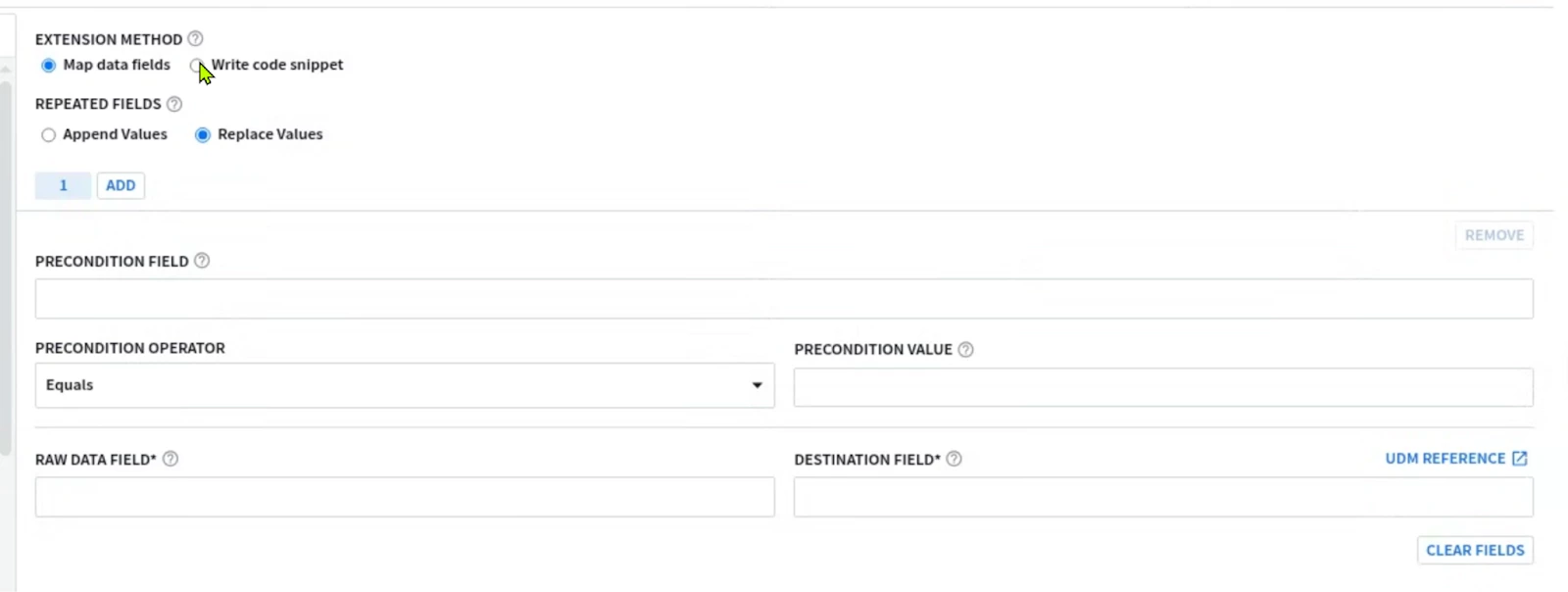 4. Once you are done adding the parser code, click on VALIDATE  The validation process performed by Google SecOps SIEM will collect a sample of 1k event, and will test the new parser and the parser extension if it exists on this sample. The sample will be processed by the new parser. A successful validation will not generate Parsing Errors (CBN errors) and will display some statistics like below, allowing the activation of the parser code. 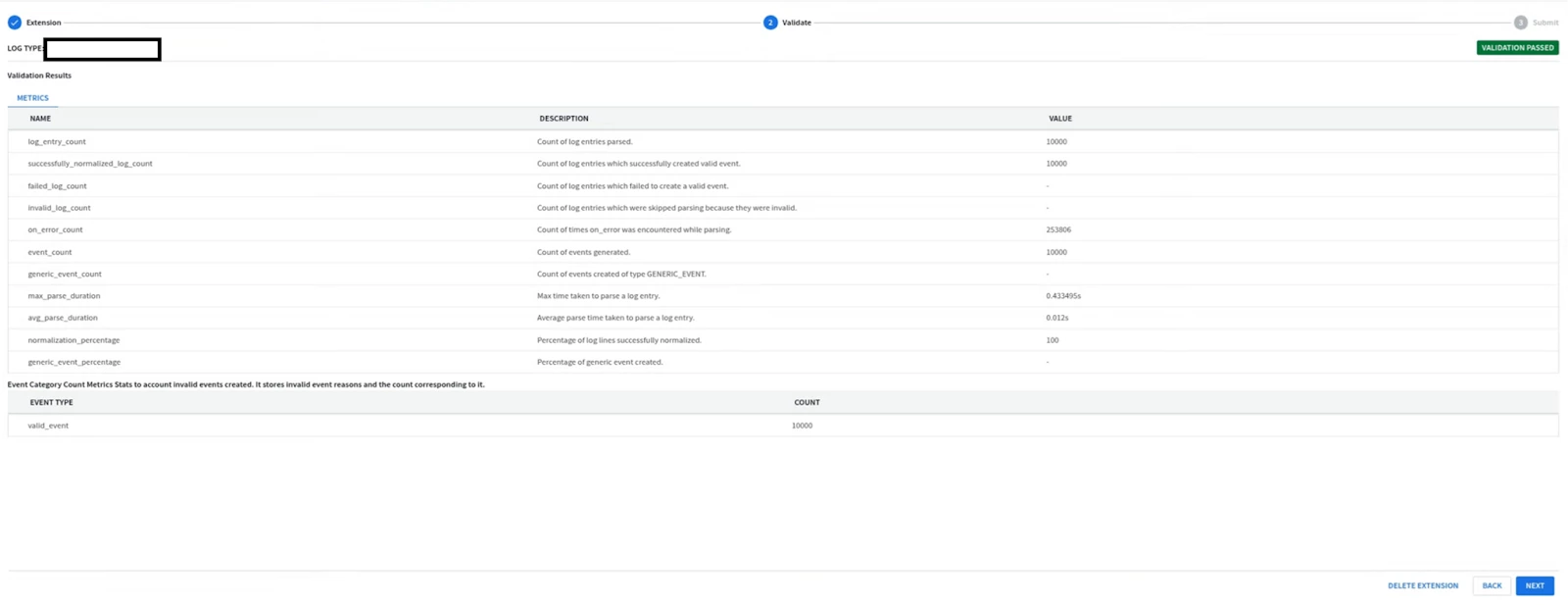 Alternatively if the parser generated parsing errors ; the engine will display the log samples causing parser errors. These logs samples need to be parsed properly before allowing the parser along with extension to be activated. If the SIEM has not received enough logs to perform the validation process ; you won’t be able to run the validation process, and you will have to wait for more logs to be received before proceeding with testing the parser or its extension. 5. Once the parser extension is activated, you should be able to see YES in the Extension column, Look at the extension code by clicking on the 3 buttons on the right and selecting view. 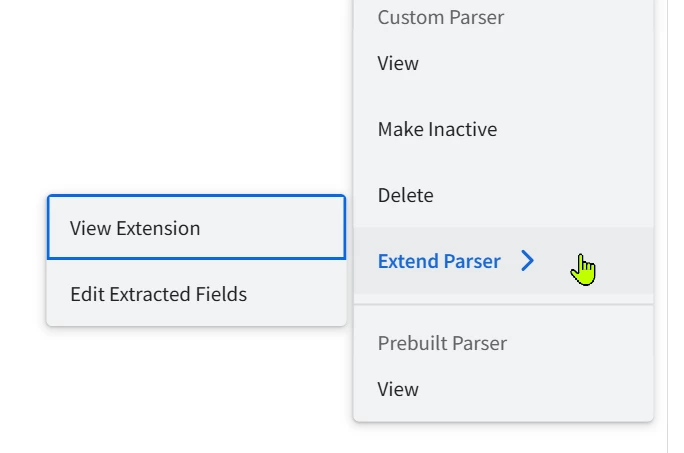 6. Viewing the extension will allow you to see both the parser extension code, the extracted fields, and previewing the UDM events generated from the sample logs. 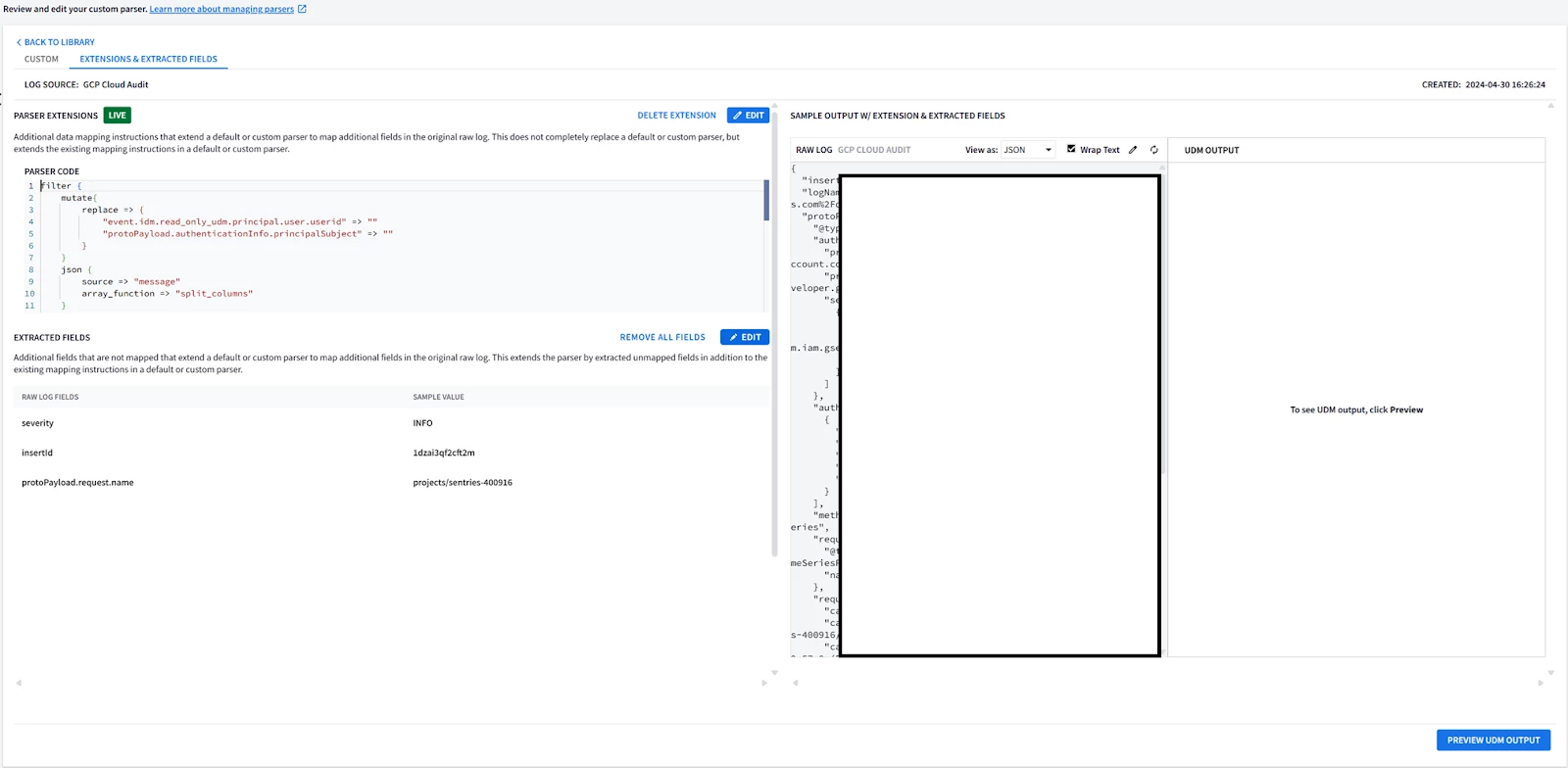 7. If you need to re-modify and test the parser, select Edit Extension on the upper left side. 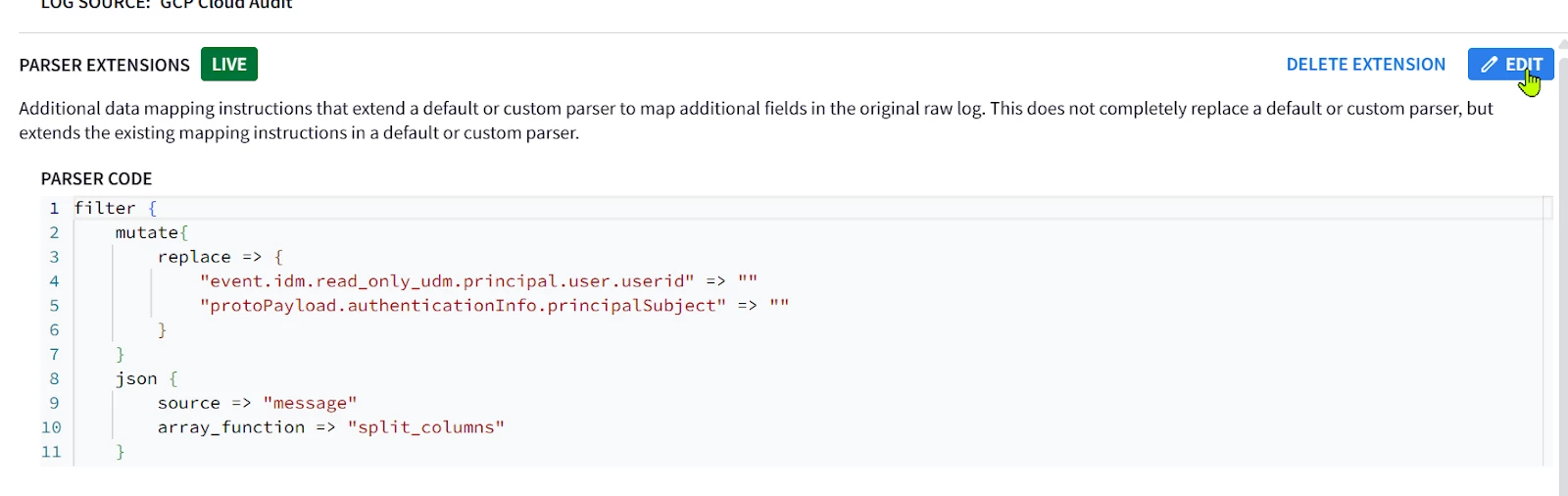 Then edit your code in the editor on the right side, and test it on the log sample. The output UDM log is the result of applying Both the Main Parser and the Extension 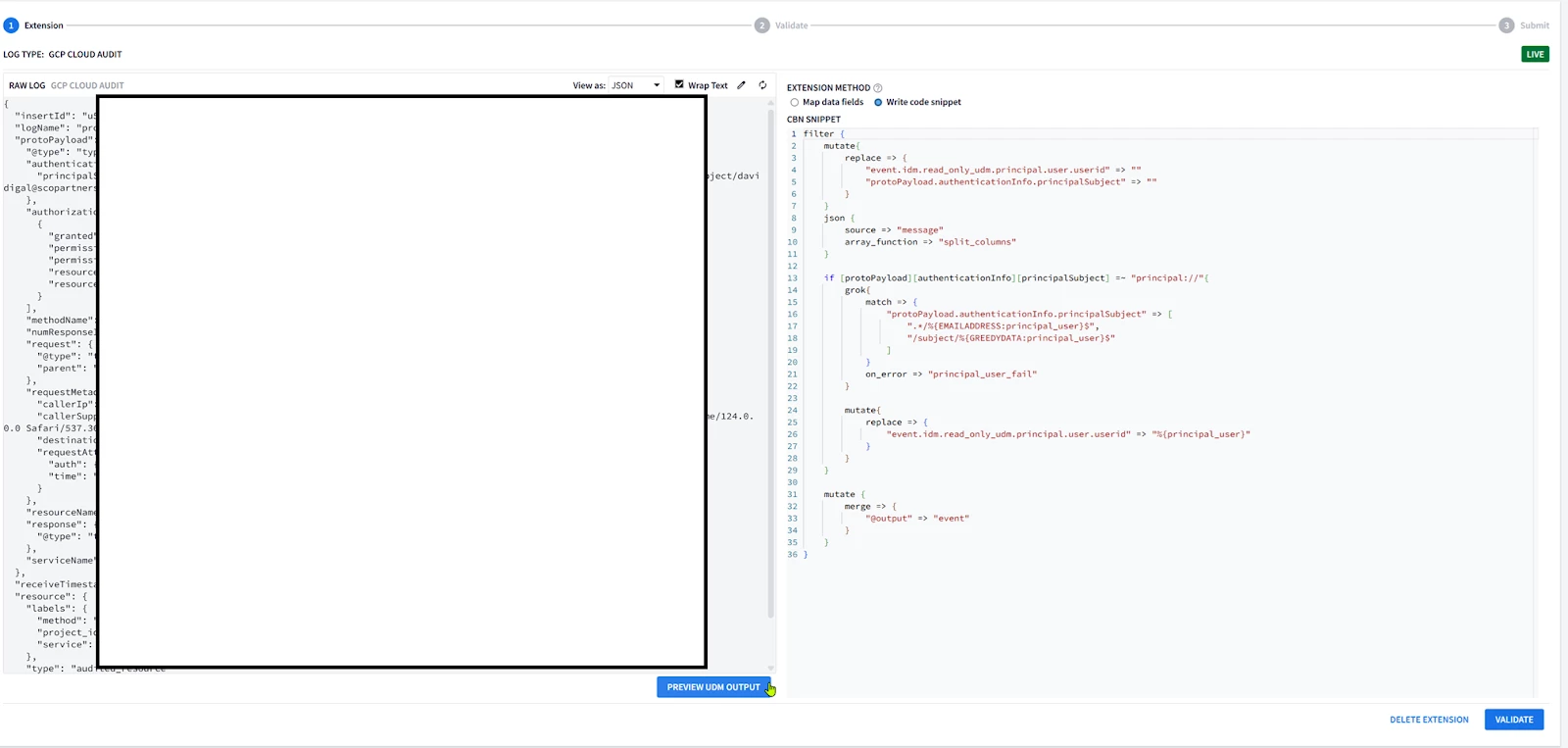 8. You cannot have a fully empty Parser extension, it will generate an error in the preview; 9. Write a minimal parser extension just to parse the JSON log without mapping any field, and list the statedump output. Notice that executing statedump{} here will display the output of the parser extension not the main parser (i.e. you won’t find the event.idm.read_only generated by the main parser, only the tokens generated by the extension will be displayed) filter { json { source => "message" array_function => "split_columns" on_error => "error.jsonParsingFailed"} statedump {label => "extensionOnly"} } 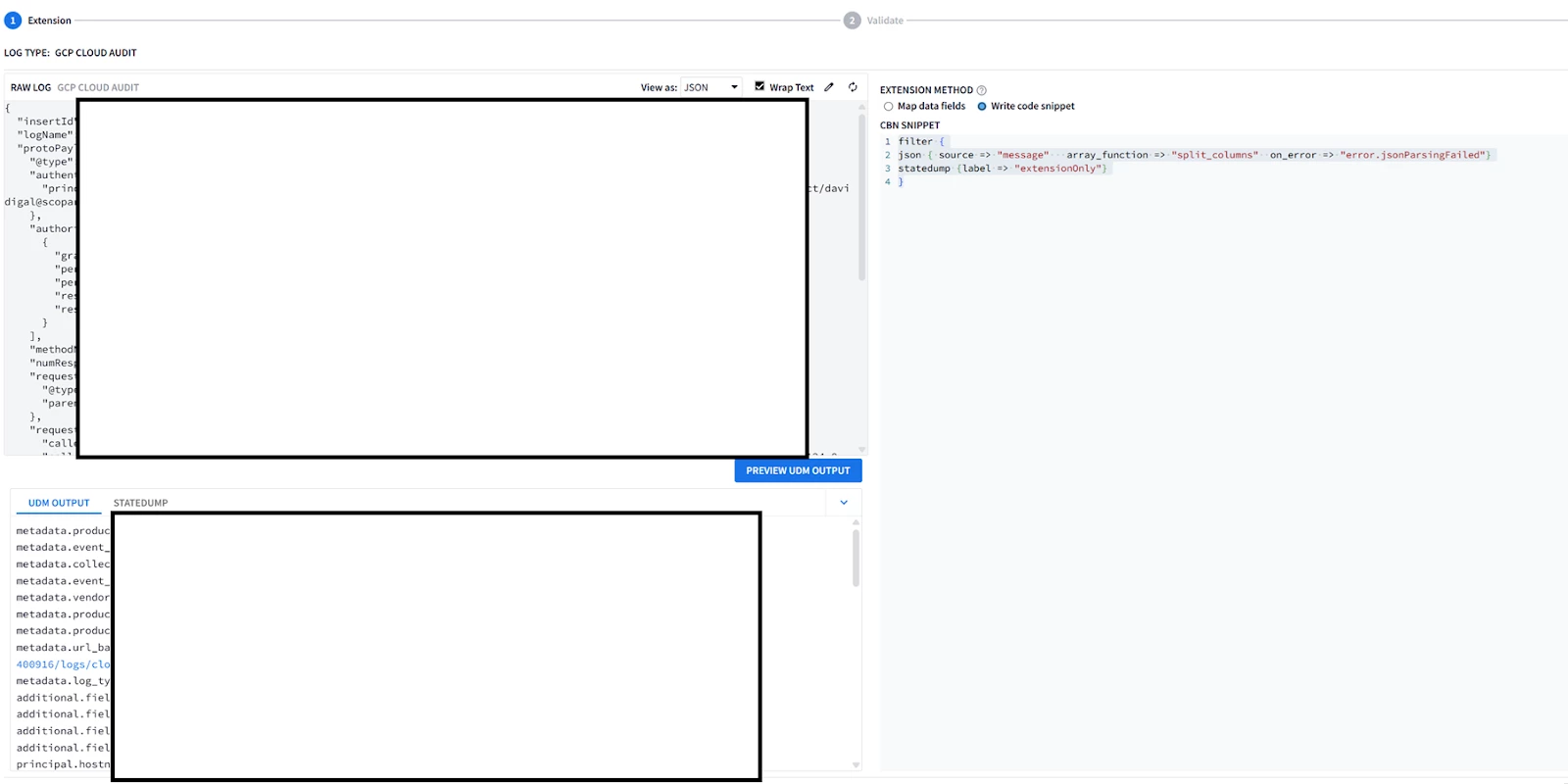
|
| Log Sample: { "insertId": "insertABC", "logName": "projects/dummyProject/logs/cloudaudit.googleapis.com%2Fdata_access", "protoPayload": { "@type": "type.googleapis.com/google.cloud.audit.AuditLog", "authenticationInfo": { "principalSubject": "principal://iam.googleapis.com/locations/global/workforcePools/pool1/subject/john.doe@acme.com" }, "authorizationInfo": [ { "granted": true, "permission": "chronicle.parserExtensions.list", "permissionType": "ADMIN_READ", "resource": "projects/3243242123/locations/us/instances/342324-234-24324-23425-23424234/logTypes/-", "resourceAttributes": {} } ], "methodName": "google.cloud.chronicle.v1alpha.ParserService.ListParserExtensions", "numResponseItems": "2", "request": { "@type": "type.googleapis.com/google.cloud.chronicle.v1alpha.ListParserExtensionsRequest", "parent": "projects/3243242123/locations/us/instances/342324-234-24324-23425-23424234/logTypes/-" }, "requestMetadata": { "callerIp": "10.0.0.1", "callerSuppliedUserAgent": "Mozilla/4.0 (Macintosh; Intel Mac OS X 10_15_7) AppleWebKit/337.36 (KHTML, like Gecko) Chrome/200.0.0.0 Safari/537.36,gzip(gfe)", "destinationAttributes": {}, "requestAttributes": { "auth": {}, "time": "2024-04-30T13:34:53.438322691Z" } }, "resourceName": "projects/3243242123/locations/us/instances/342324-234-24324-23425-23424234/logTypes/-", "response": { "@type": "type.googleapis.com/google.cloud.chronicle.v1alpha.ListParserExtensionsResponse" }, "serviceName": "chronicle.googleapis.com" }, "receiveTimestamp": "2024-04-30T13:34:53.578361658Z", "resource": { "labels": { "method": "google.cloud.chronicle.v1alpha.ParserService.ListParserExtensions", "project_id": "dummyProject", "service": "chronicle.googleapis.com" }, "type": "audited_resource" }, "severity": "INFO", "timestamp": "2024-04-30T13:34:53.428934918Z" } |
| filter { json { source => "message" array_function => "split_columns" on_error => "error.jsonParsingFailed"}
####Add a new mapped single-value field metadata.product_deployment_id (Will appear in the UDM preview) --> Supported mutate {replace => {"event1.idm.read_only_udm.metadata.product_deployment_id" => "%{insertId}"}}
####Overwrite an existing mapped single-value field --> Supported mutate {replace => {"event1.idm.read_only_udm.metadata.product_event_type" => "%{protoPayload.@type}"}}
####Replace a repeated field about[*].labels[*] --> Supported mutate {replace => {"_labels.key" => "protoPayload.@type"}} mutate {replace => {"_labels.value" => "%{protoPayload.@type}"}} mutate {merge => {"_about.labels" => "_labels"}} mutate {merge => {"event1.idm.read_only_udm.about" => "_about"}} mutate {replace => {"_labels" => ""}} mutate {replace => {"_about" => ""}}
####Append to additional fields additional.fields[*] --> Supported mutate {replace => {"_fields.key" => "protoPayload_type"}} mutate {replace => {"_fields.value.string_value" => "%{protoPayload.@type}"}} mutate {merge => {"event1.idm.read_only_udm.additional.fields" => "_fields"}} mutate {replace => {"_fields" => ""}}
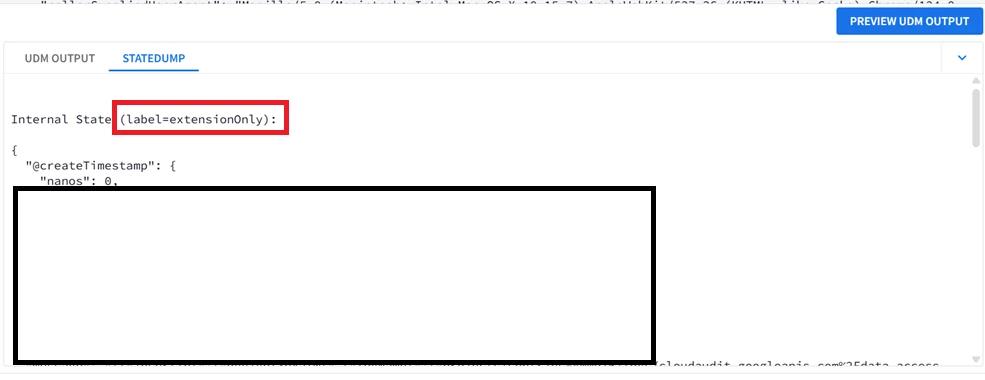
###Append to a repeated field other than additional.fields[*] --> Not Supported #This loop won't be executed, the extension cannot access the main parser event object. for k,_security_result in event.idm.read_only_udm.security_result map { statedump {label => "loop"} }
####Remove an Existing Field metadata.url_back_to_product from the Main Parser Mapping --> Not Supported # Only Overwrite is possible ##These statements will manpipulate the parser extension event1 object, but has no effect on the main parser output objet event, ##they won't impact metadata.url_back_to_product field mutate {remove_field => ["logName"]} mutate {replace => {"event1.idm.read_only_udm.metadata.url_back_to_product" => "%{insertId}"}} mutate {remove_field => ["event1.idm.read_only_udm.metadata.url_back_to_product"]}
### Drop will undo ALL the parser extension modifications, effectively disabling it #drop { tag => "TAG_MALFORMED_MESSAGE"}
#### Print the tokens of the parser extension, none of the tokens from the main parser will be visible on this statedump output statedump {label => "extensionOnly"}
#Without the merge, the parser extension mappings won't be applied mutate {merge => { "@output" => "event1" }} } |
| UDM Event Before Parser Extension : (Select fields) metadata.product_event_type"google.cloud.chronicle.v1alpha.ParserService.ListParserExtensions"
About[0].labels[0].key"type" about[0].labels[0].value"type.googleapis.com/google.cloud.audit.AuditLog" About[0].labels[1].key"num_response_items" About[0].labels[1].value"2" About[0].labels[2].key"request_time" about[0].labels[2].value"2024-04-30T13:34:53.438322691Z"
additional.fields["request_attributes_time"]"2024-04-30T13:34:53.438322691Z" additional.fields["type"]"type.googleapis.com/google.cloud.audit.AuditLog" Additional.fields["num_response_items"]"2" additional.fields["request_time"]"2024-04-30T13:34:53.438322691Z"
metadata.url_back_to_product"https://console.cloud.google.com/logs?projects/dummyProject/logs/cloudaudit.googleapis.com%2Fdata_access" UDM Event After Parser Extension : (Select fields)
(Single-Value field Added/Appended) metadata.product_deployment_id"insertABC"
(Single-Value field Overwritten) metadata.product_event_type"type.googleapis.com/google.cloud.audit.AuditLog"
(Repeated field Overwritten) about[0].labels[0].key"protoPayload.@type" about[0].labels[0].value"type.googleapis.com/google.cloud.audit.AuditLog"
(Additional field Appended, Only additional[*].fields{} is supported additional.fields["type"]"type.googleapis.com/google.cloud.audit.AuditLog" additional.fields["num_response_items"]"2" additional.fields["request_time"]"2024-04-30T13:34:53.438322691Z" additional.fields["request_attributes_time"]"2024-04-30T13:34:53.438322691Z" additional.fields["protoPayload_type"]"type.googleapis.com/google.cloud.audit.AuditLog"
Existing field not removed, remained as is from the Main Parser metadata.url_back_to_product"https://console.cloud.google.com/logs?projects/dummyProject/logs/cloudaudit.googleapis.com%2Fdata_access" |
Analyzing Bulk JSON Logs for Schema Inference
This is a quite advanced topic, so I will present the fundamentals and the interested readers can read further into this topic if it fits their use cases.
When onboarding a new datasource that is not covered by the existing parsers, the JSON log structure may not be well documented and has to be discovered iteratively.
Sample Logs Example
For example suppose a datasource with mainly 3 different log types;
| Log Type | Sample Log Message |
| System Error | { "timestamp": "2023-10-27T10:10:15Z", "source": "backend_api", "eventType": "systemError", "data": { "errorCode": 500, "errorMessage": "Database connection failed", "component": "database_module", "severity": "critical", "Tags" : ["Error", "Alert"] } } |
| File Access | { "timestamp": "2023-10-27T10:05:30Z", "source": "file_storage_service", "eventType": "fileAccess", "data": { "userId": "usr_123", "fileName": "document.docx", "action": "read", "filePath": "/home/john.doe/documents/", "Tags" : ["File", "Access"], "Permissions" : [{"file":"/home/john.doe/documents/", "authorized": True, "permission":"r"},{"file":"/home/john.doe/documents/document.docx", "authorized":False, "permission":"r"}], } } |
| User Login | { "timestamp": "2023-10-27T10:00:00Z", "source": "auth_service", "eventType": "userLogin", "data": { "userId": "usr_123", "username": "john.doe", "ipAddress": "192.168.1.10", "status": "success", "Tags" : ["Login"] } } |
JSON Keys Occurrence/Existence
The bold font fields (data.errorCode/errorMessage/component/severity in System Error logs, data.fileName/action/filePath/permissions in File Access logs and data.userId/username/ipAddress/status) are distinct and specific per their respective log, while the rest of the fields (timestamp, source, eventType, data.Tags) are common across all logs.
- Fields like data.error, data.action, … etc are considered “Recurring” fields. They will only exist in specific log messages depending on the log type.
- Fields like timestamp, source, eventType are considered “Mandatory” fields. They will exist in ANY log regardless of its type.
Challenges
In this example you could identify this structure manually, but what if you have 10k logs !?
- If you are building a parser for this data source, the recurring fields must exist in your log samples to build your parser properly otherwise the parser will fail (e.g. If you do a replace for a non-existent field without “on_error”, the parser will fail).
- In Deeply nested JSON structure (+3 nested levels with repeated fields), it becomes harder to spot these fields even with log samples.
- Some fields can have different data types depending on the log type (e.g. Cuckoo malware analysis logs usually have network traffic JSON fields for worms but they are not generated for endpoint malware that do not generate any network activity ).
- The log samples might be too large in size (+5 log samples) or depth (+3 nested levels) to perform this discovery process in a timely or practical manner.
JSON Schema Inference
This drove the need to analyze the logs in bulk, and “describe” the log schema instead of relying on individual samples observations, this is called JSON Schema Inference.
Among the common examples to do ; Avro, YAML or using JSON itself which will be used in this section.
Several software libraries can perform this function, most notable Spark and Python. In this example I will present a sample code using Python genson library.
| from genson import SchemaBuilder import json import pandas as pd # Create a SchemaGenerator instance builder = SchemaBuilder() logs=[] logs.append({ "timestamp": "2023-10-27T10:10:15Z", "source": "backend_api", "eventType": "systemError", "data": { "errorCode": 500, "errorMessage": "Database connection failed", "component": "database_module", "severity": "critical", "Tags" : ["Error", "Alert"] } } ) logs.append({ "timestamp": "2023-10-27T10:05:30Z", "source": "file_storage_service", "eventType": "fileAccess", "data": { "userId": "usr_123", "fileName": "document.docx", "action": "read", "filePath": "/home/john.doe/documents/", "Tags" : ["File", "Access"], "Permissions" : [{"file":"/home/john.doe/documents/", "authorized": True, "permission":"r"},{"file":"/home/john.doe/documents/document.docx", "authorized":False, "permission":"r"}], } } ) logs.append({ "timestamp": "2023-10-27T10:00:00Z", "source": "auth_service", "eventType": "userLogin", "data": { "userId": "usr_123", "username": "john.doe", "ipAddress": "192.168.1.10", "status": "success", "Tags" : ["Login"] } } ) for log in logs: builder.add_object(log) # Get the generated schema schema = builder.to_schema() # Print the schema #print(json.dumps(schema, indent=4)) #Clean Print print(json.dumps(schema)) |
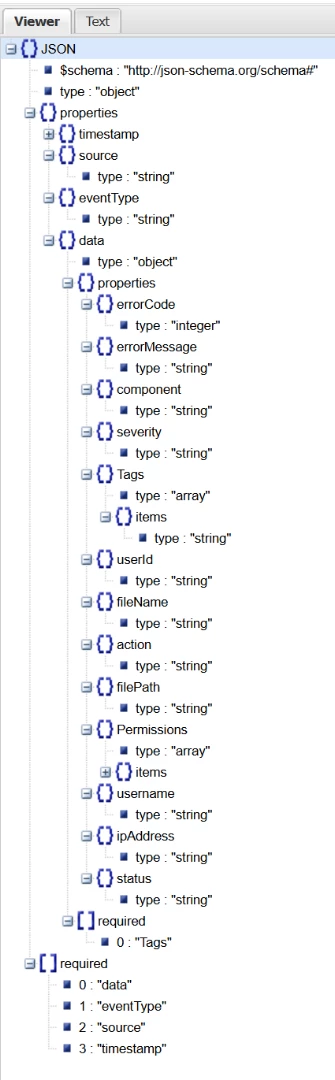
| The resultant Schema in JSON will look like this ; {"$schema": "http://json-schema.org/schema#", "type": "object", "properties": {"timestamp": {"type": "string"}, "source": {"type": "string"}, "eventType": {"type": "string"}, "data": {"type": "object", "properties": {"errorCode": {"type": "integer"}, "errorMessage": {"type": "string"}, "component": {"type": "string"}, "severity": {"type": "string"}, "Tags": {"type": "array", "items": {"type": "string"}}, "userId": {"type": "string"}, "fileName": {"type": "string"}, "action": {"type": "string"}, "filePath": {"type": "string"}, "Permissions": {"type": "array", "items": {"type": "object", "properties": {"file": {"type": "string"}, "authorized": {"type": "boolean"}, "permission": {"type": "string"}}, "required": ["authorized", "file", "permission"]}}, "username": {"type": "string"}, "ipAddress": {"type": "string"}, "status": {"type": "string"}}, "required": ["Tags"]}}, "required": ["data", "eventType", "source", "timestamp"]} Using Any JSON tree viewer like this one will visualize the analysis results
|
Interpreting the Schema
From the schema tree we could see that ;
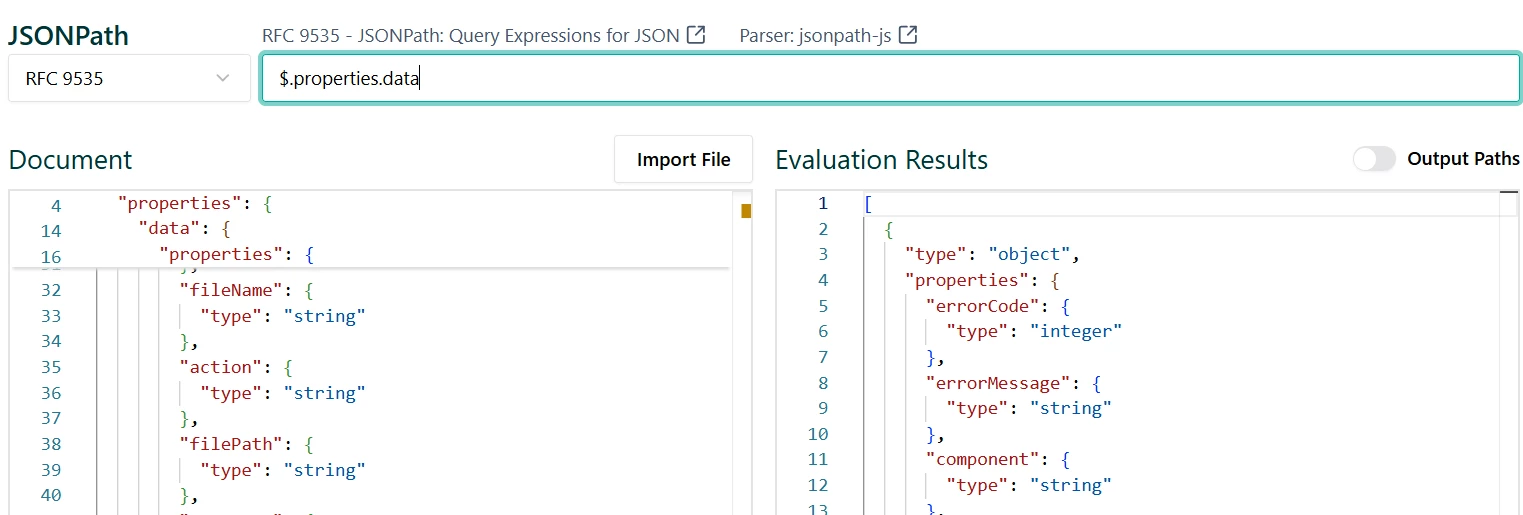
- JSON path interpreter (you could use an online one) could be used to query and analyze the schema.
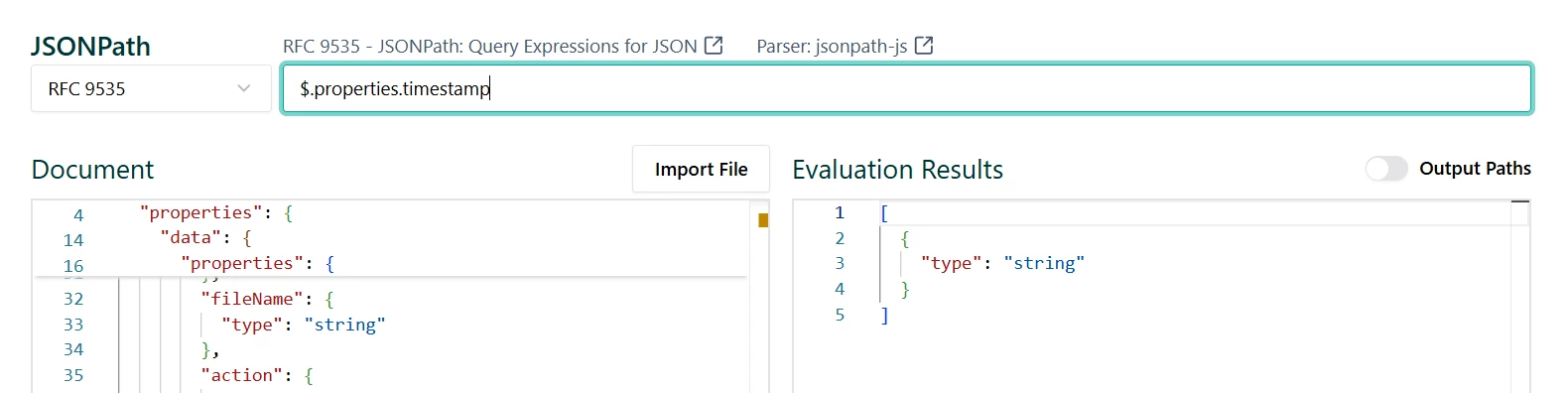
- All fields data types are indicated under “type”. For example ;
- Timestamp : type = “string”
- Data: type = “Object” (Composite JSON field)
- Sub-fields : listed under the “data.properties” sub-fields ; errorCode, errorMessage, action, …etc
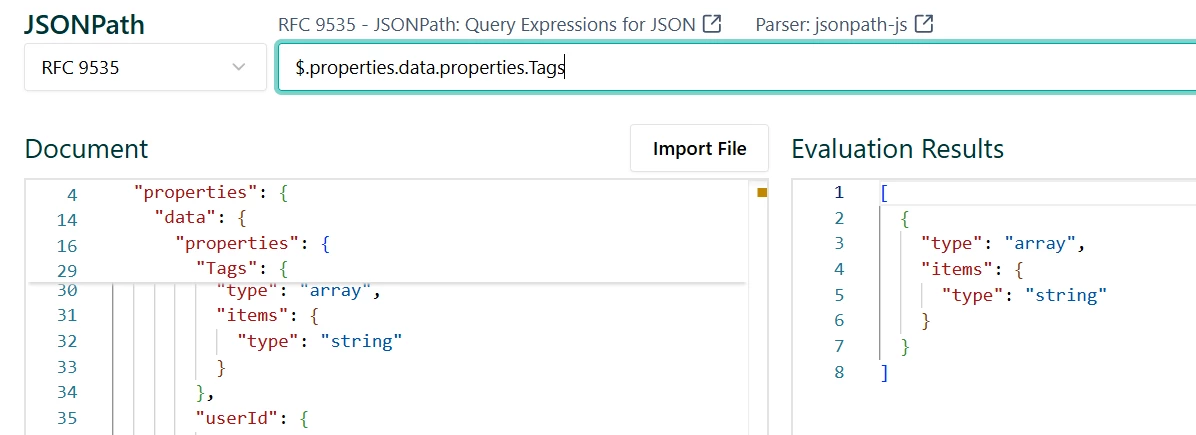
- data.Tags is repeated string field will have type=”array” with sub-fields items.type=”string”
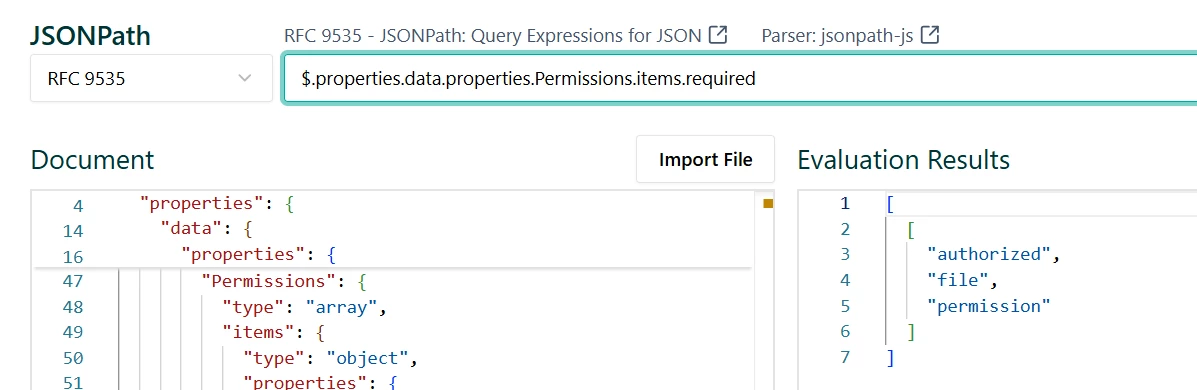
- data.Permissions is also a repeated field, but its type is Composite (type=”array”, items.type=”object”) with mandatory sub-fields authorized,file and permission (Permissions.items.required = [“authorized”,”file”,”permissions”]
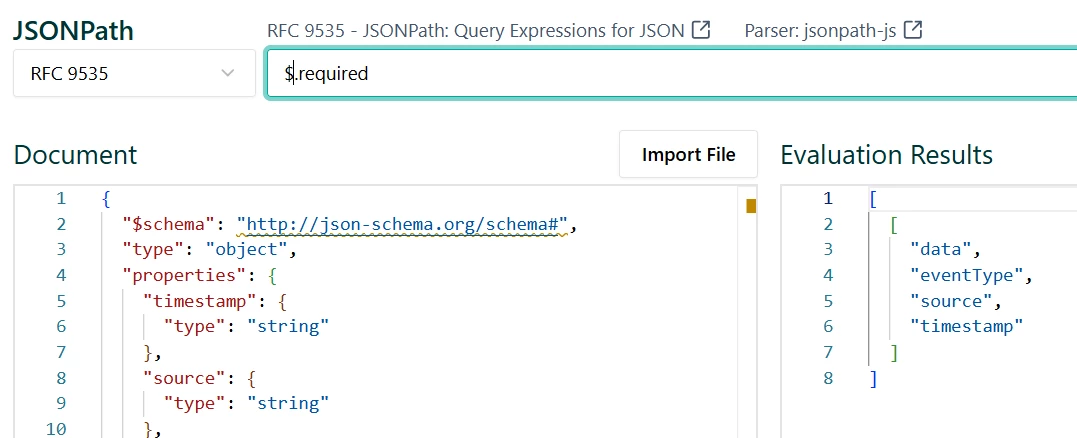
- All “required” fields will be present in every single JSON log ; data, eventType, source and Timestamp
- The rest of the fields are “recurring”, they will only appear depending on the specific log category or type.
Identifying the Log Category “Marker” field
How to identify the main field of the log category ? In this example it is obvious that the field eventType is the main marker or event log category field. In bulk-logs you would expect this field to have the lowest cardinality (number of unique values) ratio to the number of log messages.
For example ; In 1k logs, you could expect around only 20 unique values of the eventType field compared to the IP or typestamp fields.There are other techniques but this is the simplest and most common one.
Benefits
Recursively analyzing your schema based on each different value for eventType (or whatever your marker/log category field is) will give you the schema per log type, allowing a hierarchical cleaner design of your parser based on the schema “blueprints”
Parser Hierarchical Design : Build a more readable parser based on schema. I.e Design a parser based on the conditionals [Severity]==”Info” {...}, another for [Severity]==”Debug” {...} ), and in each one design a sub-parser when (Severity==”info” & eventType==”Login”) and so on.
Conclusion
So far we covered the repeated fields and how to systematically map JSON logs into the event schema of the UDM format. More tips are listed on this page.
In the future versions, we will move towards GROK patterns, and Entity Context parsing into UDM Entity schema objects that are used for importing your organization assets and users .
Thank you for taking the time to review this guide!
