Solved

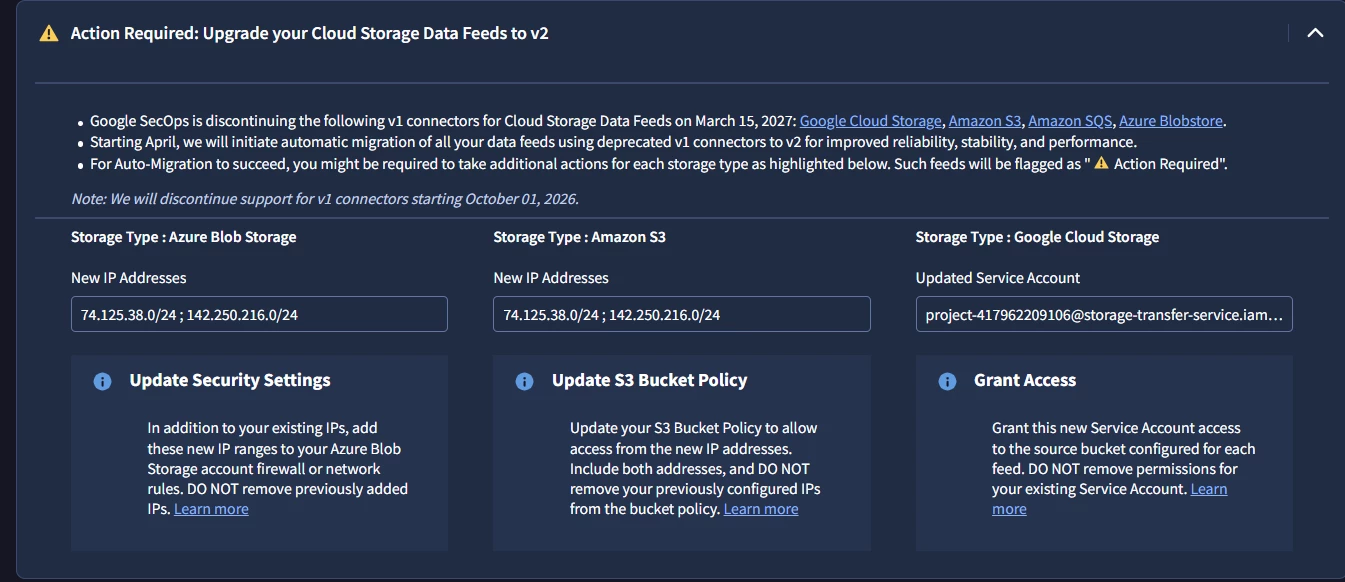
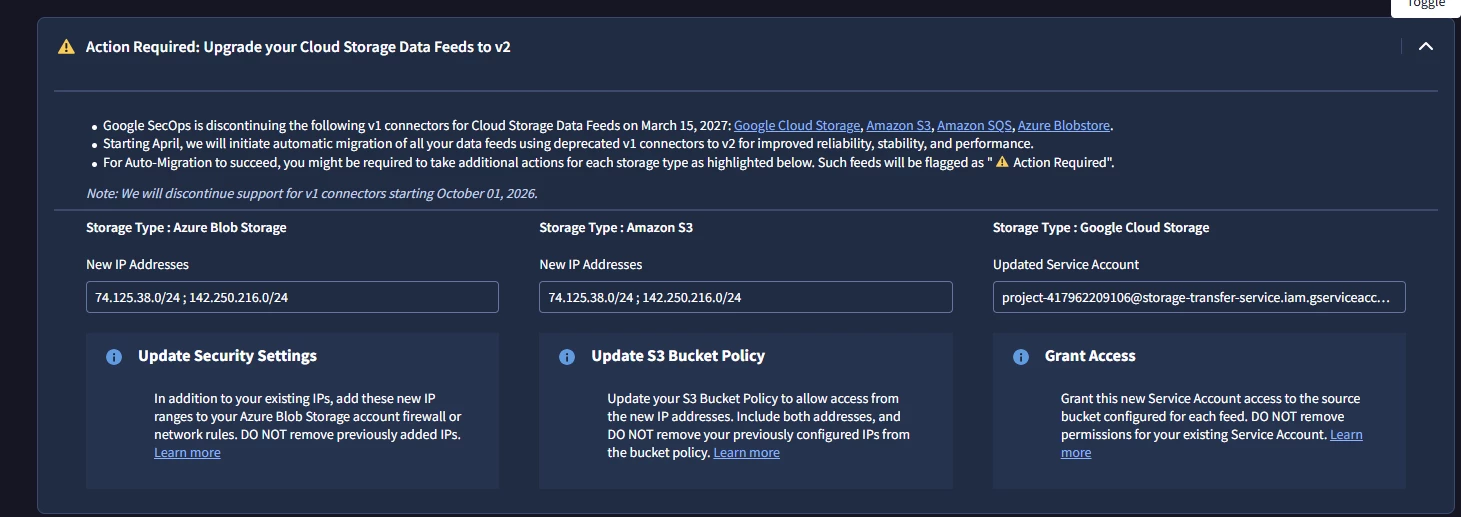
Action Required: Upgrade your Cloud Storage Data Feeds to v2

  • August 11, 2026
  • 16 replies
  • 119 views

arv261095
Forum|alt.badge.img+7

Hi Fam,

Where do i exactly need to go and check if this is applicable to my secops :

can someone suggest steps where to go and check this out and identify if its applicable to us or we need to take any action.

thanks


Best answer by cmorris

Azure Blob - I do not see any feeds using this, looks N/A

S3 - I do not see any feeds using this, looks N/A

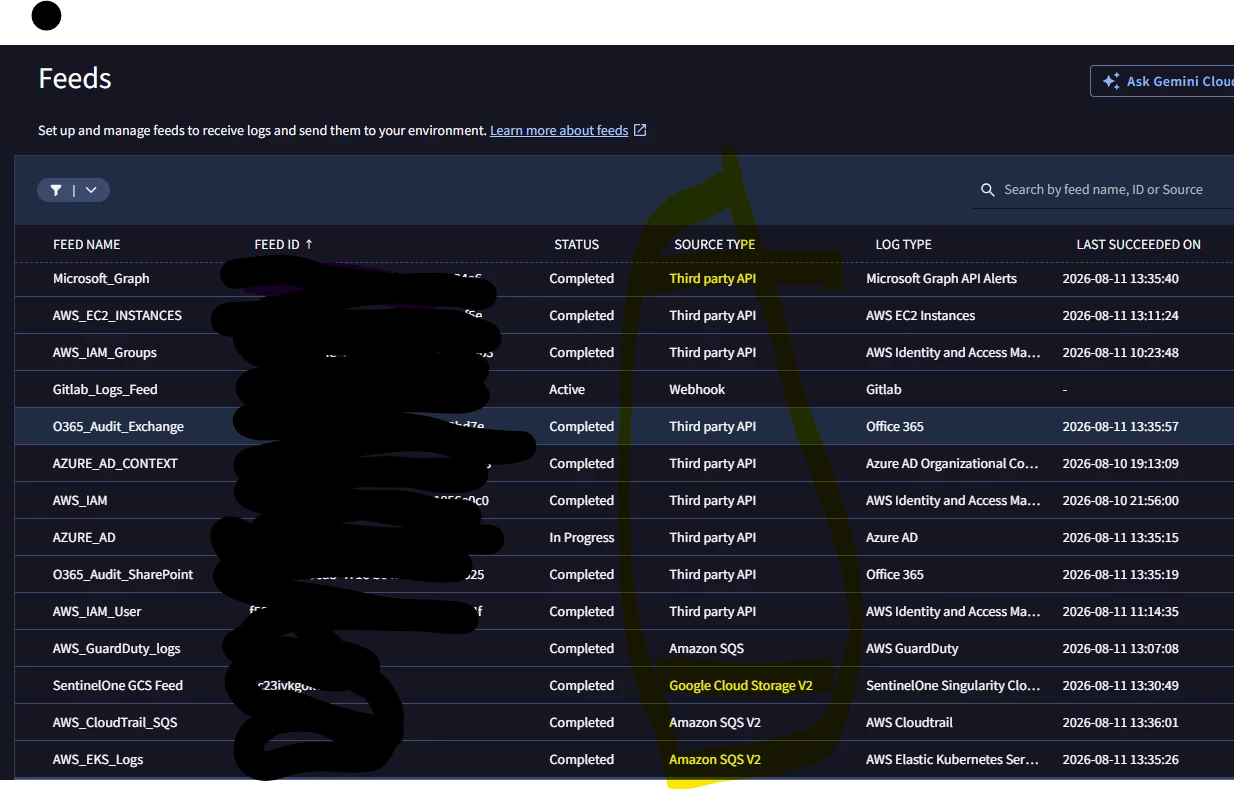
GCS - All are already V2, looks like you already completed this

16 replies

cmorris
Staff
Forum|alt.badge.img+17
  • Staff
  • August 11, 2026

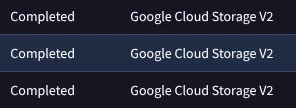
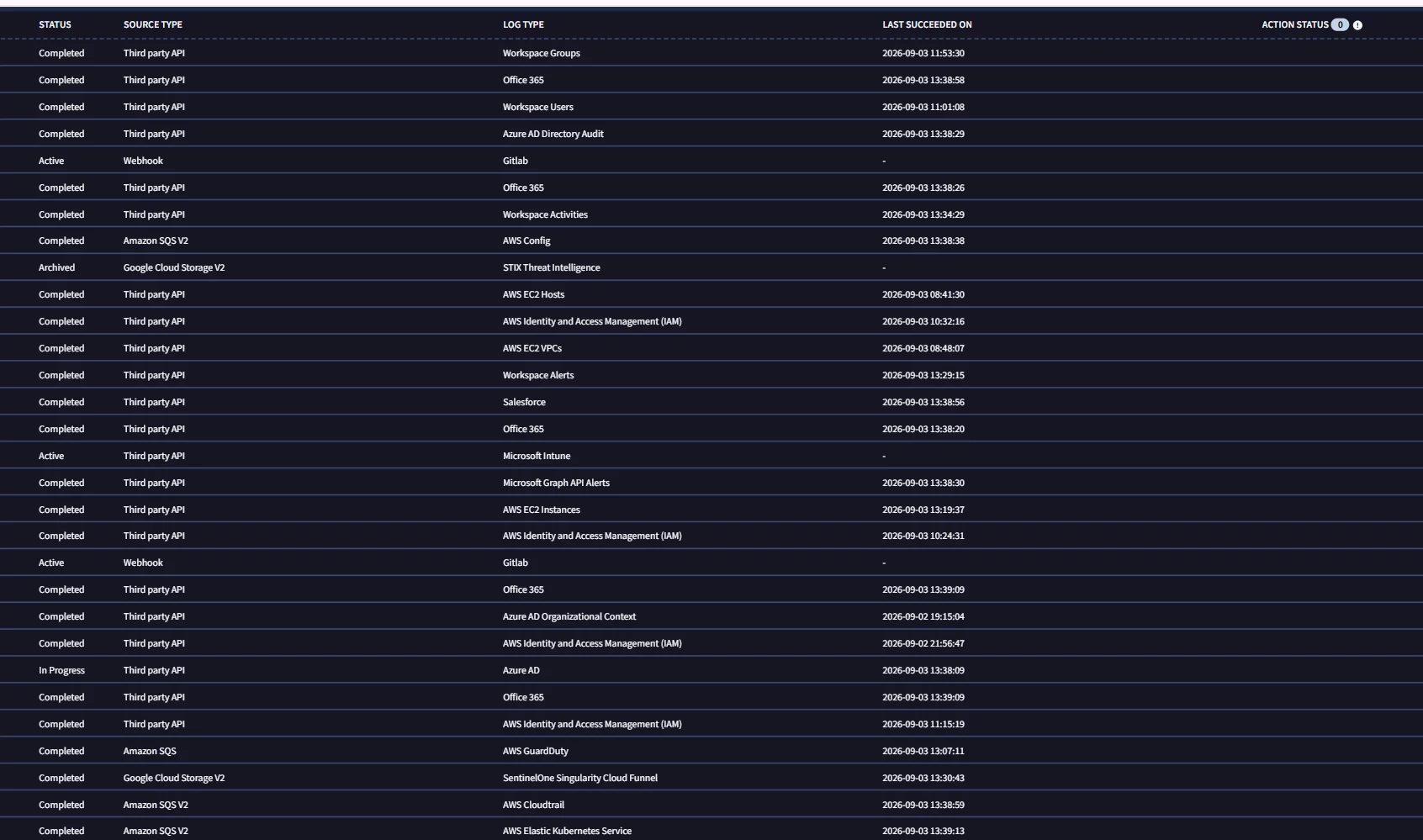
Should be able to see on the SIEM Settings > Feeds page. From the screenshot below from my test instance, these feeds were initially setup with standard GCS feeds and have since been auto migrated to GCS v2.


arv261095
Forum|alt.badge.img+7
  • Author
  • Bronze 2
  • August 11, 2026

hi ​@cmorris  thanks sir,

could you see we need not target the third party api one and others correct? for other we are already on V2 i think.


cmorris
Staff
Forum|alt.badge.img+17
  • Staff
  • August 11, 2026

Correct, only relevant for GOOGLE_CLOUD_STORAGE, AMAZON_S3, AMAZON_SQS, and AZURE_BLOBSTORE feeds as they have transitioned to Storage Transfer Service (STS) for v2.


arv261095
Forum|alt.badge.img+7
  • Author
  • Bronze 2
  • September 3, 2026

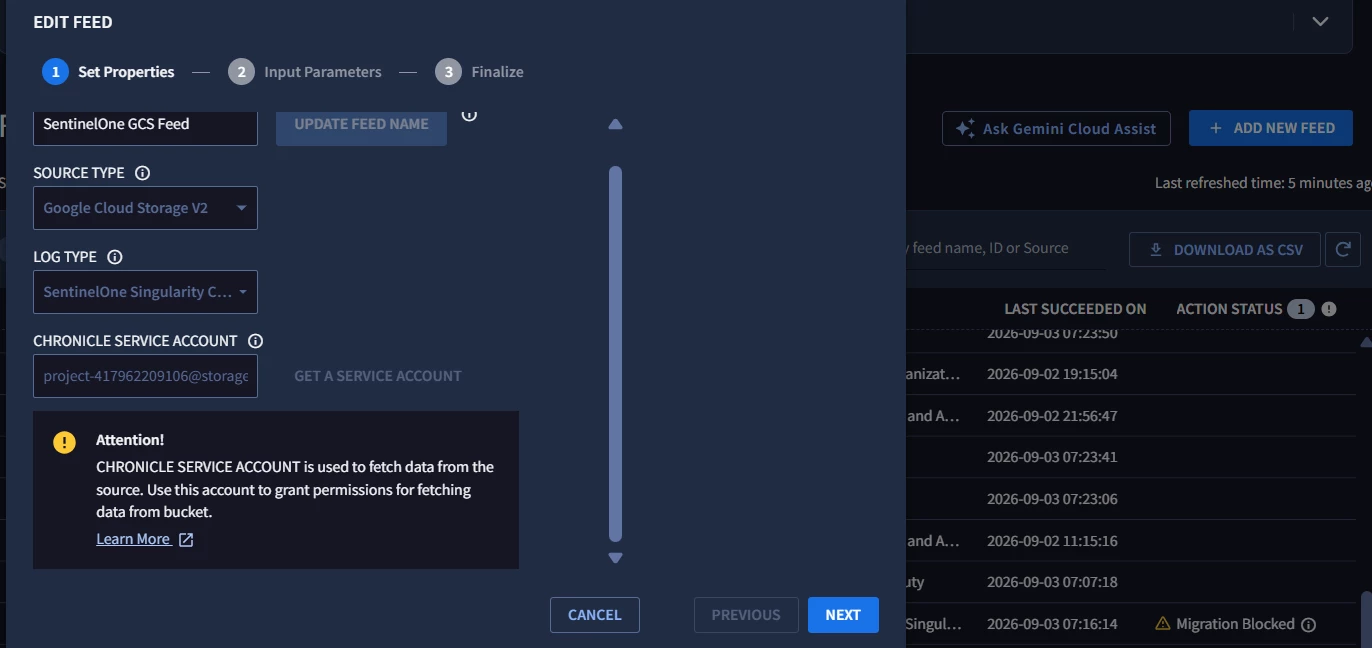
​@cmorris  can you help in resolving the below error any idea what i need to do


cmorris
Staff
Forum|alt.badge.img+17
  • Staff
  • September 3, 2026

​@arv261095 - I do not believe that is an error, it is just letting you know that you will need to take the Chronicle Service Account listed above the Attention notice and add it to the GCS bucket with permissions. The Next button at the bottom should still work.


arv261095
Forum|alt.badge.img+7
  • Author
  • Bronze 2
  • September 3, 2026

Thanks ya it worked after we provided required permissions 

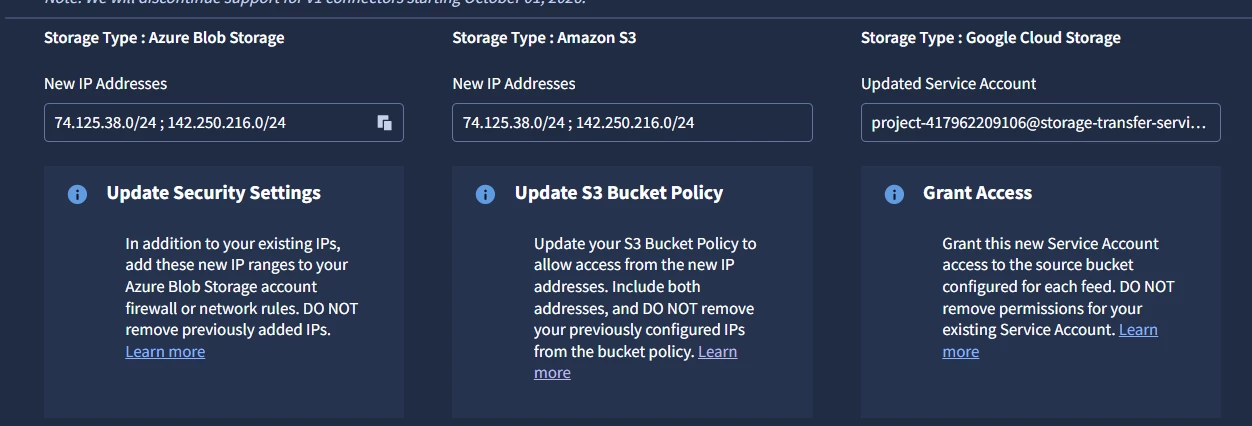
i have one more query for below actions to be taken :

Where exactly do we need to updates these IPs and what else is required as i cannot see any action required symbol in my feeds as of now 


cmorris
Staff
Forum|alt.badge.img+17
  • Staff
  • September 3, 2026

The action status column on your feeds page looks to be blank - so long as you don’t see the Action Required next or Migration Blocked next to the individual feeds, as you had previously, you should be ok. At least in the displayed feeds from your screenshot, I don’t see the S3 or Azure Blob Storage feeds enabled.


arv261095
Forum|alt.badge.img+7
  • Author
  • Bronze 2
  • September 3, 2026

ok so no action required as of now i am bit confused..


cmorris
Staff
Forum|alt.badge.img+17
  • Staff
  • September 3, 2026

I do see one feed with AWS GuardDuty using SQS (not V2). Are there any other feeds on another page in the feed section that are using GCS, S3, SQS, Blob (not V2)?


arv261095
Forum|alt.badge.img+7
  • Author
  • Bronze 2
  • September 3, 2026

no the previous snapshot covers all of them


cmorris
Staff
Forum|alt.badge.img+17
  • Staff
  • September 3, 2026

It looks to me then that only that one feed still needs to be migrated. I believe it should be auto-migrated if it is only connected to one S3 bucket (https://docs.cloud.google.com/chronicle/docs/administration/upgrade-data-feeds-v2#:~:text=single%20Amazon%20S3%20bucket). Else, you would need to move that one.


arv261095
Forum|alt.badge.img+7
  • Author
  • Bronze 2
  • September 3, 2026

ok will check on that do we need to do anything for the below in my case? 


cmorris
Staff
Forum|alt.badge.img+17
  • Staff
  • Answer
  • September 3, 2026

Azure Blob - I do not see any feeds using this, looks N/A

S3 - I do not see any feeds using this, looks N/A

GCS - All are already V2, looks like you already completed this


arv261095
Forum|alt.badge.img+7
  • Author
  • Bronze 2
  • September 7, 2026

Thanks , so as of now there are no actions that i need to take correct ​@cmorris 


cmorris
Staff
Forum|alt.badge.img+17
  • Staff
  • September 7, 2026

If that one AWS GuardDuty SQS v1 feed is mapped to a single S3 bucket, I believe you are good. Else (multiple buckets), would need to move that one. All the rest look to be good.


arv261095
Forum|alt.badge.img+7
  • Author
  • Bronze 2
  • September 30, 2026

​@cmorris  this is my flow 

GuardDuty Findings

        ↓

S3 Bucket

gd-findings-secops-sharing-bucket

        ↓

S3 Event Notification

google_secops_gdfindings_notify_sqs

        ↓

SQS Queue

google_secops_gdfindings_queue

        ↓

Google SecOps Feed

AWS_GuardDuty_logs