Hi I need to migrate the below Splunk alert to Chronicle , can some one assist how this can be converted in YARA-L
search (index=wineventlog )source="WinEventLog:Microsoft-Windows-Windows Defender/Operational" OR (index=azure_ad_connect sourcetype="azure:loganalytics:ad:ProtectionStatus")
| rename dvc as src
| stats max(_time) as lastEvent by src index
| eval age=now()-lastEvent
| where age>14400
Best answer by mokatsu
Ill leave the "search" line for you to map your Splunk index to chronicle UDM fields. Starting from Line 3: you can do something like this:
event:
// base search
// make sure you assign your variable
// lets assume that variables are $hostname, $vendor
match:
  $hostname, $vendor over 24h
outcome:
  $last_event timestamp.current_seconds() - max($e.metadata.ingested_timestamp.seconds)
condition:
  $e and $last_event > 14400 //4 hours

Issues with this is that all the events that contributed to this will be present in the alerts. But you could user do the outcome line in the "event" step to also reduce the number of events.
18000 <= timestamp.current_seconds() - $e.metadata.ingested_timestamp.seconds // this will return any event ingested within the last 5 hours
I would not recommend doing this search on a log type that is loud.
Ill leave the "search" line for you to map your Splunk index to chronicle UDM fields. Starting from Line 3: you can do something like this:
event:
// base search
// make sure you assign your variable
// lets assume that variables are $hostname, $vendor
match:
  $hostname, $vendor over 24h
outcome:
  $last_event timestamp.current_seconds() - max($e.metadata.ingested_timestamp.seconds)
condition:
  $e and $last_event > 14400 //4 hours

Issues with this is that all the events that contributed to this will be present in the alerts. But you could user do the outcome line in the "event" step to also reduce the number of events.
18000 <= timestamp.current_seconds() - $e.metadata.ingested_timestamp.seconds // this will return any event ingested within the last 5 hours
I would not recommend doing this search on a log type that is loud.
Ill leave the "search" line for you to map your Splunk index to chronicle UDM fields. Starting from Line 3: you can do something like this:
event:
// base search
// make sure you assign your variable
// lets assume that variables are $hostname, $vendor
match:
$hostname, $vendor over 24h
outcome:
  $last_event timestamp.current_seconds() - max($e.metadata.ingested_timestamp.seconds)
condition:
$e and $last_event > 14400 //4 hours
Issues with this is that all the events that contributed to this will be present in the alerts. But you could user do the outcome line in the "event" step to also reduce the number of events.
18000 <= timestamp.current_seconds() - $e.metadata.ingested_timestamp.seconds // this will return any event ingested within the last 5 hours
I would not recommend doing this search on a log type that is loud.
Sorry one last doubt how to convert the epoch time to human readable format in chronicle .
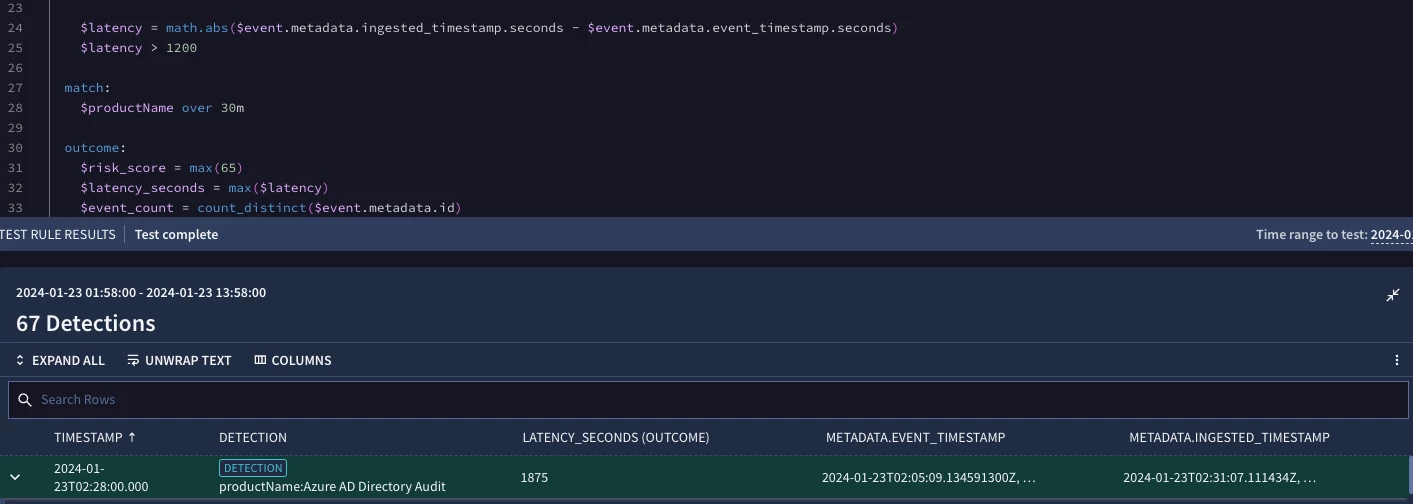
time_diff will be available to use in the yara-l rule and will also reside in the detection schema that can be used in dashboards or in the soar or in third party tooling if applicable.
Sorry one last doubt how to convert the epoch time to human readable format in chronicle .
There are a set of functions in YARA-L that convert epoch time to portions of a date field for analysis, but there is not one currently in Chronicle that takes an epoch and reconstructs it as a mm/dd/yy HH:MM:SS, for example. Based on what you are looking for above reconstruction of a date does not seem to be needed. You could grab the hour, minute, day of the week, week of the year in those function if desired.
We need to flip the greater than sign because we want the difference between now and the ingest to be more than some timeframe.
I know this is a stub rule and there are more things specific to the environment to add, but I added a net function to focus on a specific IP range to help pull this back otherwise it gets super busy.
The log type field versus product name might be a good choice to use if you are matching since multiple product values could use the same log type.
Because the rules engine is currently designed for a 48 hour window, it needs to have something to compare something to. So looking for matches in a 24 hour window and saying that the time boundary we are monitoring for is also 24 hours is not going to be where we want to be. We could say look over the past 24 hours for events and then tell me which events we have not ingested in the past 4 hours, which is what I have above. It still may be a bit noisy but get you going.
We are continuing to evolve the platform and later this year we may have some additional methods to do this over broader time windows as well... Hope this helps.