Question

Can Alert Playbooks be triggered by Case Stage changes (Investigation / Research)?

  • June 10, 2026
  • 5 replies
  • 96 views

iLotuus
Forum|alt.badge.img+1

Hello everyone,

I'm trying to build a Google SecOps SOAR integration with Freshdesk using HTTPv2.

My goal is to automatically create a Freshdesk ticket when a case is moved to either:

  • Investigation
  • Research

I created an Alert Playbook with a Custom Trigger configured as:


[Case.Stage] = Investigation
OR
[Case.Stage] = Research


The playbook contains a simple HTTPv2 action that should create a ticket in Freshdesk.

The playbook is enabled and saved. I also verified that the case stage is successfully changed, for example:

"Case stage set to Investigation"

However, the playbook never executes when the case stage changes.

From the documentation and community posts, I understand that Alert Playbooks can access Case fields (Case.Stage, Case.Name, Case.Tags, etc.), but I'm not sure whether a Case Stage change is actually considered a trigger event for an Alert Playbook.

My questions are:

  1. Can an Alert Playbook be triggered directly by a Case Stage change?
  2. Is a Case Stage change only evaluated when a new alert enters the case?

My objective is:

  1. Case moved to Investigation/Research
  2. Execute Playbook
  3. Create Freshdesk ticket via HTTPv2

Any guidance or examples would be greatly appreciated.

Thank you.


5 replies

cmorris
Staff
Forum|alt.badge.img+14
  • Staff
  • June 10, 2026

Today, a Playbook cannot be triggered by a case stage change. Reaction Triggers are coming to preview soon and will enable trigger via a case stage change as well as other options - https://docs.cloud.google.com/chronicle/docs/soar/respond/working-with-playbooks/using-reaction-triggers-in-playbooks.


iLotuus
Forum|alt.badge.img+1
  • Author
  • New Member
  • June 10, 2026

Today, a Playbook cannot be triggered by a case stage change. Reaction Triggers are coming to preview soon and will enable trigger via a case stage change as well as other options - https://docs.cloud.google.com/chronicle/docs/soar/respond/working-with-playbooks/using-reaction-triggers-in-playbooks.

Is there any way to do this using the resources currently available in SECOPs?


cmorris
Staff
Forum|alt.badge.img+14
  • Staff
  • June 10, 2026

Today, a Playbook cannot be triggered by a case stage change. Reaction Triggers are coming to preview soon and will enable trigger via a case stage change as well as other options - https://docs.cloud.google.com/chronicle/docs/soar/respond/working-with-playbooks/using-reaction-triggers-in-playbooks.

Is there any way to do this using the resources currently available in SECOPs?

Is the stage being changed manually today? The closest you could get pending the release of the reaction triggers would be to create a Playbook that changes the stage and then have your HTTPv2 action in the playbook as well. From there, create a quick action (https://docs.cloud.google.com/chronicle/docs/soar/investigate/working-with-cases/what-actions-can-you-take-on-a-case#quick-actions) that executes the playbook and then update your view with the quick actions widget.


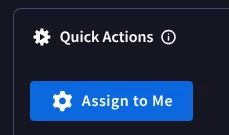
That would provide you a widget on the alert or case page that would look like this:

When that button is clicked the playbook is executed and the case stage is changed followed by your HTTPv2 action.


AymanC
Forum|alt.badge.img+14
  • Bronze 5
  • June 17, 2026

Hi ​@iLotuus,


Besides waiting for the Reaction Trigger feature to be avaliable, the other way would be to create a job that runs every X minutes, that lists all cases, identifies those newly moved to those two mentioned 'Investigation' or 'Research', and then attach a block to that case which does the HTTP v2 action etc.


Write jobs  |  Google Security Operations  |  Google Cloud Documentation


Kind Regards,

Ayman


AnimSparrow
Forum|alt.badge.img+6
  • Bronze 5
  • June 17, 2026

There is option to build job that will check every X minutes/hours for all cases that got X or Y
 

example here

For most of our workflows, we use playbook logic that either awaits analyst feedback and then attaches the next blocks or triggers child playbooks accordingly.

For non-automated actions, we use buttons that analysts can manually trigger to attach the necessary content.