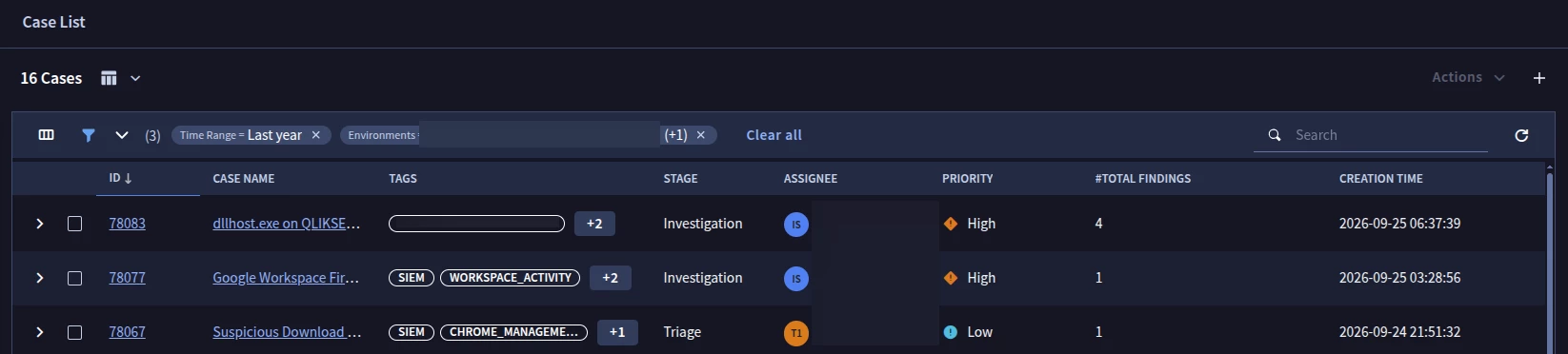
Question

Case Queue Icons

  • September 25, 2026
  • 4 replies
  • 28 views

dazzlerellis
Forum|alt.badge.img+3

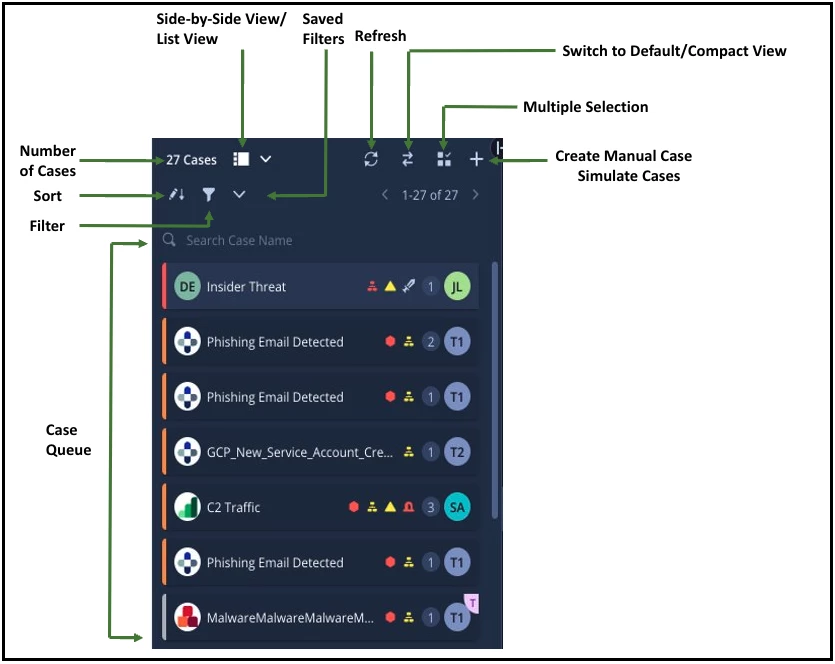
I stumbled upon an image via this link https://docs.cloud.google.com/chronicle/docs/soar/investigate/working-with-cases/whats-on-the-cases-screen

Sad I know but I got Icon envy, those icons to the left of the Case names, how do I get me some of those, or was this an older version?


4 replies

ar3diu
Forum|alt.badge.img+11
  • Silver 2
  • September 25, 2026

I don't know how to answer your question, but I can tell you that those icons no longer appear in the new Case Management experience/view.


dazzlerellis
Forum|alt.badge.img+3
  • Author
  • New Member
  • September 25, 2026

I know have tested the new case view, I had to revert as it looked like playbook widgets didn't work properly with it.


cmorris
Staff
Forum|alt.badge.img+17
  • Staff
  • September 25, 2026

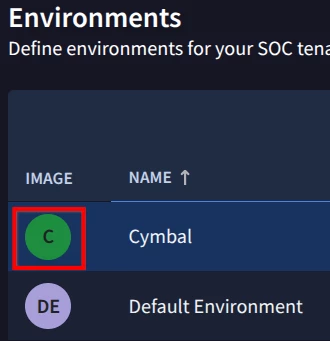
Under SOAR Settings > Environments, you should be able to click on the icons in the Image column and upload an image.


dazzlerellis
Forum|alt.badge.img+3
  • Author
  • New Member
  • September 25, 2026

Okay we just one default environment in there so have changed the icon for that, thank you 😁