

Solved

Chronicle Dashboards: How to add multiple additional.fields as column headers?

  • May 16, 2025
  • 4 replies
  • 170 views

Forum|alt.badge.img+1

I have logs ingested with a custom parser that sets the following fields in one log.

  1. additional.value["appmetadata.timems"] = "a string"
  2. additional.value["appmetadata.name"] = "a string"

Appmetadata.timems must be converted to a number. Appmetadata.name must contain "job-success".

I would like to create a dashboard that shows a graph of Appmetadata.timems values over time. I would also like to see appmetadata.name values when hovering over a point in the line graph.

I am struggling to use custom fields as column headers when attempting to pull in more than on additional.field.value, what is the proper way for me to create this visualization?
 

Best answer by AymanC

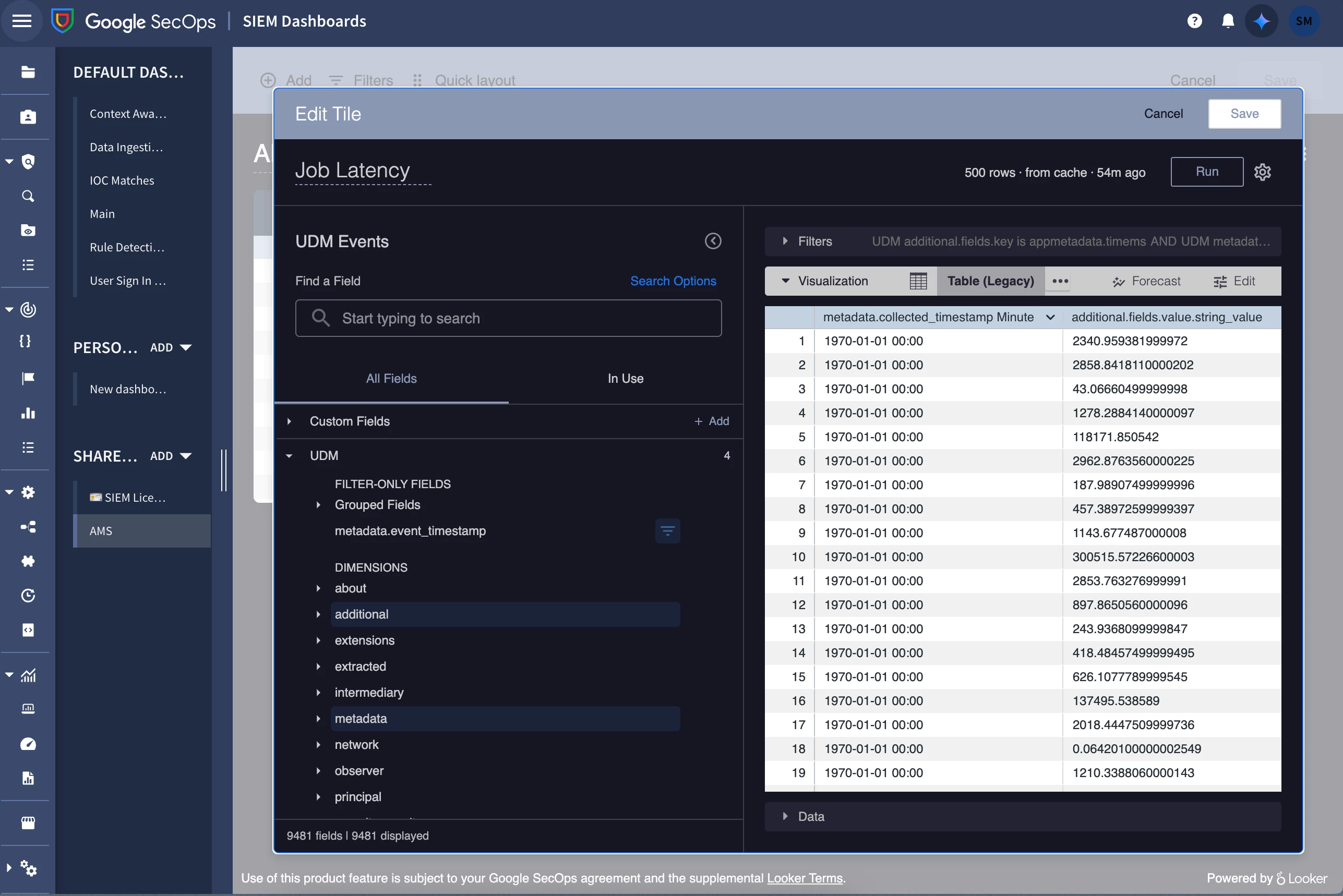
I believe this would be the native dashboarding tool that I am using while it does say powered by Looker in the bottom left.


Hi @stosh-malec

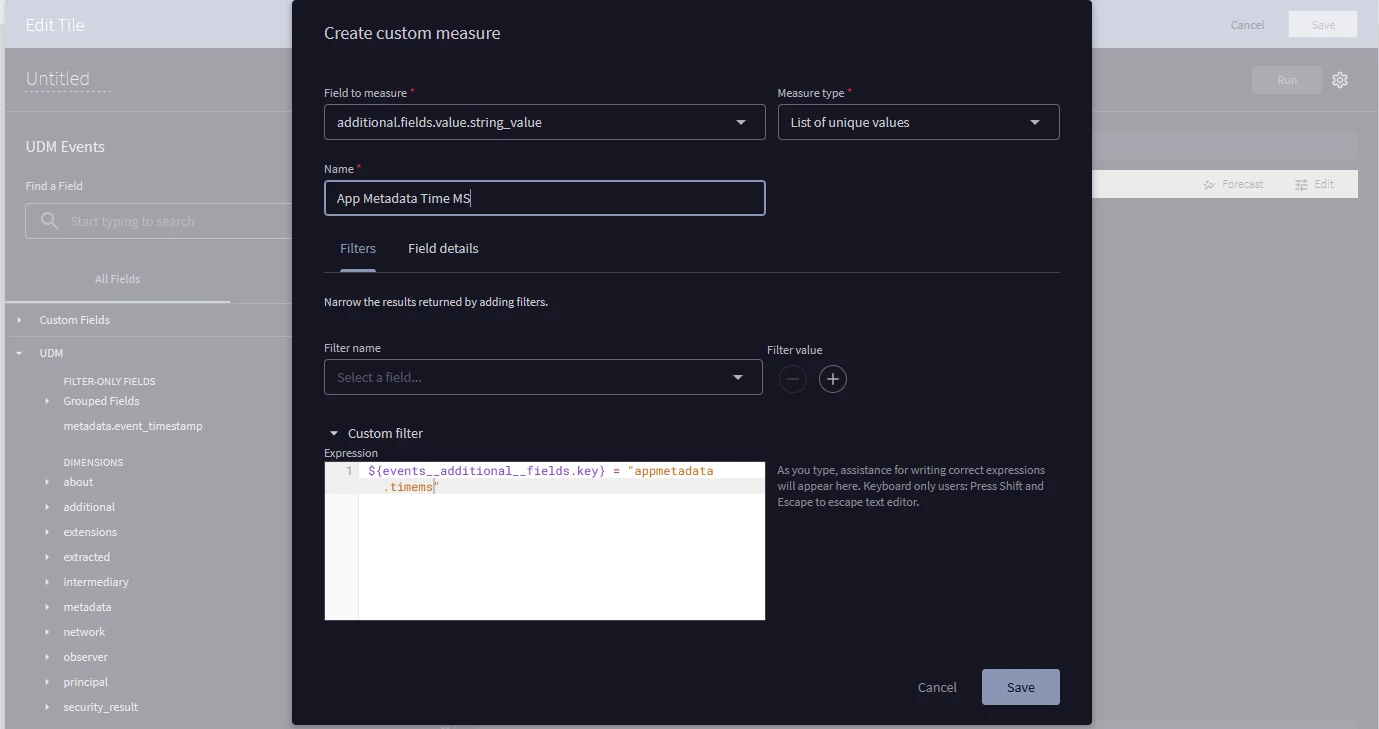
How about using 'Add' within 'Custom Fields', selecting 'Custom Measure', and using the below conditions replicating it per Key.:

Kind Regards,

Ayman

4 replies

dnehoda
Staff
Forum|alt.badge.img+16
  • Staff
  • May 17, 2025

Are you using Looker or Native Dashboards?

I am guessing Looker.    If you do not have Native Dashboards enabled - we will want to get that setup through the account team or support.  I bet you can get what you are looking for there.  I will investigate as well but I currently cannot - I need to do a little research for those fields.  


Forum|alt.badge.img+1
  • Author
  • Bronze 1
  • May 18, 2025

Are you using Looker or Native Dashboards?

I am guessing Looker.    If you do not have Native Dashboards enabled - we will want to get that setup through the account team or support.  I bet you can get what you are looking for there.  I will investigate as well but I currently cannot - I need to do a little research for those fields.  


I believe this would be the native dashboarding tool that I am using while it does say powered by Looker in the bottom left.


AymanC
Forum|alt.badge.img+14
  • Bronze 5
  • Answer
  • May 18, 2025

I believe this would be the native dashboarding tool that I am using while it does say powered by Looker in the bottom left.


Hi @stosh-malec

How about using 'Add' within 'Custom Fields', selecting 'Custom Measure', and using the below conditions replicating it per Key.:

Kind Regards,

Ayman


dnehoda
Staff
Forum|alt.badge.img+16
  • Staff
  • May 18, 2025

I believe this would be the native dashboarding tool that I am using while it does say powered by Looker in the bottom left.


Thats looker dashboarding.   The native dashboards use Yara-L.


