Question

Chronicle Integration with AWS S3 Bucket and I have IOC server in S3 BUCKET

  • November 5, 2025
  • 1 reply
  • 26 views

itsbirju

Hi Team,


I have a project in that I need to run automated IP/URLs/Hash block to firewalls but due to some compliance issues I can not integrate SOAR directly with Firewalls and IOC feed can be implemented at firewalls.

So I decided to have IOC feeds in S3 bucket and want to integrate this S3 bucket with chronicle SOAR to block the IP/URL/Hash automatically basis in SOAR actions.


Please help me how it can be achieved and share the reference article/MOP/video link.


Regards,

Brijesh Kumar

1 reply

AbdElHafez
Staff
Forum|alt.badge.img+11
  • Staff
  • 99 replies
  • November 5, 2025

Hi ​@itsbirju ,

For the high level steps, you will need to ;

  1. Prepare the pre-requisites listed here on AWS for the S3 bucket ACL.
  2. Place the 2 IP ranges listed in this section in the allow list for these buckets.
  3. Go to SIEM > Settings > Available Log Types . Lookup for your IOC product name, if it does not exist; Click on Request a Log Type to create a new log type.
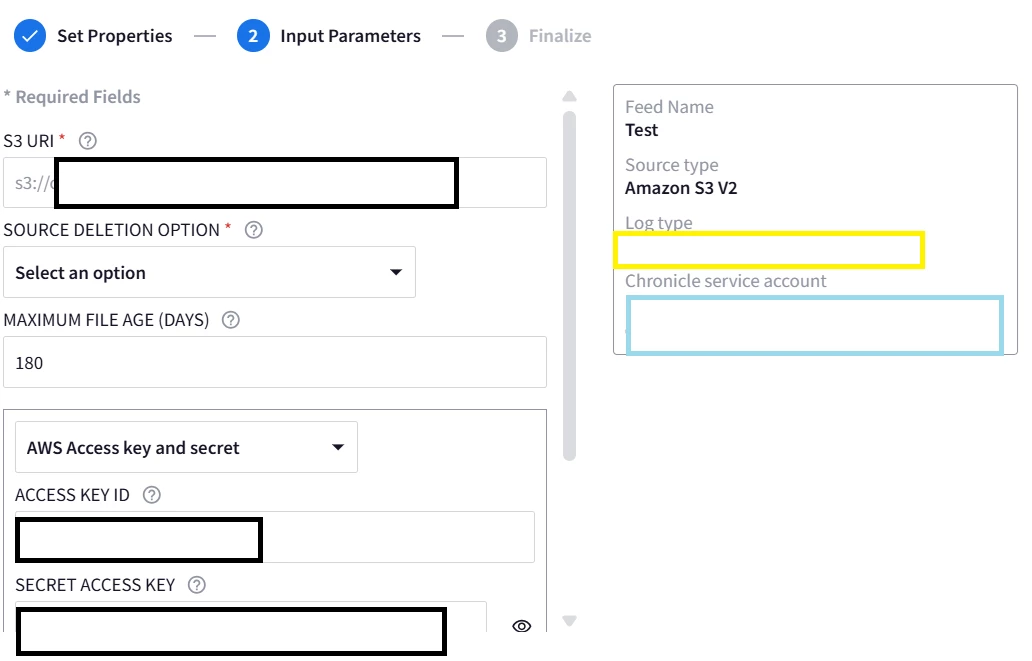
  4. Go to the SIEM, and add a feed with the steps listed here, but make sure you are choosing

    Amazon S3 V2 and your correct log_type in step 3, then use the access key and secret generated in Step 1.

  5. Finish the feed setup and test the connection.

  6. If you get the connection successful notification message. Then you can start ingesting the logs.

  7. The logs will require a custom parser mostly, in your custom parser you will need to use the IOC fields listed here. You can also use a sample parser/mappings as a reference, for example Anomali Threat IOCs field mappings page can show you the main UDM fields -in the second column- used. The main fields are all under entity.metadata.

If you could share with me a sample IOC message, I could try to build a sample custom parser as a demo for that case.