Hi,
This is a known behavior that usually happens with Microsoft Graph Security API connectors in SecOps due to API versioning changes or credential/permission expirations on the Azure AD / Entra ID side.
Here are the step-by-step troubleshooting checks to identify and fix why the alerts stopped ingesting:
1. Check Azure App Registration Credentials & Permissions
Even if you didn't change the configuration in SecOps SOAR:
-
Client Secret Expiration: Check if the Client Secret associated with your Azure AD App Registration expired around July 17th.
-
Graph API Permissions: Verify that the App Registration still has active, consented permissions for Microsoft Graph API:
-
OAuth Token Grant: Ensure no admin consent was revoked for the tenant.
2. Verify Microsoft Graph V1 vs V2 API Endpoint Changes
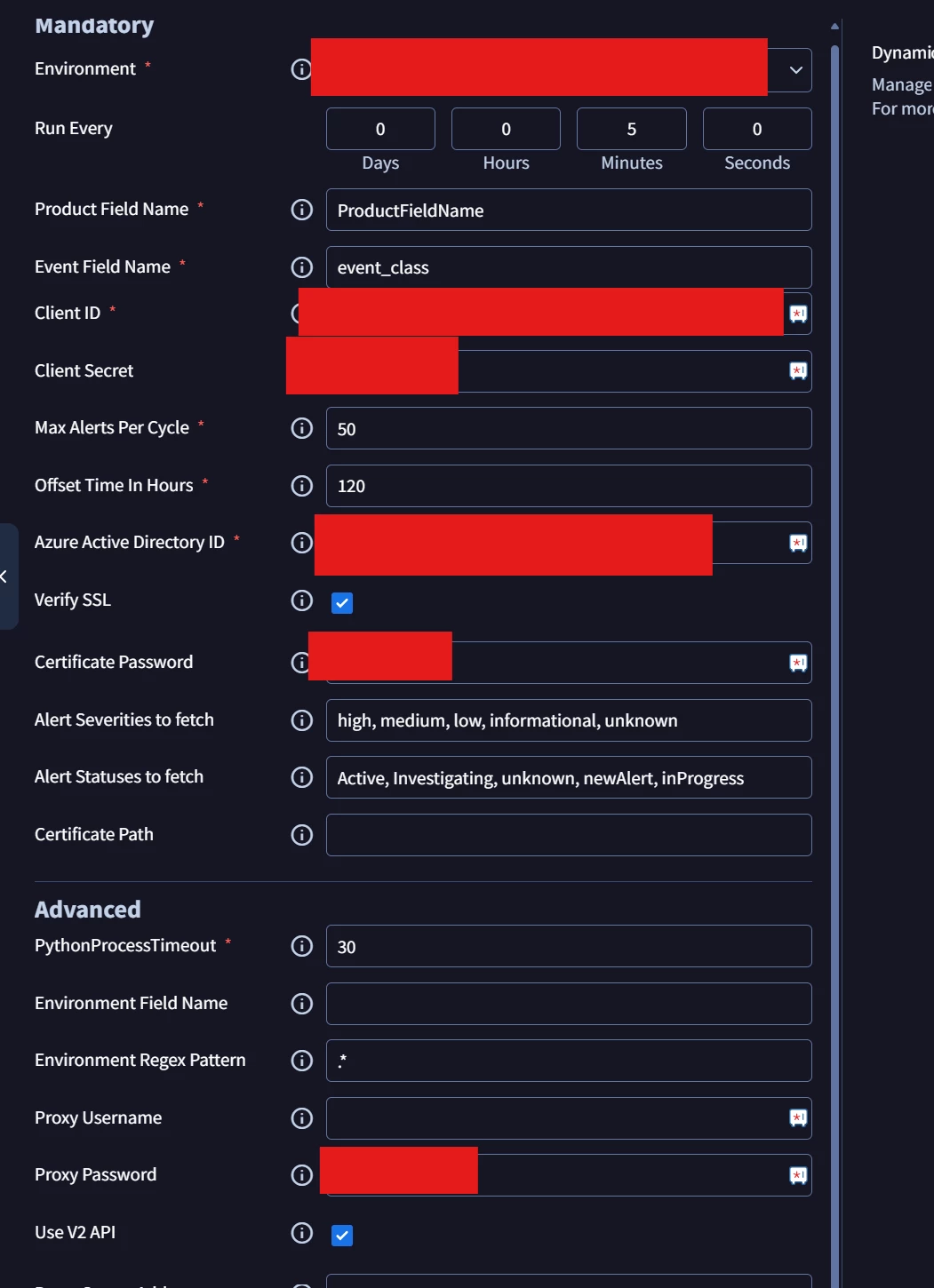
Looking at your configuration screenshot, Use V2 API is checked.
-
Microsoft has been deprecating legacy Graph Security API v1.0 endpoints and shifting alert schema objects to Microsoft Defender XDR API / Graph Security API v2.0 (/security/alerts_v2).
-
Try unchecking Use V2 API temporarily (or toggle it) to test if the connector fetches the payload using the alternative schema endpoint.
3. Check Connector Execution Logs in SecOps SOAR
-
In SecOps SOAR, go to Settings > Integrations > Connectors.
-
Locate the Office 365 Security and Compliance connector instance.
-
Click on Connector Logs / Execution Log.
-
Look for specific HTTP error codes around the polling cycles after July 17th:
-
401 Unauthorized / 403 Forbidden: Indicates an expired secret or missing API permission scope.
-
429 Too Many Requests: Microsoft Graph API rate limiting (Throttling).
-
400 Bad Request: Filter/Status schema mismatch on the Graph endpoint.
4. Verify Connector Time Offset & Alert Status Filters
-
In your config, Alert Statuses to fetch is set to Active, Investigating, unknown, newAlert, inProgress.
-
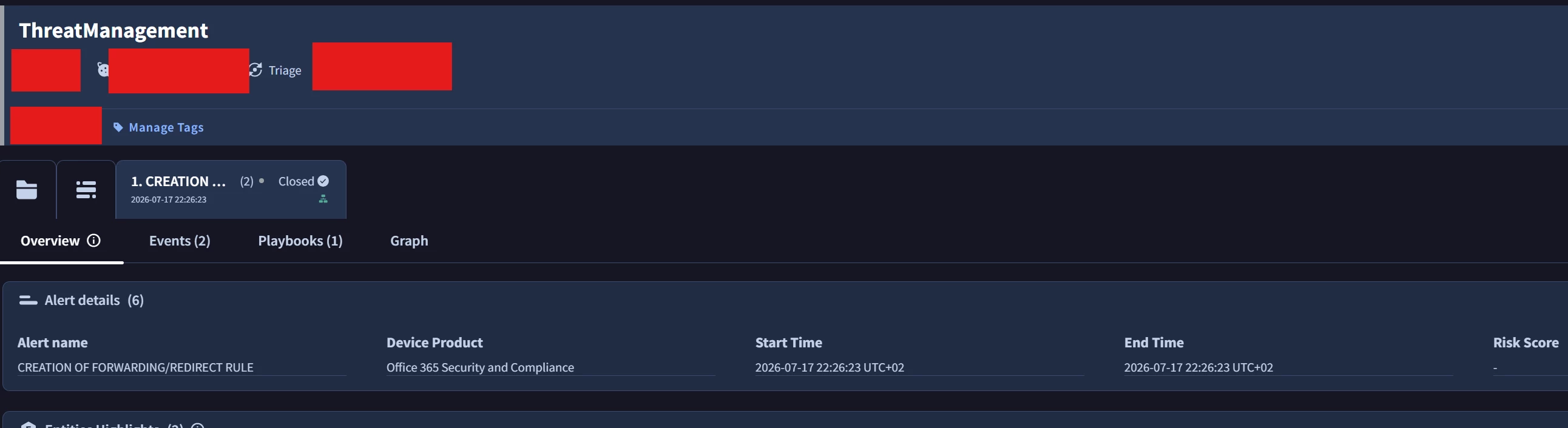
Note that in the first screenshot, the alert status is Closed. If Microsoft Defender automatically closed or resolved the alert upon creation, this connector filter will intentionally skip/filter it out.
Hope this helps narrow down the issue! Let us know what you see in the connector execution logs.