Question

Converting KQL to YARA L

  • October 30, 2025
  • 3 replies
  • 100 views

Krish_p
Forum|alt.badge.img+1

Hi I am new to YARA L, I am trying to convert KQL query into YARA L, but I feel difficult to convert specific Rule which is mentioned below as URL Please go through URL for KQL Query. please help me to convert this rule into YARA L

OLE object manipulation attempts stateful anomaly on database | Microsoft Sentinel Analytic Rules


3 replies

Eoved
Forum|alt.badge.img+7
  • Bronze 1
  • October 30, 2025

Hi,
It looks to me that you can't replicate the 14-day anomaly logic directly, but you can create a corrected YARA-L rule that accurately implements the detection part of your KQL query.

You can start with the following YARA-L rule as a baseline and perform tuning based on your logs in SecOps:

rule azure_sql_injection_stored_procedure_anomaly {
meta:
rule_name = "Azure SQL Injection Stored Procedure Anomaly"
description = "Detects usage of specific stored procedures (sp_oamethod, sp_oacreate, sp_oasetproperty) in Azure SQL. Note: This rule detects *occurrence*, not the KQL's 14-day anomaly logic."
severity = "High"
tactic = "TA0001" // Initial Access
technique = "T1190" // Exploit Public-Facing Application
reference = "https://example.com/sql_injection_docs"

events:
$e.metadata.log_type = "AZURE_DIAGNOSTICS"
$e.metadata.product_event_type = "SQLSecurityAuditEvents"

// KQL: action_id_s has_any ("RCM", "BCM")
$e.additional.fields["action_id_s"] = /RCM|BCM/

// KQL: hasHotword = iff(Statement has_any (hotwords), 1, 0)
$e.additional.fields["statement_s"] = /sp_oamethod|sp_oacreate|sp_oasetproperty/ nocase

// Match Fields (from KQL 'by' clause)
$principal_name = $e.principal.user.userid
$client_ip = $e.principal.ip
$database = $e.target.resource.name
$hostname = $e.principal.hostname
$resource_id = $e.target.resource.id
$application_name = $e.target.resource.attribute.labels["application_name"]
$statement = $e.additional.fields["statement_s"]

match:
// KQL: by ..., timeSlice (which is 1h)
$database, $client_ip, $application_name, $principal_name, $hostname, $resource_id over 1h

outcome:
// KQL: countStatementsWithHotwords = dcountif(Statement, hasHotword == 1)
$distinct_statement_count = count_distinct($statement)

// Contextual information
$risk_score = max(70)
$principal_users = array_distinct($principal_name)
$client_ips = array_distinct($client_ip)
$databases = array_distinct($database)
$hostnames = array_distinct($hostname)
$resource_ids = array_distinct($resource_id)
$application_names = array_distinct($application_name)

condition:
// KQL: countStatementsWithHotwords >= monitoredStatementsThreshold (which is 1)
$e and $distinct_statement_count >= 1
}


Krish_p
Forum|alt.badge.img+1
  • Author
  • New Member
  • October 31, 2025

Hi,
It looks to me that you can't replicate the 14-day anomaly logic directly, but you can create a corrected YARA-L rule that accurately implements the detection part of your KQL query.

You can start with the following YARA-L rule as a baseline and perform tuning based on your logs in SecOps:

rule azure_sql_injection_stored_procedure_anomaly {
meta:
rule_name = "Azure SQL Injection Stored Procedure Anomaly"
description = "Detects usage of specific stored procedures (sp_oamethod, sp_oacreate, sp_oasetproperty) in Azure SQL. Note: This rule detects *occurrence*, not the KQL's 14-day anomaly logic."
severity = "High"
tactic = "TA0001" // Initial Access
technique = "T1190" // Exploit Public-Facing Application
reference = "https://example.com/sql_injection_docs"

events:
$e.metadata.log_type = "AZURE_DIAGNOSTICS"
$e.metadata.product_event_type = "SQLSecurityAuditEvents"

// KQL: action_id_s has_any ("RCM", "BCM")
$e.additional.fields["action_id_s"] = /RCM|BCM/

// KQL: hasHotword = iff(Statement has_any (hotwords), 1, 0)
$e.additional.fields["statement_s"] = /sp_oamethod|sp_oacreate|sp_oasetproperty/ nocase

// Match Fields (from KQL 'by' clause)
$principal_name = $e.principal.user.userid
$client_ip = $e.principal.ip
$database = $e.target.resource.name
$hostname = $e.principal.hostname
$resource_id = $e.target.resource.id
$application_name = $e.target.resource.attribute.labels["application_name"]
$statement = $e.additional.fields["statement_s"]

match:
// KQL: by ..., timeSlice (which is 1h)
$database, $client_ip, $application_name, $principal_name, $hostname, $resource_id over 1h

outcome:
// KQL: countStatementsWithHotwords = dcountif(Statement, hasHotword == 1)
$distinct_statement_count = count_distinct($statement)

// Contextual information
$risk_score = max(70)
$principal_users = array_distinct($principal_name)
$client_ips = array_distinct($client_ip)
$databases = array_distinct($database)
$hostnames = array_distinct($hostname)
$resource_ids = array_distinct($resource_id)
$application_names = array_distinct($application_name)

condition:
// KQL: countStatementsWithHotwords >= monitoredStatementsThreshold (which is 1)
$e and $distinct_statement_count >= 1
}


Hi Eoved, 
Thanks for the response! I appreciate the effort, but it looks like the conversion isn’t a full KQL-to-YARA-L translation. A major part of the original KQL logic seems to be missing, is there any other way to convert this KQL logic.


_K_O
Forum|alt.badge.img+12
  • Bronze 5
  • November 4, 2025

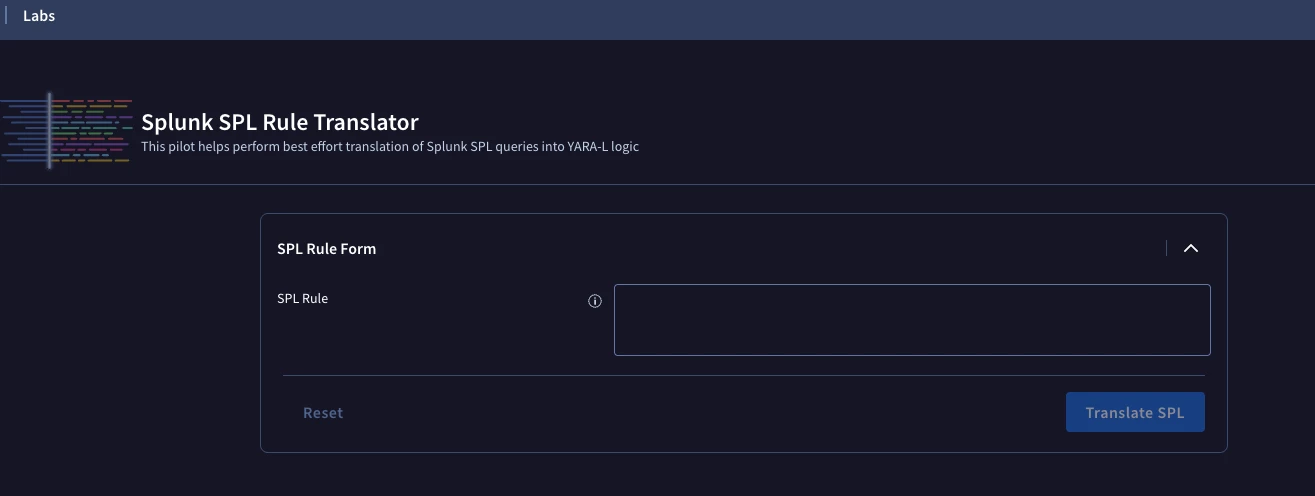
If your org has access to SecOps labs, they have introduced a SPL Rule translator:


I tested it out with some basic detections and it seemed to get at least 70% of the way there, including KQL queries. I don’t think that there is a perfect library for conversion, but this may help.