curated detections routing

  • December 3, 2024
  • 5 replies
  • 19 views

vanitharaj1208
Forum|alt.badge.img+14

I'm observing that curated detections are being routed to all environment .

  • How can we manage or control this to ensure the detections are routed to specific environments?

 

5 replies

ddiserens
Staff
Forum|alt.badge.img+6
  • Staff
  • December 4, 2024

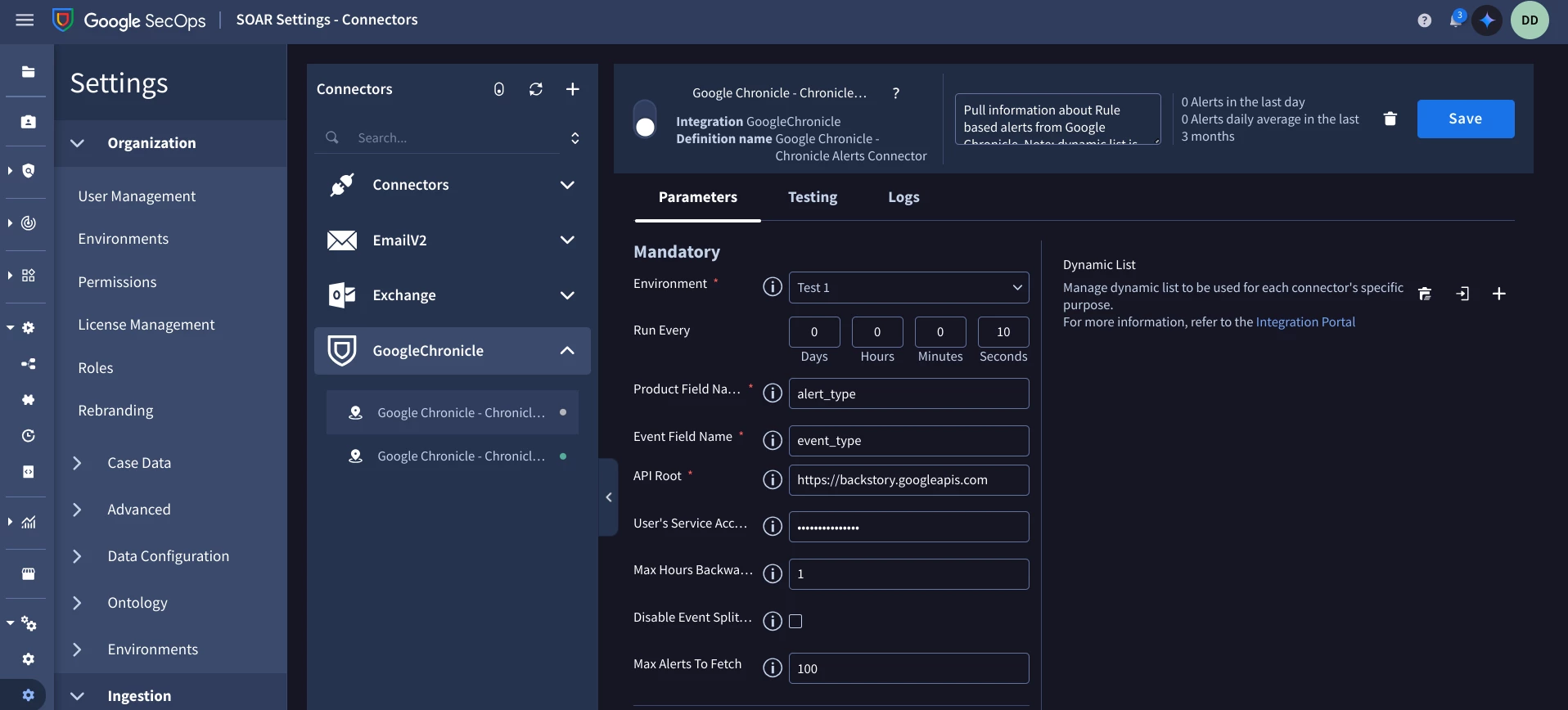
There is a way to control where each detection goes. You do this by going to SOAR Settings -> Ingestion -> Connectors, Select the connector you wish to route to a specific environment. Once you have selected the connector you wish to route you should see this:

Near the top of the list of parameters you will see Environment, if you select a specific environment all of the alerts that come in via this connector will be routed to that environment.


vanitharaj1208
Forum|alt.badge.img+14

we have 3 different environment 


ddiserens
Staff
Forum|alt.badge.img+6
  • Staff
  • December 4, 2024

3 different siem + soar environments or 3 environments in soar?


vanitharaj1208
Forum|alt.badge.img+14

3 different siem + soar environments or 3 environments in soar?


yes,

so we are building rules in dev  and slowing moving to prod environment. - we control which will go in prod environment using soar tag and we have used advanced section of connectors

now when we turned on curated detection , it is generating detection in all 3 environment . but in this case we cant see rule logic or tag used


ddiserens
Staff
Forum|alt.badge.img+6
  • Staff
  • December 10, 2024

I am still not quite understanding your setup. Can you send me a message via private messages showing me a diagram or even some screenshots of your setup.