
Question

Detection query inside a UDM rule

  • June 18, 2026
  • 8 replies
  • 0 views

_K_O
Forum|alt.badge.img+13

Hi All, 

End Goal:

  • Our team is creating a query which triggers on dev vs prod rules and we need to query the friendly rule name within the saved detection rule. 

Is it possible to query detection data (detection.detection.) inside a UDM rule or is there any other way within UDM to get this information? 

rule dev_rule_name {
meta:
author = "SOMEONE"

events:
$detections.metadata.log_type = "GCP_CLOUDAUDIT"
(
detection.detection.rule_name != /prod_/ and
$detections.metadata.product_event_type = SOME EVENT
)


outcome:
//OUTCOME FIELDS

condition:
$detections
}


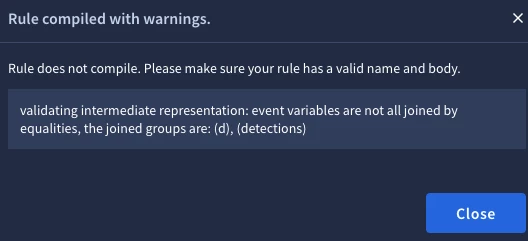
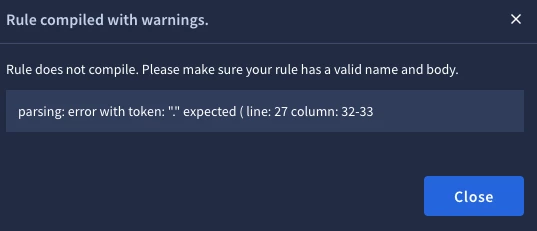
When I try to do something similar to the above, I get parsing errors:


I’ve Tried:

  • Using variables, e.g. $rule_name = detection.detection.rule_name
  • Using Regex, e.g.  re.regex(detection.detection.rule_name, `^prod_`) and
  • Calling it using by prepending $detections, e.g. re.regex($detections.detection.detection.rule_name, `^prod_`)

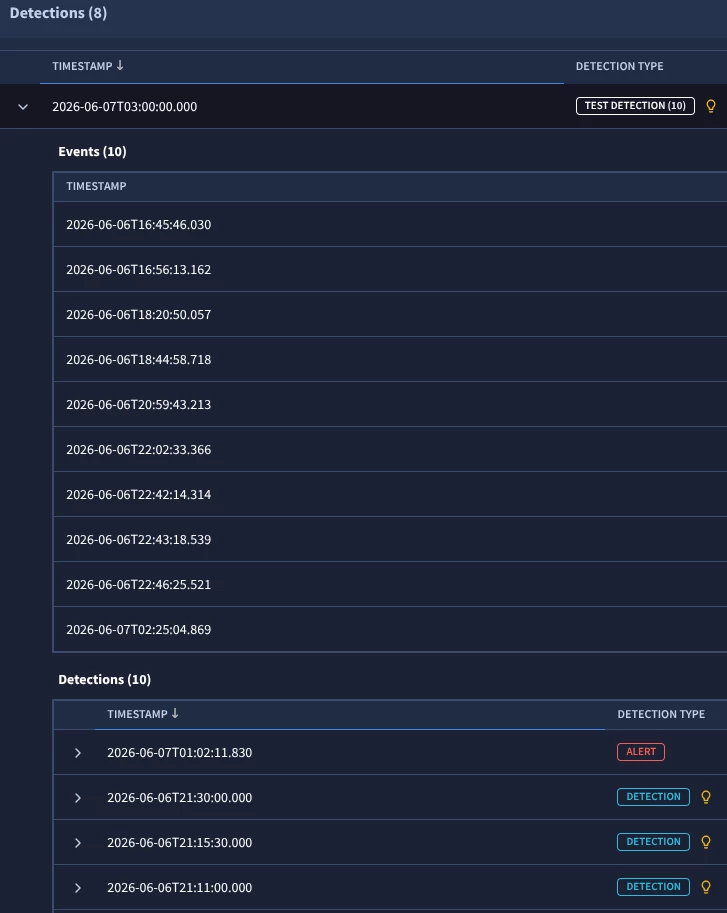
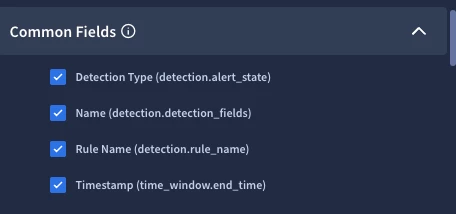
The Raw log and the Event fields do not contain the friendly name, but the outcome / columns does contain this data:


Any advice would be appreciated. 


TIA!

8 replies

cmorris
Staff
Forum|alt.badge.img+13
  • Staff
  • June 18, 2026

Can you share the full rule? Looks like line 27 is called out with the error, but do not see it. You can use detection data source in a rule, syntax is here - https://docs.cloud.google.com/chronicle/docs/detection/composite-detections#:~:text=the%20composite%20chain.-,Example,-%3A


Example: 

$d.detection.detection.rule_name = /SCC: Custom Modules: Configurable Bad Domain/

_K_O
Forum|alt.badge.img+13
  • Author
  • Silver 2
  • June 18, 2026

@cmorris sure, this is the basic detection with current error:


rule dev_test_detection {
meta:
author = "test"

events:
// https://www.googlecloudcommunity.com/gc/Community-Blog/Monitoring-for-Unexpected-Rule-Changes-in-Google-Security/ba-p/810902

$detections.metadata.log_type = "GCP_CLOUDAUDIT"
$detections.target.resource.attribute.labels["rc_service"] = "chronicle.googleapis.com"
$detections.principal.user.attribute.labels["authorization_granted"] = "true"

$d.detection.detection.rule_name != /prod_/
(
$detections.metadata.product_event_type = "google.cloud.chronicle.v1alpha.RuleService.CreateRule" or
$detections.metadata.product_event_type = "google.cloud.chronicle.v1alpha.RuleService.UpdateRule" or
$detections.metadata.product_event_type = "google.cloud.chronicle.v1alpha.RuleService.DeleteRule"
)

condition:
$detections and $d
}


cmorris
Staff
Forum|alt.badge.img+13
  • Staff
  • June 18, 2026

Can you try the below? I created a join on line 11, believe it should work now. You may want to change the variables I am using, feel free to do so, I just wanted something with the right syntax for the join and match sections as an example.
 

rule dev_test_detection {
meta:
author = "test"

events:
$e.metadata.log_type = "GCP_CLOUDAUDIT"
$e.target.resource.attribute.labels["rc_service"] = "chronicle.googleapis.com"
$e.principal.user.attribute.labels["authorization_granted"] = "true"

$host = $e.principal.hostname
$e.principal.hostname = $d.detection.collection_elements.references.event.principal.hostname

$d.detection.detection.rule_name != /prod_/
(
$e.metadata.product_event_type = "google.cloud.chronicle.v1alpha.RuleService.CreateRule" or
$e.metadata.product_event_type = "google.cloud.chronicle.v1alpha.RuleService.UpdateRule" or
$e.metadata.product_event_type = "google.cloud.chronicle.v1alpha.RuleService.DeleteRule"
)
match:
$host over 1h

condition:
$e and $d
}


_K_O
Forum|alt.badge.img+13
  • Author
  • Silver 2
  • June 18, 2026

@cmorris it runs but it doesn’t show any data. The hostname field does not exist in the logs. 

I tried modifying it to principal.user.user_display_name but that also returns an empty results table.


cmorris
Staff
Forum|alt.badge.img+13
  • Staff
  • June 18, 2026

What’s the use case? Are you looking to fire on two distinct events that occur? Ex. Variable $e represents a raw UDM log event (a GCP Cloud Audit log), and variable $d represents a Detection event. Or are you trying to create a detection of a detection?

I get results back with this, which I modified, just to account for the data in my tenant:

rule dev_test_detection {
meta:
author = "test"
events:
$e.metadata.log_type = "GCP_CLOUDAUDIT"
$e.target.resource.attribute.labels["rc_service"] = "chronicle.googleapis.com"
$e.principal.user.attribute.labels["authorization_granted"] = "true"
$user = $e.principal.user.email_addresses
$e.principal.hostname = $d.detection.collection_elements.references.event.principal.hostname
$d.detection.detection.rule_name != /prod_/
$e.metadata.product_event_type = /google.cloud.chronicle/
match:
$user over 1d
condition:
$e and $d
}

This focuses on the distinct events - UDM and detection.

If you just want a detection of a detection, we can do something like this:

rule dev_test_detection_change_nojoin {
meta:
author = "test"

events:
$host = $e.detection.collection_elements.references.event.principal.hostname
$e.detection.collection_elements.references.event.metadata.log_type != "GCP_CLOUDAUDIT"
$e.detection.collection_elements.references.event.target.resource.attribute.labels["rc_service"] = "chronicle.googleapis.com"
$e.detection.collection_elements.references.event.principal.user.attribute.labels["authorization_granted"] = "true"

(
$e.detection.collection_elements.references.event.metadata.product_event_type = "google.cloud.chronicle.v1alpha.RuleService.CreateRule" or
$e.detection.collection_elements.references.event.metadata.product_event_type = "google.cloud.chronicle.v1alpha.RuleService.UpdateRule" or
$e.detection.collection_elements.references.event.metadata.product_event_type = "google.cloud.chronicle.v1alpha.RuleService.DeleteRule"
)

$e.detection.detection.rule_name != /prod_/

match:
$host over 1h

condition:
$e
}


_K_O
Forum|alt.badge.img+13
  • Author
  • Silver 2
  • June 18, 2026

The use case is based on this: https://www.googlecloudcommunity.com/gc/Community-Blog/Monitoring-for-Unexpected-Rule-Changes-in-Google-Security/ba-p/810902


  • If someone modifies a detection, trigger an alert
  • Our use case takes it slightly further and only looks to trigger for rules starting with prod_ or any detection that has alerting turned off


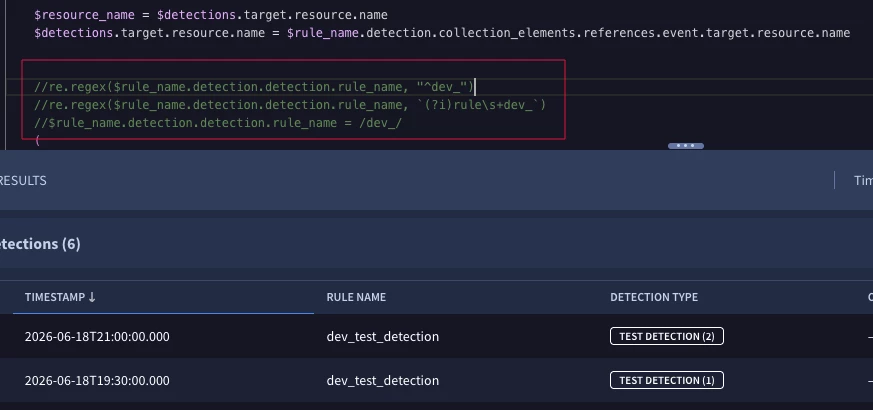
When I modify your query to:
 

$resource_name = $detections.target.resource.name
$detections.target.resource.name = $rule_name.detection.collection_elements.references.event.target.resource.name

Then I get results, but the regex queries for detection.detection.rule_name do not work, and I’m now trying to figure out if the detection.detection field is incorrect or if there is another field that I need to query:


cmorris
Staff
Forum|alt.badge.img+13
  • Staff
  • June 18, 2026

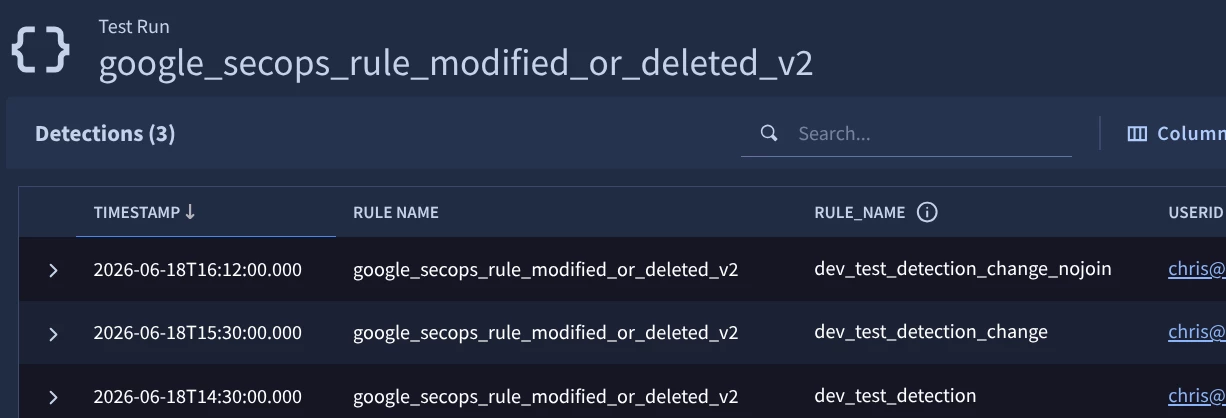
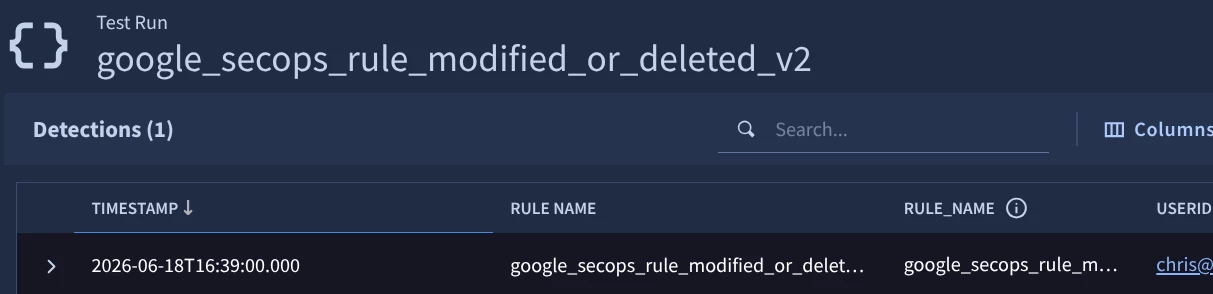
I think you should be able to modify the rule from the blog post without needing a composite detection as the rule name is parsed to security_result.associations.name.

Rule:

rule google_secops_rule_modified_or_deleted_v2 {

meta:
author = "Google Cloud Security"
description = "Detects changes to rules in Google SecOps."
assumption = "Google SecOps is ingesting Google Cloud logs. Reference: https://cloud.google.com/chronicle/docs/ingestion/cloud/ingest-gcp-logs"
type = "alert"
severity = "Info"
priority = "Info"
platform = "Google SecOps"
data_source = "gcp cloud audit"

events:
$secops.metadata.vendor_name = "Google Cloud Platform"
$secops.metadata.product_name = "Google Cloud Platform"
$secops.metadata.product_event_type = /CreateRule|UpdateRule|UpdateRuleDeployment|DeleteRule/
$secops.security_result.action = "ALLOW"
$secops.security_result.associations.name = /dev_/
$secops.principal.user.userid = $userid

match:
$userid over 30m

outcome:
$risk_score = max(10)
$rule_name = array_distinct($secops.security_result.associations.name)
$product_event_type = array_distinct($secops.metadata.product_event_type)
$security_result_summary = array_distinct($secops.security_result.action)
$event_count = count_distinct($secops.metadata.id)
$target_resource_name = array_distinct($secops.target.resource.name)
$principal_user_userid = array_distinct($secops.principal.user.userid)
$principal_ip = array_distinct($secops.principal.ip)
$principal_ip_country = array_distinct($secops.principal.ip_geo_artifact.location.country_or_region)
$principal_ip_state = array_distinct($secops.principal.ip_geo_artifact.location.state)
$principal_ip_city = array_distinct($secops.principal.location.city)

condition:
$secops
}

I used  $secops.security_result.associations.name = /dev_/ as these rules I am testing with include that. The test returns my changes to the dev rules only.

I then changed the rule to use $secops.security_result.associations.name = /google/ - the name of the rule that is tracking rule changes and I only received a detection for changes to this rule, rather than dev rules.


_K_O
Forum|alt.badge.img+13
  • Author
  • Silver 2
  • June 18, 2026

Hi ​@cmorris

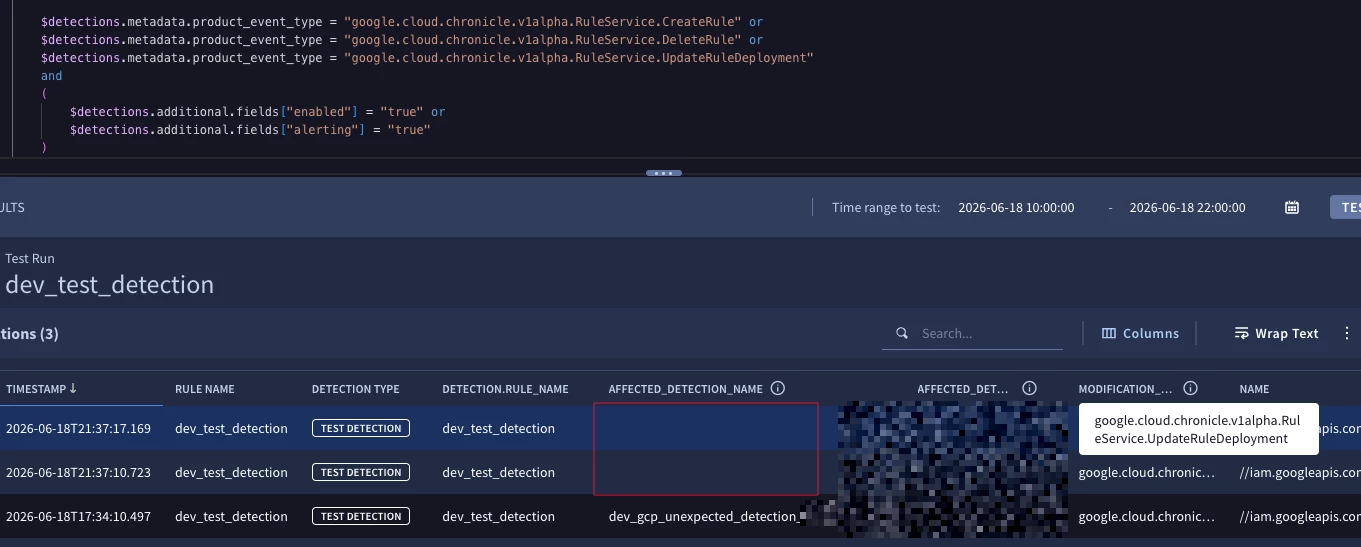
That was what I was trying initially, but I ran into the issue where the security_result.associations.name field didn’t always populate, e.g. for the google.cloud.chronicle.v1alpha.RuleService.UpdateRuleDeployment event type, the value isn’t in the logs:


It also only populated ~70% of the time for the google.cloud.chronicle.v1alpha.RuleService.UpdateRule event type.