Question

discrepancy in stats search

  • May 19, 2026
  • 8 replies
  • 140 views

NASEEF
Forum|alt.badge.img+9

 Hello Team,

I am seeing a discrepancy with the stats search.

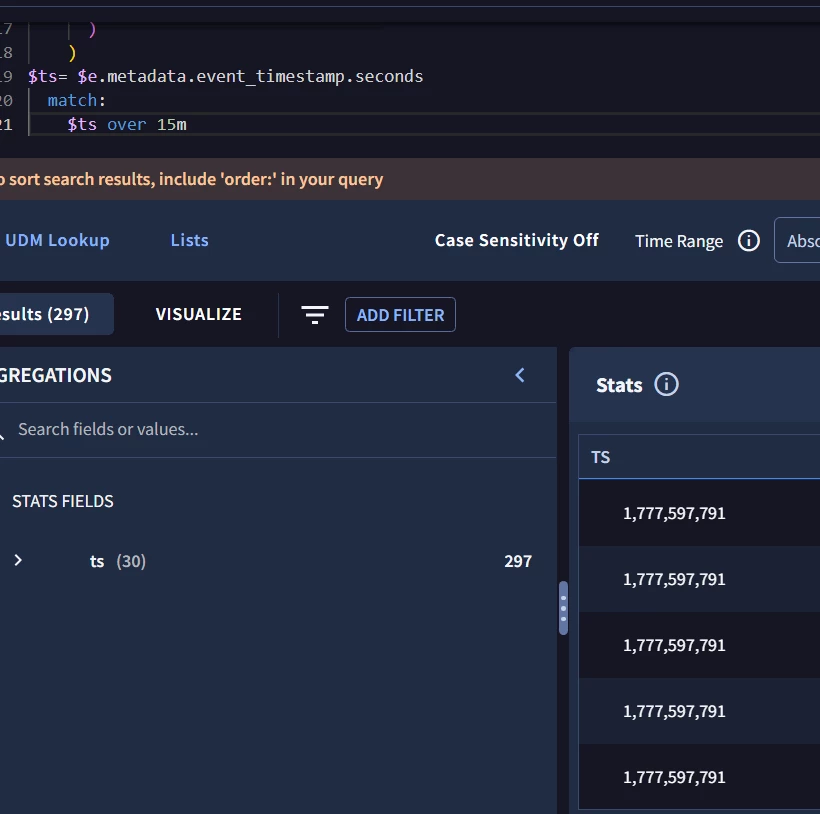
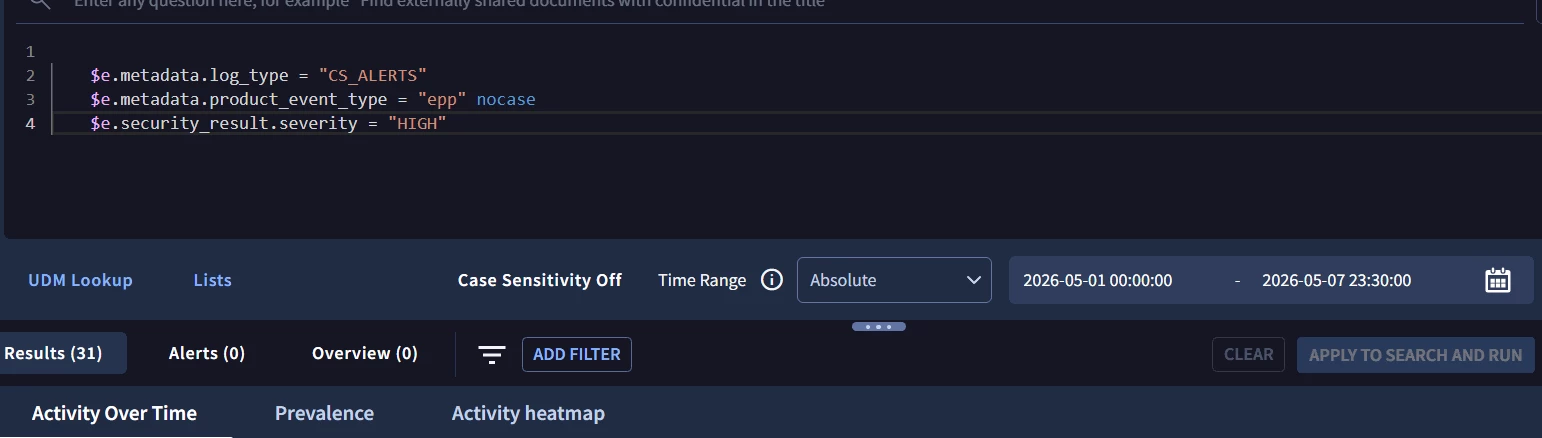
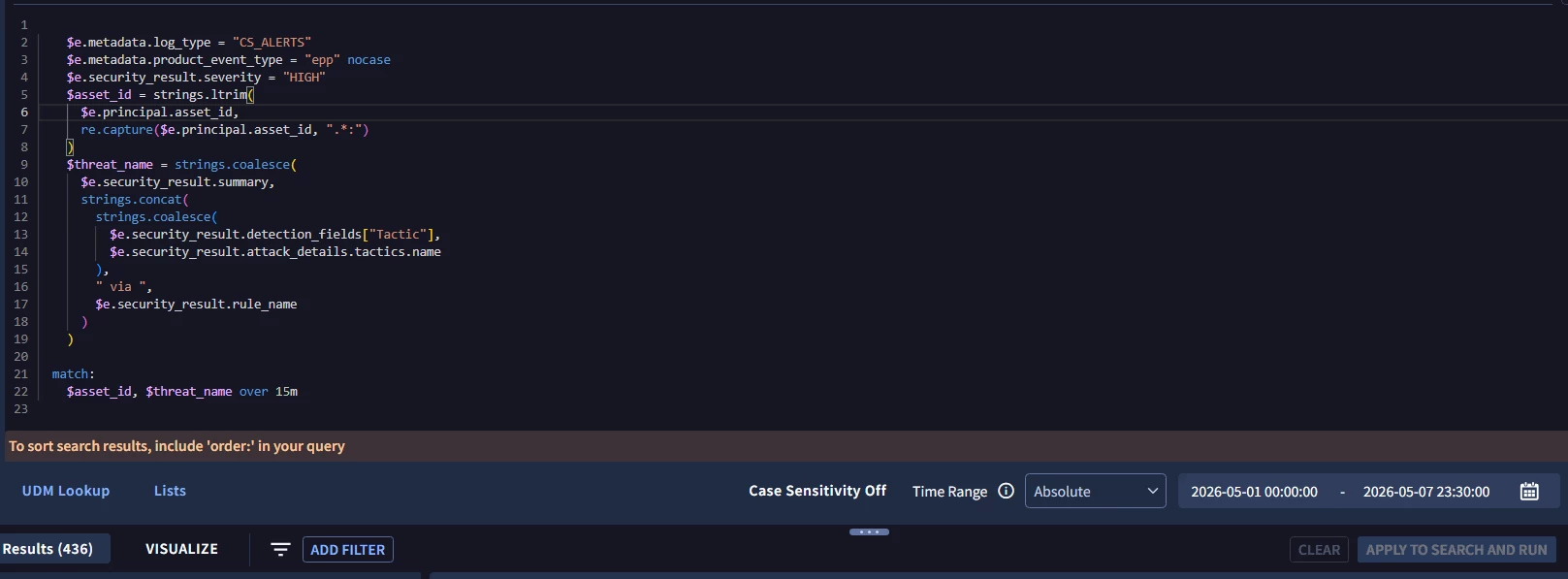
When I run a normal search for EPP high alerts during the specified time range, I get 31 results. However, when I convert the same logic into a stats search with a match window, the result count increases significantly.

I expected the count to be equal to or lower than 31, since the match window should group matching alerts within the defined time period. Instead, I am seeing more than 400 results, which is around 15 times higher than the original event count.

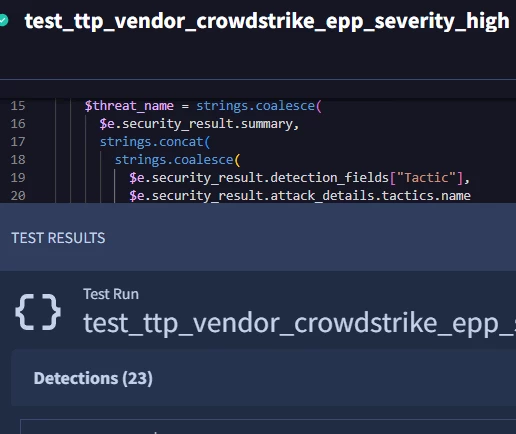
and when it is run on rules i am getting 23 detections

Could you please help confirm why the stats-based query is inflating the results and whether the match/window logic is causing duplicate or expanded matches?


8 replies

NASEEF
Forum|alt.badge.img+9
  • Author
  • Silver 2
  • May 19, 2026

Additionally, even when I match against the timestamp field, instead of getting unique timestamp rows, the same timestamps are repeating multiple times.

For example, around 30 timestamps are repeating across 297 logs. This makes it appear that the stats/match logic is generating duplicate matches rather than consolidating events within the match window.


hliu
Forum|alt.badge.img+5
  • Bronze 3
  • May 20, 2026

The “over” keyword in the match section, denotes a hop window, which creates overlapping time intervals, making the same event displayed in multiple overlapped windows and producing that repeated effect.

The tumbling window -which is non-overlapping- might be what you are looking for, using the “by” keyword or alternatively “over every”.


jstoner
Community Manager
Forum|alt.badge.img+24
  • Community Manager
  • May 20, 2026

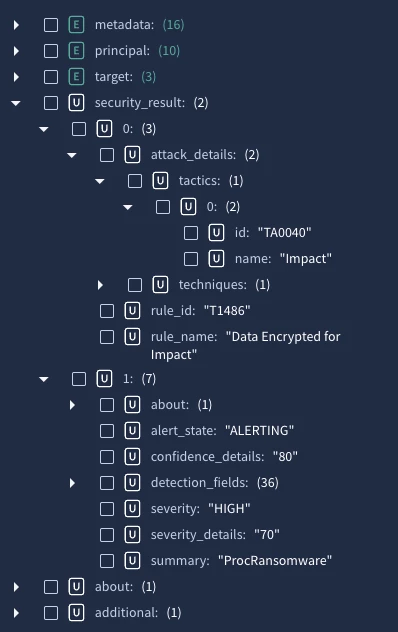
There are a few things going on here that you will need to take a look at and take into account. The first one is that security_results in UDM and then specific fields within are repeated fields. This means that when they are being called in various parts of search these repeated fields are being unspooled and creating additional events that are being presented and/or counted.

For instance, I took a sample set of cs detect events (similar) and searched for the log type and product event type and had 27 events for the time range. When I started adding in the other elements of the filtering statement that contained security results my row count went to 67 because we are unspooling those to match those placeholders and logic in the event section.


That said, if we remove the time window from the search as ​@hliu mentioned, my unique asset and threat names drop to 19 unique pairs.

I don’t think there is a single path here to solve your question, ie do X and all will be well because there are probably a few ways to address where you are trying to go.

I’m not sure in the search if you even need a time window so doing a search with no time window keyword in the match section may also be good to get you where you are going.


hliu
Forum|alt.badge.img+5
  • Bronze 3
  • May 20, 2026

Ohh nice catch John, completely forgot about the ephemeral event_copy behavior in repeated fields.

For NASEEF, probably not applied in this specific case but note there is also a delay in data consolidation for statistical searches up to 2h, that might also cause discrepancies between raw and stats count, in recent ingested events.


NASEEF
Forum|alt.badge.img+9
  • Author
  • Silver 2
  • May 20, 2026

thanks @ jstoner @hilu


NASEEF
Forum|alt.badge.img+9
  • Author
  • Silver 2
  • May 20, 2026

Hello Jstoner,

If you’re saying that the match windows created from the repeated fields are causing this issue, I ran the search using only the events section with placeholders for those repeated fields without a  match ot outcome , i am still getting the same issue  where the same logs are counted multiple times

I’m only creating those placeholders in the events section, so ideally that should not create any issue, right? It should return the exact events I’m searching for


Because, as per my understanding, I thought the fields created only within the events section would not have any impact unless they are explicitly referenced in the match or condition sections, right?

lets say for example i created a field called  $host_category = “viphost” in event section it won't alter any results right 


additionally could you please let me know how rules are processing it accurately with out any issues even though i use the exact same query


hliu
Forum|alt.badge.img+5
  • Bronze 3
  • May 20, 2026

unmodified expressions (without any or all operators) act on individual event_copy_n  events.
modified expressions (using any or all) act on event_original.

since security_result is a repeated field, try adding the any operator in front of it to see if it improves, i.e. 
any $e.security_result.severity = "HIGH"

I am also not sure what would be the expected behavior when strings.functions() are applied on repeated fields. Perhaps Google team could clarify or point us to the right documentation.


hliu
Forum|alt.badge.img+5
  • Bronze 3
  • May 21, 2026

found additional documentation related to this

because of the cartesian product, function distinct might be needed for a fair comparison with raw data numbers

$event_count = count_distinct(metadata.id)