Question

Email Alert Configuration in Google SecOps via SOAR (EmailV2)

  • January 30, 2026
  • 5 replies
  • 64 views

Forum|alt.badge.img+1

Hi Team, I am configuring email alerts in Google SecOps through SOAR using the EmailV2 integration and would like to confirm the recommended approach. Could you please share the correct steps to configure email alerts end-to-end (Google SecOps detection β†’ SOAR playbook β†’ EmailV2 β†’ SMTP/IMAP)? Additionally, I need clarification on which details should be used for the EmailV2 integration, including the email address, username, password, SMTP server and port, and IMAP server and port. Specifically, should the email address and SMTP/IMAP server details be taken from the SOAR mailbox or from a client/user mailbox? Any guidance or documentation reference would be helpful. Thanks in advance for your support.

5 replies

ar3diu
Forum|alt.badge.img+9
  • Silver 2
  • January 30, 2026

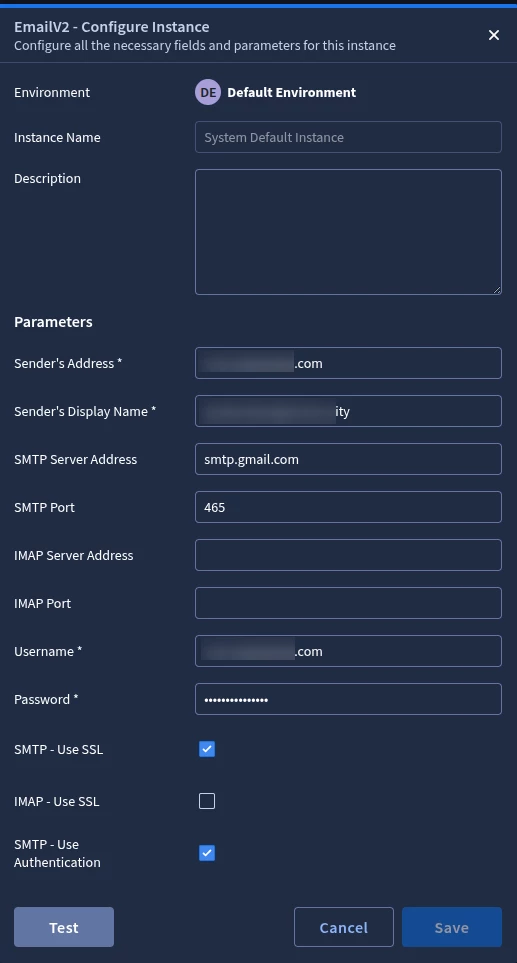
An example on how to configure it with a gmail address.

This account uses an App password to authenticate to Gmail.
Β 

Β 


Forum|alt.badge.img+1
  • Author
  • January 30, 2026

Thank you for your response.
Just to clarify, which password should be used for the EmailV2 integration β€” the Google SecOps password or the specific SOAR email mailbox (Outlook) password? We are using Outlook/Office 365 email (not Gmail) for sending alert emails, so I would like to confirm whether the Outlook service mailbox password or app password should be used for SMTP/IMAP authentication in SOAR. Please confirm the recommended approach.
Thanks for your support.


ar3diu
Forum|alt.badge.img+9
  • Silver 2
  • January 30, 2026

You need to use your email credentials, in your case, Outlook/Microsoft.


Forum|alt.badge.img+1
  • Author
  • January 30, 2026

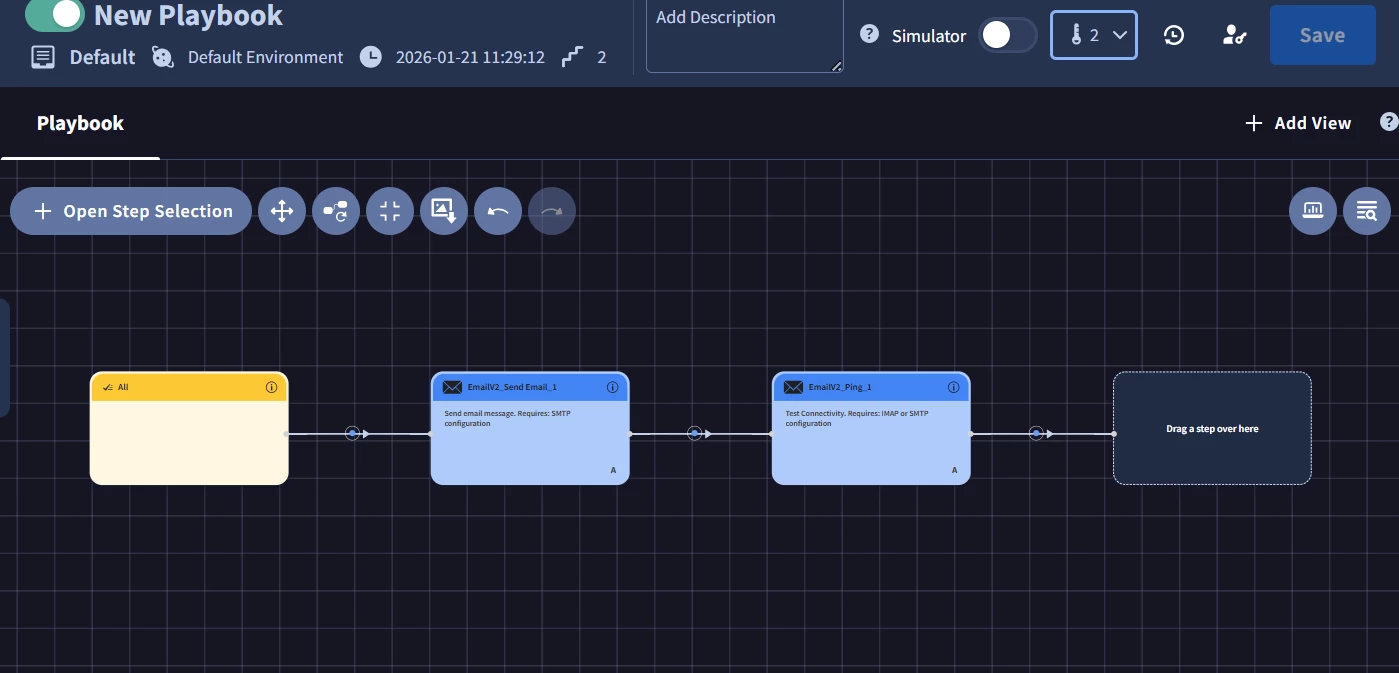
Okay, could you please guide me on how to create a playbook using EmailV2 for successfully sending alert emails to recipients? While creating a new playbook and adding the EmailV2 task, it is asking for SMTP and IMAP server details in order to send the email. I would like to confirm where and how these details should be configured so that the playbook can execute successfully and send alert notifications without errors. Any step-by-step guidance or reference documentation would be greatly appreciated.

Β 

Β 


Eoved
Forum|alt.badge.img+8
  • Bronze 2
  • January 30, 2026

Hello,
Based on your comment, β€œWe are using Outlook/Office 365 email,” I would recommend taking a look at the following document, which explains how to create an integration in SecOps and send email using an app registration in Azure:
https://docs.cloud.google.com/chronicle/docs/soar/marketplace-integrations/microsoft-graph-mail

It’s easier to set up, and you won’t need to create an integration with your IMAP server.