

Question

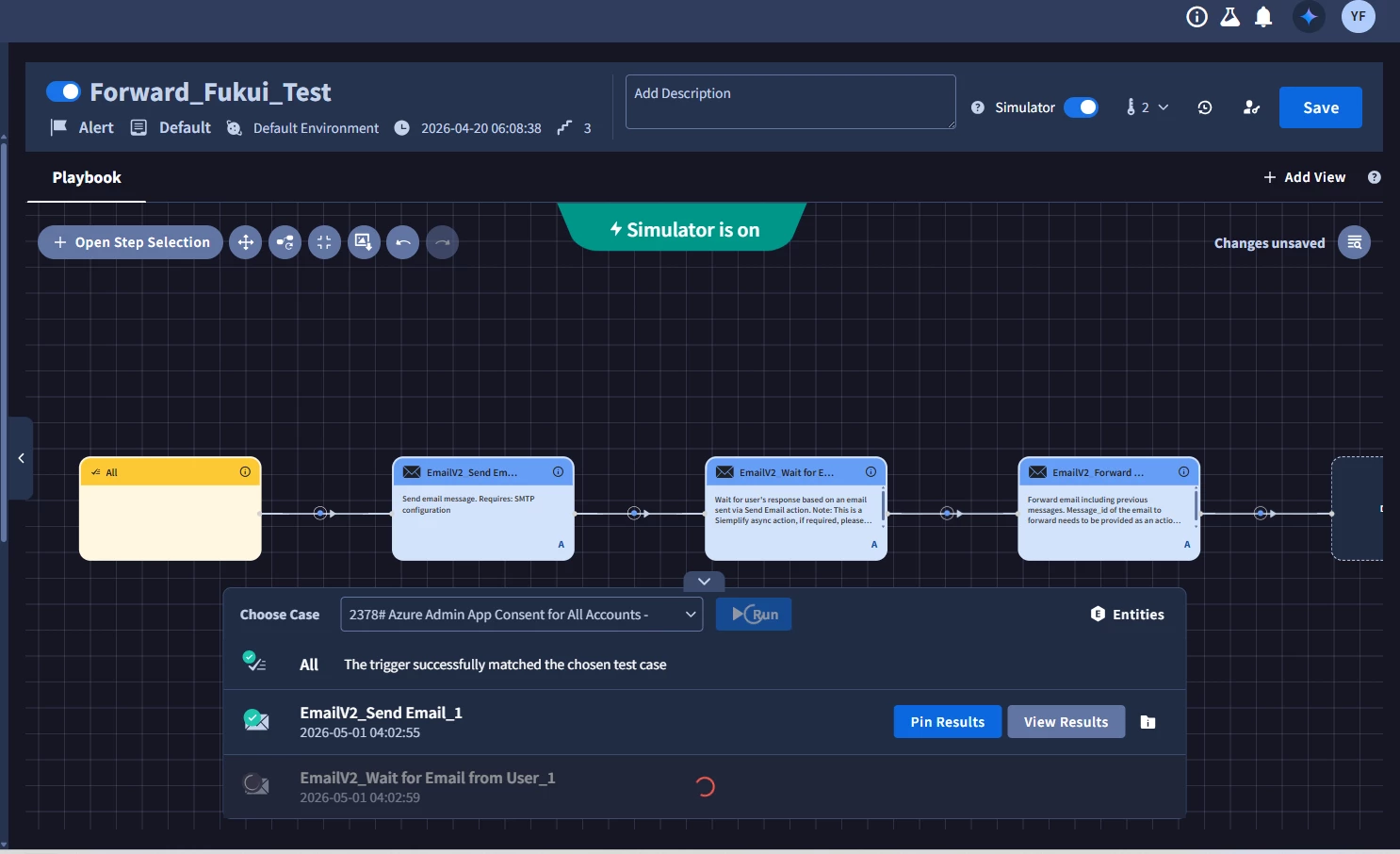
EmailV2 "Wait for Email From User" stays in "In Progress" despite correct configuration

  • May 1, 2026
  • 2 replies
  • 9 views

yuyaF
Forum|alt.badge.img+1

[問題] プレイブックでEmailV2統合を使用してユーザーからの返信を待機していますが、「ユーザーからのメールを待機」アクションが「進行中」の状態で停止し、返信を検出できません。

[検証済み構成] ドキュメントに基づいて、以下を検証しました。
・認証:Gmail に 16 桁のアプリ パスワードを使用しています。「メール送信」と「Ping」アクションは正常に動作しています。

・パラメータ:Email Message_idとEmail Dateは、SendEmail.JSONResult.message_idとSendEmail.JSONResult.email_dateのプレースホルダーを使用して正しくマッピングされます。

・フォルダ: 実際のメールボックスに合わせて「受信トレイ」(大文字小文字を区別)に設定します。

・メール受信:返信メールが受信トレイに実際に存在することを手動で確認しました。
処理は非同期で行われるにもかかわらず、返信を受信して​​も処理が開始されません。

【質問】設定が正しくても、この特定のアクションがトリガーされないという同様の状況に遭遇した方はいますか?他に隠れた要件や、取るべきトラブルシューティング手順があれば教えてください。
 

2 replies

matthewnichols
Community Manager
Forum|alt.badge.img+20

Thanks ​@yuyaF for your post. Adding the English translation.


[Question]

Has anyone encountered a situation where this specific action is not triggered despite the settings being correct? Are there any other hidden requirements or troubleshooting steps I should take?


In a playbook using the EmailV2 integration, the "Wait for email from user" action remains stuck in the "InProgress" state and fails to detect incoming replies.

[Verified Configuration]

The following has been verified based on documentation:

  • Authentication: Using a 16-digit App Password for Gmail. "Send Email" and "Ping" actions are working correctly.

  • Parameters: Email Message_id and Email Date are correctly mapped using placeholders: SendEmail.JSONResult.message_id and SendEmail.JSONResult.email_date.

  • Folder: Set to "INBOX" (case-sensitive) to match the actual mailbox.

  • Receipt: Manually confirmed that the reply email exists in the inbox.

Despite the process being asynchronous, it does not trigger upon receiving the reply.


matthewnichols
Community Manager
Forum|alt.badge.img+20

@yuyaF Please double check this but I was able to put together the following with help from Gemini:


Potential Hidden Requirements and Troubleshooting Steps

Even with the correct configuration, this action often fails due to strict header matching or integration conflicts. Here are the key points to check:

1. Message ID Formatting (The < > Trap)

The message_id returned by the SendEmail action sometimes lacks the angle brackets (< >) required by the IMAP search command used during the "Wait" phase.

  • Check: Verify the exact string in SendEmail.JSONResult.message_id. If it looks like example123@mail.gmail.com, try wrapping it manually as <example123@mail.gmail.com> in the Wait action parameters.

  • Validation: The incoming reply must have a In-Reply-To or References header that matches this ID exactly.

2. Conflict with "Fetch Incidents"

If your EmailV2 instance has "Fetches incidents" enabled, the integration might be "stealing" the reply.

  • The Issue: When the reply arrives, the fetch mechanism might pick it up first and create a new incident (or link it elsewhere), effectively removing it from the "unread" or "searchable" scope that the Playbook action is looking for.

  • Workaround: Use a dedicated EmailV2 instance for the playbook that has "Fetches incidents" disabled, or ensure the mail remains in the specific folder as "Unseen" if the integration is configured to only search unread mail.

3. Threading/Subject Matching

Some versions of the EmailV2 integration rely on the Subject line remaining consistent.

  • Check: Ensure the user did not change the subject line in their reply. If the integration is looking for Re: [Original Subject] and it was changed, it might fail to link the two.

4. Timezone Discrepancies in email_date

The email_date parameter is often very sensitive to formatting.

  • Troubleshooting: Try running the "Wait" action without the Email Date parameter (leave it blank) as a test. If it triggers correctly using only the Message ID, the issue is likely a mismatch in how the mail server reports the date versus how the playbook stores it.

5. Gmail "Categories" and IMAP Folders

Gmail often filters mail into categories (Social, Promotions, etc.).

  • Check: Even if it appears in the Gmail UI "Inbox," it might technically be in a sub-label. Ensure the folder in the integration is explicitly set to INBOX and that no Gmail filters are moving the mail to "All Mail" or "Archive" before the playbook can see it.


