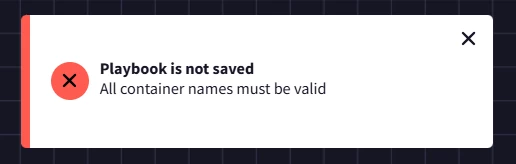
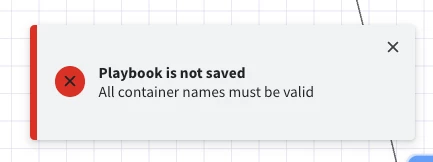
If you're creating a new playbook, it's possible that the name of the new playbook mirrors an existing one. Per the product release docs back on Jan 11th, 2025 - "Playbook names must now be unique across all SOAR environments, as part of updates to support future features. For customers with existing playbooks in different environments that have the same name, there is no need to manually change names. However, the next time you edit one of these playbooks, you will be asked to change the name before you save."
Hi there @vanitharaj1208 , were you able to solve this issue and identify the cause?
@SoarAndy , we are experiencing the same behaviour, only when saving the Playbook as Enabled (if it is Disabled, it can be saved without errors without changing any other thing), but the Playbook Editor doesn’t specify nor highlights which container has errors , and which errors.
Also, do you know if ‘container’ here means a playbook action/conditional flow box, or if it’s some other thing?
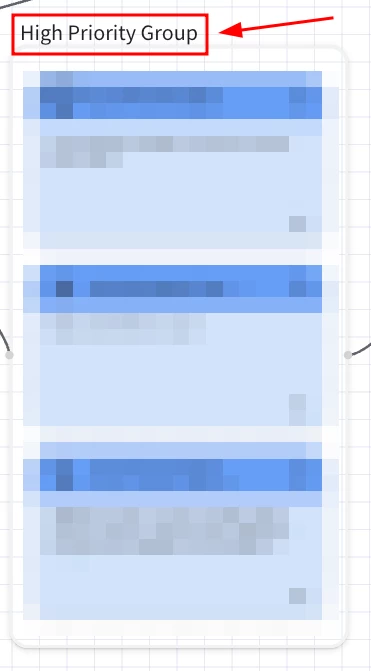
In our case, the reason of the failure was because of the name in one of the groups containing multiple Playbook Actions.
The name of the group which was causing the error was `High`. As soon as we changed the Group name to something else, the playbook was allowed to be saved in Enabled mode.
Thank you anyway for the feedback @vanitharaj1208 .
And it’s true that the error message could be more informative about what block/group of the playbook is causing errors, instead of the generic message ‘All container names must be valid’ @SoarAndy . 😊
We had to go through a big playbook, deleting block by block and trying to save it, to be able to identify the faulty component.
Just sharing here to spread the awareness about the not-so-informative error message, and so that others facing the same issue can find a solution for it more easily.
Hi during this scenario , we delete the action block and test. what if chronicle soar had capability or feature to test by detaching the action like how n8n has. it will easy to test .