Question

Feedback on New Rules Dashboard and Rules Editor

  • March 6, 2026
  • 6 replies
  • 152 views

EP0
Forum|alt.badge.img+5

I noticed that the new Rules and Rules Editor interface are now showing up as preview. I see that there are some slight improvements but I’m also concerned that we are going to lose some functionalities with the change.

Rules Editor:

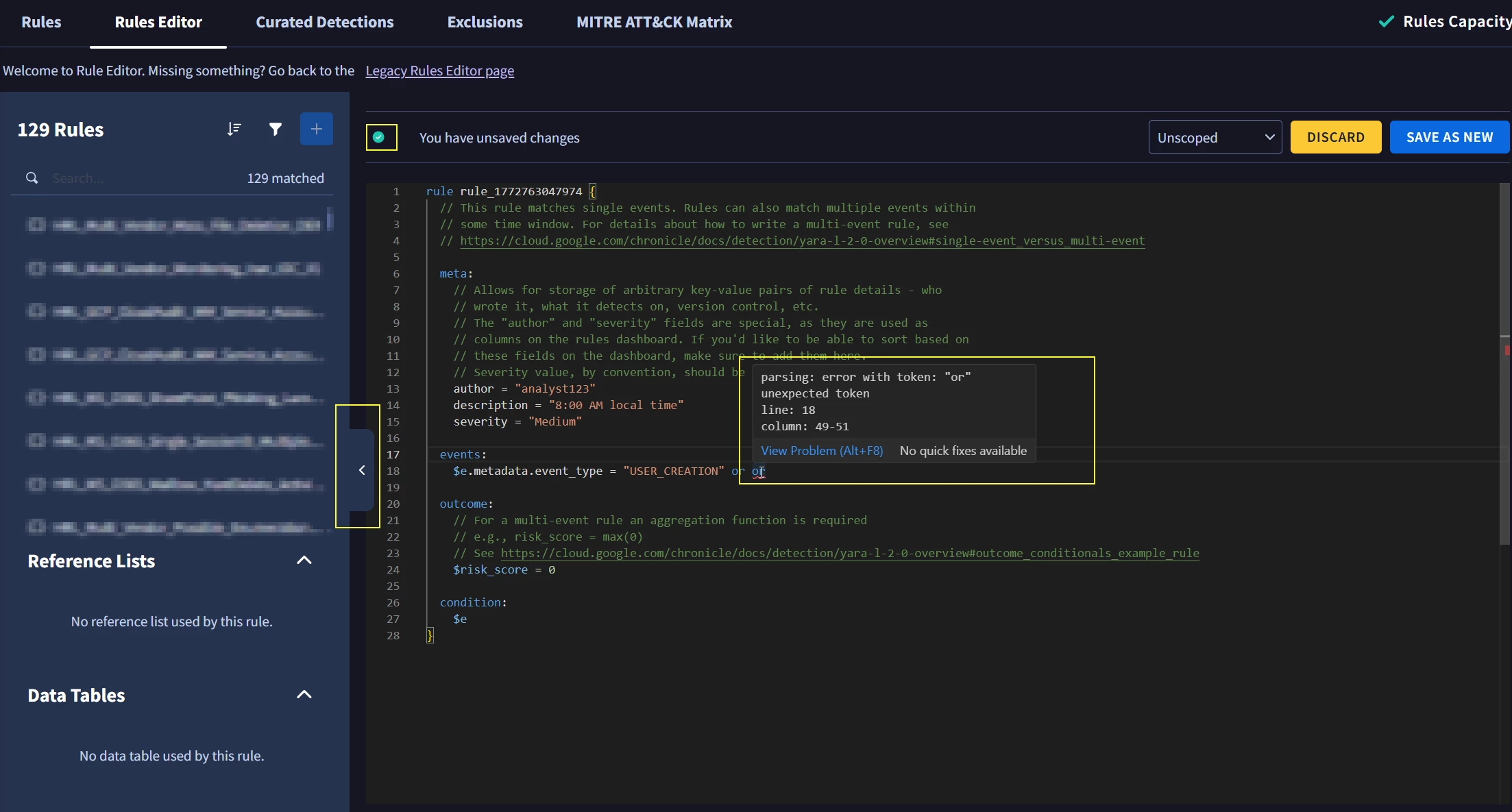
  • Current version automatically flags the overall status if the yara-l syntax is correct (✅) or if there is an error (❗)
  • Current version allows for custom resizing of the left pane for the rules
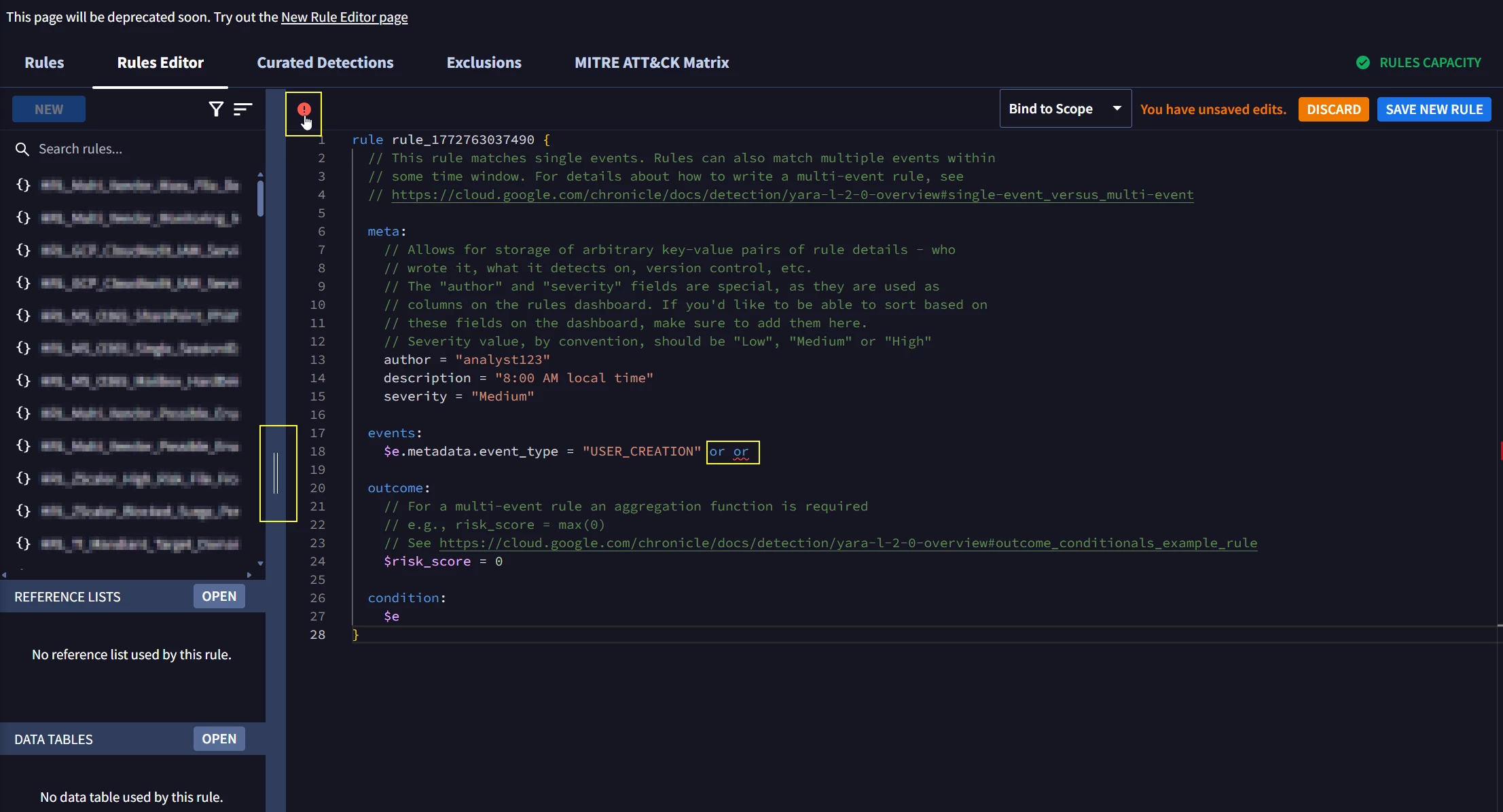
  • In the new version, this overall status does not change at all, it’s always a ✅ regardless if there is any error. I see that you are now able to hover over the specific section with the error, but I think the overall status flag should still appropriately reflect any syntax error
  • The custom resizing is gone with the new version, it’s only either show or hide. I use this functionality a lot either when I want to see more from a rule test result or if I want to read the whole rule name
Rules

  • Current version allows for sorting of pretty much any column
  • Current version categorizes composite rule into its own rule type “Composite”
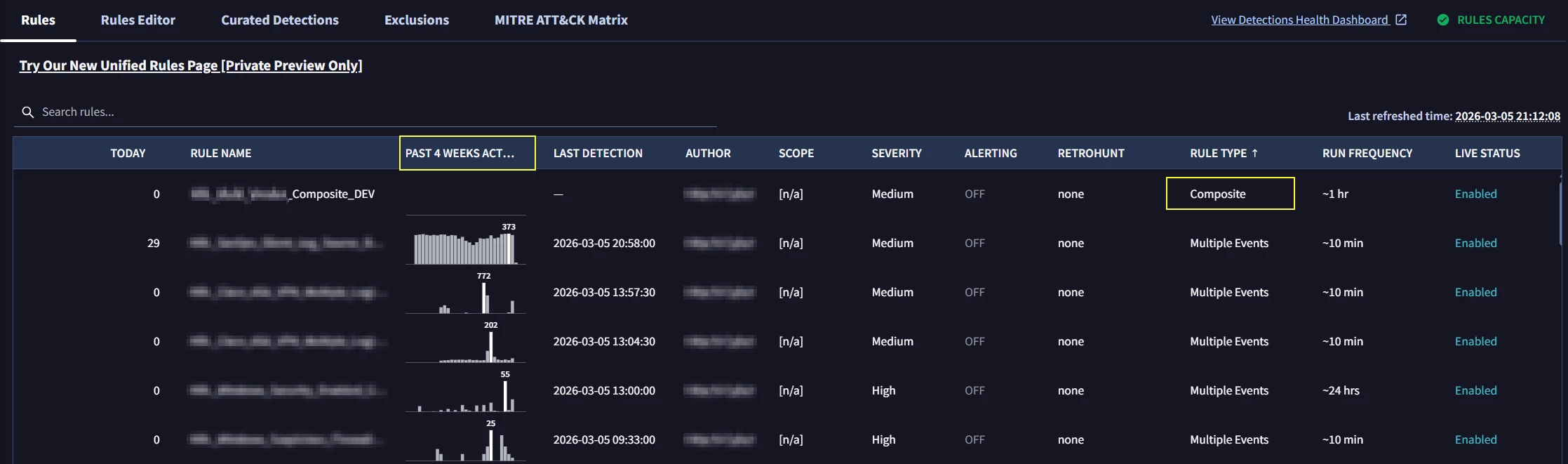
  • New version does not allow for sorting of “Past 4 Weeks Activity”, “Today”, and “Last Detection”. This has been super useful to quickly sort and see overall alert volume and activity and to see this gone would be frustrating
  • New version now categorizes composite rules as “Multi Event” instead of “Composite”

I hope these features can be re-considered prior to phasing out the current version. Is there any other channel or documentation to get more information what exact changes will be removed/added? As mentioned, I see that there is an effort for improvement, but it should not be at the cost of losing some other already useful features.


6 replies

mrmiller
Staff
Forum|alt.badge.img
  • Staff
  • March 6, 2026

Eng team here, this feature is under active development and we really appreciate the feedback -- this helps us know what matters and what to prioritize, please keep it coming!

Most of these are KIs or “should fix”, will be on the way soon.


EP0
Forum|alt.badge.img+5
  • Author
  • Bronze 2
  • March 6, 2026

Eng team here, this feature is under active development and we really appreciate the feedback -- this helps us know what matters and what to prioritize, please keep it coming!

Most of these are KIs or “should fix”, will be on the way soon.


So glad to hear this, thanks very much for the information!


d9m
Forum|alt.badge.img
  • New Member
  • March 25, 2026

Hijacking this thread to also raise some concerns with this new update and I noticed Eng team have responded already. Our team raised a support  ticket regarding the missing colour syntax for variables, outcomes, and regex - thinking it was a bug. We've however had it confirmed that this was intentional. 

"I would like to confirm that the changes to the syntax coloring you noticed starting on February 26th are an intentional update implemented by the Google team. This rollout is part of an official effort to modernize the platform and improve the overall user experience.

Please be advised that this is a permanent update, and the original syntax colors will not be returning. The new color palette was specifically selected by the Google design team to enhance code readability and reduce visual fatigue by utilizing improved contrast ratios that make it easier to distinguish between different syntax elements at a glance."
 

The new colour syntax is actually an outright downgrade on what was there before. It arguably has the opposite effects as to what the design team has intended. 

Given this is in active development - can we please consider reverting these colour changes or at-least offer them back as a toggle feature for users who have difficulty reading code with the new colours like myself? 


d9m
Forum|alt.badge.img
  • New Member
  • March 25, 2026

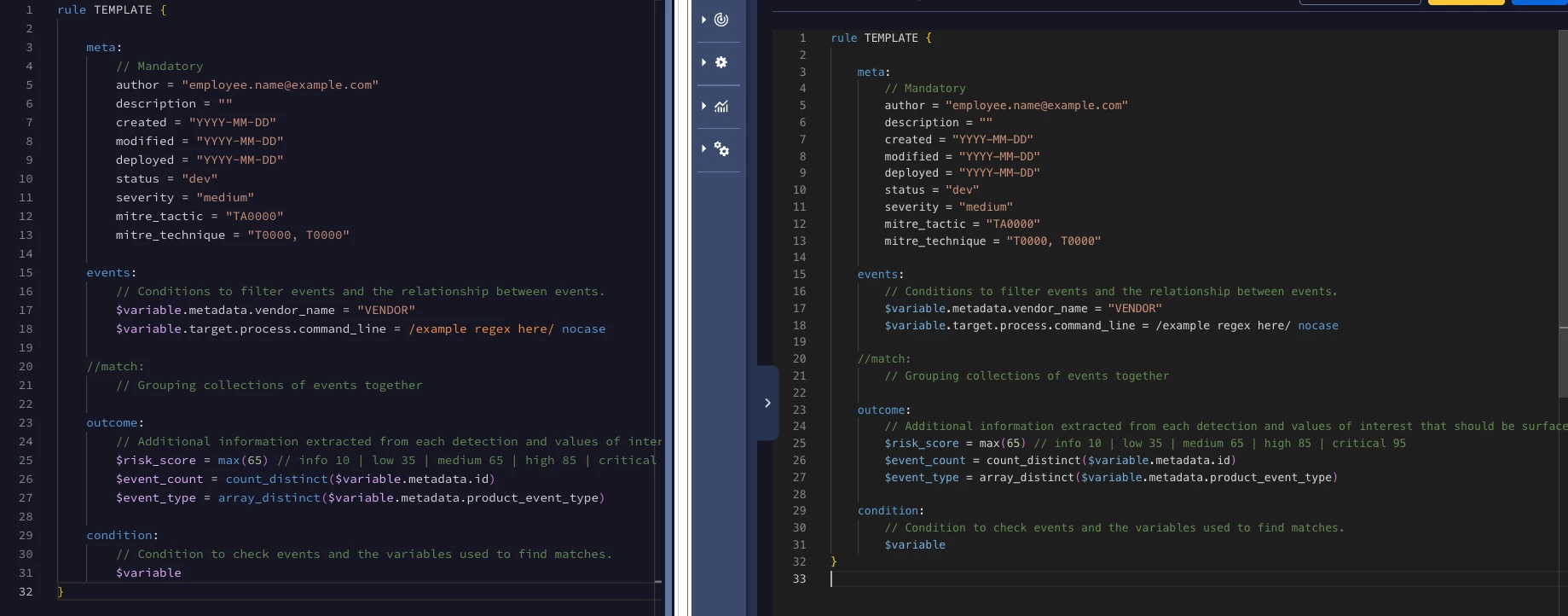
Heres an example of them side by side. The older Rules Editor colour palette makes it much easier to quickly read the variables in use, and highlights the regex pattern easily. Within the new Rules Editor, this is easily overlooked. 

I do like the contrasting on the newer editor, but I still think there is a need to highlight variables, outcome functions, regex and other key elements of the YARA L code in a different colour. With long rules with many lines and elements, it makes it increasingly difficult to read with the new update.


mrmiller
Staff
Forum|alt.badge.img
  • Staff
  • March 25, 2026

Appreciate the feedback, and especially the side-by-side screenshot, that makes it very easy for us to take action on.

> highlight variables, outcome functions, regex and other key elements of the YARA L code in a different colour.

I’ll make sure we improve the syntax highlighting here. We can maintain contrast and align with our design palette and also still highlight semantically relevant distinctions in the code; they aren’t mutually exclusive.


EP0
Forum|alt.badge.img+5
  • Author
  • Bronze 2
  • March 25, 2026

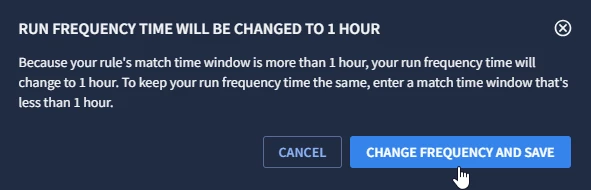
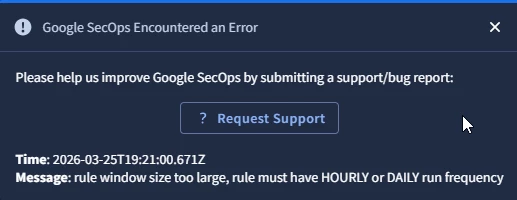
I would like to add another difference (and imo downgrade) between the old vs new rule editor. When changing the match time window from e.g. 10m to something more than an hour, the old editor had an automatic option that allows you change the run frequency time. This is the same behavior when changing it to 7d, it will automatically tell you to change to the frequency to 24hr.


However, with the new editor, it only shows the error message with no option to change the frequency. I haven’t tested it yet, but I assume this means that in order to change the match time window, you first need to edit the frequency?