



Why is this important?
Last week I faced this issue when one of our Google SecOps customers onboarded a third party on their instance with full read permissions scoped to only the third party's telemetry. That's just Data RBAC!
However, our client showed us the error message:
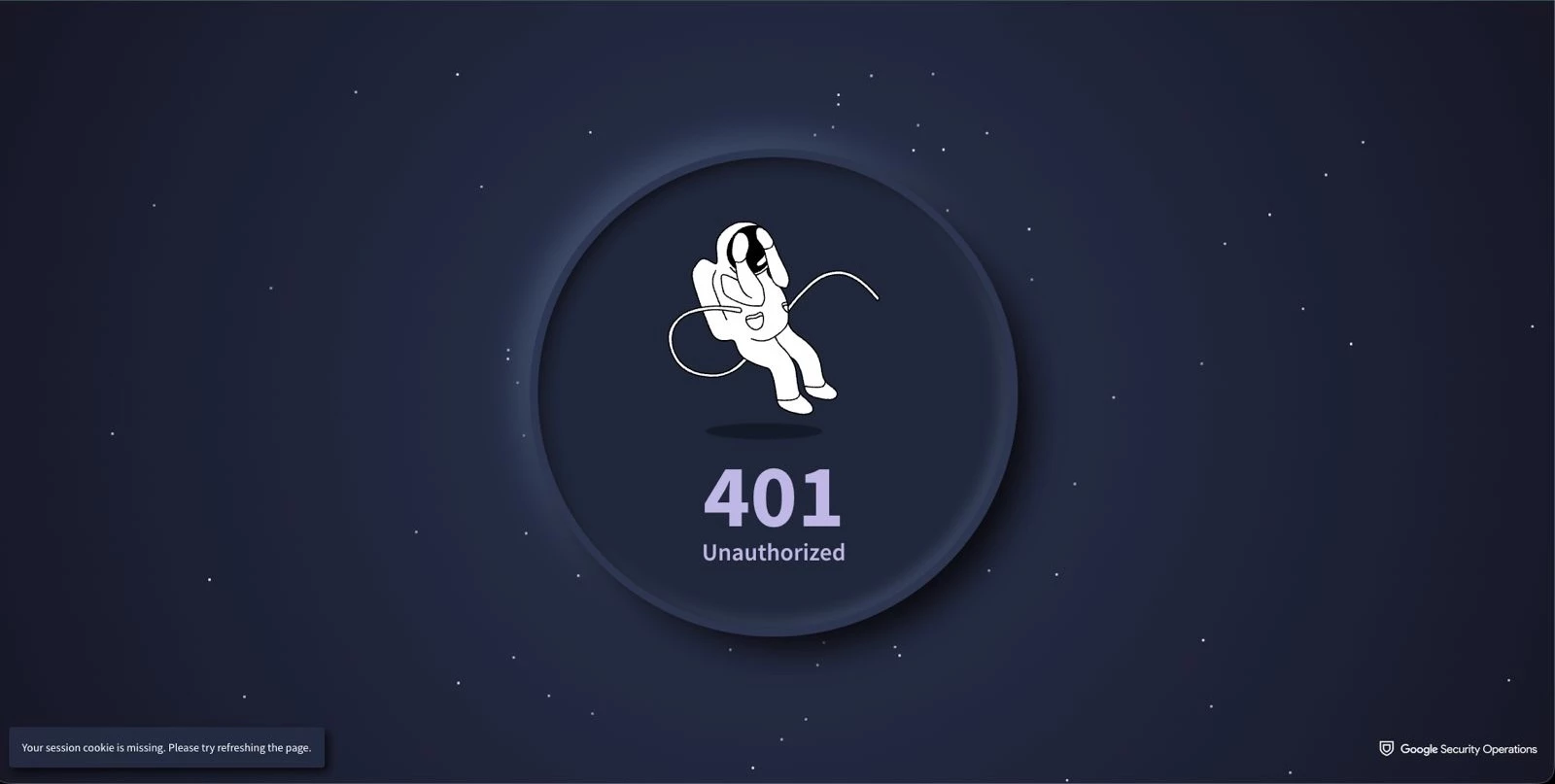
Your session cookie is missing. Please try refreshing the page.
We inspected the configuration and everything looked just fine! The onboarded users had their SOAR Group Mappings enabled and their Google Cloud IAM bindings in place: the Chronicle API Restricted Data Access role conditioned to the Data RBAC scope, plus the Chronicle API Restricted Data Access Viewer capability role.
It took us about an hour to discover that the issue was a few missing permissions in the predefined read-only role. We believe this is important to document because we often assume that out-of-the-box products and assets work seamlessly, and that is not always the case. Of course, the solution was to copy the predefined role and add the missing permissions documented in Required permissions for every role.
The symptom and the cause
Note
The following effects were discovered in a Google SecOps unified instance with SIEM and SOAR (i.e., not standalone SIEM or standalone SOAR) that has migrated SOAR Permission Groups to Google Cloud IAM. If this is not your situation, you may not experience the behavior described below.
Two apparently distinct effects that share the same root cause will occur if you happen to miss some or all of Google SecOps SOAR's Required permissions for every role, which can happen if you use a predefined scoped read-only access role such as Chronicle API Restricted Data Access Viewer (in Beta at the time of writing). In fact, we pulled that predefined role's definition through the IAM API: eight of the thirteen documented baseline permissions are missing from it.
Scenario 1
A user logs into Google SecOps normally. A few minutes later, without touching anything, the page drops to an error: "You do not have the permissions required to view this page". Refreshing brings it back briefly.
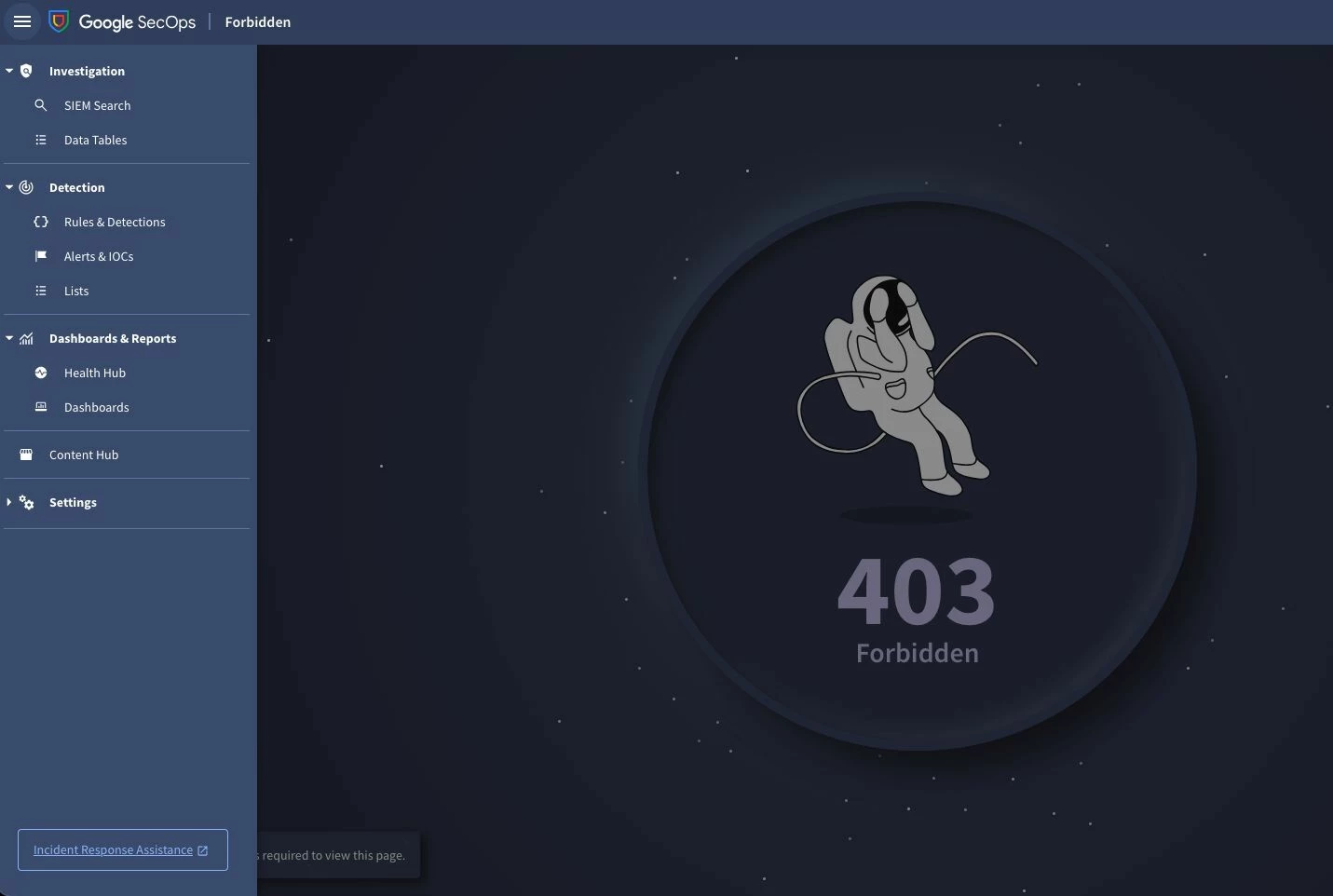
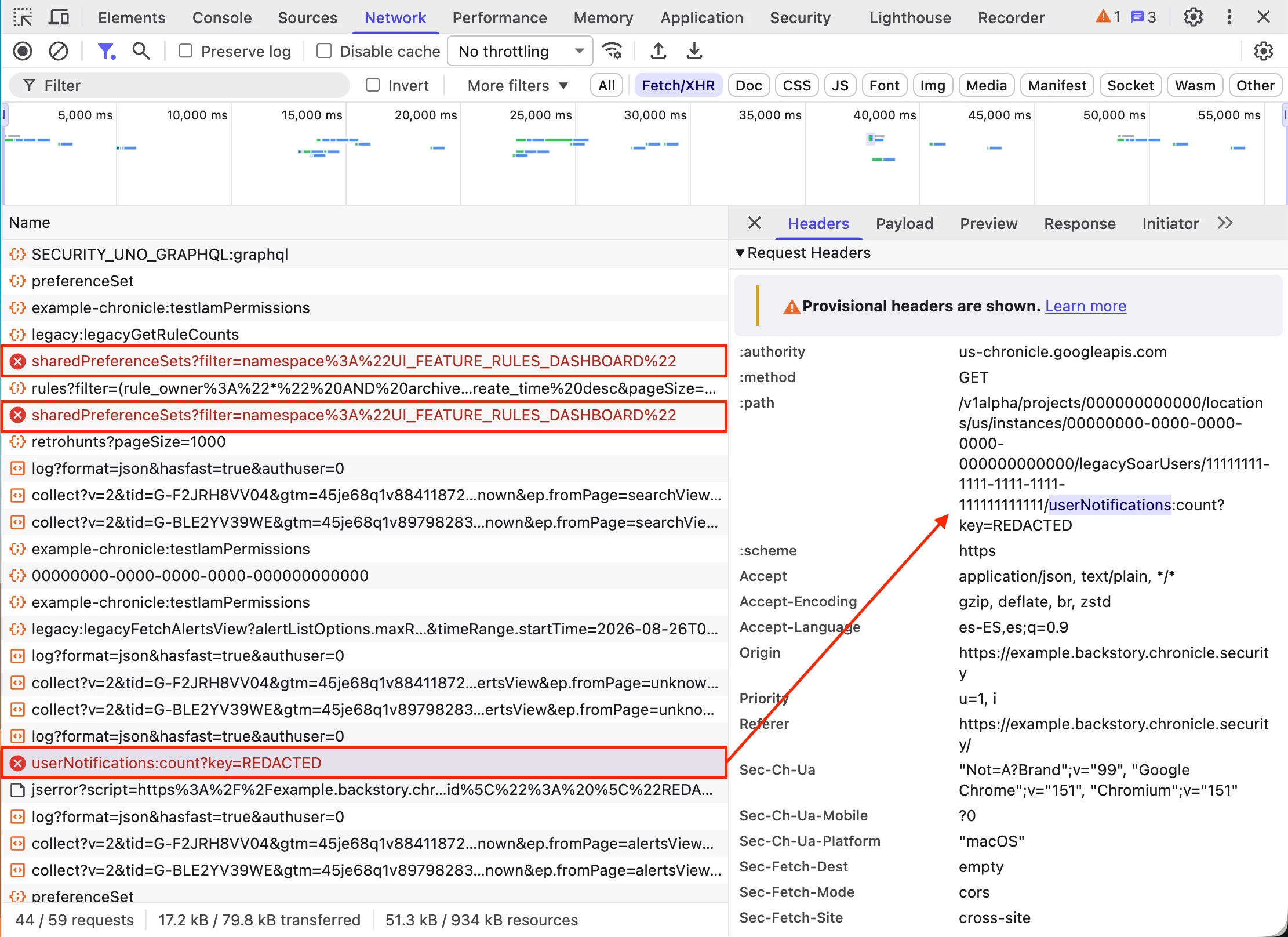
The root cause of this first effect is a poll mechanism. About once a minute, the unified UI polls the userNotifications:count endpoint under the instance's legacySoarUsers path, and when the capability role lacks chronicle.userNotifications.get that poll returns HTTP 403 and drops the page to the error above. Granting that one permission solves this symptom.
Scenario 2
The same user tries to open a second Google SecOps session in another browser tab, but this time the session never finishes loading. The application fails with a 401 error and the misleading message "Your session cookie is missing. Please try refreshing the page.", and refreshing does not bring it back.
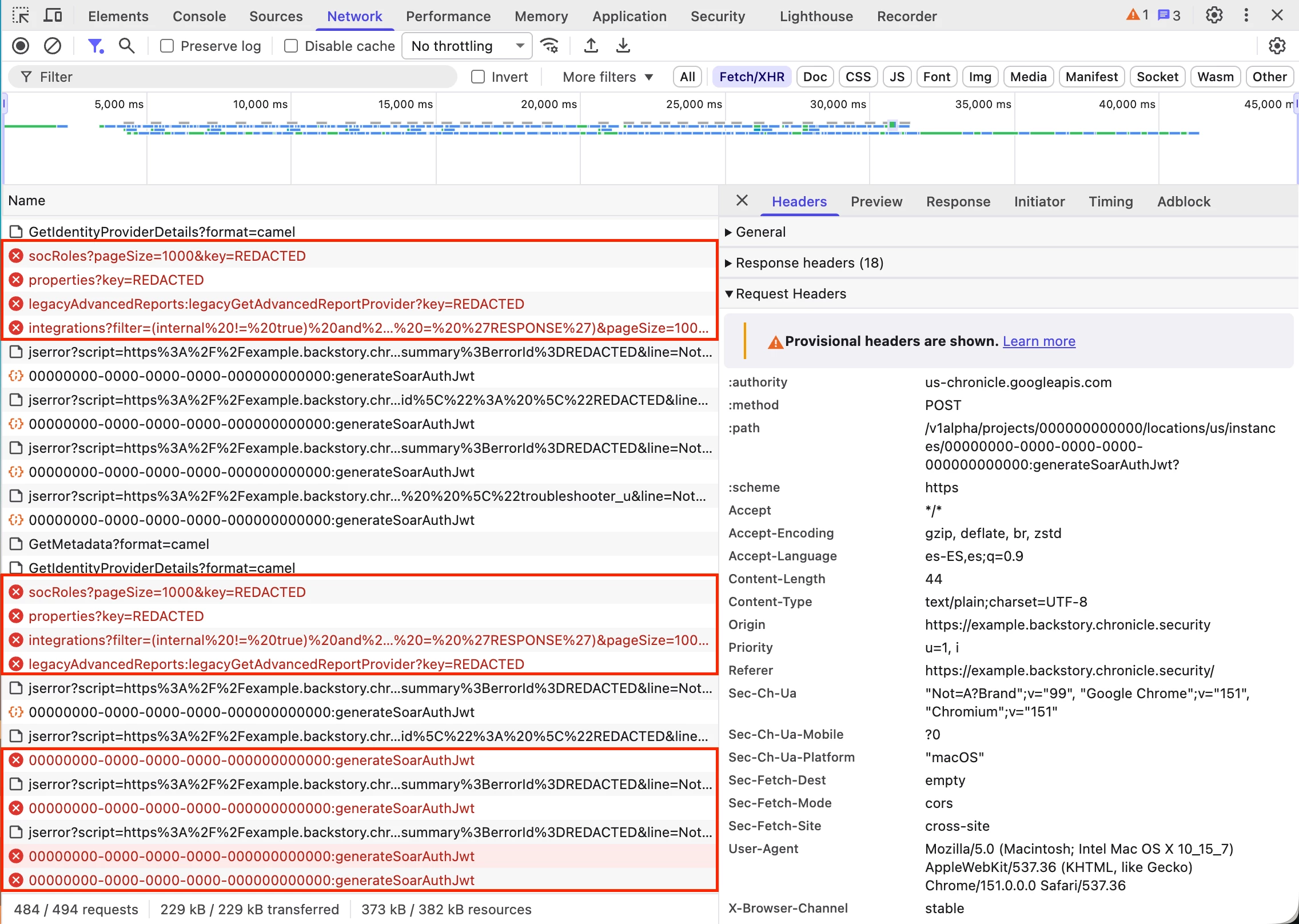
The root cause of the second effect is more complex, and the following explanation is our assessment after analyzing the HAR files captured while the problem occurred:
- The unified UI's SOAR module fetches a handful of endpoints when it loads (SOC roles, integrations, module settings, and others) and polls user notifications periodically on an already-open tab.
- Each of those calls returns HTTP 403 with
IAM_PERMISSION_DENIEDon permissions likechronicle.userNotifications.getandchronicle.socRoles.getwhen they are missing. - On every 403, the front end assumes its SOAR session token went stale and mints a new one (
POST <instance>:generateSoarAuthJwt), then retries again with no backoff.
Note
Authentication itself never fails here: the front end minted 141 JWTs in just over thirty seconds, and the first 137 all returned HTTP 200. The only four that failed hit the quota error described next.
- The mint endpoint's quota then runs out with a 429
RESOURCE_EXHAUSTEDerror: "You have reached the maximum allowed quota for this operation." - Less than a second later the error page loads with the unrelated message "Your session cookie is missing. Please try refreshing the page."
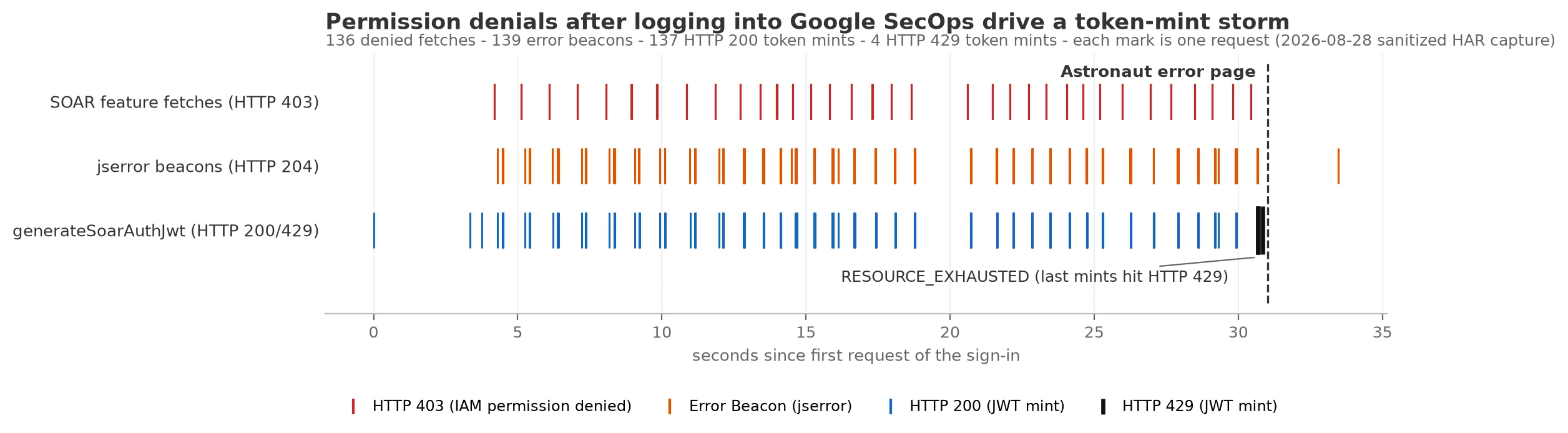
Note
A fresh login half an hour later reproduced the same storm from a refilled quota, so nothing is banned server-side. The most likely reading of the hours-long lockout some users perceive is that each new attempt burns the token-mint quota again within its first minute and ends on the same error page.
The solution
The fix is creating a custom capability role:
- Clone the predefined viewer.
- Add the required-for-every-role baseline, or use a broader read-only custom role that already contains it.
- Save the custom role and assign it in place of the predefined viewer.
The conditioned Restricted Data Access marker role stays as it is, and the baseline permissions are platform plumbing that keeps the session alive without widening what the user can actually do.
When building custom or scoped roles for the unified experience, start from the "Required permissions for every role" list and add feature permissions on top, not the other way around.
