



Hey folks,
This week, we have rolled out the Rollback capabilities across Google SecOps for Response Integrations.
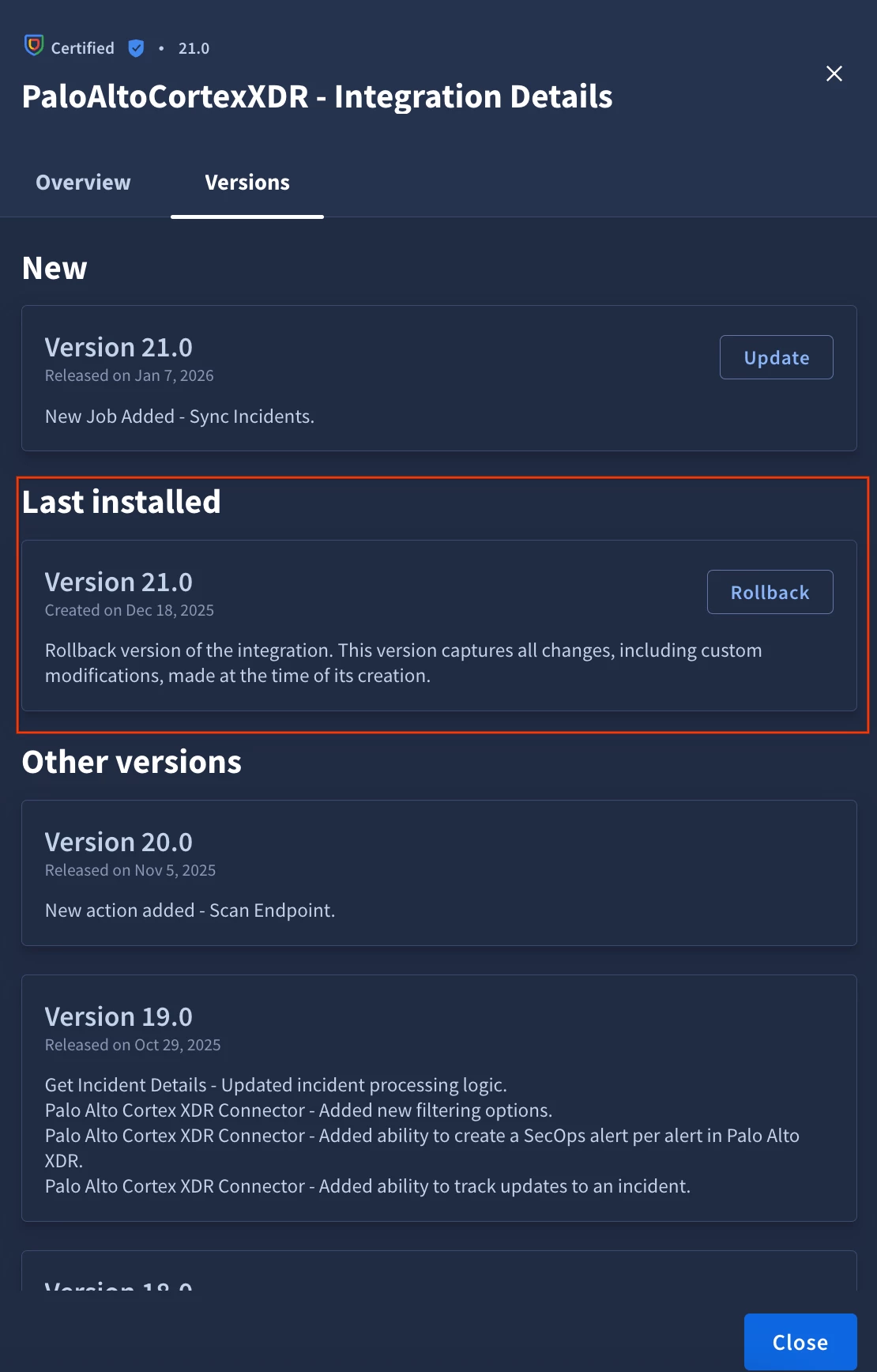
Overview
Rollback allows you to independently get to the previous state of Response Integration, before you performed an installation of a different version, for example, update.
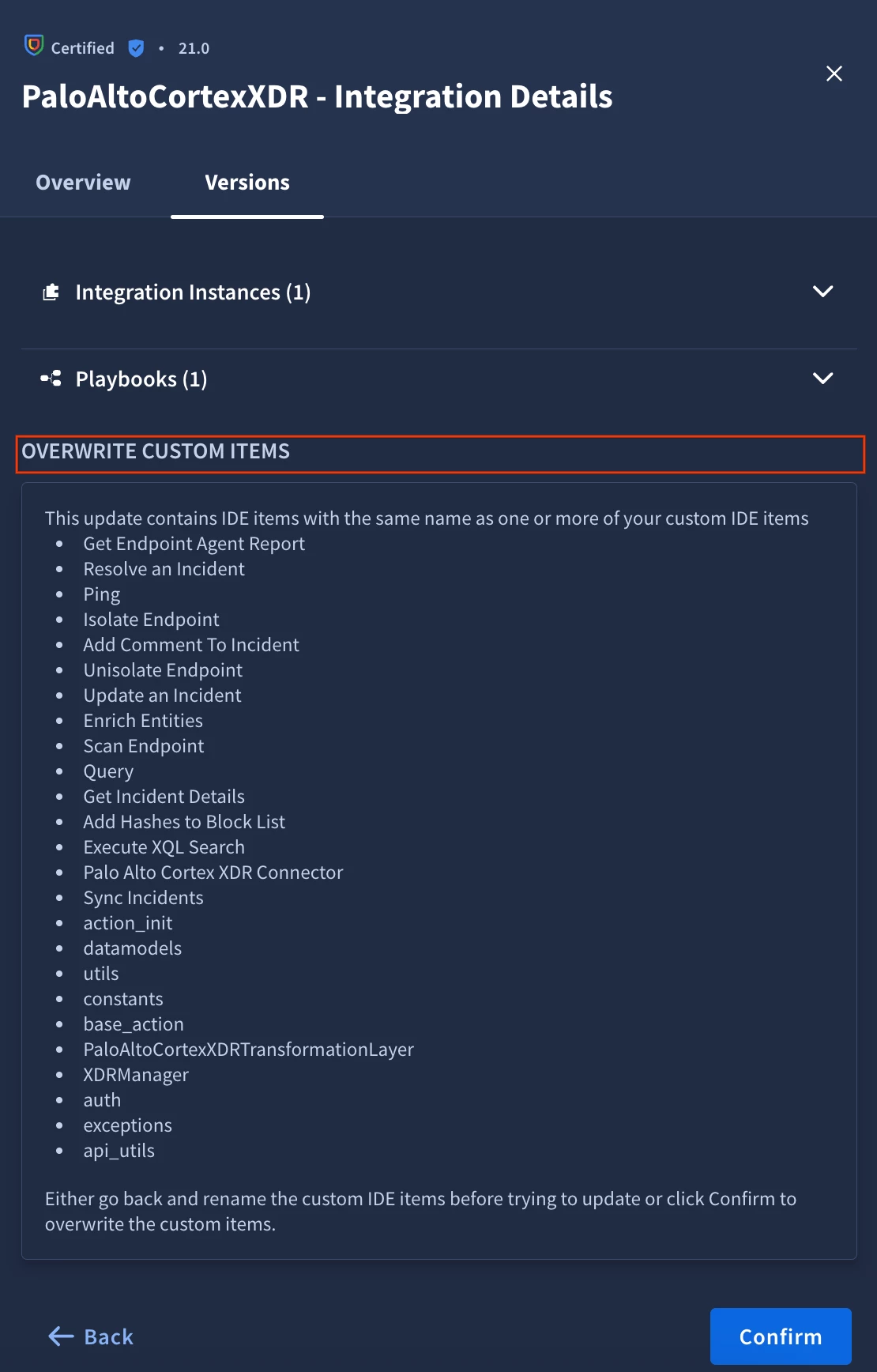
Rollback will overwrite ALL changes (including custom changes) and have them reverted to the previous state. For example, if you’ve update the Response Integration, added a new custom script to it and then decided to do a rollback, then the script will be deleted.
You will be notified about what scripts will be affected during the rollback:
Important nuances:
- Rollback is supported only for “certified” Response Integrations.
- Rollback will only be available for Response Integrations that were updated since rollback feature was enabled on the instance. For example, if you currently are on version 10 of the Response Integration, there will no ability to roll back to version 9, but if you will update to version 11, you will have access to version 10.
- Rollback is not bound to incremental Response Integration versions. For example, you can upgrade from version 2 to version 10 and then your rollback version will be version 2, not 9.
- During the Rollback, you can still decide, if the ontology should be overwritten or not. For example, you can perform an upgrade to version 10, which has new ontology, apply that ontology, perform a rollback, but still decide to be on the ontology from version 10.
- You can’t roll back to Response Integration versions that are written in Python 2.7 and Python 3.7.
- VPC-SC tenants do not have access to roll back feature as additional access in cloud storage is needed for it to work. Contact support, if you want to create a solution to this challenge.



