Solved

Generic JSON parser

  • September 16, 2025
  • 4 replies
  • 111 views

jsy
Forum|alt.badge.img+2

I have written a Generic JSON parser in Google SecOps and it works well when I paste test data and click on PREVIEW. The parser passes validation too.

However, I notice when I send data into Google SecOps SIEM, the parser doesn’t seem to be doing anything (we use Bindplane). This is because I have Alert rules created and no alerts are being raised.

We are sending custom JSON objects through Bindplane. My guess is it’s the ingestion label that is wrong (it’s currently set to SPLUNK using Bindplane Google SecOps Standardization Processor).

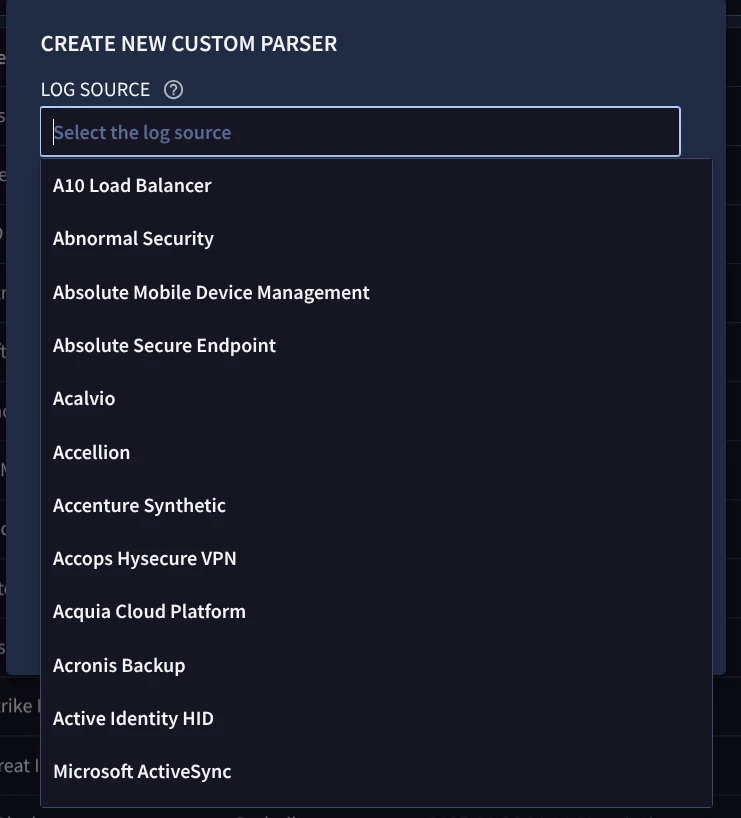
I have looked at https://cloud.google.com/chronicle/docs/ingestion/parser-list/supported-default-parsers and I do not see any ingestion label for “Generic JSON” - hence I do not know what to set the “log_type" field to in Bindplane’s Google SecOps Standardization Processor. But what confuses me is that when I choose to create a custom parser, I do have a “Generic JSON” in the drop down list in the SecOps UI.


So how can I achieve what I require? ​​​
Best answer by cmorris

When you chose the Create Parser option - which log source did you choose?

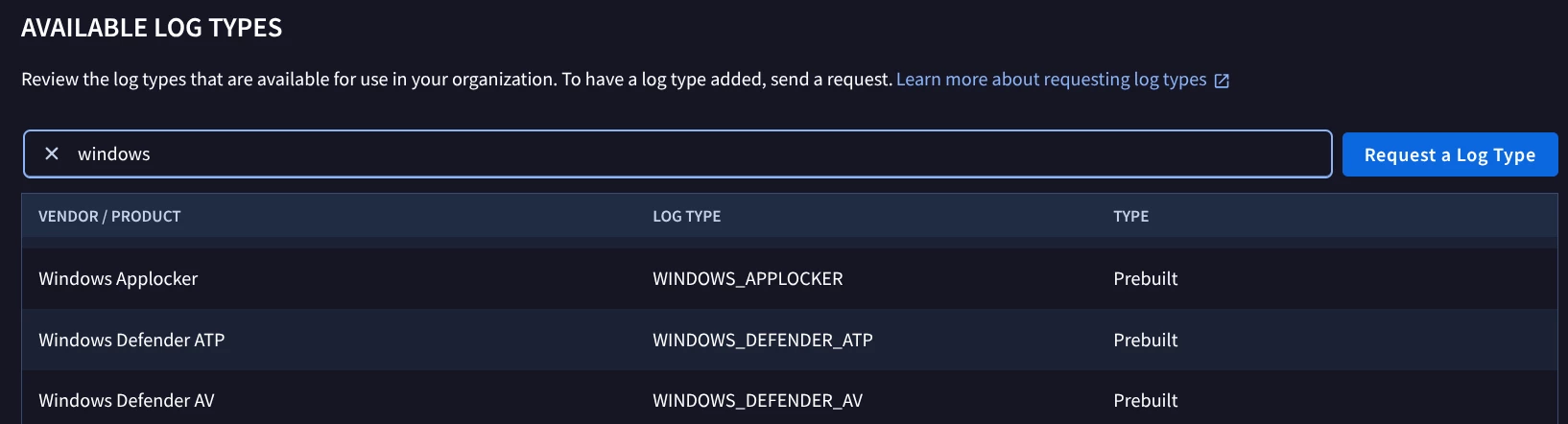
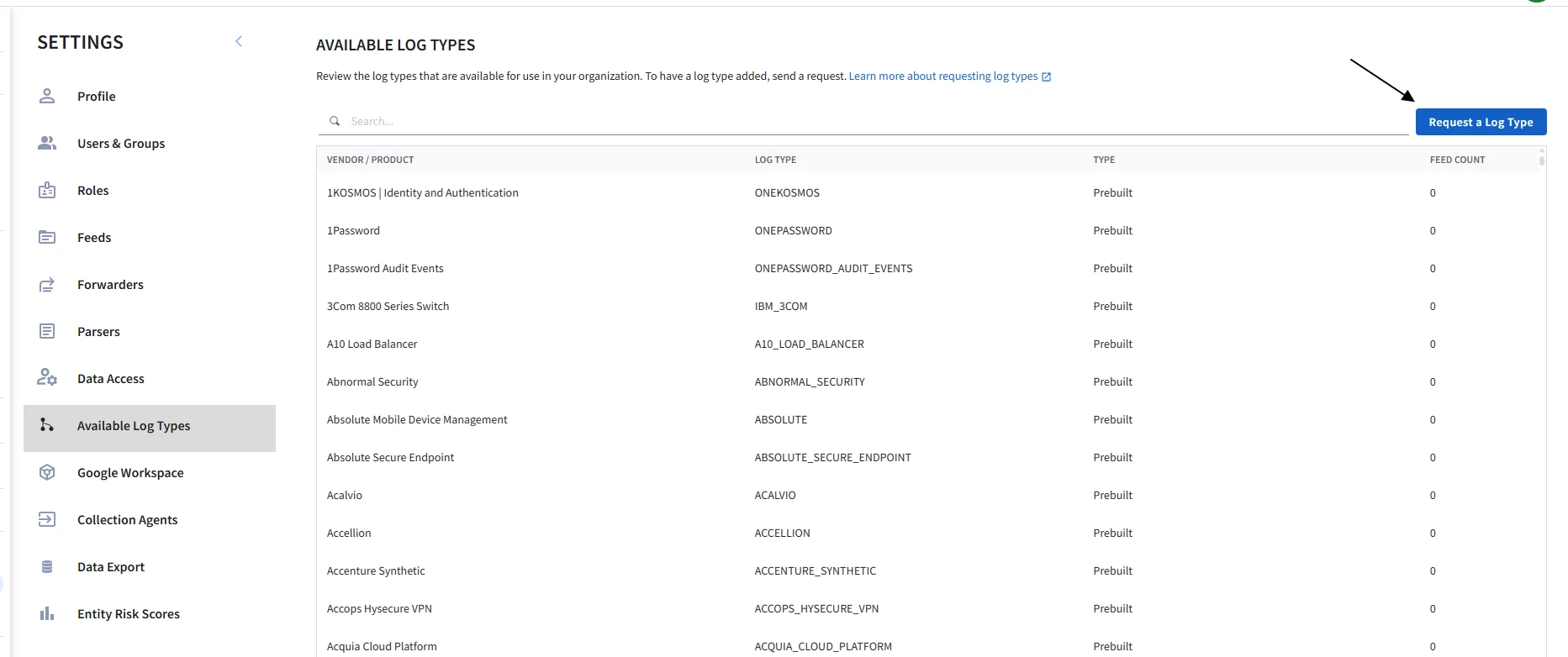
You will need to set the ingestion label that applies to the log source that you created the custom parser for. If you created it for “Generic JSON” there may be a custom log type that was created by you or someone else in your tenant. To get the label for that, go to SIEM Settings > Available Log Types and search from the list.

So in the case of the above screenshot, if I chose to create a custom parser for Windows Applocker, I would set the log type to WINDOWS_APPLOCKER.

4 replies

jsy
Forum|alt.badge.img+2
  • Author
  • New Member
  • September 17, 2025

For reference:


  1. Sample JSON log:
{
"_meta": {
"ts": {
"edge": "2025-09-16T07:16:49.817Z",
"landing": "2025-09-16T07:16:49.817Z"
}
},
"headers": {},
"message": "2025-09-09T14:33:53.189054407Z {name=PC01USER01} Sep 8 22:33:53 10.46.180.211 1757150769.000, Alert: Test Alert by xxxx - Endpoint - Recurring Malware Infection, Severity:Medium, Destination:PC01, User:USER01, File hash:178ba564b39bd07577e974a9b677dfd86ffa1f1d0299dfd958eb883c5ef6c3e1, File Path: \\Device\\HarddiskVolume3\\Windows\\System32\popcorn.exe",
"message_key": null,
"offset": 149,
"partition": 2,
"source_type": "whale",
"timestamp": "2025-09-16T07:16:52.588Z",
"topic": "for alerts only"
}


  1. Generic JSON parser:
filter {
# Parse the JSON structure first
json {
source => "message"
on_error => "json_failure"
}
if [json_failure] {
drop { tag => "TAG_MALFORMED_MESSAGE" }
} else {

# Extract from the parsed message field using standard grok patterns
grok {
match => {
"message" => "User:%{DATA:user_landmark},"
}
on_error => "user_extraction_failure"
}

grok {
match => {
"message" => "File hash:%{DATA:hash_landmark},"
}
on_error => "hash_extraction_failure"
}

grok {
match => {
"message" => "File Path:%{SPACE}%{GREEDYDATA:path_landmark}"
}
on_error => "path_extraction_failure"
}

grok {
match => {
"message" => "Destination:%{DATA:dest_landmark},"
}
on_error => "dest_extraction_failure"
}

if ![user_extraction_failure] and ![hash_extraction_failure] and ![path_extraction_failure] and ![dest_extraction_failure] {

# Map to UDM fields using the correct syntax from the documentation
mutate {
replace => {
# See https://cloud.google.com/chronicle/docs/reference/udm-field-list#Metadata.EventType
"event.idm.read_only_udm.metadata.event_type" => "GENERIC_EVENT"
"event.idm.read_only_udm.metadata.vendor_name" => "Superman"
"event.idm.read_only_udm.metadata.product_name" => "Some random alert"
}
}

# Map extracted fields to UDM using conditionals
if [hash_landmark] != "" {
mutate {
replace => {
"event.idm.read_only_udm.target.file.sha256" => "%{hash_landmark}"
}
}
}

if [path_landmark] != "" {
mutate {
replace => {
"event.idm.read_only_udm.target.file.full_path" => "%{path_landmark}"
}
}
}

if [dest_landmark] != "" {
mutate {
replace => {
"event.idm.read_only_udm.target.hostname" => "%{dest_landmark}"
}
}
}

if [user_landmark] != "" and [user_landmark] != "unknown" {
mutate {
replace => {
"event.idm.read_only_udm.principal.user.userid" => "%{user_landmark}"
}
}
}

# Generate the output event
mutate {
merge => {
"@output" => "event"
}
}
}

}
}


cmorris
Staff
Forum|alt.badge.img+10
  • Staff
  • Answer
  • September 17, 2025

When you chose the Create Parser option - which log source did you choose?

You will need to set the ingestion label that applies to the log source that you created the custom parser for. If you created it for “Generic JSON” there may be a custom log type that was created by you or someone else in your tenant. To get the label for that, go to SIEM Settings > Available Log Types and search from the list.

So in the case of the above screenshot, if I chose to create a custom parser for Windows Applocker, I would set the log type to WINDOWS_APPLOCKER.


jsy
Forum|alt.badge.img+2
  • Author
  • New Member
  • September 17, 2025

I just found out what happened.


I had actually requested for a new log type


That’s where “Generic JSON” was coming from. Now that I see “LOG TYPE” = “JSON”, that is the ingestion label I should use! Silly me.


jsy
Forum|alt.badge.img+2
  • Author
  • New Member
  • September 18, 2025

@cmorris How do I delete a custom log type?