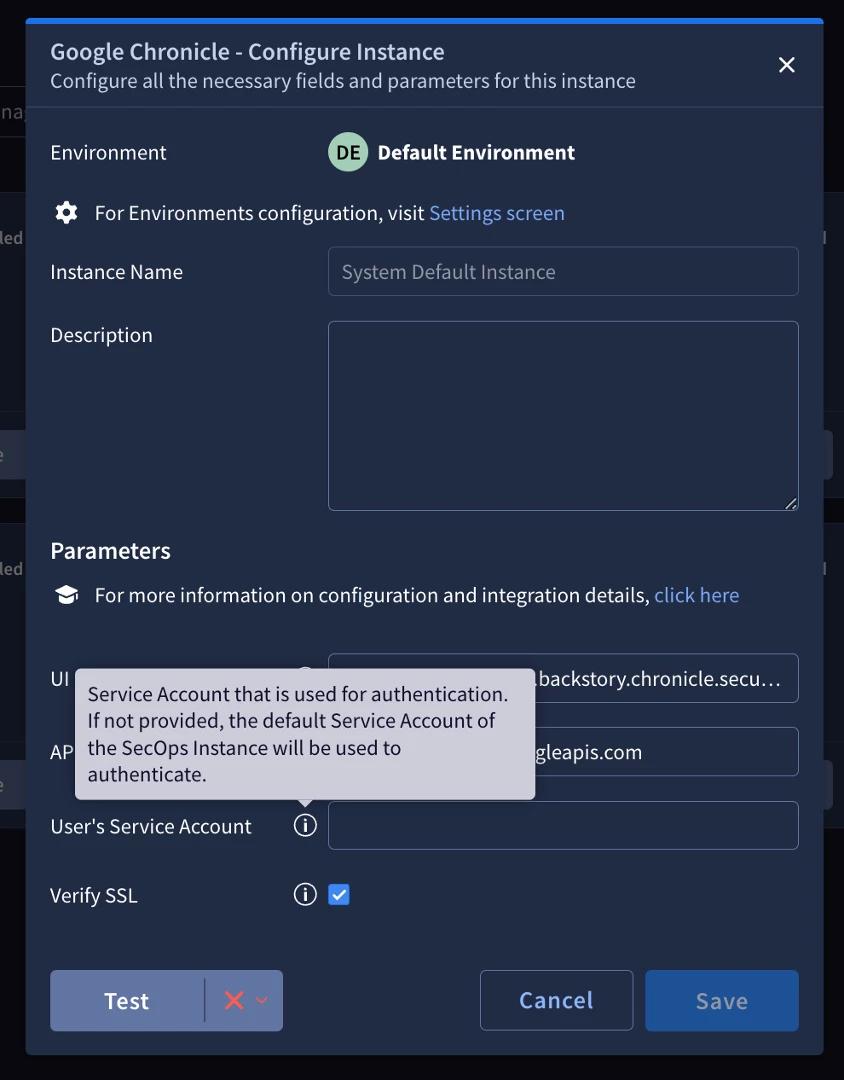
Hey, when configuring the Google Chronicle Integration, the system requires a "User's Service Account". Please, where I can export it from? If I leave it empty (to use the default) the test fails 😞 (or how can I grant the necessary permissions? )
The documentation [1] says:
"Service account of the Google SecOps SIEM instance. Copy the entire service account JSON file."
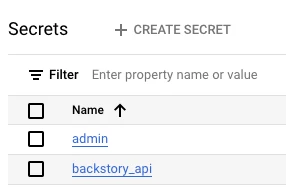
The "service account" for the SIEM connector in SOAR is the Backstory API key that can be found in GCP secrets for the project hosting the SecOps instance.
Additionally, if are are trying to set up the integration to ingest alerts/detections from SIEM, you will need to setup a SOAR connector instead of an integration. legacy SIEM/SOAR: Settings > Ingestion > Connectors Unified SecOps: Settings > SOAR Settings > ingestion > Connectors ref: https://cloud.google.com/chronicle/docs/soar/respond/start-developing/my-first-connector
well first off - just want to clarify here - it looks like you are working on SOAR yet posted in the SIEM channel. Ill assume you are talking SOAR becuase the screenshot is a SOAR integration.
This should have been delivered to you on setup. However, if you do not have that available, you can reach out to your customer engineer or create a support case in which they can get you what you need.
I do not believe the proper access can be created through the service account on the GCP customer side. I may be wrong here but I believe you need the former backstory SA account for this integration.
The "service account" for the SIEM connector in SOAR is the Backstory API key that can be found in GCP secrets for the project hosting the SecOps instance.
Additionally, if are are trying to set up the integration to ingest alerts/detections from SIEM, you will need to setup a SOAR connector instead of an integration. legacy SIEM/SOAR: Settings > Ingestion > Connectors Unified SecOps: Settings > SOAR Settings > ingestion > Connectors ref: https://cloud.google.com/chronicle/docs/soar/respond/start-developing/my-first-connector
Oh I just thought of another way to get it. If you don't have GCP access and have collection agent enabled - I believe the auth file there under SIEM settings / collection agent is the same file
Oh I just thought of another way to get it. If you don't have GCP access and have collection agent enabled - I believe the auth file there under SIEM settings / collection agent is the same file
I believe that one is the ingestion API, not the backstory API.