Solved

Google cloud migration - stage 2 of soar migration to GCP

  • May 18, 2026
  • 15 replies
  • 189 views

arv261095
Forum|alt.badge.img+5

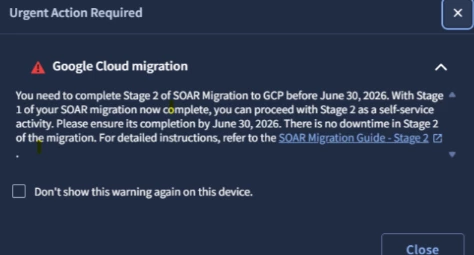
Has any one completed the stage 2 of SOAR migration to GCP ?

Could you simply explain the pointers that you followed for the same.


Best answer by cmorris

  • Migration of SOAR Audit logs.

    ​​​​@cmorris  for the above pointer on audit logs do we need to do anything or is that automatic process ?

    Kindly guide if we need to perform any action 

You’ll get those in GCP after the IAM migration portion of phase 2 is done

15 replies

cmorris
Staff
Forum|alt.badge.img+14
  • Staff
  • May 19, 2026

This may help with the IAM portion of the phase 2 migration - 


Are there any portions that you are looking for assistance on or more of a general inquiry? Some of the portions of the migration may or may not be applicable to you - for example, not everyone I work with uses webhooks for ingestion of alerts to the SOAR or a remote agent.


arv261095
Forum|alt.badge.img+5
  • Author
  • Bronze 2
  • May 19, 2026

Hi ​@cmorris  thanks sir for the response as i understand there are 5 points to stage 2 migration.


  • Migration of SOAR Permission Groups and Permissions to Google Cloud IAM.

  • Migration of SOAR APIs to the new unified Chronicle API, requiring updates to existing scripts and integrations.

  • Migration of webhooks.

  • Migration of remote agents.

  • Migration of SOAR Audit logs.


I need help checking the first and last ones as i think others are not applicable to us as well am i right 

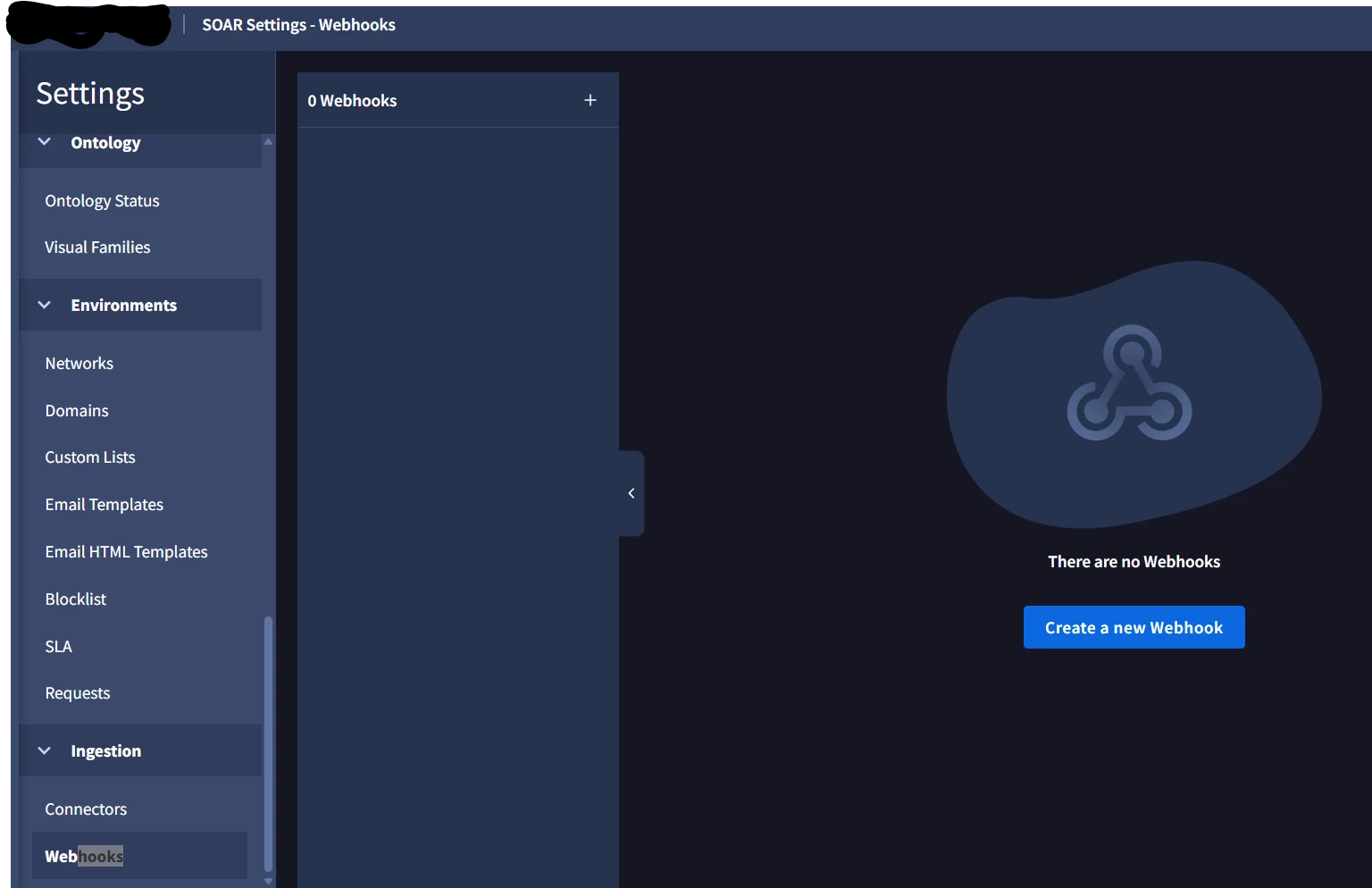
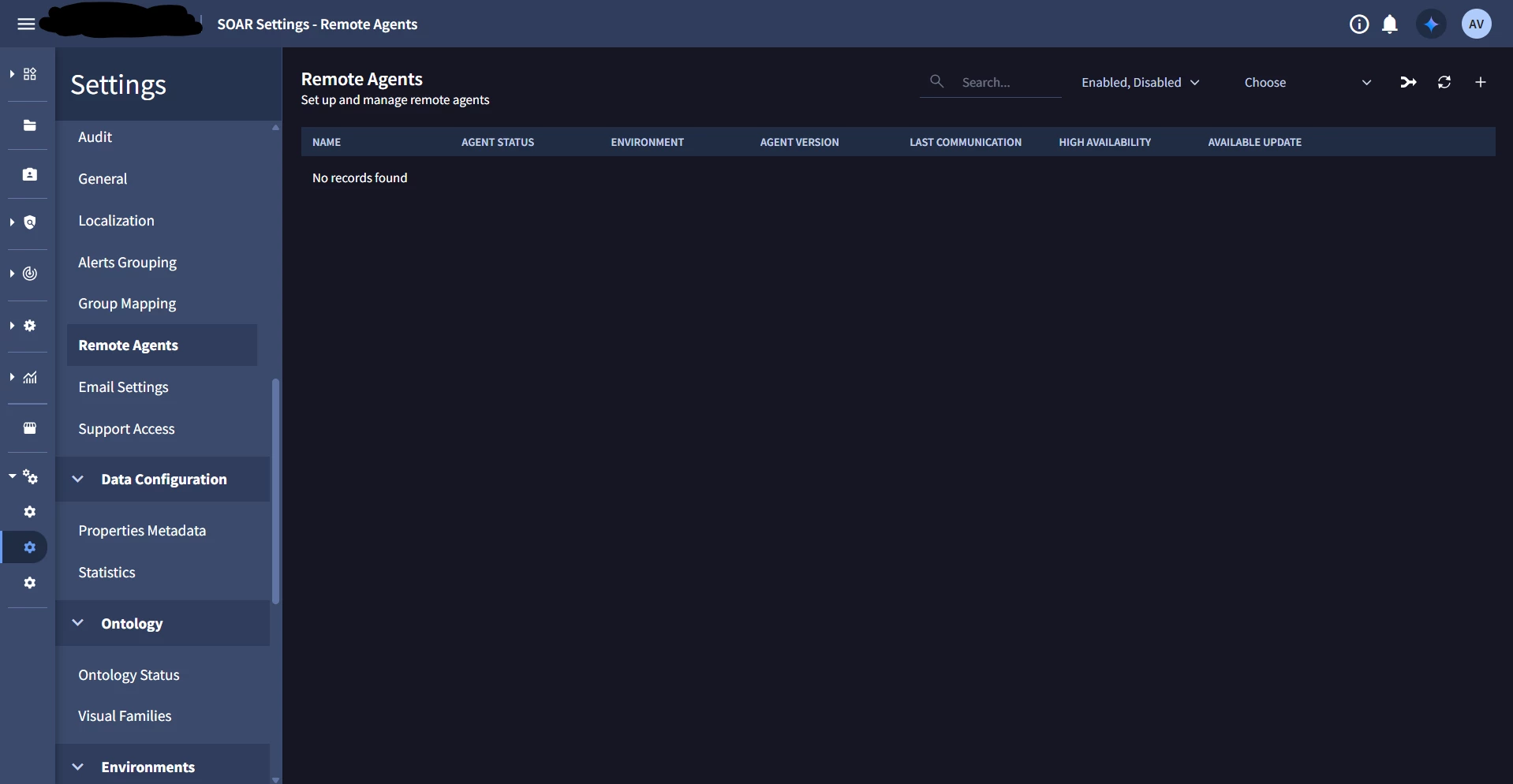
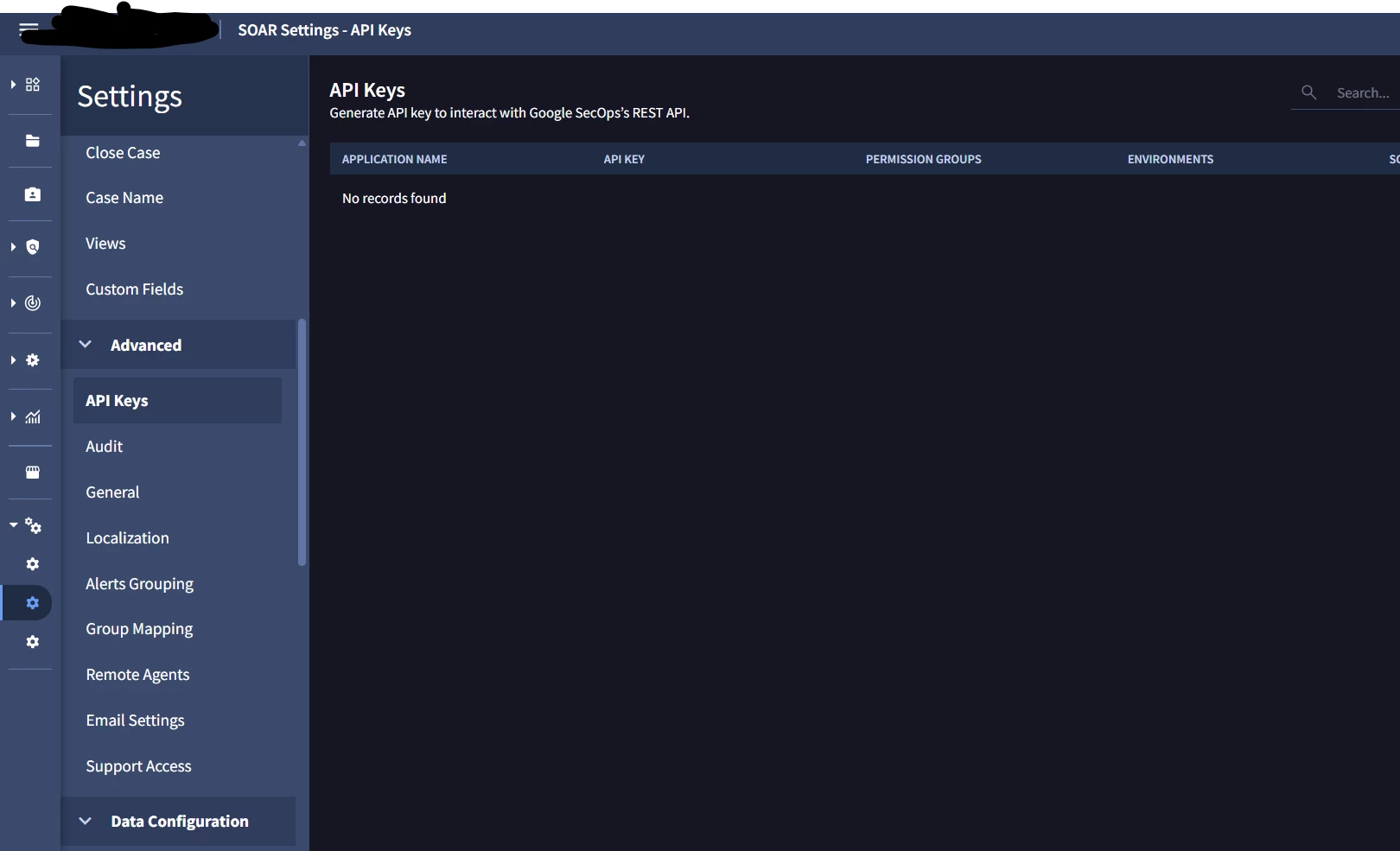
see under my SOAR settings this is what i see under webhook api keys and remote agents under my SOAR settings :


cmorris
Staff
Forum|alt.badge.img+14
  • Staff
  • May 19, 2026

The video in my initial reply will go over the IAM Migration piece. For the SOAR audit logs, that will take place after IAM migration and will be the default for SecOps - https://docs.cloud.google.com/chronicle/docs/secops/collect-secops-soar-logs#enable_soar_log_collection:~:text=Python%20script%20outputs.-,Google%20SecOps,-(SIEM%20%2B%20SOAR%20Unified


Based on your screenshots, I would agree you do not need to worry about migrating webhooks and remote agents.


arv261095
Forum|alt.badge.img+5
  • Author
  • Bronze 2
  • May 20, 2026

@cmorris  thanks sir so all i need to do as per my current environment is only the first point right as seen in video you shared earlier ?

No need to make any changes apart from this correct?
 

  • Migration of SOAR Permission Groups and Permissions to Google Cloud IAM.

  • Migration of SOAR APIs to the new unified Chronicle API, requiring updates to existing scripts and integrations.

  • Migration of webhooks.

  • Migration of remote agents.

  • Migration of SOAR Audit logs.


cmorris
Staff
Forum|alt.badge.img+14
  • Staff
  • May 20, 2026

I believe that should cover most of it. Regarding ‘Migration of SOAR APIs to the new unified Chronicle API, requiring updates to existing scripts and integrations’, if you have custom integrations using the old SOAR API those would need to be modified. If you are only using integrations from the marketplace, these would only need to be updated.


arv261095
Forum|alt.badge.img+5
  • Author
  • Bronze 2
  • May 25, 2026
  • Migration of SOAR Audit logs.

    ​​​​@cmorris  for the above pointer on audit logs do we need to do anything or is that automatic process ?

    Kindly guide if we need to perform any action 


_K_O
Forum|alt.badge.img+13
  • Silver 2
  • May 25, 2026

For the migration of Remote Agents - is there any way to confirm if the current versions are using the SA Key or which need to be migrated? It would be great to see which agents require the migration next to the agent status info in the GUI. 


_K_O
Forum|alt.badge.img+13
  • Silver 2
  • May 25, 2026

I also had a question about the IAM roles. After going through the Phase 2 migration docs again, I wanted to confirm whether the use of these predefined roles is fine (https://docs.cloud.google.com/chronicle/docs/onboard/configure-feature-access#predefined-roles) or if we need to perform the migration using the individual permissions as per the SOAR document (https://docs.cloud.google.com/chronicle/docs/soar/admin-tasks/advanced/migrate-soar-permissions-iam#migrate-soar)?

The confusion that I have is that the predefined roles are from the feature RBAC model which is what the migration doc is moving towards.

Just wanted to confirm before performing unnecessary work.


cmorris
Staff
Forum|alt.badge.img+14
  • Staff
  • Answer
  • May 25, 2026
  • Migration of SOAR Audit logs.

    ​​​​@cmorris  for the above pointer on audit logs do we need to do anything or is that automatic process ?

    Kindly guide if we need to perform any action 

You’ll get those in GCP after the IAM migration portion of phase 2 is done


cmorris
Staff
Forum|alt.badge.img+14
  • Staff
  • May 25, 2026

I also had a question about the IAM roles. After going through the Phase 2 migration docs again, I wanted to confirm whether the use of these predefined roles is fine (https://docs.cloud.google.com/chronicle/docs/onboard/configure-feature-access#predefined-roles) or if we need to perform the migration using the individual permissions as per the SOAR document (https://docs.cloud.google.com/chronicle/docs/soar/admin-tasks/advanced/migrate-soar-permissions-iam#migrate-soar)?

The confusion that I have is that the predefined roles are from the feature RBAC model which is what the migration doc is moving towards.

Just wanted to confirm before performing unnecessary work.

Yes, the predefined roles are fine.


On your remote agent question, I do not believe you can check from the Remote Agent page currently.


arv261095
Forum|alt.badge.img+5
  • Author
  • Bronze 2
  • June 12, 2026

Hi ​@cmorris  is there a roll back available like if we run script and migrate the SOAR permissions to the google cloud IAM but if there is any issue i am afraid we loose access to secops.

Want to understand if there is any rollback or its for sure that the script  provided by google for migration will surely work.


l0qu3s34
Forum|alt.badge.img
  • Bronze 1
  • June 12, 2026

Good day. In the section where the migration scripts are located, at the bottom you'll find the option to enable and disable IAM.


arv261095
Forum|alt.badge.img+5
  • Author
  • Bronze 2
  • June 12, 2026

Hi, we have created two custom roles, Viewer and Admin, each with all the proper permissions. Once we enable the API and migrate the permissions, if the process fails or is not successfully completed, is there any rollback option available? If the migration fails or an issue occurs, all users could lose their access. Could you suggest the best immediate action plan if the migration process fails?


cmorris
Staff
Forum|alt.badge.img+14
  • Staff
  • June 12, 2026

As ​@l0qu3s34 shared you can disable IAM. If you have issues after the migration I would recommend doing that and opening a case


_K_O
Forum|alt.badge.img+13
  • Silver 2
  • June 12, 2026

@arv261095 there are issues with the current permissions recommended by Google. For any role that is not admin, you need to ensure you include:


The Google team is aware of this and they’re including it in their Feature RBAC roles. However, if you use the permissions from the Feature RBAC roles for Viewer, Editor, and Limited Viewer, those users will not be able to access the SecOps UI.