HI All,
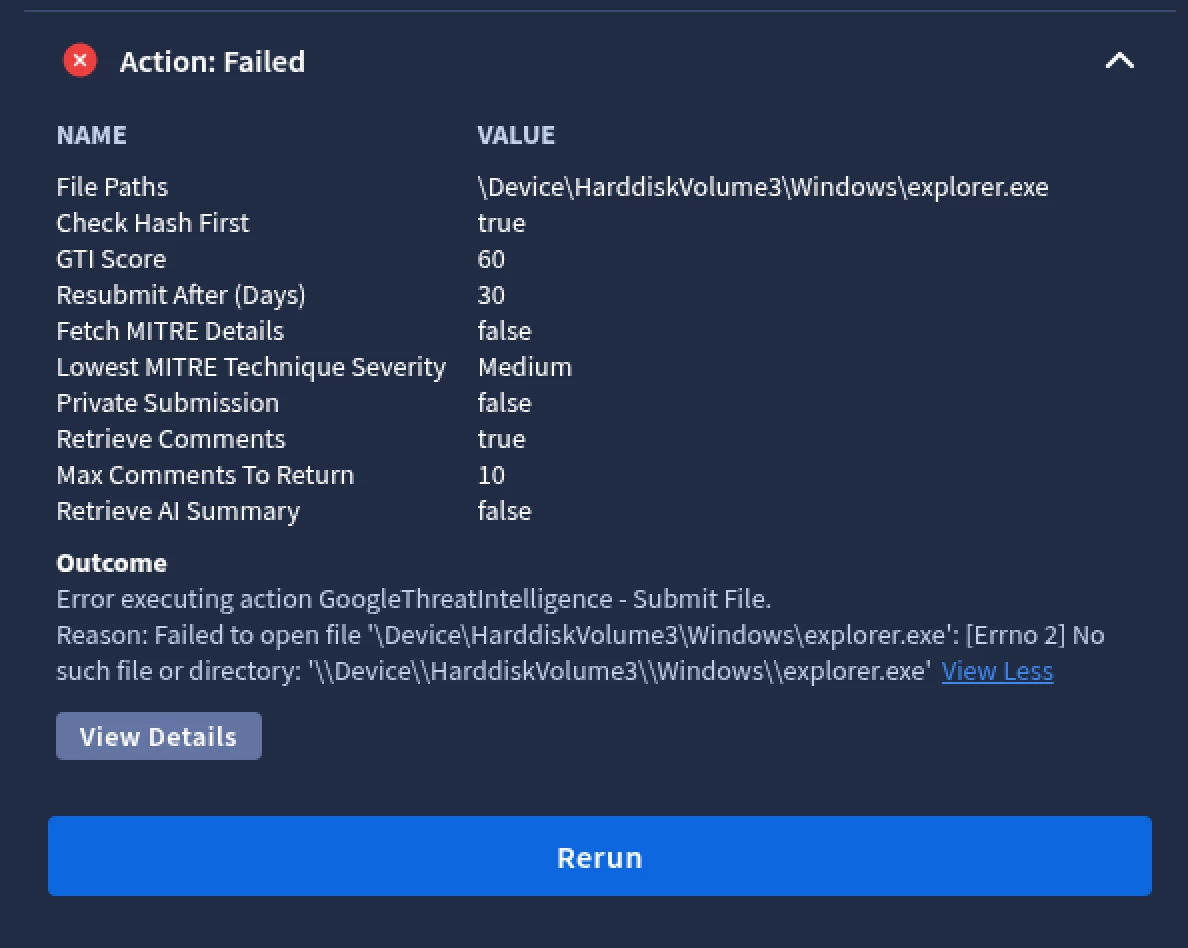
Im not able submit file in GTI . Im getting error for path. where i need to upload file first ?
Hi,
The issue is the file path. You are using:
\Device\HarddiskVolume3\Windows\explorer.exe
That is a Windows device path, not a normal file-system path. Please try using the standard path instead:
C:\Windows\explorer.exe
Also confirm that the file exists and is accessible from the machine/context where the playbook action is running.
can anyone help me on this im still facing the issue
This is not intended to use the host’s file path C:\Windows\example.txt. Instead, you will need the file accessible to the SOAR. So in a playbook, you might use a ‘Download File’ action for your EDR (example - https://docs.cloud.google.com/chronicle/docs/soar/marketplace-integrations/crowdstrike-falcon#download_file) and then the ‘Submit File’ GTI action with path mapped using the output of the earlier step.
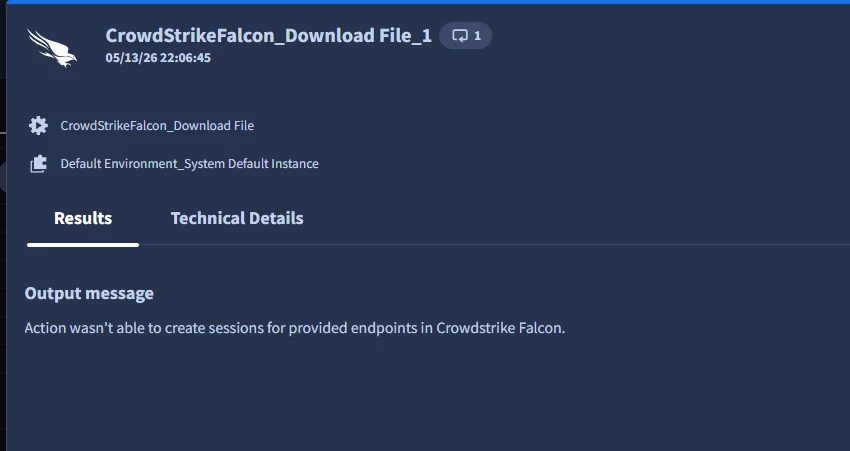
yes i tired that download file but i geeting error like
That error occurs when permissions for the user associated with the credentials are incorrect or the target device does not have the correct policies applied.
Are these permissions applied? https://docs.cloud.google.com/chronicle/docs/soar/marketplace-integrations/crowdstrike-falcon#:~:text=Management.Write-,Download%20File,-Hosts.Read
Hosts.ReadReal time response.ReadReal time response.Write
Hosts.Read
Real time response.Read
Real time response.Write
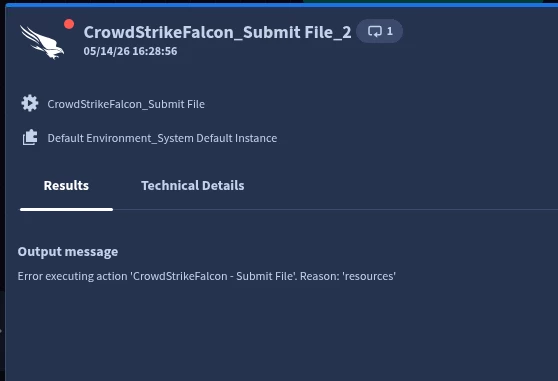
how about this error
Already have an account? Login
No account yet? Create an account
Enter your E-mail address. We'll send you an e-mail with instructions to reset your password.