help with YARA

  • January 24, 2024
  • 4 replies
  • 25 views

rahul7514
Forum|alt.badge.img+10

Hi @jstoner 

I would like to create a YARA rule for the below condition " Discovers previously inactive accounts that are now being used. User account not logged in last 90 days and suddenly become active today".

Query i build so far is this ,however its not helping me to reach the desired result . I understand we need to save last 2 logs and compare the difference but how can we do that in YARA since we can export the value to a lookup. For testing purpose i have given 5 days and not 90 days.


rule Inactive_Account { meta: author = "Rahul" description = "Discovers previously inactive accounts ." severity = "Medium" events: $login.metadata.event_type = "USER_LOGIN" $login.metadata.vendor_name ="Microsoft" $login.metadata.product_event_type = "4624" $login.security_result.action = "ALLOW" $login.target.user.userid != /.*\\$/ nocase $login.target.user.userid = $user $login.principal.hostname =$host match: $user,$host over 24h outcome: $last_event = max($login.metadata.event_timestamp.seconds) $inactive_time= (timestamp.current_seconds() - $last_event) condition: $login and $inactive_time > 432000 }


i do have the Splunk query for the same  



4 replies

rahul7514
Forum|alt.badge.img+10
  • Author
  • Bronze 2
  • January 24, 2024

Hey ,can someone at least tell me whether this is feasible in Chronicle or not ?


Forum|alt.badge.img+6
  • Bronze 2
  • January 25, 2024

In your query, you've defined match period as 24 hours and calculating inactive time for 5 days, it will never meet the condition. Please note that the upper limit for a match period that you can define is 48 hrs, which means, with this logic you can calculate the inactive time that is not more than 48 hours. 
However you can try to leverage the information from entity context data.
Now, until multi-dimensional list gets introduced, or without SOAR or BQ or updating the list programatically, I don't see it feasible. 


rahul7514
Forum|alt.badge.img+10
  • Author
  • Bronze 2
  • January 25, 2024

In your query, you've defined match period as 24 hours and calculating inactive time for 5 days, it will never meet the condition. Please note that the upper limit for a match period that you can define is 48 hrs, which means, with this logic you can calculate the inactive time that is not more than 48 hours. 
However you can try to leverage the information from entity context data.
Now, until multi-dimensional list gets introduced, or without SOAR or BQ or updating the list programatically, I don't see it feasible. 


Hi @deeshu 

Thanks for the response . So it means we cant  create a query to check inactive account users (more than 90 days) who are active today . However i was checking this blog 
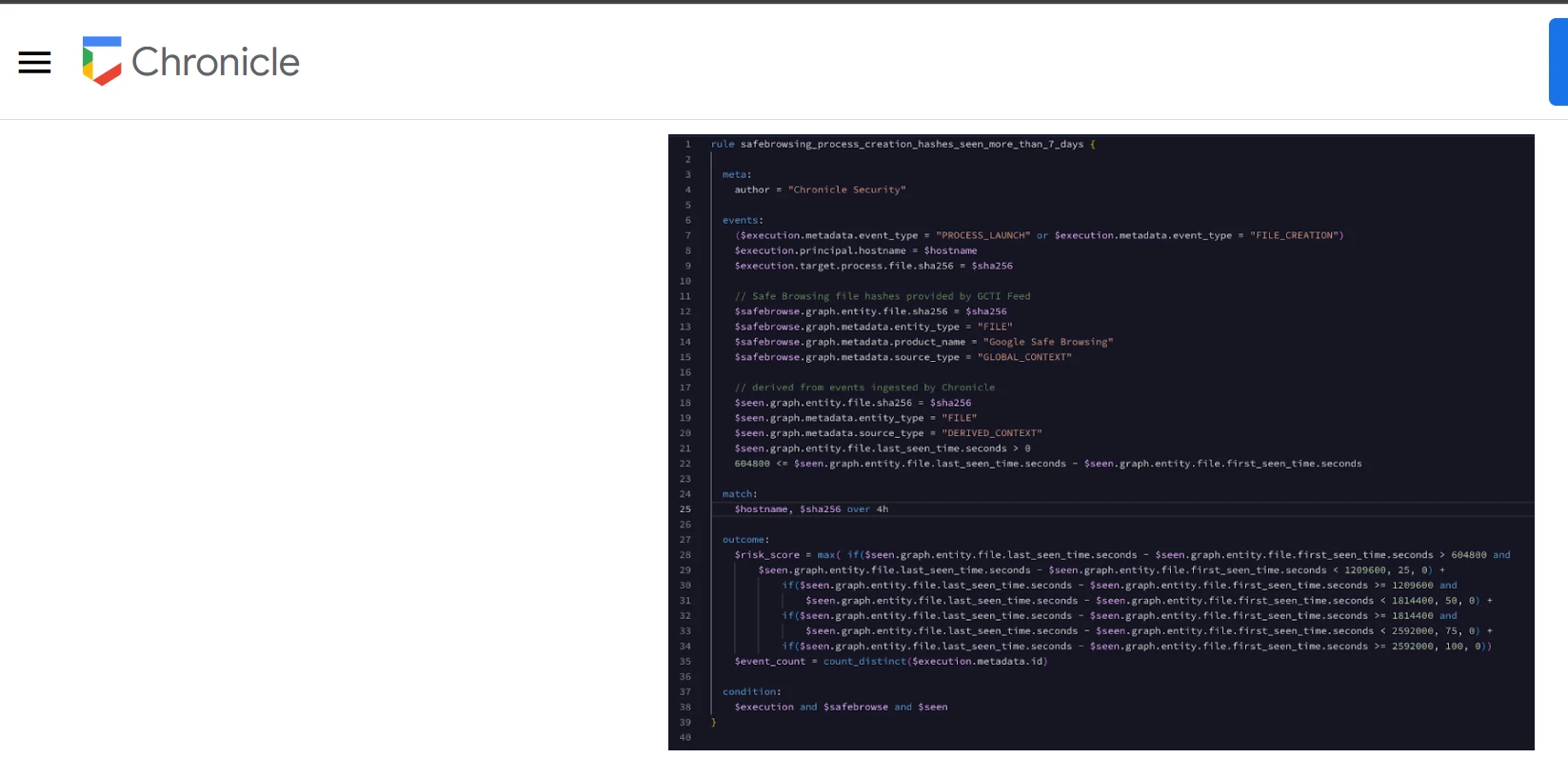
https://chronicle.security/blog/posts/new-to-chronicle-first-and-last-seen/ and can see the writer using similar logic .


I have also modified my query as such but still not getting desired result .it just shows me event before 5 days 

rule Inactive_Account { meta: author = "Rahul" description = "Discovers previously inactive accounts ." severity = "Medium" events: $login.metadata.event_type = "USER_LOGIN" $login.metadata.vendor_name ="Microsoft" $login.security_result.action = "ALLOW" $login.target.user.userid != /.*\\$/ nocase $login.target.user.userid = $user $login.metadata.event_timestamp.seconds = $logintime $entity.graph.metadata.entity_type = "USER" $entity.graph.entity.user.userid = $user $entity.graph.entity.user.last_login_time.seconds != 0 $entity.graph.entity.user.last_login_time.seconds = $lastseen 432000 < math.abs(timestamp.current_seconds() - $lastseen) match: $user over 24h condition: $login and $entity }

 result 


Forum|alt.badge.img+4
  • New Member
  • January 26, 2024

Based on my experience with chronicle I don't think this will be feasible. I've tried the sub-search approach when trying to pass a query into another query, but I haven't had any success with it.