
First of all this issue appear around 1month ago? Before I am sure that we were able to see highlights.
I am having an issue with Highlighted Fields properties not rendering below entity inside the Entities Highlights widget at the bottom of the Alert View/Case View.
Specifically, Google SecOps automatically maps our network ranges and populates the Network Name property for IP addresses (ADDRESS entity type). But same is for custom ones created by us that worked previously.
Although the data is successfully populated and visible in other parts of the UI, it refuses to appear directly on the entity rows/cards in the main alert view.
What I have already checked and verified:
-
Properties Metadata: The
Network Namefield has both Is displayed and Is highlighted checkboxes checked. -
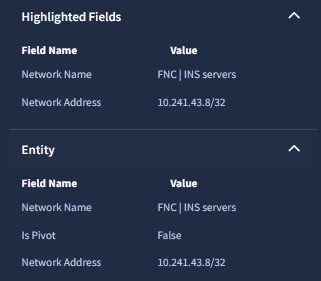
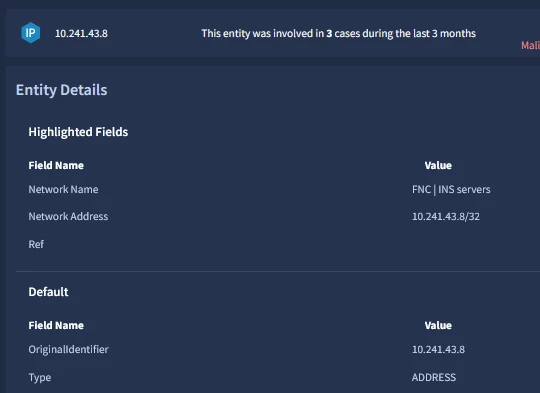
Side Panel & Entity Details: The configuration works perfectly for the right-hand side panel (Highlighted Fields section) and inside the SOAR Search -> Entity Details view. The field is there, and the value (e.g.,
FNC | INS servers) is correctly visible. -
Group Name Testing: I tested changing the Group name in Metadata settings between
EntityandADDRESS(matching the entity type), but it made no difference – the cards still don’t show the value. -
New Cases: All configuration changes were tested on newly generated cases to rule out caching/historical data issues, but the field remains missing on the summary cards.
It seems like the bottom Entities Highlights widget is ignoring the global metadata layout settings for these cards.
Has anyone faced this issue? Is there a specific way to force the card layout to inherit this custom property, or is this widget hard-coded to only show default system fields (like Description)?