How does an alert gets its name in SecOps SIEM

  • January 2, 2025
  • 7 replies
  • 67 views

Forum|alt.badge.img+7

Hey folks,
I have a rule that generates alerts if some log matches the conditions mentioned in the rule. However, when the alert is generated, it shows the name "[n/a]", as mentioned in the screenshot. 

Can someone explain why does this happen, and what steps should be taken for adding a name to the generated alert.


7 replies

jstoner
Staff
Forum|alt.badge.img+22
  • Staff
  • January 2, 2025

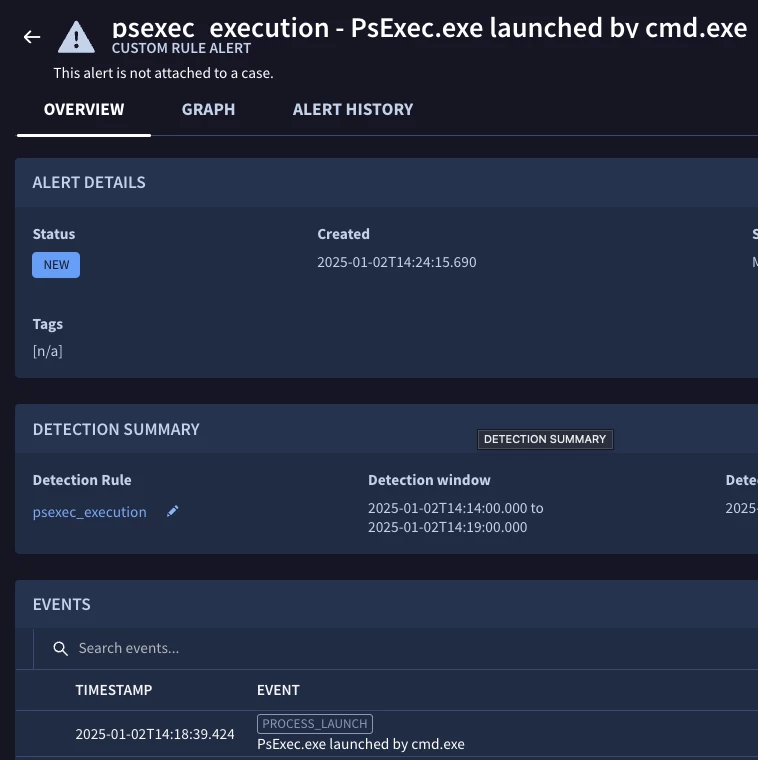
For a custom rule, that is something that the user created, not a curated detection, I believe it will be based on the rule type, that is single event v multi-event. Once that is established, the single event rules will use the  description from one of the events that triggered the rule/detection. For the multi-event rules, it will use the match variables from the rule.

So in the case of a ps_exec rule, this is a single event rule and will carry through that message. 

Where this can get confusing is when a single event rule is aggregated with like events, it is still a single event rule from a rule quote perspective but is has multiple events.

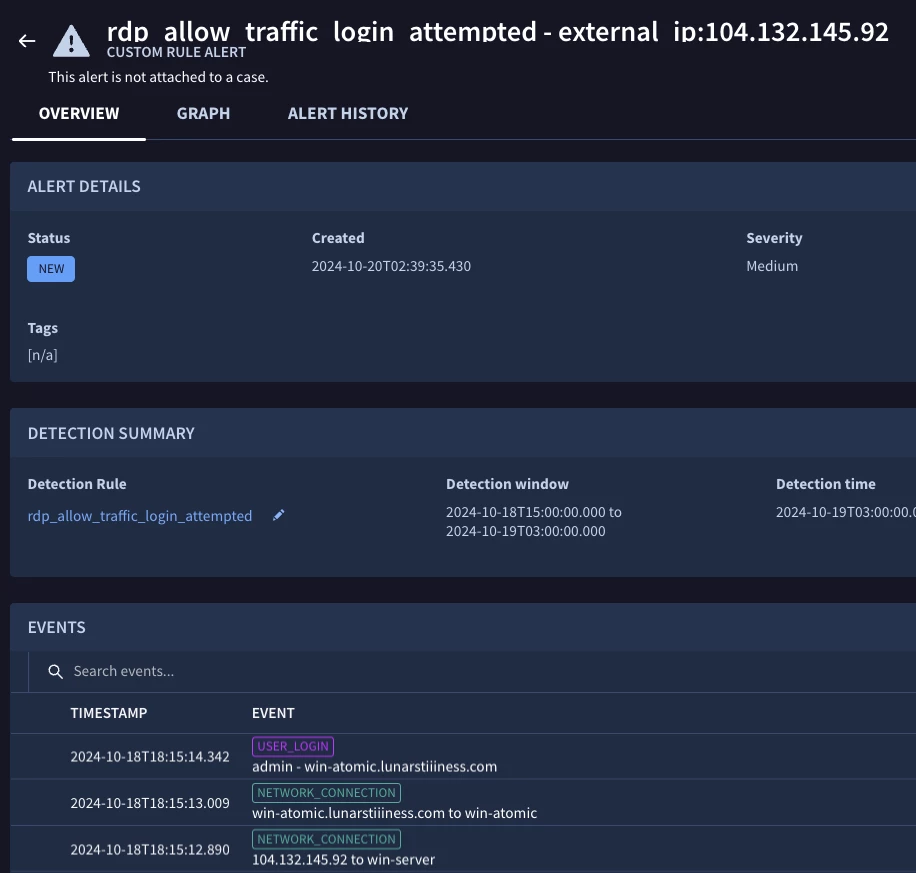
Multi-events would have the match variables, whether that is one or many. In this case, my rule has login and network connections and the match variable is external_ip. Notice in the events below they do not have that same string in the description of the UI like the example above does.

So, in your example, I suspect the rule is classified as a single event rule and the reason it shows n/a is that whatever event this rule is triggering on does not have that brief description under the event type.


Forum|alt.badge.img+7
  • Author
  • Bronze 5
  • January 2, 2025

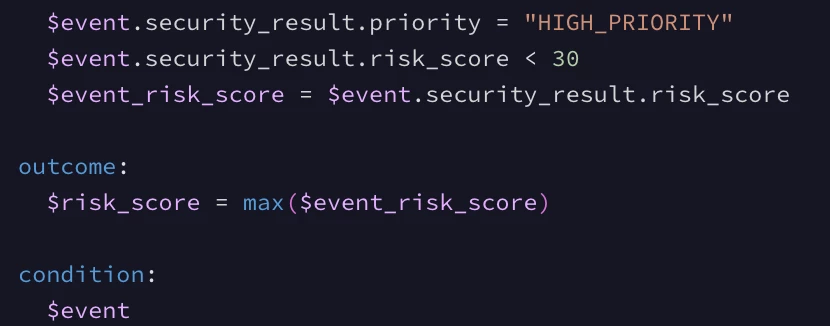
Hi, @jstoner I have a single-event rule, and it uses risk_score as an outcome.
My event does contain "principal.hostname" and "target.hostname" mapped but does not show any brief description as you mentioned.

Here is the snippet of the rule:

Here is the event:

Are there any specific UDM fields that need to be mapped to display the brief description?


jstoner
Staff
Forum|alt.badge.img+22
  • Staff
  • January 2, 2025

That confirms my hypothesis above. The event you are leveraging does not have that brief description (it's not a field, it's a concatenation depending on the event type) and that's why you don't have a name for the alert. I opened up my own ticket on this suggesting some ideas that I believe might help but would encourage you to do the same and reference this string with some preferred suggested outcomes to this.


Forum|alt.badge.img+7
  • Author
  • Bronze 5
  • January 2, 2025

That confirms my hypothesis above. The event you are leveraging does not have that brief description (it's not a field, it's a concatenation depending on the event type) and that's why you don't have a name for the alert. I opened up my own ticket on this suggesting some ideas that I believe might help but would encourage you to do the same and reference this string with some preferred suggested outcomes to this.


Do you mean, a bug ticket or some support ticket ?


jstoner
Staff
Forum|alt.badge.img+22
  • Staff
  • January 2, 2025

The standard support process. Request an enhancement to the alert name output and reference this thread along with things you would like to see. I can't provide any guarantees on it but we value customer feedback it's always good to get it directly.


Forum|alt.badge.img+7
  • Author
  • Bronze 5
  • January 2, 2025

Sure thing. However, I do have multiple parsed events from different log sources and they show some brief description of the event.
For my log type particularly, I do not see the description. I am guessing that maybe there is some anomaly here.


Forum|alt.badge.img+7
  • Author
  • Bronze 5
  • January 7, 2025

Hey @jstoner Just an update.

If the event_type is parsed as SCAN_NETWORK, then the alert name shows [n/a]. In the case of GENERIC_EVENT, the alert name contains the "metadata.product_event_type" field value.

Also, when I populated the "target.asset.ip" and "target.asset.hostname" in place of "target.ip" and "target.hostname" respectively, I got these fields as alert names. So, I wonder if the alert naming has some logic for fetching certain UDM fields for certain event types. If yes, I would love to get the documentation/information about this.