Solved

How does Google SOAR decide whether a entity is internal or external?

  • August 28, 2024
  • 4 replies
  • 244 views

MarinusC
Forum|alt.badge.img+3

Hello all, 

we are struggeling with the "IsInternalAsset" entity configuration. 
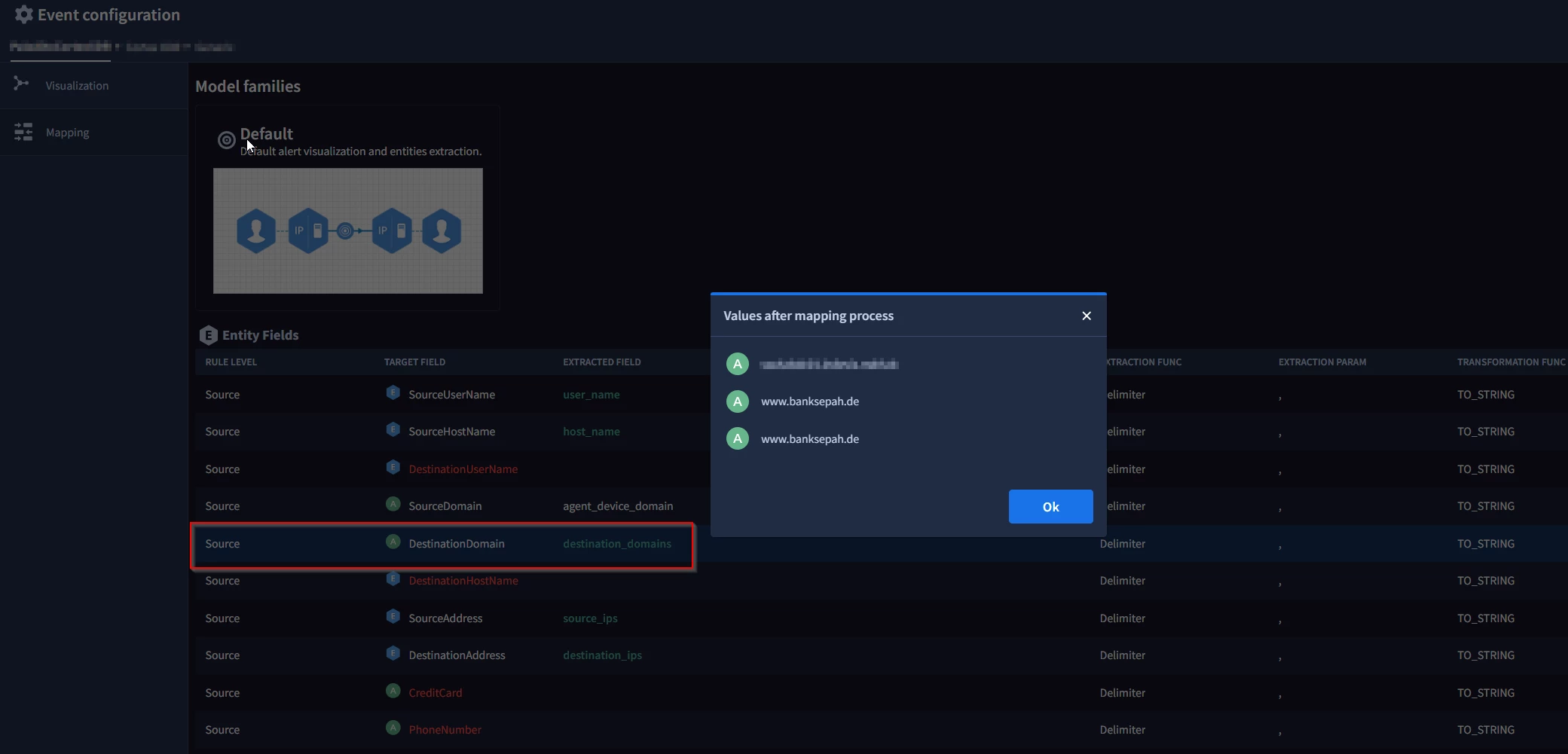
We mapped a field in the ontology configuration to "DestinationDomains", which in my opinion should be an external Entity.
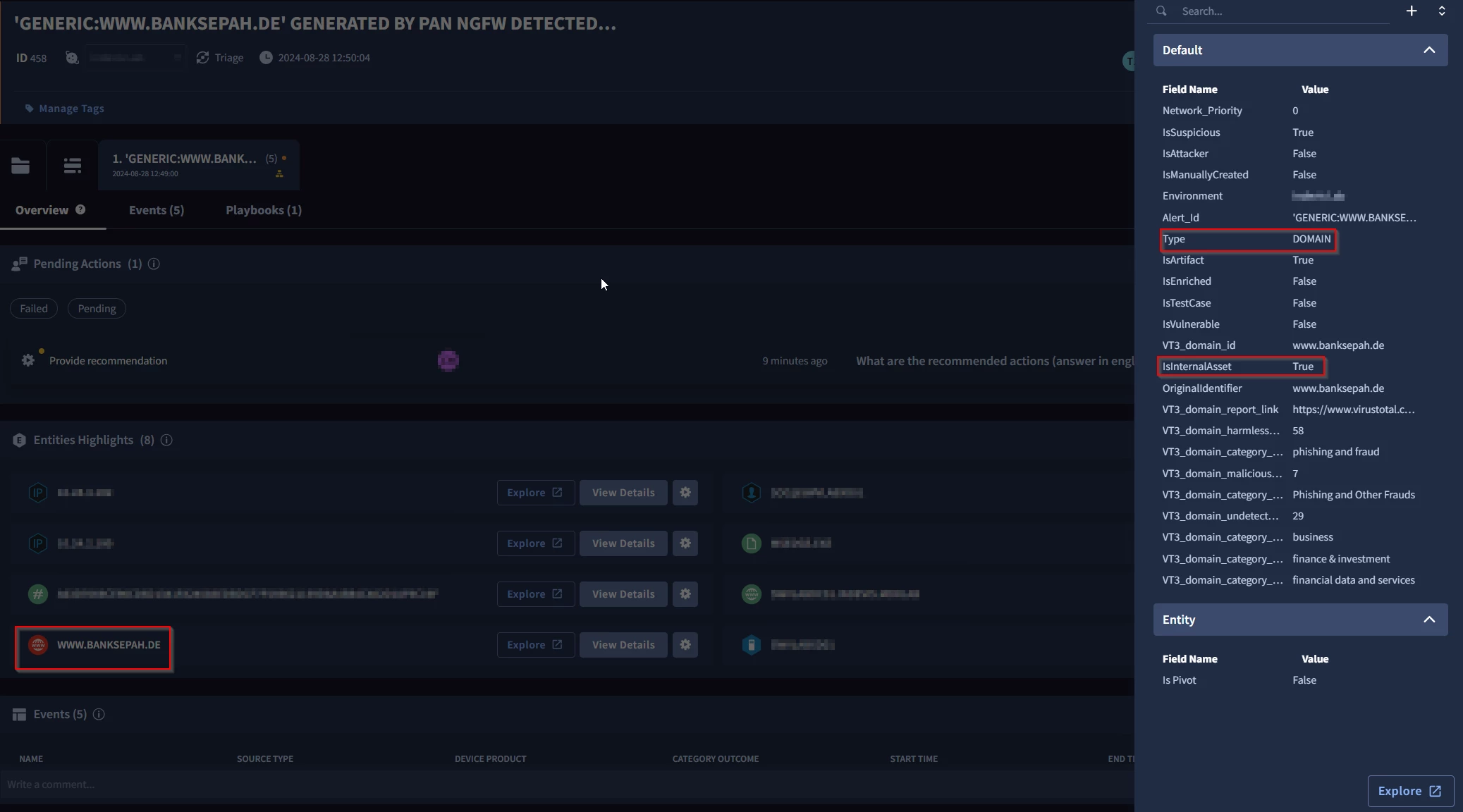
However, if you open a “DestinationDomains” entity in a case, it will appear as “IsInternalAsset” = “True”.
Can anybody help or knowns how to configure an entity as internal or external?

Thanks a lot!

Some screenshots:
Best answer by f3rz

Hi Mike, 

Thank you for your reply, but I think you have misunderstood my question and I have not expressed myself clearly enough.

I am familiar how to configure internal Domains/IP´s you mentioned, but we are struggeling to get our Entity listed as external Entity. 

We figured out, that the "IsInternalAsset" field is directly connected to the Location (you can see this in the Entity SOAR Search). Is the value true, the location will be internal (false = external). 

All examples are based now on the Entity Type Domain, but we experience the same issue with other Entity Types. 

Some strange findings:

1. You can not change the Value from "False" to "True" or the other way around in the Entity Explorer. If you click save, a successfull message will appear, but nothing changes. (for example for Host Names , this is working)
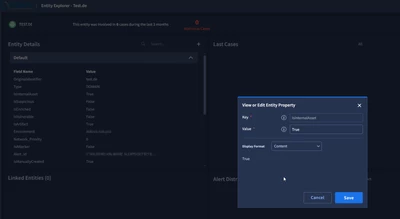
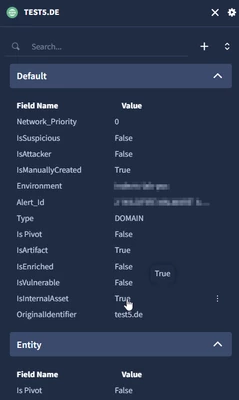
2. You can change in the case the "IsInternalAsset" value of an Entity if you click on "View Details" and edit it. But this will not affect the Entity in the Entity Explorer. 

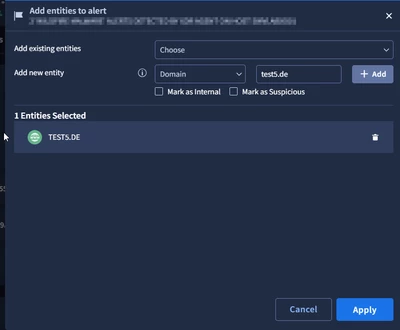
3. If you add an Entity to an case by manual and do not check the checkbox "Mark as Internal" the "IsInternalAsset" is set to True. Is every Domain set to Internal by default? Can that be changed?
Over all: 

Every new Domain Entity is getting Internal and we can not change them to external afterwards. 

I hope everything is clear now.

Thank you!

Marinus


Artifacts are always internal by design:

4 replies

mikewilusz
Staff
Forum|alt.badge.img+10
  • Staff
  • August 28, 2024

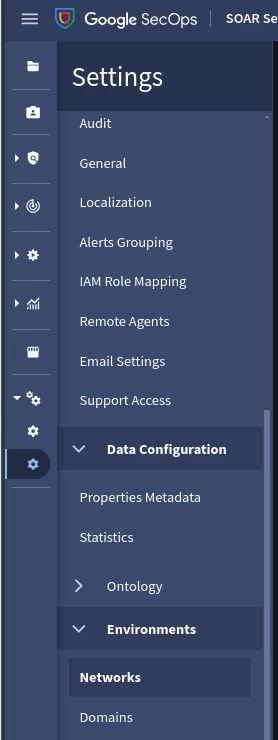
These can be configured under SOAR Settings -> Environments -> Networks/Domains.

-mike


MarinusC
Forum|alt.badge.img+3
  • Author
  • Bronze 2
  • August 29, 2024

These can be configured under SOAR Settings -> Environments -> Networks/Domains.

-mike


Hi Mike, 

Thank you for your reply, but I think you have misunderstood my question and I have not expressed myself clearly enough.

I am familiar how to configure internal Domains/IP´s you mentioned, but we are struggeling to get our Entity listed as external Entity. 

We figured out, that the "IsInternalAsset" field is directly connected to the Location (you can see this in the Entity SOAR Search). Is the value true, the location will be internal (false = external). 

All examples are based now on the Entity Type Domain, but we experience the same issue with other Entity Types. 

Some strange findings:

1. You can not change the Value from "False" to "True" or the other way around in the Entity Explorer. If you click save, a successfull message will appear, but nothing changes. (for example for Host Names , this is working)

2. You can change in the case the "IsInternalAsset" value of an Entity if you click on "View Details" and edit it. But this will not affect the Entity in the Entity Explorer. 

3. If you add an Entity to an case by manual and do not check the checkbox "Mark as Internal" the "IsInternalAsset" is set to True. Is every Domain set to Internal by default? Can that be changed?
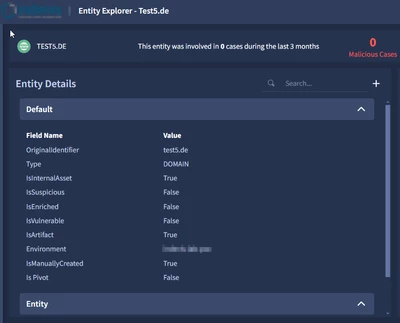
Over all: 

Every new Domain Entity is getting Internal and we can not change them to external afterwards. 

I hope everything is clear now.

Thank you!

Marinus


f3rz
Staff
Forum|alt.badge.img+10
  • Staff
  • Answer
  • August 30, 2024

Hi Mike, 

Thank you for your reply, but I think you have misunderstood my question and I have not expressed myself clearly enough.

I am familiar how to configure internal Domains/IP´s you mentioned, but we are struggeling to get our Entity listed as external Entity. 

We figured out, that the "IsInternalAsset" field is directly connected to the Location (you can see this in the Entity SOAR Search). Is the value true, the location will be internal (false = external). 

All examples are based now on the Entity Type Domain, but we experience the same issue with other Entity Types. 

Some strange findings:

1. You can not change the Value from "False" to "True" or the other way around in the Entity Explorer. If you click save, a successfull message will appear, but nothing changes. (for example for Host Names , this is working)

2. You can change in the case the "IsInternalAsset" value of an Entity if you click on "View Details" and edit it. But this will not affect the Entity in the Entity Explorer. 

3. If you add an Entity to an case by manual and do not check the checkbox "Mark as Internal" the "IsInternalAsset" is set to True. Is every Domain set to Internal by default? Can that be changed?

Over all: 

Every new Domain Entity is getting Internal and we can not change them to external afterwards. 

I hope everything is clear now.

Thank you!

Marinus


Artifacts are always internal by design:


maxjunker
Forum|alt.badge.img+4
  • Bronze 5
  • August 30, 2024

I would be also interested in the answer as I don´t know if this is a bug or a misunderstanding