Solved

How to export Alerts and Cases from SecOps prod tenant and re-import it into Dev-tenant

  • September 20, 2024
  • 3 replies
  • 383 views

AV007
Forum|alt.badge.img+2

Is there any UI option available to achieve this task? if yes, please do let me know.

Best answer by SoarAndy

In Tools is an Action "Convert Into Simulated Case"
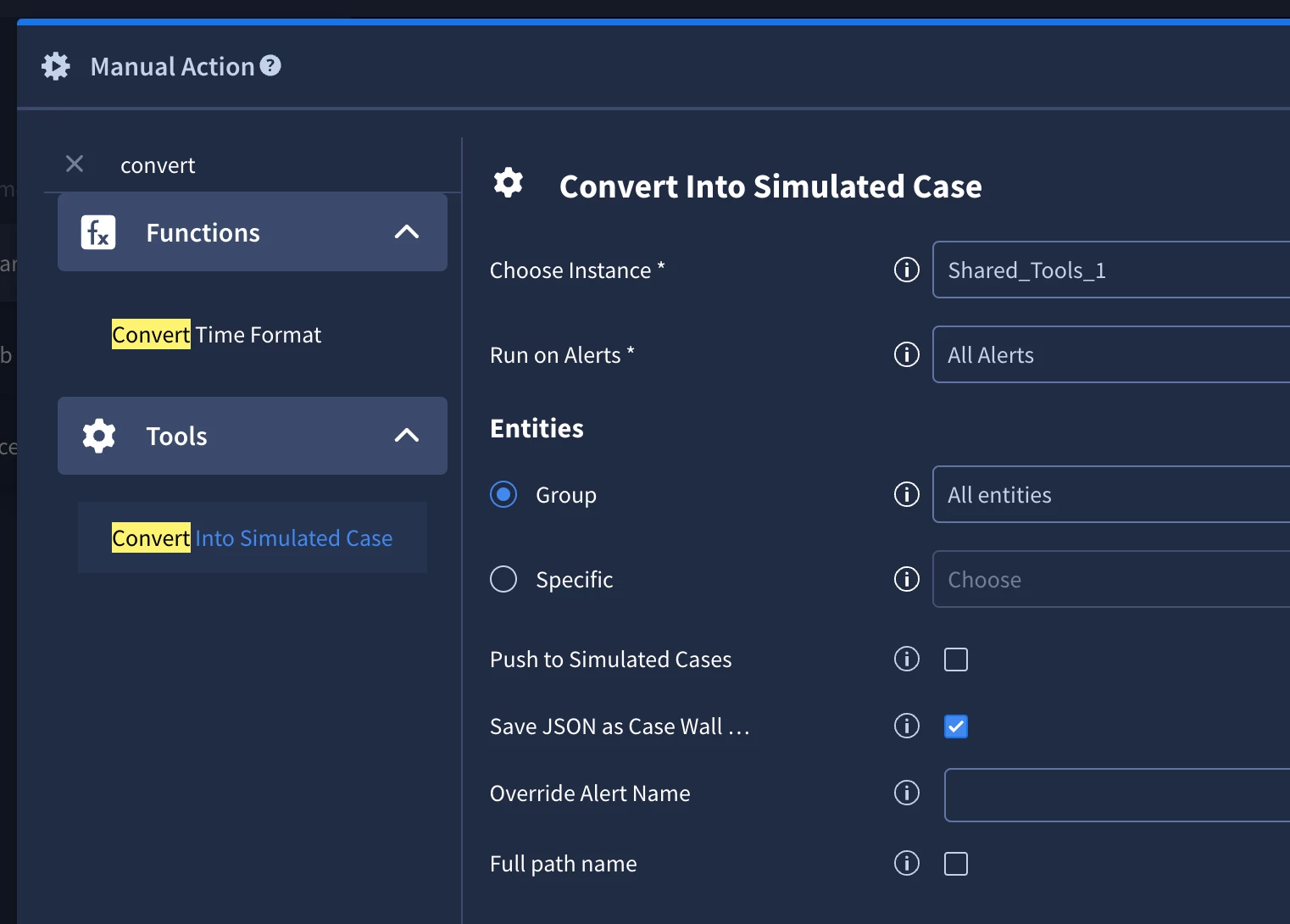


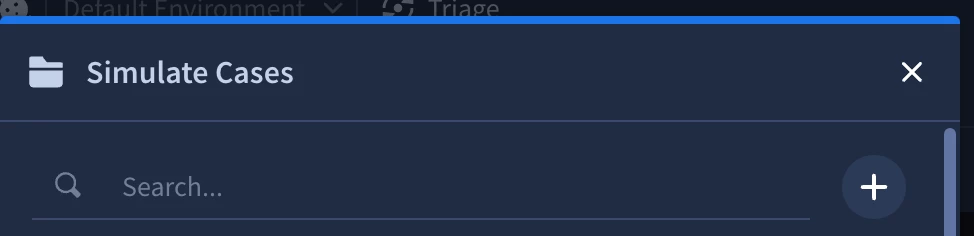
This can export an Alert (including all real/sensitive data) either to the Case Wall, or to the simulated cases library.  You can export from both of these and import into the new system


3 replies

f3rz
Staff
Forum|alt.badge.img+10
  • Staff
  • September 20, 2024

@AV007 you can use combination of action and API for few alerts transfer:

1. Use action Get Original Alert Json from Tools powerup to get Alert JSON

For example (Script result):

{"CreatorUserId": null, "Events": [{"_fields": {"BaseEventIds": "[]", "ParentEventId": -1, "deviceEventClassId": "Data Exfiltration", "DeviceProduct": "DLP_Product", "StartTime": "1723032201568", "EndTime": "1723032201568"}, "_rawDataFields": {"applicationProtocol": "TCP", "categoryOutcome": "blocked", "destinationAddress": "10.0.0.28", "destinationHostName": "lab@siemplify.local", "destinationPort": "770", "destinationProcessName": "MrlCS.sob", "destinationUserName": "XWzNr1l@gmail.com", "deviceAddress": "172.21.135.124", "deviceEventClassId": "Data Exfiltration", "deviceHostName": "ckIYC2", "Field_24": "B0:E7:DF:6C:EF:71", "deviceProduct": "DLP_Product", "usb": "USB_DEVICE_1", "deviceVendor": "Vendor", "eventId": "0aa16009-5bb4-41a3-91ed-81347442ca29", "managerReceiptTime": "1522059443000", "message": "Data Exfiltration", "name": "Data Exfiltration", "sourceUserName": "User41@siemplify", "severity": "8", "sourceAddress": "10.0.0.51", "cs1": "VID_078654", "sourceHostName": "AppTransaction.db.siemplify", "startTime": "1724927315405", "endTime": "1724927315405", "sourcetype": "Data Exfiltration"}, "Environment": null, "SourceSystemName": null, "Extensions": []}], "Environment": "AM", "SourceSystemName": "Arcsight", "TicketId": "315256be-3e18-44c2-8d2c-00e6b7e13e57", "Description": "Data Exfiltration", "DisplayId": "315256be-3e18-44c2-8d2c-00e6b7e13e57", "Reason": null, "Name": "Data Exfiltration", "DeviceVendor": "DLP", "DeviceProduct": "DLP_Product", "StartTime": 1724927315405, "EndTime": 1724927315405, "Type": 1, "Priority": -1, "RuleGenerator": "Data Exfiltration", "SourceGroupingIdentifier": null, "PlaybookTriggerKeywords": [], "Extensions": [], "Attachments": null, "IsTrimmed": false, "DataType": 1, "SourceType": 1, "SourceSystemUrl": null, "SourceRuleIdentifier": null, "SiemAlertId": null, "__CorrelationId": "2e1dde89bd3f40628f21e4b3255044d2"}

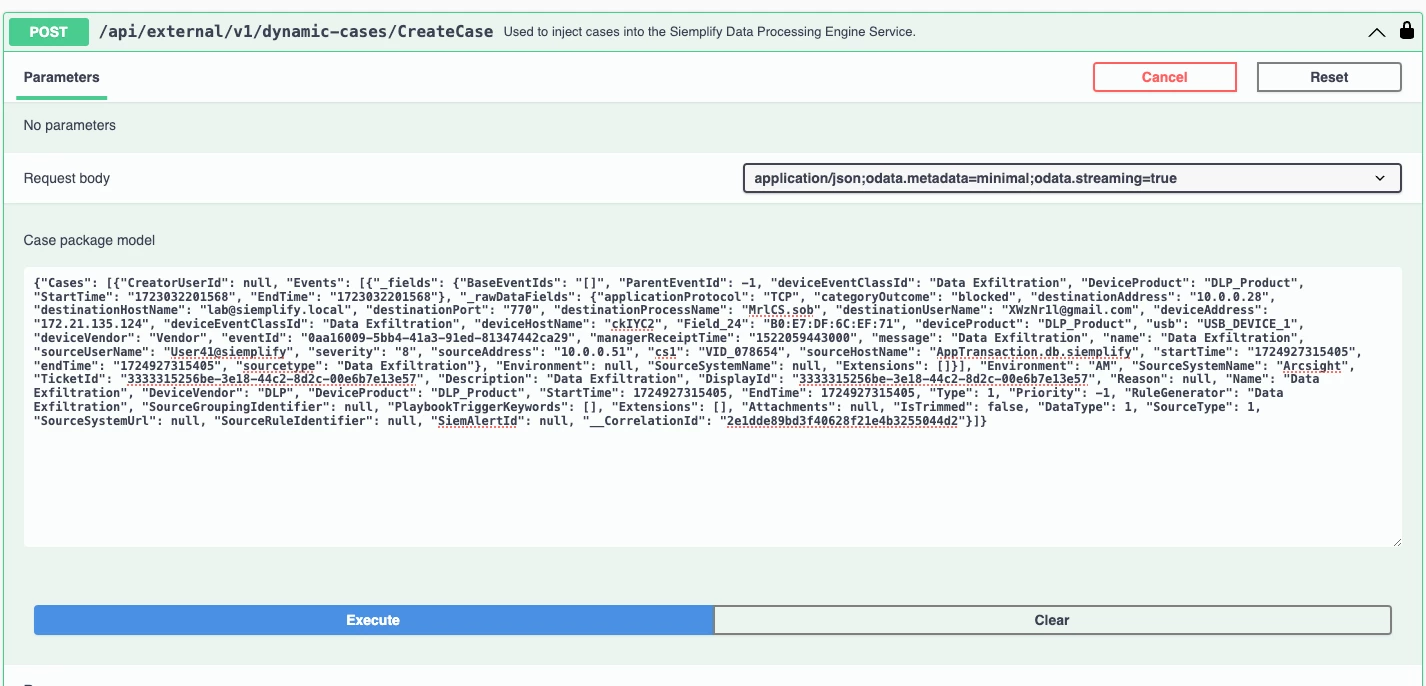
2. Make small modification to JSON by adding prefix "{"Cases": [" and suffix "]}"

{"Cases": [{"CreatorUserId": null, "Events": [{"_fields": {"BaseEventIds": "[]", "ParentEventId": -1, "deviceEventClassId": "Data Exfiltration", "DeviceProduct": "DLP_Product", "StartTime": "1723032201568", "EndTime": "1723032201568"}, "_rawDataFields": {"applicationProtocol": "TCP", "categoryOutcome": "blocked", "destinationAddress": "10.0.0.28", "destinationHostName": "lab@siemplify.local", "destinationPort": "770", "destinationProcessName": "MrlCS.sob", "destinationUserName": "XWzNr1l@gmail.com", "deviceAddress": "172.21.135.124", "deviceEventClassId": "Data Exfiltration", "deviceHostName": "ckIYC2", "Field_24": "B0:E7:DF:6C:EF:71", "deviceProduct": "DLP_Product", "usb": "USB_DEVICE_1", "deviceVendor": "Vendor", "eventId": "0aa16009-5bb4-41a3-91ed-81347442ca29", "managerReceiptTime": "1522059443000", "message": "Data Exfiltration", "name": "Data Exfiltration", "sourceUserName": "User41@siemplify", "severity": "8", "sourceAddress": "10.0.0.51", "cs1": "VID_078654", "sourceHostName": "AppTransaction.db.siemplify", "startTime": "1724927315405", "endTime": "1724927315405", "sourcetype": "Data Exfiltration"}, "Environment": null, "SourceSystemName": null, "Extensions": []}], "Environment": "AM", "SourceSystemName": "Arcsight", "TicketId": "315256be-3e18-44c2-8d2c-00e6b7e13e57", "Description": "Data Exfiltration", "DisplayId": "315256be-3e18-44c2-8d2c-00e6b7e13e57", "Reason": null, "Name": "Data Exfiltration", "DeviceVendor": "DLP", "DeviceProduct": "DLP_Product", "StartTime": 1724927315405, "EndTime": 1724927315405, "Type": 1, "Priority": -1, "RuleGenerator": "Data Exfiltration", "SourceGroupingIdentifier": null, "PlaybookTriggerKeywords": [], "Extensions": [], "Attachments": null, "IsTrimmed": false, "DataType": 1, "SourceType": 1, "SourceSystemUrl": null, "SourceRuleIdentifier": null, "SiemAlertId": null, "__CorrelationId": "2e1dde89bd3f40628f21e4b3255044d2"}]}

3. Use CreateCase API on a new Instance (Dev)


SoarAndy
Staff
Forum|alt.badge.img+12
  • Staff
  • Answer
  • September 27, 2024

In Tools is an Action "Convert Into Simulated Case"


This can export an Alert (including all real/sensitive data) either to the Case Wall, or to the simulated cases library.  You can export from both of these and import into the new system


Digal
Staff
Forum|alt.badge.img+3
  • Staff
  • September 30, 2024

Instead of manually exporting alerts and cases from your production environment to your development environment, you can achieve real-time duplication by configuring the same connectors in both instances. This ensures that any alerts or cases generated in production are automatically replicated in your development environment.