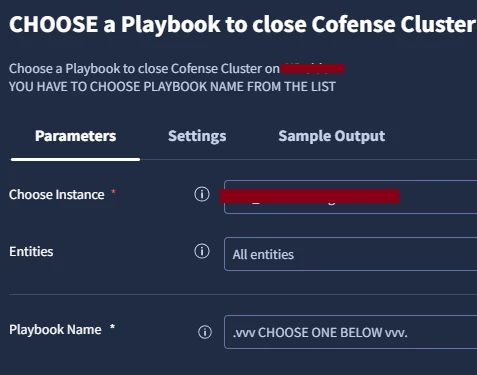
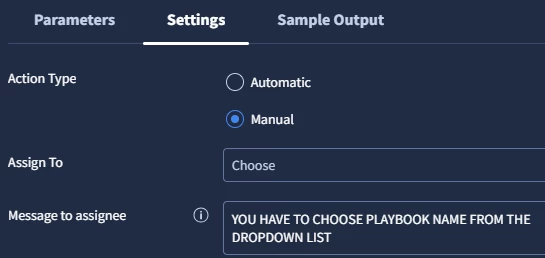
Analysts are executing an action that I put on a Playbook which requires manual selection from a dropdown list.
Main problem is they are sometimes doing it without choosing an option.
So I have to prevent this happening, I cant simply blame random analysts.
We have only 2 options when i create a manual action from dropdown list.
- You make that required parameter as MANDATORY.
Then you have to give a DEFAULT VALUE when you are implementing it.
If you give default value then when it is live, its showing that, action in playbook already filled with your default parameter, just like below image, and you can just press EXECUTE button as an analysts without choosing it.
Which we dont want. - You make that required parameter as NON-MANDATORY
Then when its live playbook will gonna show you a dropdown list, that has “Choose” placeholder on top of it by default.(no real picture but it is just like at “Assign to” option below) Bc the parameter is NOT MANDATORY, then it means it is executable without choosing.
Which we dont want :D
So can someone please help what is the solution here ? This is kinda design error, style of this design is conflicting with itselft and allowing human errors. It makes no sense to me that there is no way we can not really force a manual action and make them choose.