Question

How to repeatedly loop a playbook prompt until the answer is "Yes"?

  • June 16, 2026
  • 2 replies
  • 19 views

Forum|alt.badge.img+1

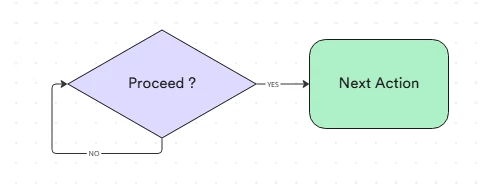
I am trying to build a SOAR playbook where in I will have a condition block, which if answered “Yes” will continue to the next block, and if ansered “No” that it will repeatedly ask the same question again and again, how do I achieve this ?


2 replies

dnehoda
Staff
Forum|alt.badge.img+16
  • Staff
  • June 16, 2026

1.Add the Manual Input / Analyst Prompt:Step 1.

Create a Manual Input action (or a user prompt block) that asks the analyst your question. Ensure your answer options are clearly defined as a drop-down or selection (e.g., ["Yes", "No"]).

2.Add a Conditional Block:Step 2.

Directly follow the prompt with a Conditional block. Configure the condition to evaluate the output of your Step 1 prompt:

  • Condition: If Answer Equals Yes

  • True Path: Route this to the rest of your playbook (Success / Break loop).

  • False Path: Route this to Step 3.

3.Add a Return Junction (Helper Action):Step 3.

On the False path (where the user answered "No"), add a lightweight, passive action. A standard Tools > Ping or Script > Construct String block works perfectly. This action does nothing but execute a baseline step.

4.Close the Loop:Step 4.

Draw the output line from your Step 3 Helper action back to the input side of Step 1 (the original prompt).


Forum|alt.badge.img+1
  • Author
  • Bronze 1
  • June 16, 2026

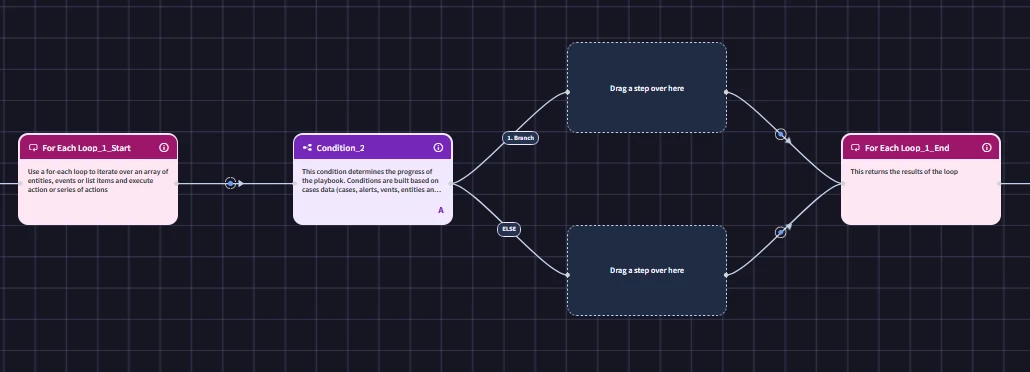
@dnehoda thanks for the suggestion! I tried setting this up exactly as you described. Steps 1 through 3 work fine, but I cannot execute Step 4. The playbook UI doesn't allow me to draw a connection line backwards from Step 3 to Step 1, they just won't snap together. Am I missing something here to make the UI to accept a backward connection?