Hello, everyone,
I’m new to Google SecOps; and currently following this guide: https://cloud.google.com/chronicle/docs/soar/marketplace-integrations/microsoft-teams.
Got stuck in steps 10-11 of the configuring part: the authorization link generated by running the “Get Authorization” action appears as
Invalid URL Address - https://login.microsoftonline.com/*tenant-id*/oauth2/v2.0/authorize?client_id=*application-(client)-id*&redirect_uri=http://localhost/&response_type=code&response_mode=query&scope=https://graph.microsoft.com/.default
, without any “code” parameters.
And after going to that URL I got this message in the M365 login screen:
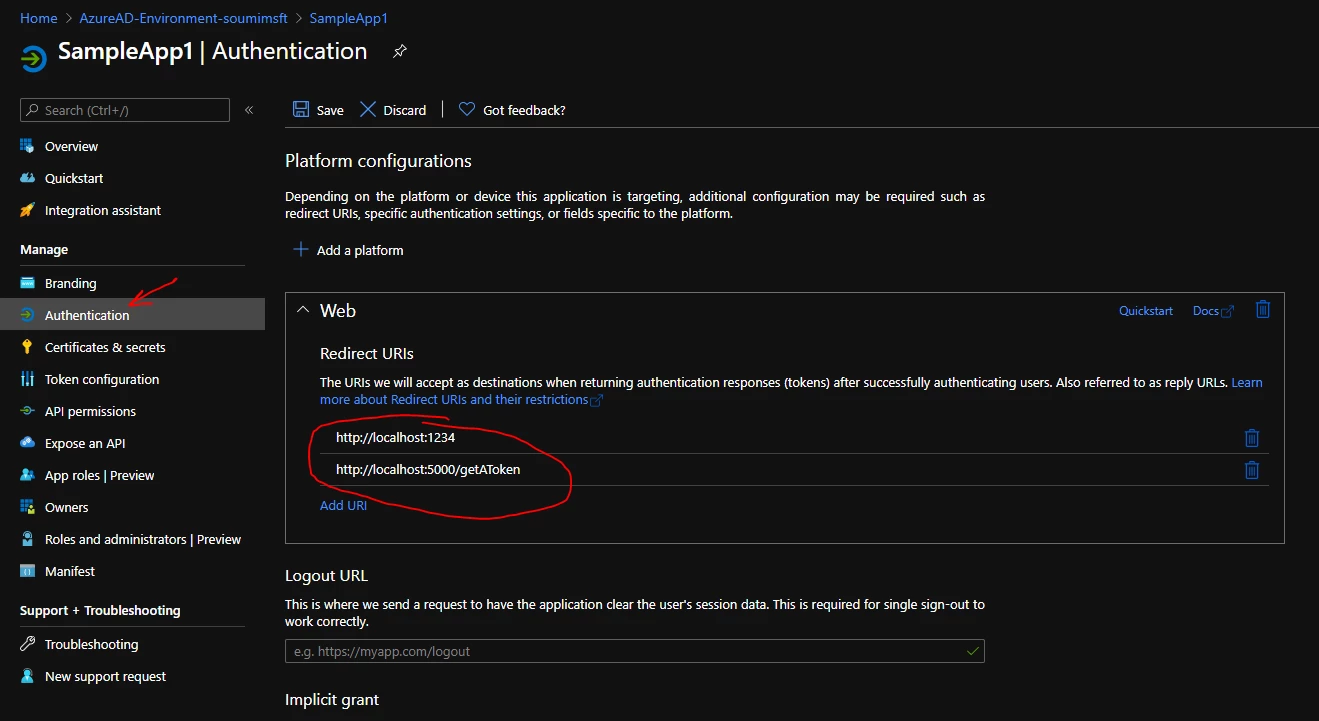
AADSTS500113: No reply address is registered for the application.
Am I misconfiguring any parameters in the instance (Default Login API Root and API Root)?