

Solved

Issue with Run Test button in Google SecOps

  • July 6, 2025
  • 2 replies
  • 29 views

Aphex2in
Forum|alt.badge.img+4

Hi all,

Anyone having issue with this button?
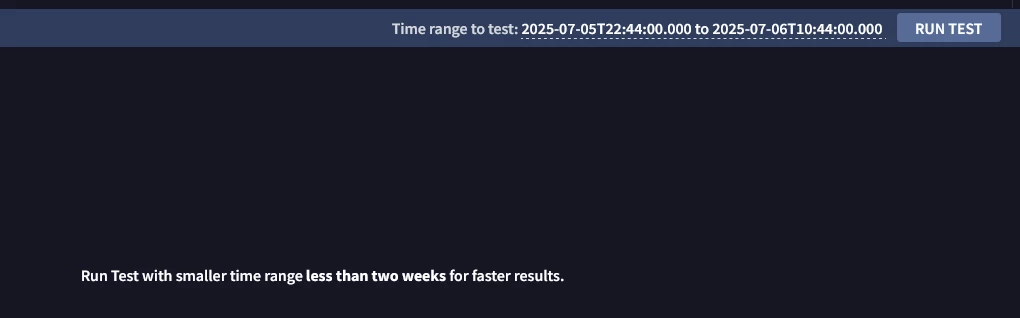
I'm not sure if this is associated with my SecOps instance only or the issue is happening to everyone. I would like to use retrohunts but they generate alerts unfortunately and I don't want many alerts pop up in my cases page.


Best answer by cmorris

Rule test is working in my tenant. If this is still an issue, please submit a case. If the retrohunts are generating alerts, that would be due to the rule being set to alerting. You could temporarily disable alerting from the rule and run a retrohunt to generate detections only, or you could copy the rule and run it with alerting turned off instead.

2 replies

cmorris
Staff
Forum|alt.badge.img+10
  • Staff
  • Answer
  • July 7, 2025

Rule test is working in my tenant. If this is still an issue, please submit a case. If the retrohunts are generating alerts, that would be due to the rule being set to alerting. You could temporarily disable alerting from the rule and run a retrohunt to generate detections only, or you could copy the rule and run it with alerting turned off instead.


Aphex2in
Forum|alt.badge.img+4
  • Author
  • Bronze 1
  • July 7, 2025

Rule test is working in my tenant. If this is still an issue, please submit a case. If the retrohunts are generating alerts, that would be due to the rule being set to alerting. You could temporarily disable alerting from the rule and run a retrohunt to generate detections only, or you could copy the rule and run it with alerting turned off instead.


Unfortunately, I can't submit a case due to not having Standard Support but I will try disabling alerting and do a retrohunts as a workaround until this issue is fixed.

Thank you @cmorris .
