Question

issue with siemplify.get_attachment(attachment_id)

  • July 24, 2025
  • 2 replies
  • 113 views

Forum|alt.badge.img+2

Hi,

I have wrote a custom actions that gets attachments from the case wall and creates a html table, allowing the user to click a button to download the attachment. This had been working okay but we have now been experiencing this following error:


  File "/opt/siemplify/siemplify_server/bin/Scripting/PythonSDK/SiemplifyBase.py", line 170, in validate_siemplify_error
raise Exception("{0}: {1}".format(e, response.content))
Exception: 500 Server Error: Internal Server Error for url: http://server:80/v1alpha/projects/project/locations/location/instances/instance/legacySdk:legacyAttachmentData?attachmentId=3157&format=snake: b'{"errorCode":2000,"errorMessage":"An error has occurred. Search for Log identifier c55c79701e3341e380d50c8167df02c9 in the Google Cloud Logs Explorer.","innerException":null,"innerExceptionType":null,"correlationId":"c55c79701e3341e380d50c8167df02c9"}'

This is happening when calling siemplify.get_attachment(attachment_id), although not entirely consistent but it seems to be happening more often with files >1mb.

Is this a know limitation for files > 1mb in size?


2 replies

kentphelps
Community Manager
Forum|alt.badge.img+12
  • Community Manager
  • July 28, 2025

You should open a support ticket to go through your GCP logs to get an idea of where the issue is.


AnimSparrow
Forum|alt.badge.img+6
  • Bronze 5
  • July 15, 2026

I had same idea but now I’ve used two steps
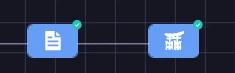
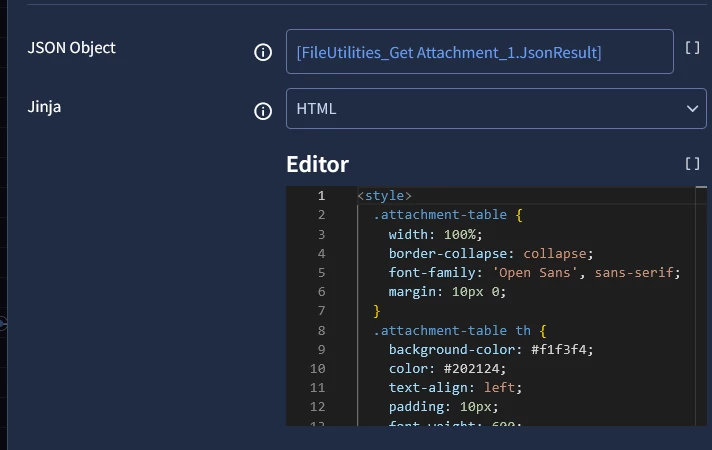
From tools “File Utilities” I’ve used get attachement action to gather all atachement, next part I’ve used “Template Engine” Render template option and as json droped json from get attachement option + this jinja html into editor. After that in html view widget you just reffer to this action result or assign results to context value and the same way as before. On our side it is = 

[TemplateEngine_Render Template_1.JsonResult| "html_output"]
<style>
.attachment-table {
width: 100%;
border-collapse: collapse;
font-family: 'Open Sans', sans-serif;
margin: 10px 0;
}
.attachment-table th {
background-color: #f1f3f4;
color: #202124;
text-align: left;
padding: 10px;
font-weight: 600;
border-bottom: 2px solid #dadce0;
font-size: 12px;
}
.attachment-table td {
padding: 10px;
border-bottom: 1px solid #dadce0;
font-size: 12px;
color: #3c4043;
}
.download-btn {
background-color: #1a73e8;
color: white;
border: none;
padding: 6px 12px;
border-radius: 4px;
cursor: pointer;
font-weight: bold;
font-size: 11px;
text-decoration: none;
display: inline-block;
transition: background-color 0.2s;
}
.download-btn:hover {
background-color: #1557b0;
}
</style>
<table class="attachment-table">
<thead>
<tr>
<th>Attachment Name</th>
<th>Type</th>
<th>Action</th>
</tr>
</thead>
<tbody>
{% if base64_blob %}
<tr>
<td><strong>{{ evidenceName }}{{ fileType }}</strong></td>
<td>{{ fileType | default('.file') | replace('.', '') | upper }}</td>
<td>
<button class="download-btn" onclick="downloadBlob('{{ base64_blob }}', '{{ evidenceName }}{{ fileType }}')">
Download
</button>
</td>
</tr>
{% elif attachments %}
{% for attachment in attachments %}
<tr>
<td><strong>{{ attachment.evidenceName }}{{ attachment.fileType }}</strong></td>
<td>{{ attachment.fileType | default('.file') | replace('.', '') | upper }}</td>
<td>
<button class="download-btn" onclick="downloadBlob('{{ attachment.base64_blob }}', '{{ attachment.evidenceName }}{{ attachment.fileType }}')">
Download
</button>
</td>
</tr>
{% endfor %}
{% else %}
<tr>
<td colspan="3" style="text-align: center; color: #70757a;">No attachment data found in JSON.</td>
</tr>
{% endif %}
</tbody>
</table>
<script>
function downloadBlob(base64, filename) {
try {
const byteCharacters = atob(base64);
const byteNumbers = new Array(byteCharacters.length);
for (let i = 0; i < byteCharacters.length; i++) {
byteNumbers[i] = byteCharacters.charCodeAt(i);
}
const byteArray = new Uint8Array(byteNumbers);
const blob = new Blob([byteArray], { type: 'application/octet-stream' });

const link = document.createElement('a');
link.href = window.URL.createObjectURL(blob);
link.download = filename;
document.body.appendChild(link);
link.click();

document.body.removeChild(link);
window.URL.revokeObjectURL(link.href);
} catch (e) {
alert("Error downloading file: " + e.message);
}
}
</script>