Now, my requirement is that when ever the “regexexp” matches as mentioned, it should replace the variable($new_app) with the corresponding string in the “app” column.
I tried using the below expression, even though it’s not showing any error, but upon execution it’s failing (generic::unknown)
Has anyone solved similar issue ? Is there any other way to solve the same ? Any leads on it will be really helpful.
Thank You.
Best answer by JeremyLand
The query format for joining your events to the data table so the app column will be accessible is re.regex(target.url, %Cloud_Services.regex_exp)
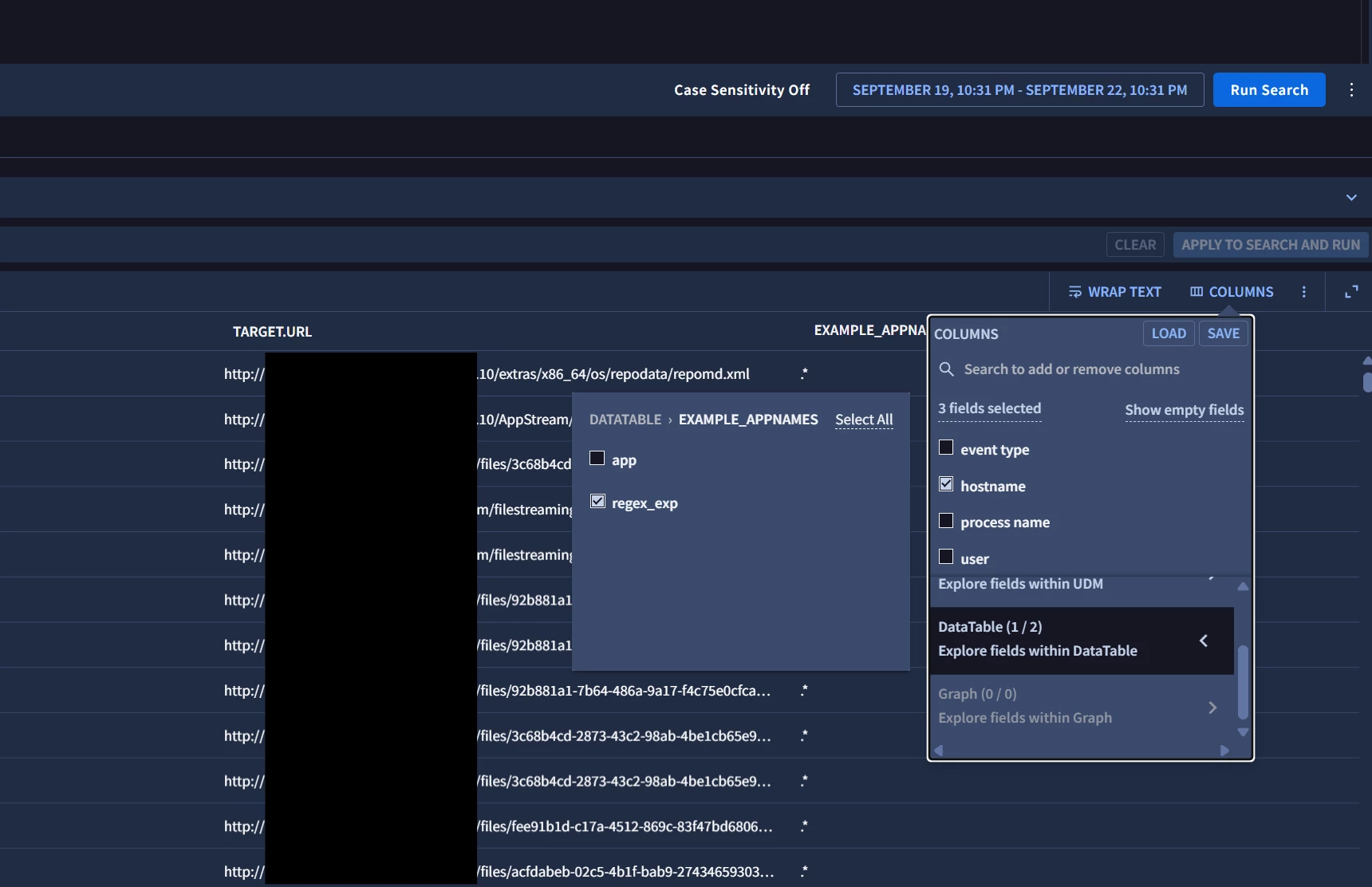
You don’t need to address a re.replace or even mention the app column, once you have that join in place you will be able to select the ‘app’ column from the column selector.
In this example I have named the data table Example_AppNames.
Building on that basic requirement you can force the column to be automatically included in search results by including $app=%Cloud_Services.app you your query.
However there is a big caveat with pulling this info back from a data table. This is an INNER JOIN so any event where target.url does not match a regex in your table will be excluded from your results.
The query format for joining your events to the data table so the app column will be accessible is re.regex(target.url, %Cloud_Services.regex_exp)
You don’t need to address a re.replace or even mention the app column, once you have that join in place you will be able to select the ‘app’ column from the column selector.
In this example I have named the data table Example_AppNames.
Building on that basic requirement you can force the column to be automatically included in search results by including $app=%Cloud_Services.app you your query.
However there is a big caveat with pulling this info back from a data table. This is an INNER JOIN so any event where target.url does not match a regex in your table will be excluded from your results.