I have looked over a number of posts regarding this but did not see an example of how to do it being posted.
I need to make routine calls to a platform to pull reports and upload them to a Sharepoint and send an email to a list of users. Below is some dummy data that matches the structure of the response from a httpv2 call I made.
"response_data": [ { "id": "rpt_001a4f92", "name": "Q1 Sales Summary", "lastRun": "2026-04-14T08:00:00.000Z"}, { "id": "rpt_002b8c31", "name": "Monthly Active Users", "lastRun": "2026-04-14T07:45:22.000Z”} ]
How do I iterate over the response_data in a SOAR block, preserving the name (for comparison with a custom list to identify the email contacts) and id (used to pull the reports last run in another httpv2 call)?
Flow should be:
Get List of Reports (httpsv2) → For Each Item in Get List of Reports.response_data → Get Last Run data → Save to CSV (use loop.item name to name it with the current timestamp) → Upload to folder in Sharepoint (based on a custom list or something storing the name of report, the contacts and the folder name).
When I attempt to use the for loop, the loop can iterate over all objects items in the above example it is 6 iterations, not 2 as I’d expect just for the list items.
Any advice or help is appreciated.

Solved
Loop over HTTP JSON Resonse

 +1
+1Best answer by JeremyLand
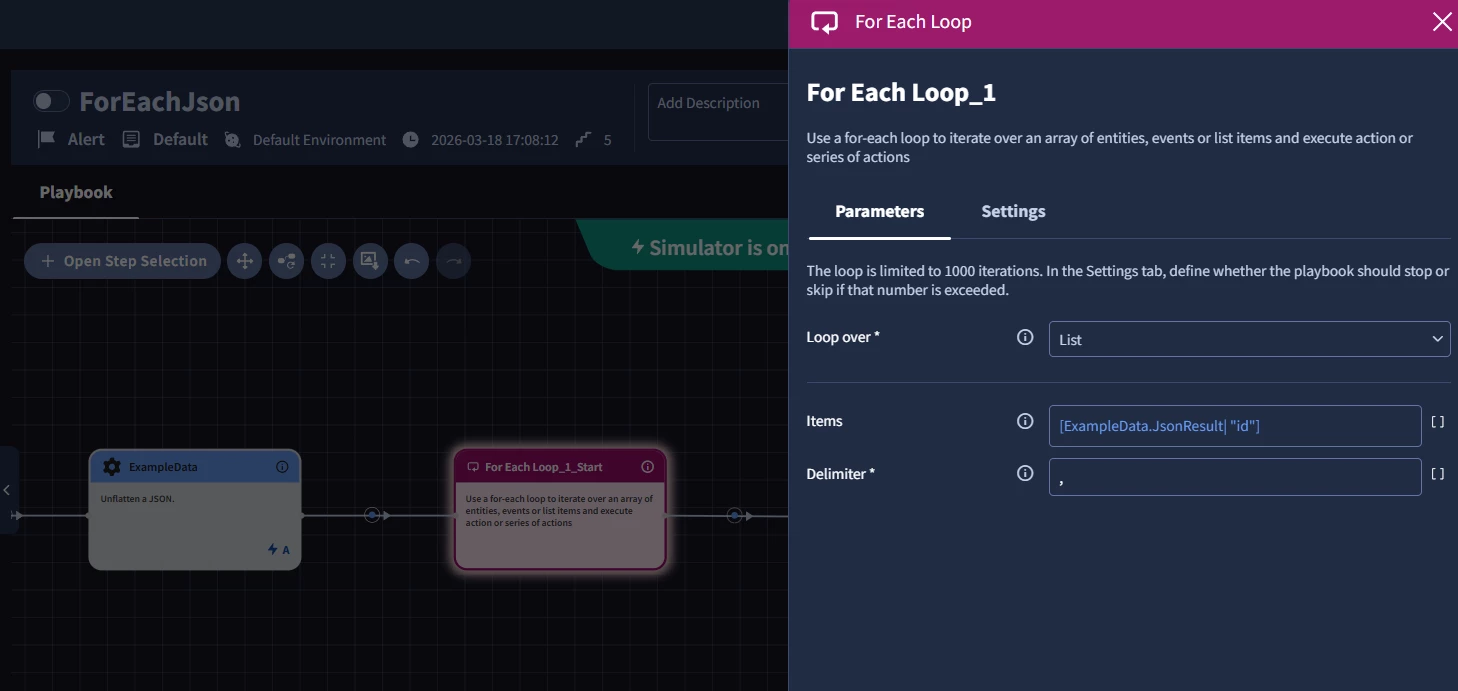
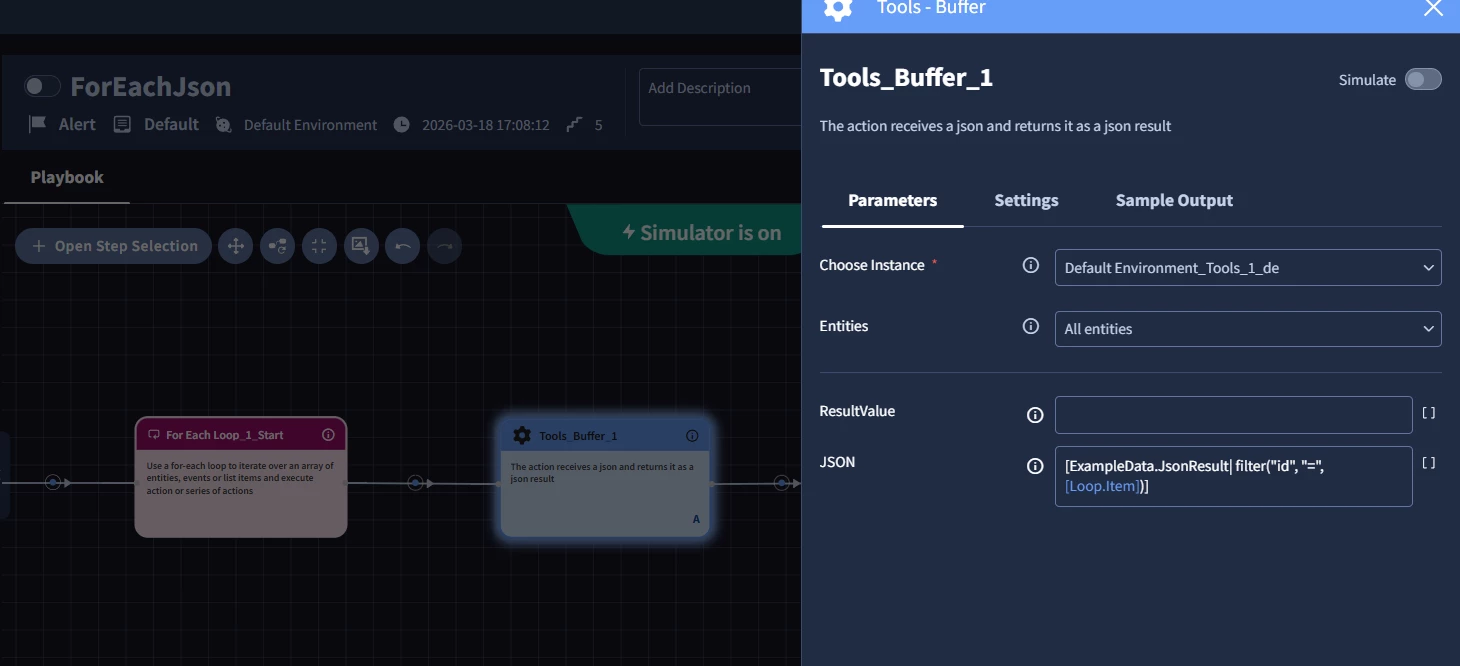
You’ll need to set your For Each to loop over Reports.response_date|”id” , then inside the loop you can use [Loop.Item] (which will contain your report ID) with the filter function to return the rest of that response.
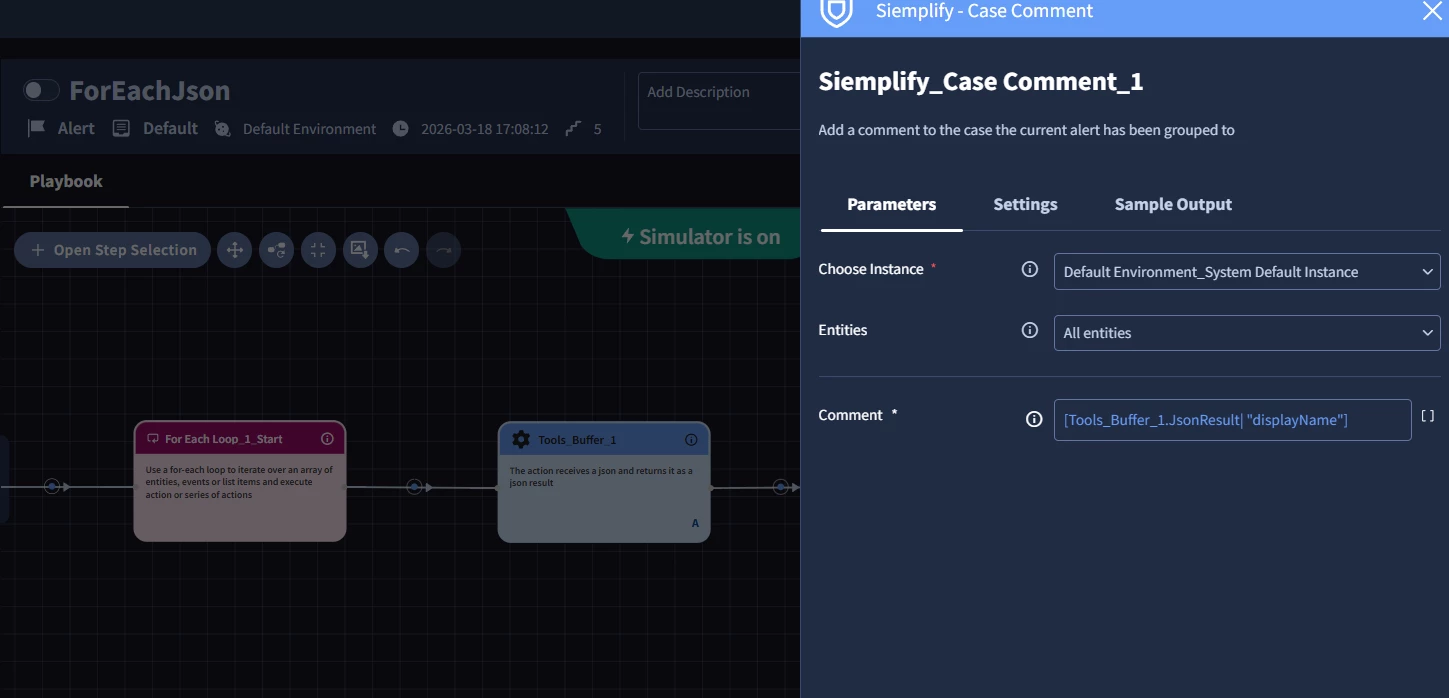
You can then avoid having too many complex placeholders in your loop by using the ‘buffer’ action from the Tools powerup at the start of the loop to hold the the individual response and then reference buffer.jsonresult|”fieldname” to pull specific fields.
Here is an example from my lab demonstrating that method:




Enter your E-mail address. We'll send you an e-mail with instructions to reset your password.