

Solved

Native Dashboards / Event Time vs. Ingest Time Filter

  • May 19, 2025
  • 1 reply
  • 33 views

jdavisson_CYD
Forum|alt.badge.img+3

Is there a current capability or roadmap item to enable the time filters in Native Dashboards to key on the ingested timestamp rather than the event timestamp?

This would be equivalent to basing a time filter on metadata.ingestion_timestamp in Looker-based dashboards.

i.e. - I want to see events that were ingested in a given time window even if (especially if...) the ingestion timestamp is outside of that window.

I can add metadata.ingested_timestamp.seconds to the events or outcomes, but I will only see those events where the event timestamp is within the time window of the global time filter on that dashboard.
Best answer by Eoved

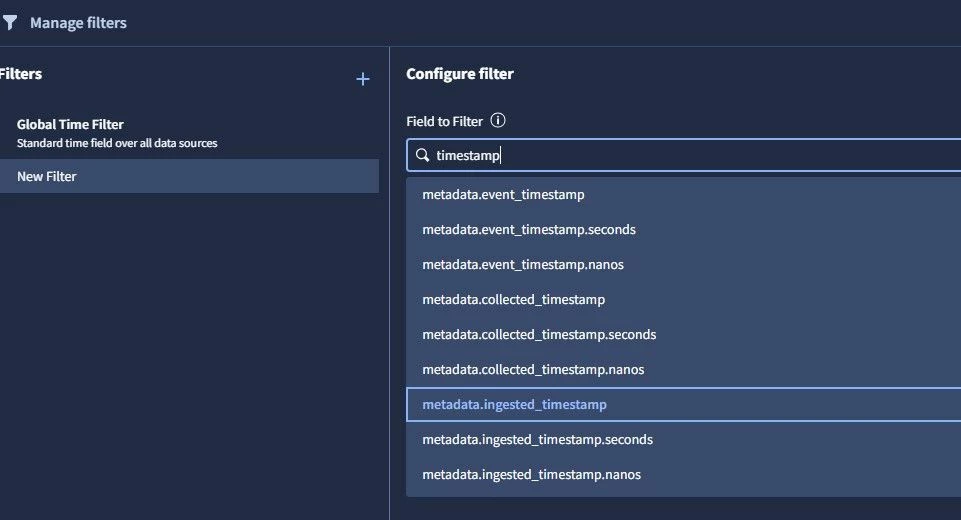
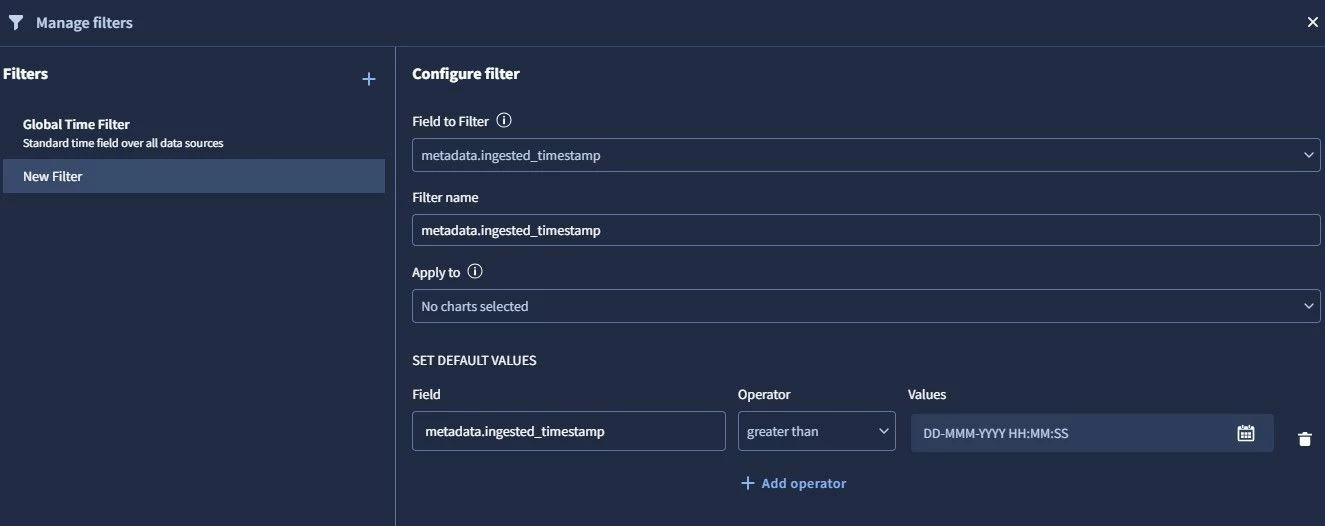
You can use a custom filter instead of the default time filter (currently, it's using the event timestamp for filtering) and base your filter on the ingested field.

To add a filter:
Edit the dashboard.
Click the "Filter" icon.
In the "Manage filters" window, add a new filter.
Specify the "Field to filter" (e.g., metadata.ingested_timestamp.seconds ).
Give the filter a name.
Select the charts to apply the filter to.
Set a default value if needed.

Example:

1 reply

Eoved
Forum|alt.badge.img+8
  • Bronze 2
  • Answer
  • May 21, 2025

You can use a custom filter instead of the default time filter (currently, it's using the event timestamp for filtering) and base your filter on the ingested field.

To add a filter:
Edit the dashboard.
Click the "Filter" icon.
In the "Manage filters" window, add a new filter.
Specify the "Field to filter" (e.g., metadata.ingested_timestamp.seconds ).
Give the filter a name.
Select the charts to apply the filter to.
Set a default value if needed.

Example:
