Question

Playbook: How to get Raw log

  • July 28, 2026
  • 4 replies
  • 21 views

gabriel.marchi
Forum|alt.badge.img

I'm building an automation that integrates Google SecOps with our ITSM platform, and I need to retrieve the raw log from within a playbook so I can send it to the ITSM.

I found the event._raw field, but it is always empty in my playbook.

Is there another way to access the original raw log within a Google SecOps playbook? If so, what is the recommended approach?
4 replies

cmorris
Staff
Forum|alt.badge.img+15
  • Staff
  • July 28, 2026

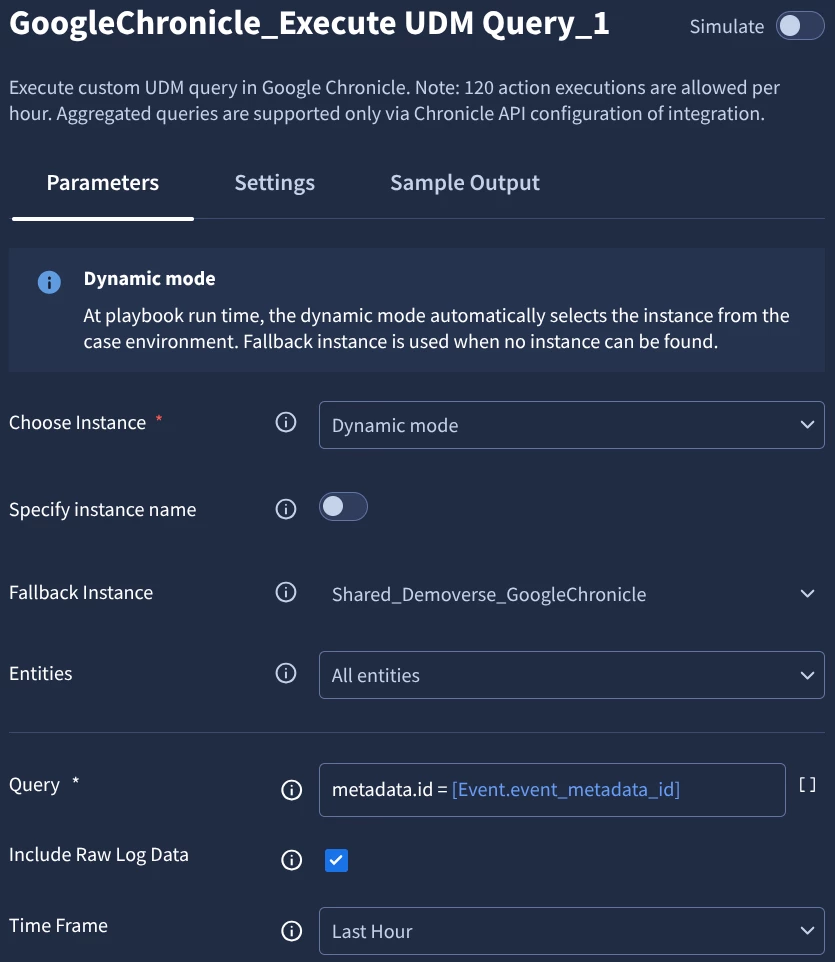
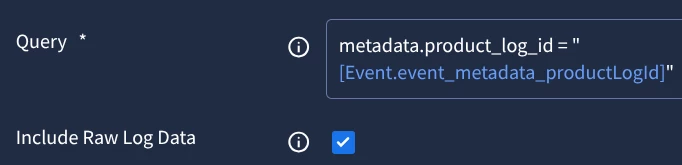
You could try something like this - use the execute UDM query action with the ‘Include Raw Log Data’ box checked. For the query, metadata.id with the placeholder ID from the event. Update the timeframe as needed as well.


gabriel.marchi
Forum|alt.badge.img

I tried this, but the actions bring me an error, request contains an invalid argument


cmorris
Staff
Forum|alt.badge.img+15
  • Staff
  • July 28, 2026

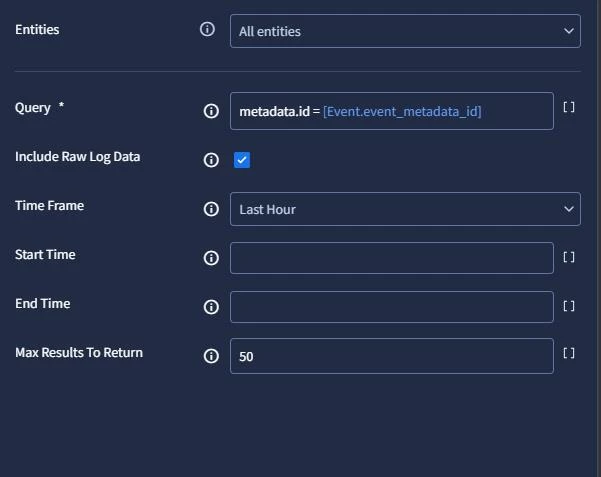
 Can you try the below? Wrap placeholder in quotes as well, I had left that out originally.

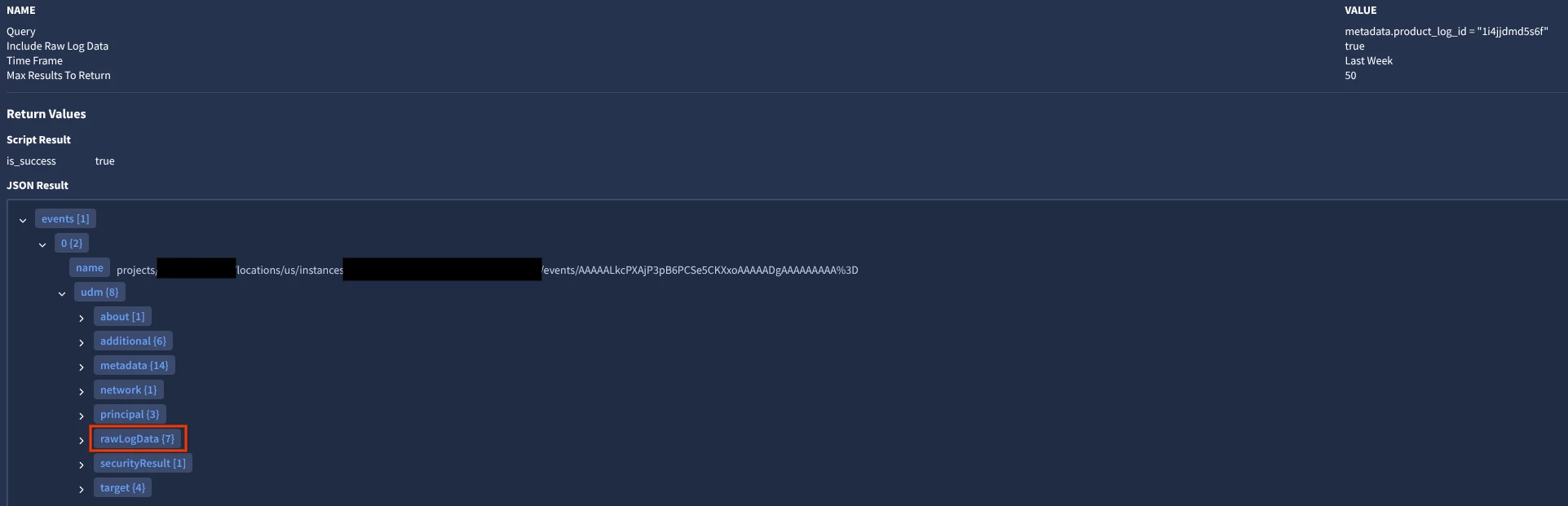
Results:


Note that you need to be using Chronicle API instead of Backstory for this to work - https://docs.cloud.google.com/chronicle/docs/soar/marketplace-integrations/google-chronicle#google-chronicle-actions-execute-udm-query-:~:text=Query%20parameter%20value.-,Include%20Raw%20Log%20Data,-Optional.


This should work for events with single alerts. For events with multiple alerts, you will need to adjust the query as you will have multiple product log IDs. You can use the SiemplifyUtilities - Query Joiner action to build a query and then use the result from that action in the Query field for the Execute UDM Query action.


cmorris
Staff
Forum|alt.badge.img+15
  • Staff
  • July 28, 2026

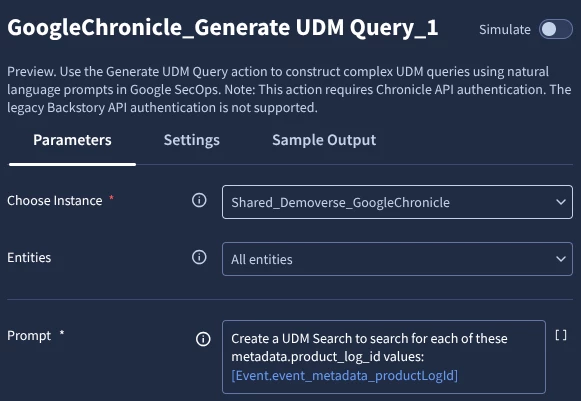
Instead of using query joiner (and easier in my brief testing), you could try the Generate UDM Query action.

Here I provided a prompt with the placeholder variable. I am testing this against an alert that contains two events, each with their own ID.

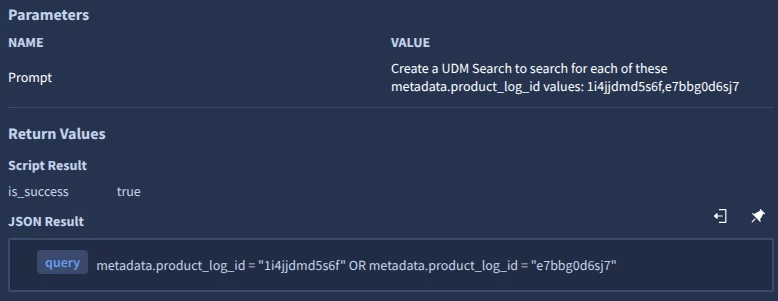
Prompt results:

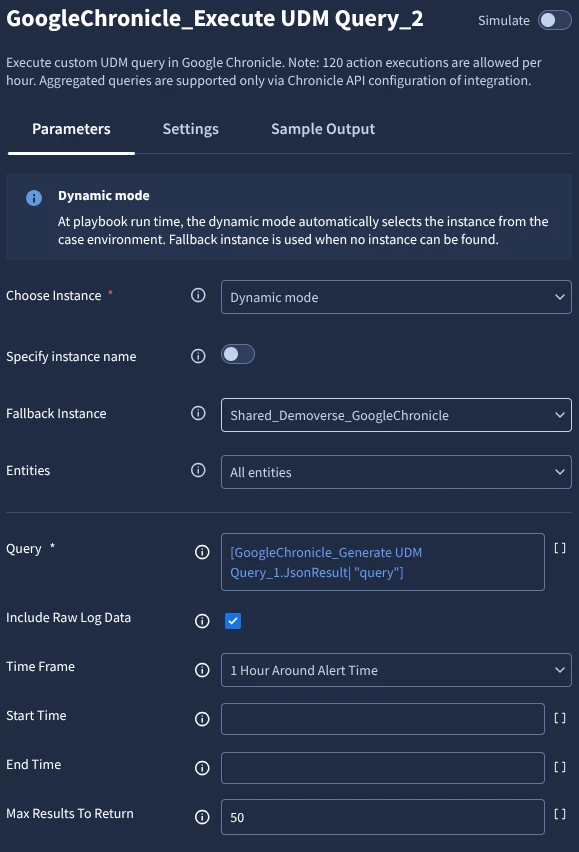
Configure the Execute UDM Query to use the query generated by the Generate UDM Query action:

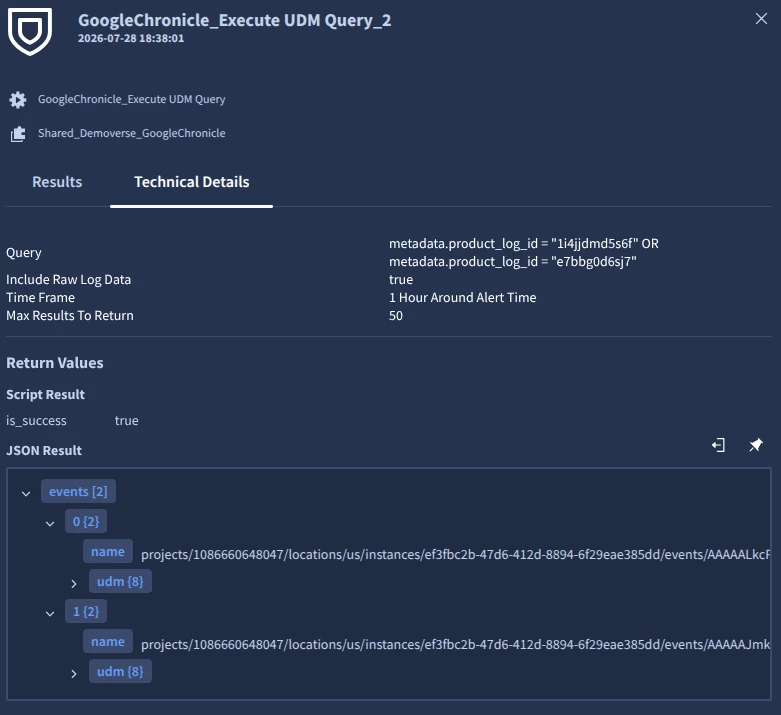
Results of the generated query after using it in Execute UDM Query action: