Hi everyone,
I’m currently testing the built-in Risk Analytics for UEBA rules in Google SecOps, specifically around Anomalous Network Bytes Outbound detections.
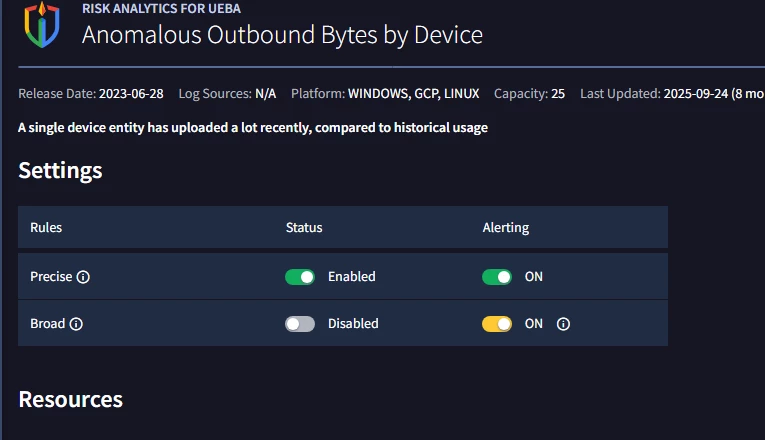
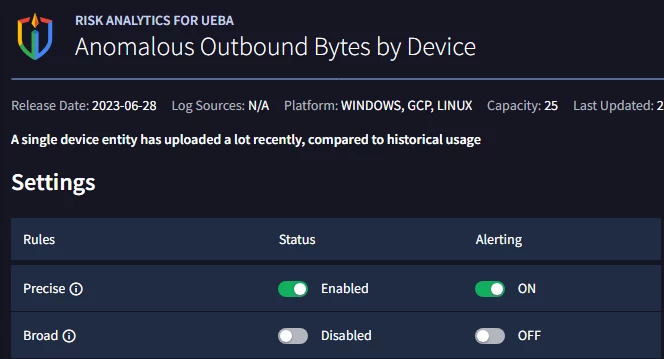
While configuring the rule set, I noticed that there are two modes available: Precise and Broad, and I’d like to make sure I fully understand how they behave in practice.
From what I’ve observed so far:
- Precise seems to generate fewer alerts and is likely more strict (lower noise) for my case didnt generate any alert yet.
- Broad appears to be more sensitive and potentially noisier.
- A rule only generates alerts if both Status = Enabled and Alerting = ON. ( both broad and precise)
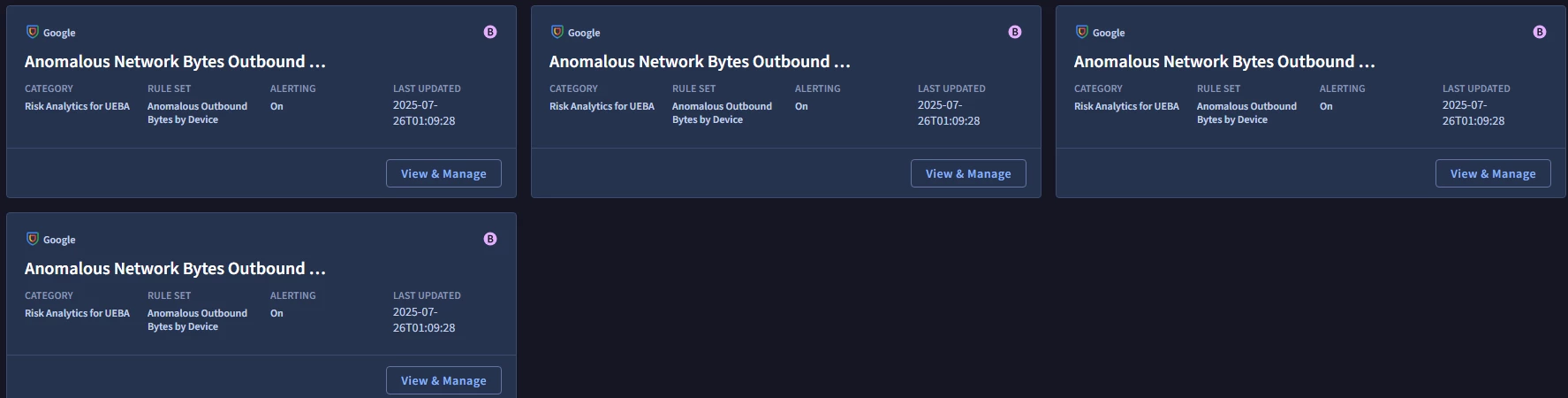
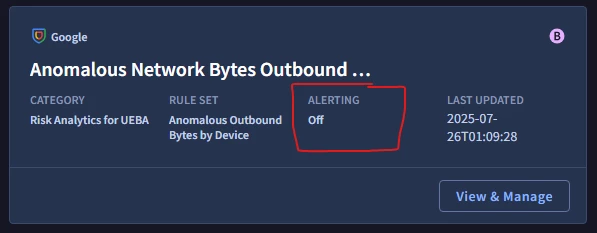
- Even when Broad is disabled, I still see rules marked with a “B” (Broad) in the UI and the alerting is off .
I had a few questions to confirm my understanding:
- Does the “B” label simply indicate the rule variant, regardless of whether it is enabled?
- When only Precise is enabled, can I safely assume that only that version is actively generating alerts?
- In a given rule set, are Precise and Broad truly separate detection logics, or is Broad just an extension of the same logic with looser thresholds?
Any clarification or feedback from others using these rules in production would be really helpful.
Thanks a lot!