Question

Product field in Dashboards

  • November 26, 2025
  • 3 replies
  • 42 views

Forum|alt.badge.img+2

The alert included in the case has a product field.
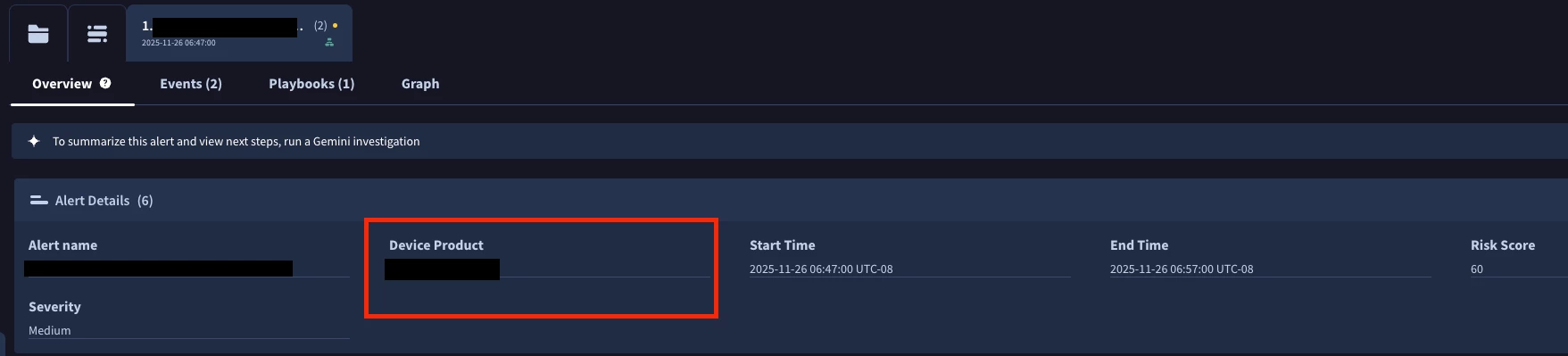

In "SOAR Reports legacy", the product field is available.
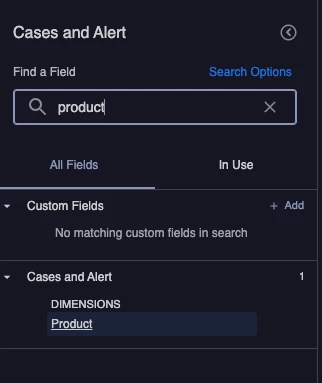
 

I reviewed all the fields, but I didn’t find any product field. Anyone would know? 


3 replies

kentphelps
Staff
Forum|alt.badge.img+11
  • Staff
  • December 10, 2025

If you go check out Use Looker Explores in SOAR reports and look at the table and go down to Report Type Cases and Alerts.  In there look under Key Dimensions and you will find Product as well as other data fields you can use in the Advanced Reports.


Forum|alt.badge.img+2
  • Author
  • New Member
  • December 11, 2025

Yes, the field is available in “SOAR Reports (Legacy)” and the “Advanced Reports”. But I’m looking for this field in the (new) Dashboard section.

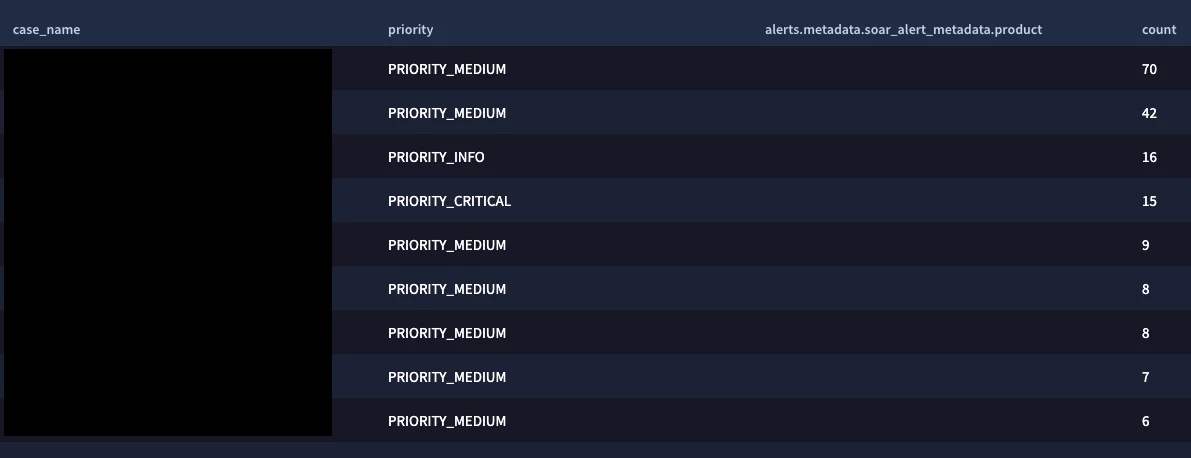
When using the feed case.xxx (Cases and alerts), I can’t find similar product field.

The only field I found is case.alerts.metadata.soar_alert_metadata.product


but it comes empty for me

$case_name = case.display_name
match:
$case_name, case.priority, case.alerts.metadata.soar_alert_metadata.product
outcome:
$count=count($case_name)
order: $count desc


kentphelps
Staff
Forum|alt.badge.img+11
  • Staff
  • December 11, 2025

A workaround might be if you try creating a custom field in the Case scope in SOAR Settings named "Product" or something.  Use a Playbook (or an Automation Rule) to automatically copy the [Alert.Product] value into this Custom Field when a case is created.  This Custom Field will then appear in the Native Dashboard "Cases and alerts" schema as case.custom_fields.product (or whatever), allowing you to group and filter by it.