Question

Prompt / Instruction to analyst with dynamic input

  • March 12, 2026
  • 5 replies
  • 62 views

AnimSparrow
Forum|alt.badge.img+6

Hello,

Is there any options to show pending action to user with dynamic field inside?
I know how to create IDE that will prompt user with plaintext, same as Flow > Instruction. But is there any option to prompt user with something dynamic? Even as a text field where he can just go “ok”.

Purpose - to not force user to go to wall to look for answer of some regular actions.

Example - Playbook get information about IP and instead of post insight it will provide another pending action prompt that when you click respond it will have output from that previous gathering action listed.

Looking forward to suggestions.

5 replies

kentphelps
Community Manager
Forum|alt.badge.img+12
  • Community Manager
  • March 18, 2026

If you double-click the relevant step in the Playbook Designer and change the Action Type from "Automatic" to "Manual" you will see the "Message to assignee" field appear.  Add a message explaining what needs to be done. You have the option to insert a placeholder in your message.  See this doc for more detail.


AnimSparrow
Forum|alt.badge.img+6
  • Author
  • Bronze 2
  • March 19, 2026

If you double-click the relevant step in the Playbook Designer and change the Action Type from "Automatic" to "Manual" you will see the "Message to assignee" field appear.  Add a message explaining what needs to be done. You have the option to insert a placeholder in your message.  See this doc for more detail.


Is this option fixed? I remember that often when assignee is not chosen the value was not appearing or appearing only after particular prompts


still good point, Will check if this works as should


AnimSparrow
Forum|alt.badge.img+6
  • Author
  • Bronze 2
  • March 19, 2026

yes as suspected

it still do not work as it should
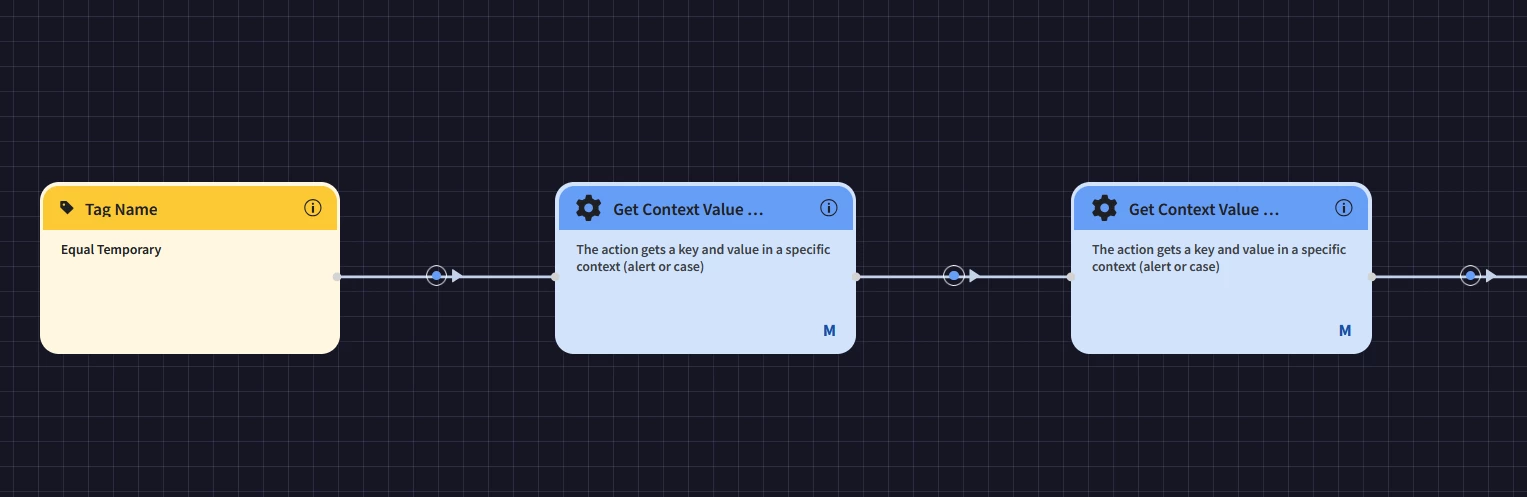
I have 2 manual actions one by one
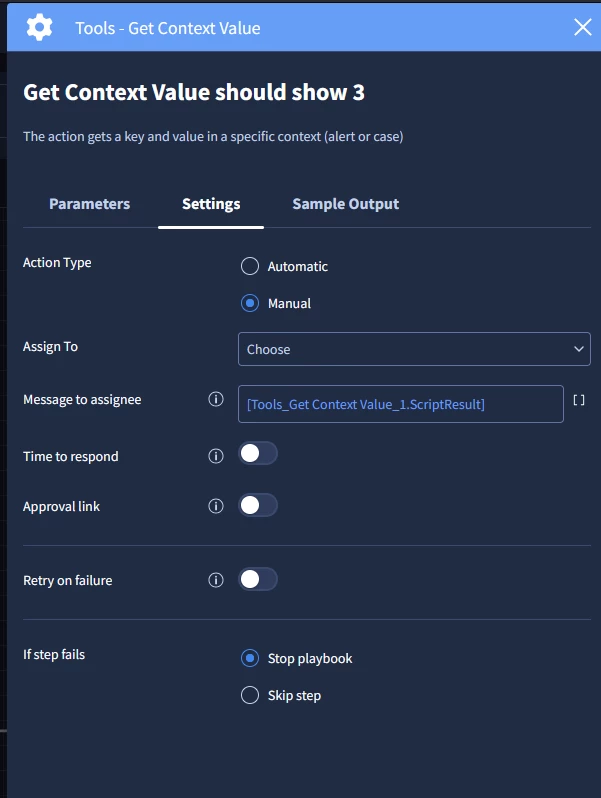
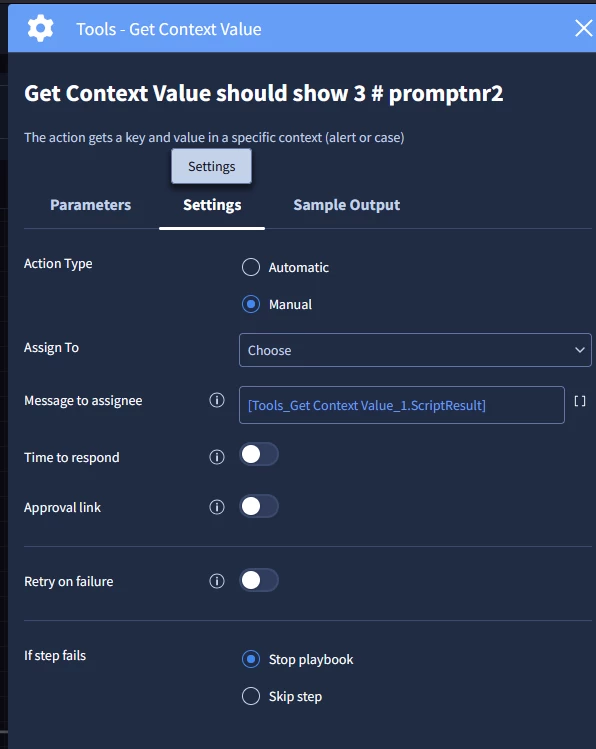
both got the same configuration
1st never show this ‘hint’

only the second one show it

for me it looks like a bug and I do not want to send 2 prompts one after another just to unlock this hint :)
 

as you can see- very simple playbook with 2 manual action, same type same config, 1st not show it, second show it


AymanC
Forum|alt.badge.img+14
  • Bronze 5
  • March 21, 2026

Hi ​@AnimSparrow,


How about having a HTML widget that gets conditioned based on the pending action it’s waiting for, for example:

Playbook get information about IP → Displays HTML widget above the pending action with the relevant data (ensuring to set the html widget to have a condition which only triggers at the specific point in time within the playbook). → Pending Action (Maybe titled ‘Review HTML Widget named XXX)


Kind Regards,

Ayman


AnimSparrow
Forum|alt.badge.img+6
  • Author
  • Bronze 2
  • March 22, 2026

Hi ​@AnimSparrow,


How about having a HTML widget that gets conditioned based on the pending action it’s waiting for, for example:

Playbook get information about IP → Displays HTML widget above the pending action with the relevant data (ensuring to set the html widget to have a condition which only triggers at the specific point in time within the playbook). → Pending Action (Maybe titled ‘Review HTML Widget named XXX)


Kind Regards,

Ayman


good idea - will check as workaround