



Hey folks,
Yesterday, we released a small, but impactful update to the “Functions” PowerUp. Now, this PowerUp contains a new action called “Calculate Timestamp”.
Background
You might’ve seen that in a lot of actions, the time range management is handled in the same way. You would have 3 parameters that dictate the time for the action execution:
- Time Frame
- Start Time
- End Time
Here is an example from a real action:
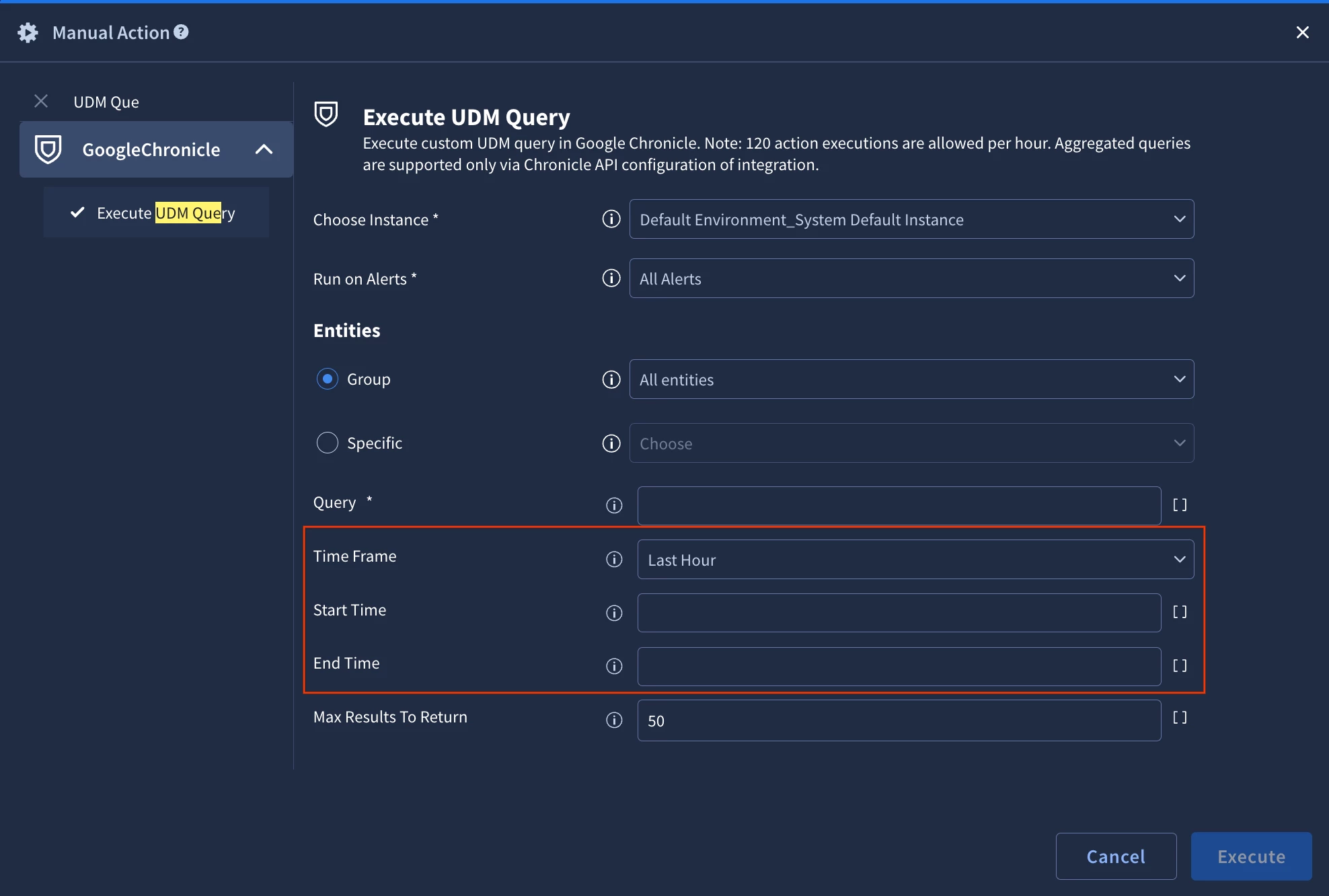
This handling is unofficially standartized and we aim to have the same implementation to be on all actions, where it’s relevant. There would be some basic predetermined values and ability to provide a custom time range.
For custom input, we work with ISO8601 format (eq 2025-10-31T10:21:00Z).
The common challenge that we are observing is that sometimes the predetermined options are not good enough for the desired use case and that it’s hard to create the necessary custom timestamps with existing tools.
Calculate Timestamp
With this new action, we are aiming to solve this challenge at scale. You will be able to take any timestamp from any format and calculate new timestamps easily.
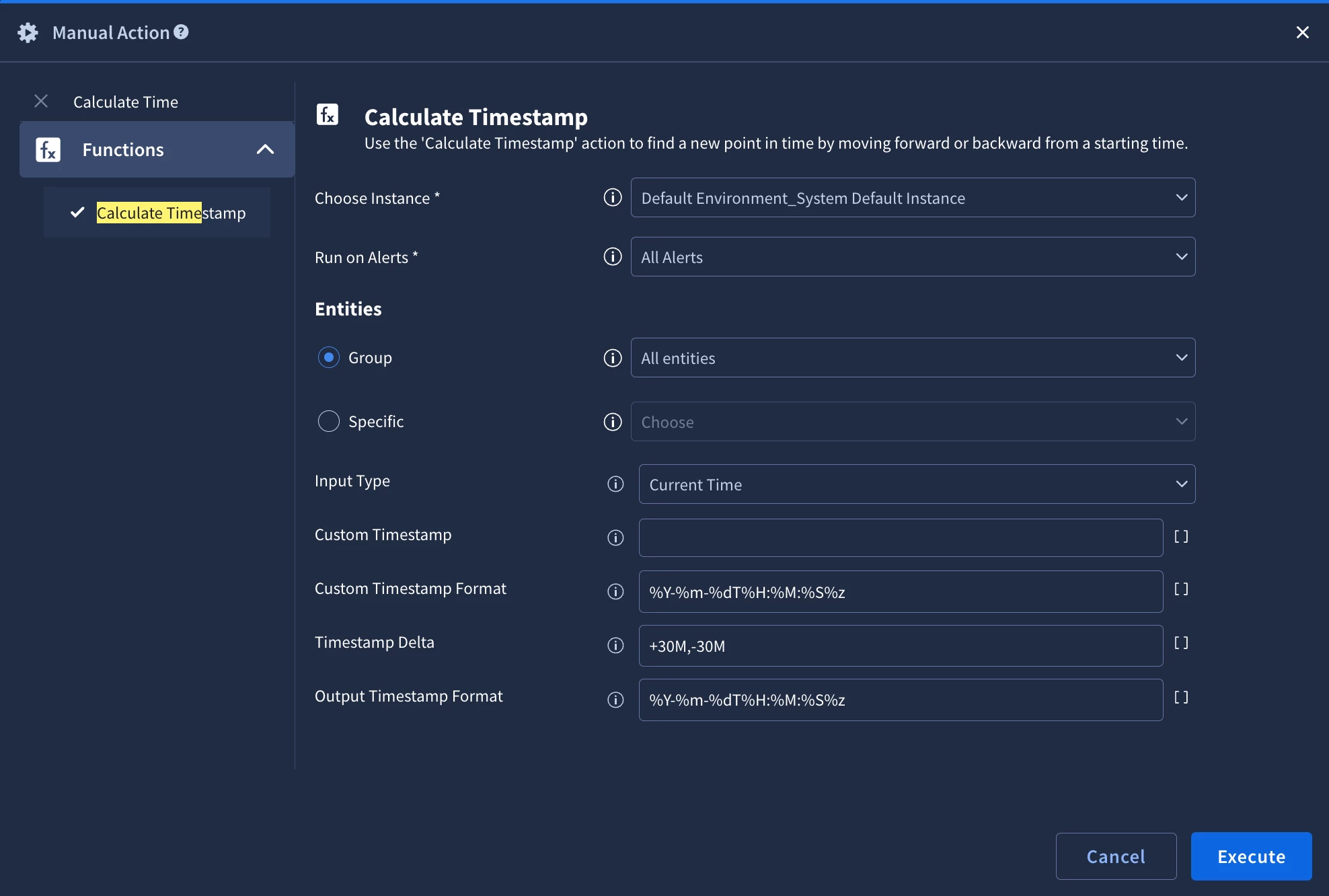
It allows you to work with:
- Alert Time
- Case Time
- Current Time
- Custom Time
Supported notations:
- m - months
- d - days
- H - hours
- M - minutes
- S - seconds
You can generate more than 1 timestamp from 1 action execution by providing comma-separated list of inputs for the “Timestamp Delta” parameter. To generate a timestamp ahead of input use “+”, in other direction “-”.
The generated keys will follow a predetermined format in the JSON Result: timestamp{Timestamp Delta} (eq timestamp+30m, timestamp-30m).
JSON Result example:
{
    "original_timestamp": "2025-11-20T10:35:12+0000",
    "calculated_timestamps": {
        "timestamp+30M": "2025-11-20T11:05:12+0000",
        "timestamp-30M": "2025-11-20T10:05:12+0000"
    }
}
Known Issue with Placeholder
During the placeholder resolution, there is a known issue that the timestamps are automatically converted into format “MM/DD/YYYY hh:mm:ss” even if you originally had the ISO8601 format. To overcome this, you should use “dateFormat” function within placeholder.
Your placeholder will look similar to this:
[Functions_Calculate Timestamp_1.JsonResult| "calculated_timestamps.timestamp+30M" | dateFormat("YYYY-MM-DDThh:mm:ss")]
It will ensure that you will get the ISO8601 format and can use it for automations.
Let us know, if you have any requests for additional functions!

