


Solved

Retrieving CSV file from Google SecOps

  • November 13, 2025
  • 2 replies
  • 53 views

_K_O
Forum|alt.badge.img+12

Hi everyone, 


I’m creating a playbook which converts a JSON object into a CSV file and then emails the file. I thought this would be straightforward.. Save the JSON to CSV using the action:



From there, get the response in the EmailV2 utility and attached the CSV file:

 

However, the output from the JSON to CSV action is another JSON object or success notification:
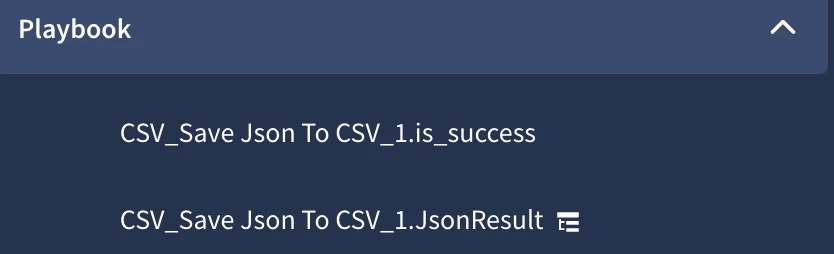
 

Does anyone know how to retrieve this CSV file as a CSV file which I can attach to an email?


TIA!

~ Kyhle

Best answer by _K_O

@vaskenh I did see that thread but the answer seems to require over-engineering what should be a simple action within Google SecOps. 


During testing, it seems as if not including a directory or hyphens in the filename when saving the CSV file has a better success rate. I’m not sure why there are issues with this action, but this seems to have solved most of my problems. 

2 replies

vaskenh
Staff
Forum|alt.badge.img+13
  • Staff
  • November 19, 2025

Hi ​@_K_O hope you’re well.  I found a similar post where someone was using this action for something similar and I’ve linked it below.

In the scenario linked here, the  'FileUtilities - Get Files as Base64'  action was used subsequent to the Save JSON and CSV as an intermediate step to transform the CSV file that the JSON represents as a path to a  base64 object.   Following this, another action takes this base64 encoded value and translates it to a blob so that it can be posted to the case wall.

Does this at least help with ideas for moving forward?


_K_O
Forum|alt.badge.img+12
  • Author
  • Bronze 5
  • Answer
  • November 21, 2025

@vaskenh I did see that thread but the answer seems to require over-engineering what should be a simple action within Google SecOps. 


During testing, it seems as if not including a directory or hyphens in the filename when saving the CSV file has a better success rate. I’m not sure why there are issues with this action, but this seems to have solved most of my problems.

