



Prerequisites:
- Admin access to SOAR
- Open Content Hub Repository and find required TIPCommon version
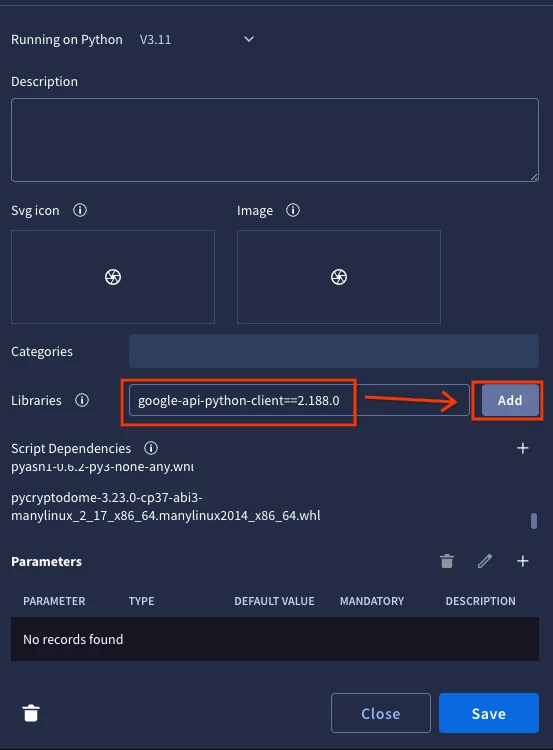
- Install prerequisites (dependencies) listed in GitHub repository pyproject.toml with exact versions one by one prior installing TIPCommon:
- Example:
-
dependencies = [
    "google-api-python-client==2.188.0",
    "google-auth==2.47.0",
    "google-auth-httplib2==0.3.0",
    "httpx==0.28.1",
    "pycryptodome==3.23.0",
    "pyopenssl==25.3.0",
    "requests==2.32.5",
    "requests-toolbelt==1.0.0",
]
-
- Example:
-
- Once all dependencies are gathered import them together with
TIPCommon-2.1.0-py2.py3-none-any.whlusing + button in settings of your custom integration in IDE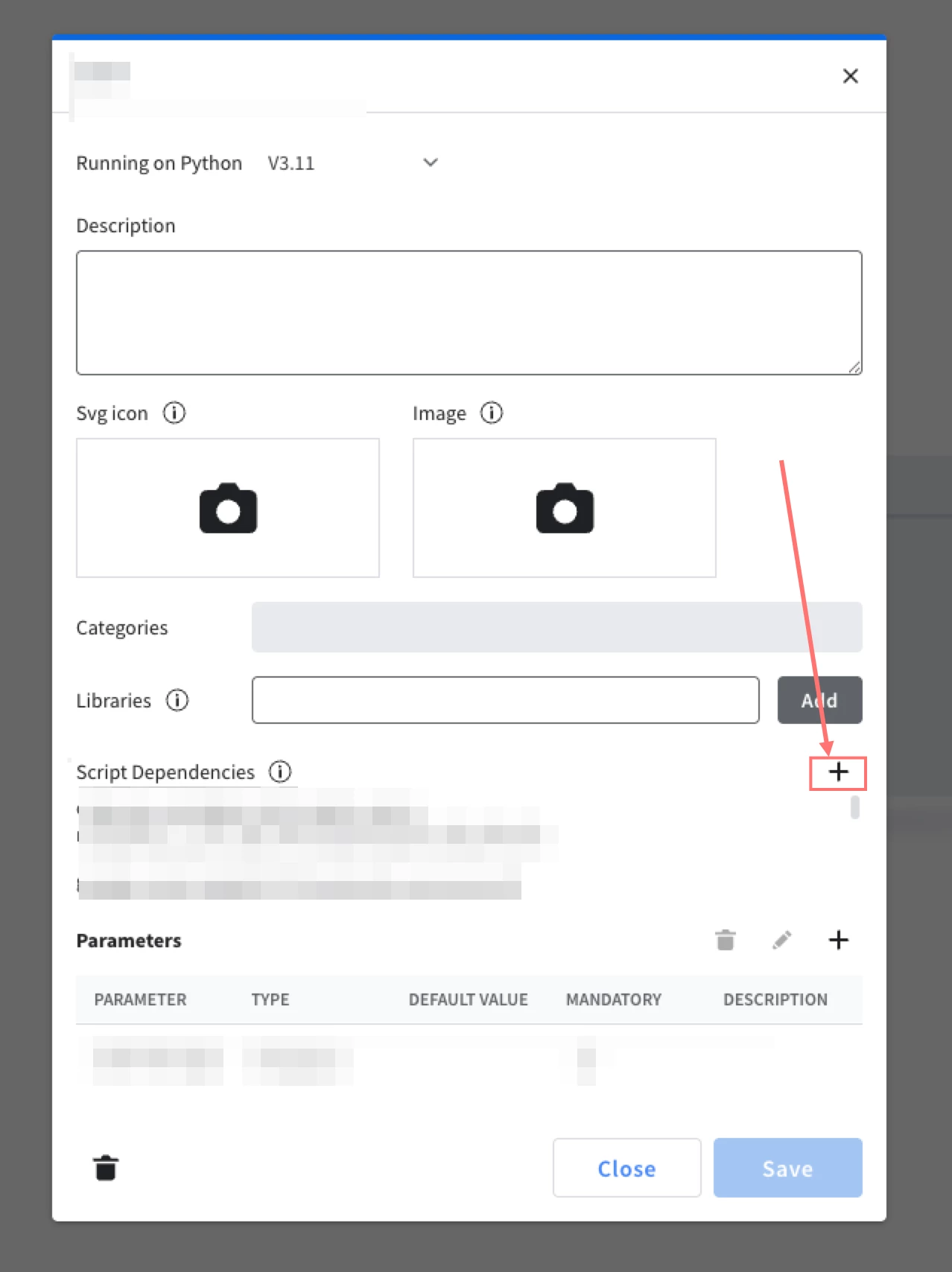
-
Install Environment Common dependency, same as in step 4 with TIPCommon
Documentation links:
