Question

Sailpoint IAM log Parsing issues

  • December 17, 2025
  • 2 replies
  • 70 views

srajvansh
Forum|alt.badge.img+2

I recently setup an integration in between SecOps and SailPoint IAM for ingestion of sailpoint logs. The pipeline setup works fine but upon searching for the logs, almost 91% of the logs were unparsed and out of the total log events ingsted.

Has anyone while ingesting Sailpoint IAM logs has had the same issue and is the best suggestion to write out your own custom parser?

Β 

Sailpoint IAM logs collection:Β https://docs.cloud.google.com/chronicle/docs/ingestion/default-parsers/sailpoint-iamΒ 

2 replies

Eoved
Forum|alt.badge.img+8
  • Bronze 2
  • December 21, 2025

Hi,
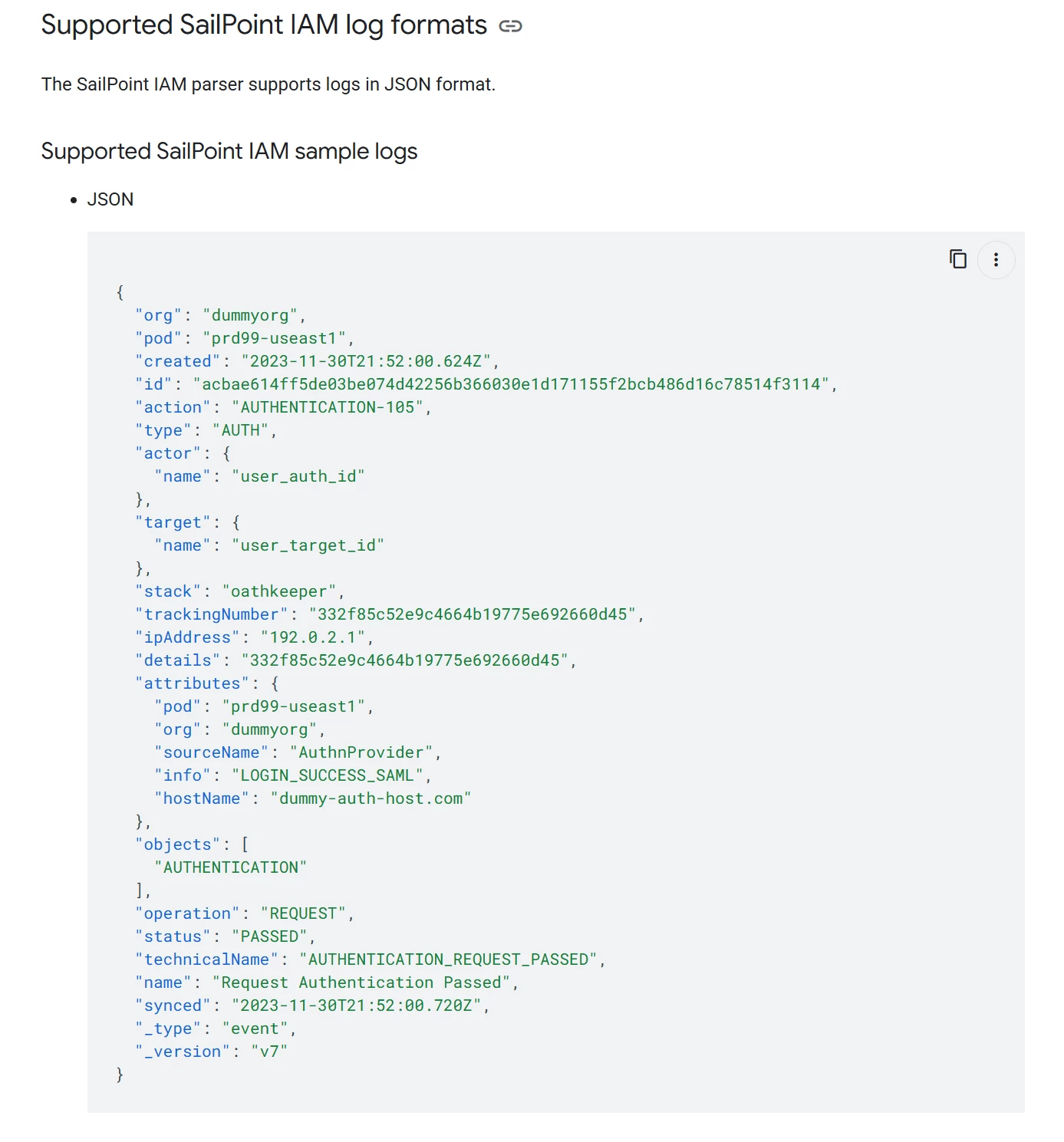
I would suggest starting by checking whether your logs match the official logs provided by the vendor. You can see the following sample:


It is possible that if you have additional content, you may need a parser extension.
It might also be a good idea to share a few sample logs here, if that’s possible on your side.

If this is not the case, and since this is a supported log source, I would recommend contacting Google Support.


srajvansh
Forum|alt.badge.img+2
  • Author
  • New Member
  • December 22, 2025

​@Eoved , I can confirm that the logs provided in the SailPoint IAM Google SecOps documentation exactly match the official logs provided by the vendor as you mentioned above.

Below is an example of the sample log and there are additional attributes as well as nested JSON values within the same:

{
"org": "",
"pod": "prd12-useast1",
"created": "2025-12-19T01:49:43.979Z",
"id": "6004fa4990c2408d97c213ab6a057546",
"action": "ACCOUNT_UPDATED",
"type": "SOURCE_MANAGEMENT",
"actor": {
"name": "System"
},
"target": {
"name": "001000"
},
"trackingNumber": "ZmM1NzgxNWEtMGRkZC00NDM1LWEzN2YtZmJkN2JlMzljYTMw",
"attributes": {
"identityId": "",
"accountId": "",
"accountName": " [removed by moderator] ",
"accountNativeIdentity": "",
"accountCorrelated": "true",
"sourceId": "",
"sourceName": "Okta Production",
"accountChangeTypes": "[\"ENTITLEMENTS_ADDED\"]",
"entitlementChanges": "[{\"attributeName\":\"groups\",\"added\":[{\"id\":\"OWM0ZDZjZmJmODlmMzI4YzgyZThlMDFlNzU1OWFiNGE=\",\"value\":\"MDBnMXJqd3V4ZGNSSmY1bGYzNTg=\",\"name\":\"app.j.sf-app.sor\"},{\"id\":\"ZTczYTIyYmE1MGIxMzMzMThjY2ZlYzhkYmU5NGUxNmU=\",\"value\":\"MDBnMXJqd2pqNjlxUEc5bEgzNTg=\",\"name\":\"app.j.mt.sor\"},{\"id\":\"b3beda38431632f4a03325b248ba6bfd\",\"value\":\"MDBnMXJqd2p3am1KWkdpVnczNTg=\",\"name\":\"app.j.qa.sor\"},{\"id\":\"NTU0NGZhYjljOGY4MzkyOGJlOWFkYzk5MTczOWYxNDI=\",\"value\":\"MDBnMXJqd3dxMnVYWnE4MlAzNTg=\",\"name\":\"app.j.si-app.sor\"},{\"id\":\"NDg3NTgzYjRiNjM1M2ViZmI1MzFlMDcxMDc5ZDZhMzg=\",\"value\":\"MDBnMXJqdzl5d3g2SHcxdDkzNTg=\",\"name\":\"app.j.ft.sor\"},{\"id\":\"YjM4ODZiZWE4NWRjM2IzZmI3NTM2OWQ0OTg3NGUzMTU=\",\"value\":\"MDBnMXJqdmwxbXpJMmd6MjMzNTg=\",\"name\":\"app.j.epg.sor\"}],\"removed\":[]}]",
"singleValueAttributeChanges": "[]",
"multiValueAttributeChanges": "[]"
},
"objects": [
"NATIVE",
"CHANGE"
],
"operation": "UPDATE",
"status": "DETECTED",
"technicalName": "NATIVE_CHANGE_UPDATE_DETECTED",
"name": "Update Native Change Detected",
"synced": "2025-12-19T01:49:44.280Z",
"_type": "event",
"_version": "v2"
}

I also created a parser extension as well as fixed it multiple number of times to be able to fix the parsing errors but unfortunately it isnt yielding the results.

Regarding your recommendation about contacting Google Support, I am a new SecOps customer and would really appreciate if you can help on how can I contact them?